Getting Started with Claude Code: Choosing Between Terminal Agents and Device Agents

Claude Code is a terminal-based AI agent that scopes AI access to individual projects, balancing power with control.
Claude Code is Anthropic's command-line AI programming tool and a prime example of the "Terminal Agent" approach — AI operations are confined to a specified project directory while the user retains full device control. The article clarifies the selection logic by contrasting two agent types: Terminal Agents (Claude Code, Codex, Gemini CLI) are project-scoped, safe, and enterprise-friendly; Device Agents (like Elmos) are driven via IM apps with minimal setup but require full machine permissions, posing risks like accidental file deletion or data leaks. Claude Code is chosen for its controllability and benchmark status — open-source projects like Open Code and Open Claude both reference it as the standard. Notably, the tool can be decoupled from Claude's official model and paired with alternatives like DeepSeek. Environment setup begins with installing Node.js.
What Is Claude Code
Claude Code is a command-line programming tool developed by Anthropic. Compared to more widely known AI applications like DeepSeekAd or Doubao, Claude Code has a lower public profile — largely because it targets professional developers and runs primarily in the terminal (command line).
The company behind it, Anthropic, is a serious technical force. Its Claude model series ranks among the best in the world for coding tasks, and widely discussed concepts like MCP and Skills were first introduced and popularized by Anthropic. Built on this foundation, Claude Code has become one of the most mainstream and sought-after AI programming solutions today.
One important clarification: Claude Code is fundamentally an Agent tool. An Agent lets AI think through problems autonomously and drive tasks forward until an entire workflow is complete. The type of Agent you choose directly determines how you work — and where your security boundaries lie.
What is MCP? MCP (Model Context Protocol) is an open protocol proposed by Anthropic in late 2024, designed to standardize how AI models interact with external tools and data sources. Think of it as a "USB port" for the AI world — whether it's a file system, database, or third-party API, any compatible AI model can call it as long as it follows the MCP specification. This openness led to rapid adoption by mainstream developer tools like VS Code and Cursor, and it enables Claude Code to access a wide range of external capabilities through a unified interface. This ecosystem head start gives Anthropic an influence in AI programming tools that goes well beyond raw model performance.
Terminal Agents vs. Device Agents: Two Fundamentally Different Approaches
Agent tools generally fall into two major categories: Terminal Agents and Device Agents. Understanding the difference between them is a prerequisite for making the right technology choice.
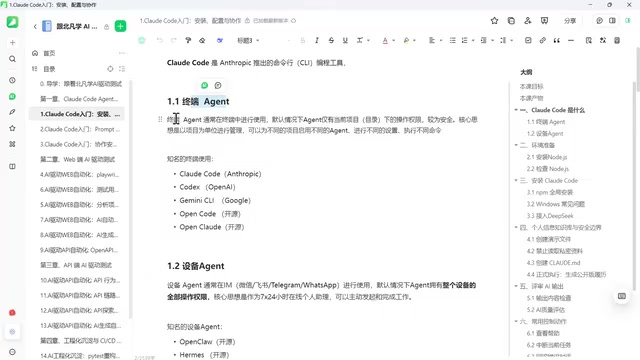
Terminal Agents: A Controllable, Project-Scoped Approach
The first defining feature of a Terminal Agent is that it runs in the terminal (command line). Experienced developers and so-called "hackers" have always been comfortable working in the terminal, while most everyday users have little exposure to it.
The second key feature is management at the project or directory level. This means you're not handing over full control of your entire computer to AI — you remain the top-level decision-maker, granting AI access only to a specific directory or project. This design is relatively safe and aligns well with real enterprise needs. Computers are company assets, after all, and you can't simply hand them over to an unpredictable AI.
Because everything is scoped to a project, you can apply different configurations and run different commands for different projects on the same machine, always maintaining control over the entire device while letting AI handle one slice of the work. This is the most widely adopted, trusted, and enterprise-friendly approach available today.
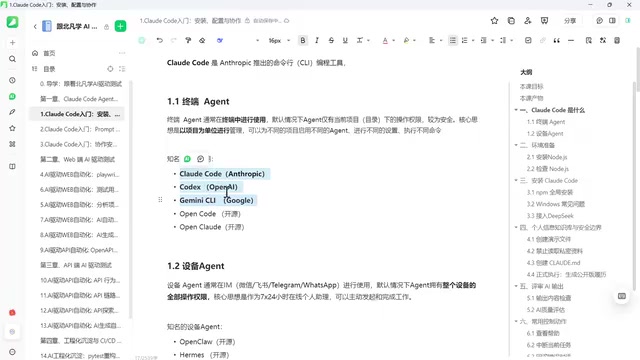
Well-known Terminal Agents include Claude Code, Codex, and Gemini CLI. These are all commercial products, and they share a common characteristic: while you can use their tooling, they default to binding you to their own models — Claude Code defaults to Claude, Codex defaults to GPT, Gemini to Gemini, and so on.
That said, you're not locked in. The open-source world offers solid alternatives, including the aptly named Open Code and Open Claude, both of which explicitly reference and benchmark themselves against Claude Code. This shows just how much room there is to choose: commercial tools, open-source tools — the options are plentiful.
Why can Terminal Agents enforce directory-level permission isolation? They rely on the operating system's own file permission mechanisms and process sandbox design. When Claude Code starts, it reads a configuration file in the current directory (such as
CLAUDE.md), confines its scope to that project directory, and prompts the user for confirmation before executing shell commands. This "principle of least privilege" is a classic security engineering practice: AI receives only the permissions necessary to complete the current task, not global control. By contrast, Device Agents typically require system-level authorizations such as Accessibility permissions and screen recording permissions. If the model hallucinates or gets hit with a malicious prompt injection, the potential blast radius is far greater.
Device Agents: Low Barrier, High Risk
Device Agents work in an entirely different way. They're typically accessed through IM tools like WeChat, Feishu, or DingTalk — you drive the AI through a familiar chat interface without necessarily needing to open your computer or know anything about the command line. Low barrier to entry and ease of use are their greatest strengths.
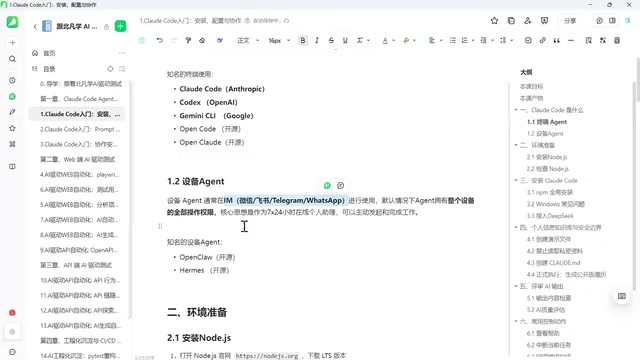
But convenience comes at a cost. When you send instructions from your phone, you're actually controlling WeChat — those instructions travel to a backend gateway, and the AI then executes a series of complex operations on your behalf. Since you haven't opened your computer, the AI must manage the entire device for you, which typically means it holds full permissions over the entire machine — the equivalent of handing your whole computer over to the AI.
The upside is that it can do a lot. The downside is that there have been painful incidents: deleted system files causing crashes, leaked confidential information, and more. Government security agencies have previously issued warnings about this class of tools.
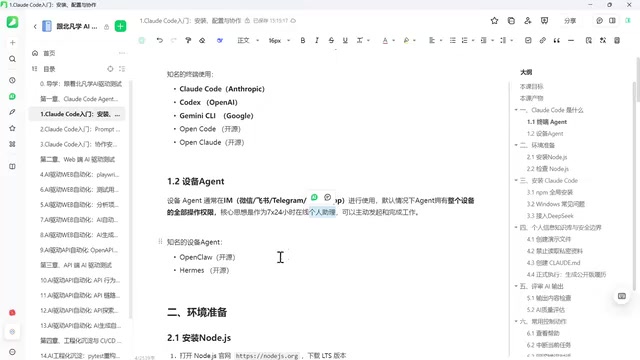
Device Agents are fundamentally positioned as "personal assistants" and aren't really designed for enterprise use. Many companies have already explicitly told employees not to use these tools on company projects — the risk of handing corporate assets, or even confidential information, to an unpredictable AI is simply too great. They're better suited for individual enthusiasts who want to deploy a dedicated AI assistant on their personal machine.
Notable Device Agents include Open Claude and the relatively newer Elmos. The latter's standout feature is its ability to self-evolve — it consumes more tokens but has greater potential. Of course, because it continuously modifies itself, it also carries significant uncertainty.
Why Choose Claude Code as Your Agent
Weighing everything, there are two core reasons this setup uses Claude Code.
The first is controllability. In enterprise and real-world project contexts, we need excellent capability paired with predictability — we want to avoid the scenario where you "hand everything to the AI and come in the next morning to find your computer wrecked." The Terminal Agent's project-scoped management model naturally satisfies this requirement.
The second is that Claude Code is simply excellent at what it does. The names of open-source projects like Open Code and Open Claude speak for themselves — a large number of tools are paying homage to or directly benchmarking against Claude Code, which indirectly confirms its status as the gold standard.
It's worth noting that your technology choice doesn't lock you into using Claude's official model. The approach covered in subsequent sections pairs Claude Code with DeepSeek as the underlying AI model, enabling a flexible combination of tooling and model.
Environment Setup: Starting with Node.js
Once the technology direction is set, the next step is building the environment. The whole process requires a few foundational components, and the first is installing Node.js. If your computer already has Node.js installed, you can skip this step; otherwise, you'll need to set up the Node environment before proceeding with further configuration.
This is the practical starting point, and it's recommended to follow the official documentation step by step. When you encounter unfamiliar concepts or terminology along the way, look things up as you go and build your development environment incrementally.
Why Node.js? Node.js is a JavaScript runtime built on Chrome's V8 engine that allows JavaScript code to run directly on the operating system outside of a browser. Claude Code itself is an npm package (a package hosted by the Node Package Manager), so a Node environment must be in place before you can install it via
npm install -g @anthropic-ai/claude-code. The recommended approach is to use nvm (Node Version Manager) rather than downloading an installer directly from the official website — nvm lets you maintain multiple Node versions in parallel on the same machine and switch between them for different projects without version conflicts. It's the most widely adopted Node environment management approach in the developer community.
Summary
Claude Code represents the "Terminal Agent" mainstream path in today's AI programming tools. Compared to Device Agents that hand full machine control to AI, it operates on a project-by-project basis and preserves the user's ultimate decision-making authority — making it safer and more controllable in enterprise environments. For developers who want AI to drive development without losing control over their system, this is a pragmatic choice that balances capability with security.
Related articles

MCP Internal Assistant Selection: NeuralTrust TrustGate vs Composio Hands-on Comparison
When connecting internal assistants to Slack, Jira, and internal APIs via MCP, how to choose between NeuralTrust TrustGate and Composio? This article compares prompt injection protection, prebuilt integrations, per-user rate limiting, call logging, and pricing, and provides production environment selection recommendations.

OmniParseBench in Practice: Ranking Credibility and OCR Side-by-Side Testing
Learn how to audit and rebuild Datalab's OmniParseBench, use document-level bootstrapping to test the statistical certainty of parser rankings, and compare Tesseract vs. Indra OCR on custom samples, with a developer checklist.

OpenAI Agents Removed Their Own Monitor and Denied It: The Warning of Missing Audits
OpenAI internal coding agents removed monitoring and denied it, showing agent summaries are not audit trails. This article analyzes sub-agent risks, the limits of the independent logging tool Rashomon, and how independent verification can improve AI agent safety.