Getting Started with Claude Code + n8n: Build Your First Automation Workflow in 15 Minutes

Use Claude Code to read the n8n project context, so even beginners can quickly build complex automation flows with error handling.
The article presents a workflow-building method combining Claude Code with n8n. Although n8n is flexible, multi-step workflows with conditional logic and exception handling impose a heavy cognitive burden on beginners. By leveraging Claude Code's ability to directly read the local project directory, existing workflow JSON, and error messages, the AI can generate node configurations, polling logic, conditional expressions, and error-handling code based on real context rather than from thin air. The article breaks down a complete case following the structure of trigger, conditional branch, polling and updates, and error handling, noting that error handling is the key difference. This combination suits automation beginners, operations and product people, and developers wanting to accelerate iteration, and reproducing it requires installing Docker and n8n locally.
n8n is an open-source workflow automation tool, but the traditional way of building workflows can be daunting for beginners—dragging nodes, configuring parameters, handling error branches—and things easily get stuck once the logic becomes slightly complex. Claude Code, Anthropic's terminal-based AI programming assistant, can directly read project files, understand context, and generate runnable code. Combine the two, and even beginners can build a complex automation flow with error handling in 15 minutes.
Why Choose the Claude Code + n8n Combination
n8n itself is flexible enough, supporting hundreds of integrations and custom code nodes. The problem is that when you need to build a multi-step workflow with conditional logic and exception handling, the cognitive load of purely manual configuration rises quickly.
According to the demonstration by the YouTube tutorial author, he runs n8n locally via Docker while opening Claude Code in the terminal, letting the AI directly read the workflow-related folders and configuration files. Claude Code's advantage is that it doesn't generate code blindly—it can see the actual directory structure, the existing workflow JSON, and previous error messages, so it can offer targeted modification suggestions.
This "AI reads your project before acting" model is far more efficient than copy-pasting code snippets on a web page.
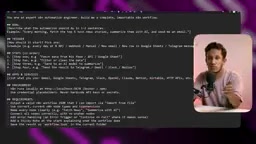
What is n8n: n8n (pronounced "n-eight-n", a play on "node" and "automation") is a self-hostable workflow automation platform that uses a "node-as-step" visual orchestration approach. It chains data flows through nodes, and what's passed between nodes are JSON-format items. Each node can be either a built-in integration (such as HTTP Request, database, Slack) or a custom JavaScript/Python code node. n8n uses a "fair-code" licensing model, with the core code open source and additional features in the enterprise edition, so it can be deployed locally for free or used in the cloud. It's often compared with Zapier and Make, and the biggest difference is that it supports self-hosting, allows arbitrary code insertion, and isn't limited by task-based billing.
What is Claude Code: Claude Code is a command-line AI programming agent launched by Anthropic. It runs in the terminal and can proactively read and write files in the current project directory, execute shell commands, search the codebase, and complete multi-turn tasks on that basis. Unlike traditional chat-based AI, its core capability is "tool calling + project context"—it actually opens your files, examines the directory structure, and runs commands to verify results, rather than just generating text snippets from a conversation. This is precisely why it can understand n8n workflow JSON and make targeted modifications based on existing errors.
The Core Structure of an Automation Workflow
A complete n8n workflow usually consists of three layers: the trigger, the processing logic, and the output actions. The case demonstrated in the tutorial starts with the trigger method—when the workflow starts and what event triggers it, which is the first step in building any automation.
Next comes the design of conditional branches. The author sets up a delayed polling mechanism in the flow, so the system periodically checks for status updates rather than executing everything at once.
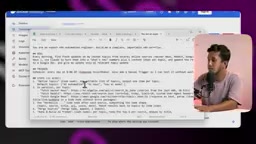
This "check—wait—check again" pattern is very common in real scenarios, such as monitoring changes in a data source, waiting for an external API to return results, or periodically syncing files. Claude Code's role here is to help you quickly generate the code node for the polling logic and automatically adjust the parameter format according to n8n's node specifications.
Polling and Delay: Polling means a program repeatedly queries an external data source or API at fixed intervals to determine whether the status has changed. Its counterpart is "event-driven" (Webhook), where the external party proactively pushes notifications. The advantage of polling is that it's simple and doesn't depend on the other party supporting callbacks; the cost is that it generates invalid requests and introduces latency. The Wait node in n8n, or a code node with polling logic, is used to insert a waiting time between checks, usually combined with a maximum retry count and a timeout cap to prevent the flow from falling into an infinite loop. Understanding this distinction helps you decide: when the data source supports Webhook, you should prioritize it, and only fall back to polling when it doesn't.
Using AI to Handle Q&A and Conditional Responses
Another key part of the workflow is conditional judgment: perform action A when a certain condition is met, otherwise perform action B. The tutorial shows how to configure this kind of logic in n8n—if a specific type of query is received, return the corresponding answer; if it doesn't match the condition, take another branch.

The traditional approach requires manually filling in expressions in n8n's IF node or Switch node, which is error-prone for users unfamiliar with JavaScript. Claude Code can directly generate the correct expressions and node configuration from natural language descriptions—you just need to describe business logic like "if the message contains X, do Y."
The author emphasizes in the video that the storage paths of all files in the workflow and the distribution of error-handling logic have clear correspondences in the project directory. Claude Code can read this information, so it won't "get lost" when making modifications.
Expressions and IF/Switch Nodes in n8n: n8n's field values support a syntax called "Expression", wrapped in double curly braces, containing JavaScript that can reference data from upstream nodes, such as {{ $json.message }} or {{ $node["HTTP Request"].json.status }}. The IF node is used for two-way branching, and the Switch node is used for multi-way branching; both require filling in judgment conditions. For users unfamiliar with JavaScript, how to extract data from upstream nodes and how to write the path are the most common pitfalls. Having AI generate expressions from natural language descriptions essentially bypasses this layer of syntax memorization burden, but it's still recommended to manually verify whether the generated expression's field names match the upstream output.
Error Handling: The Key Difference in Complex Workflows
Many automation flows built by beginners work fine on the normal path, but collapse entirely when an exception occurs. The tutorial author specifically demonstrates how to build error handling into n8n—catching failed nodes, logging, sending notifications, or automatically retrying.
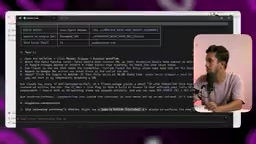
Claude Code's value here is especially obvious: you can simply paste the error message to it, and it will analyze which node has the problem, what's wrong with the parameters, and how to fix it. The author mentions that even complex workflows can be "generated very easily" through Claude Code, because the AI has already read the existing error-handling patterns in the project, and newly generated code will automatically follow the same conventions.
Judging from the demonstration, after the workflow is completed, the status marker turns into a green checkmark, indicating that all nodes executed successfully. The entire process requires no manual writing of complex code, and no deep understanding of n8n's underlying API.
Who Should Get Started
This combination is particularly suitable for three types of people: first, beginners who are new to automation tools and have been discouraged by n8n's node configuration; second, operations or product people who need to quickly build internal tools but don't want to write much code; third, developers who already know how to code but want to use AI to accelerate n8n workflow iteration.
The core reason the barrier is lowered is that Claude Code reads the project context rather than generating from thin air. This means its suggestions better fit your actual file structure and naming conventions, reducing the "generate code → copy → error → modify again" loop.
To reproduce this flow, you need to install Docker and n8n locally, then configure Claude Code to point to your project directory. The video description provides relevant links so you can check the specific steps further.
One-line Summary
Use Claude Code to read the n8n project context, so even beginners can quickly build complex automation flows with error handling.
Paragraph Summary
The article proposes a workflow-building method that combines Claude Code with n8n. Although n8n is flexible, multi-step workflows with conditional logic and exception handling impose a heavy cognitive burden on beginners. By leveraging Claude Code's ability to directly read the local project directory, existing workflow JSON, and error messages, the AI can generate node configurations, polling logic, conditional expressions, and error-handling code based on real context rather than from thin air. The article breaks down a complete case following the structure of trigger, conditional branch, polling and updates, and error handling, pointing out that error handling is the key that distinguishes beginners from mature workflows. This combination is suitable for automation beginners, operations and product people, and developers who want to accelerate iteration; reproducing it requires installing Docker and n8n locally.
Related articles

JobRunner MCP Server: AI Agents Can Now Fix Failed Java Jobs
JobRunner launches an open-source MCP server enabling AI agents to view cluster status, diagnose failures, and recover Java jobs—incident response from any cloud coding environment or existing agent.

MLAI Digital Launches 9 Security Agents: MCP Server Safeguards the Full Lifecycle of Agentic AI
MLAI Digital launches Security MCP Server with nine built-in specialized security agents covering vulnerability discovery, attack simulation, prompt injection detection, API and infrastructure assessment, and accelerated remediation—embedding security validation across the full Agentic AI lifecycle from development to production.

Running Isaac Lab on H100 GPUs: Exploring Better Approaches
Exploring optimization methods for running Isaac Lab on NVIDIA H100 GPUs, including MIG configuration, mixed precision, TensorRT acceleration, and community experience to improve robotics simulation and reinforcement learning efficiency.