Getting Started with Claude Code: Why It Outperforms Cursor

Claude Code beats Cursor and Trae with full project context awareness and superior code accuracy.
This article introduces Claude Code's positioning and core strengths. Unlike conversational tools like ChatGPT, Claude Code reads your entire codebase, feeding complete context to the model to generate accurate, business-relevant code with built-in auto-debugging. The article traces the evolution from GitHub Copilot to Cursor, Trae, and Codex, placing Claude Code at the leading edge. After comparing Trae, Qwen, GLM, and others, the author concludes that Claude Code's edge lies in code accuracy — powered by Anthropic's Sonnet and Opus models.
What Exactly Is Claude Code
Claude Code is a locally running AI coding assistant. Unlike tools that require you to log into a web interface and chat, it doesn't depend on any online service — you install it directly on your machine and invoke it from within your development environment to move your projects forward. Installation has some operating system requirements, but most mainstream systems are supported.
Its core positioning is as an "automated programming tool," not a simple code generator. New users might not immediately grasp its capabilities, but that's precisely why it spread so quickly through the developer community — something this powerful tends to get shared.
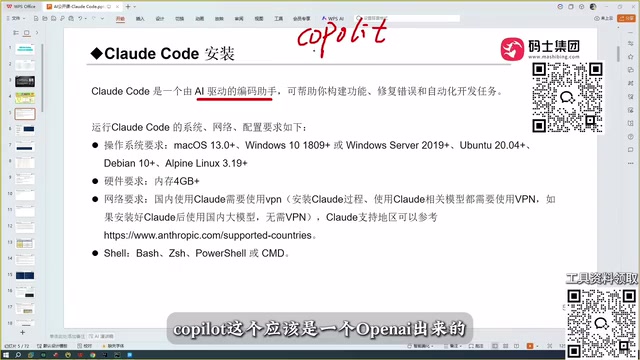
The Fundamental Difference Between Conversational Coding and Claude Code
Many developers are used to opening DeepSeekAd or ChatGPT for conversational coding, but this approach has clear limitations. Conversational models typically give you a code snippet that you then have to copy back into your project, run, test, and — when it breaks — return to the conversation to iterate. Multiple rounds of back-and-forth are usually needed before you get something that works. More critically, conversational models cannot read your entire project context. If your project has hundreds of code files, the model can't see them — you have to manually describe what's in your project.
This is exactly where Claude Code differs. It can read all of your project's contents, feeding that complete context to the underlying model so it can generate code that genuinely fits your business logic. On top of that, it can automatically diagnose and fix errors, ultimately delivering a relatively accurate, working result. This closed loop of "read the full project + auto-debug" is something conversational coding simply can't replicate.
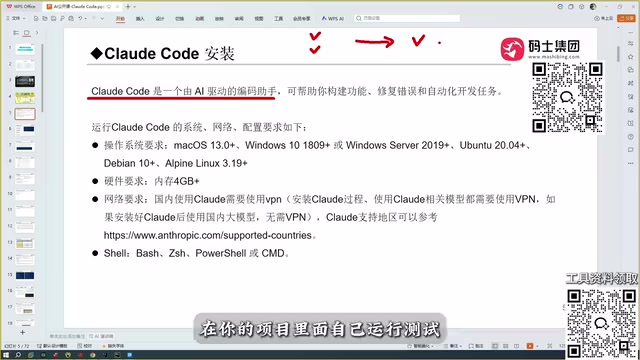
The "project context" mentioned here refers technically to the model's Context Window. Early models had context windows of only a few thousand tokens — nowhere near enough to hold a complete codebase — which is why conversational tools could only handle fragments. Claude's models have expanded their context windows to 200,000 tokens or more, making it possible to ingest dozens of code files in a single pass. Claude Code leverages this underlying capability to work in a "read the full project" mode: at startup, it scans the project directory, pulls key file contents into context, and gives the model awareness of function signatures, data structures, and dependency relationships across the entire codebase — rather than "guessing" your needs with incomplete information.
The Evolution of AI Coding Tools
Claude Code didn't appear out of nowhere. It sits on a clear evolutionary chain of tooling.
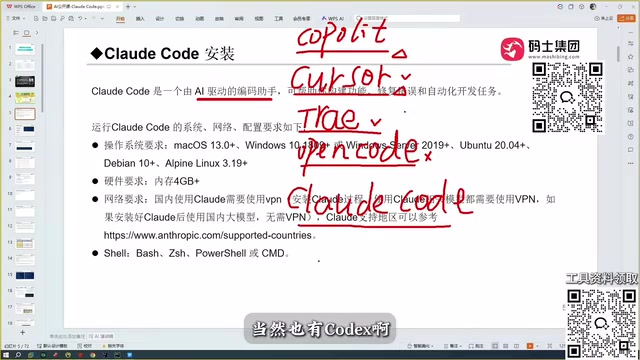
From Copilot to Cursor
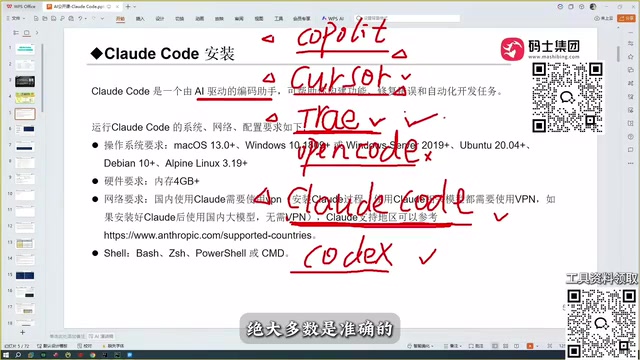
The first widely adopted tool was GitHub Copilot, which delivered a revolutionary experience early on with its autocomplete capabilities. Then came Cursor, seen as a smarter next generation — capable of automated coding in a way that already resembles how Claude Code thinks today.
GitHub Copilot was jointly launched by Microsoft and OpenAI, built on the Codex model (a code-specialized version of the GPT family), and embedded into mainstream editors like VS Code and JetBrains as an IDE plugin. Its core function was to predict and complete code lines or entire functions in real time based on context. Its revolutionary quality was making the translation of "natural language intent to code" smooth enough that developers experienced AI as a useful "co-pilot" for the first time. Cursor took this further as a standalone editor — it not only retained completion capabilities but also introduced awareness of entire files and even multiple files, letting users describe changes in natural language and have them automatically applied. This pushed the interaction paradigm from "passive completion" to "active rewriting."
Trae, Codex, and Open Code
After that came Trae, which has both an international version and a China-region version. The author recommends that users in China go straight to the domestic version — the international version is paid, while the domestic version is free and handles Chinese particularly well. Codex is also a powerful tool, deeply tied to OpenAI; paired with GPT-5, its coding ability is considered on par with Claude Code. There's also Open Code, which the author candidly describes as one of the harder-to-use coding tools he's tried — not something he'd recommend.
Why the Author Ultimately Chose Claude Code
The author's journey is fairly representative: he started with Copilot, used Cursor, and spent serious time with Trae. Before encountering Claude Code, he considered Trae the most complete coding tool available — largely because of its strong Chinese language comprehension. After trying Claude Code, he changed his mind, concluding it was a full tier above Trae.
The reason ultimately comes down to model capability. The performance of any coding assistant is only as good as the underlying model driving it. The Sonnet model behind Claude Code is genuinely powerful — and that's not even its ceiling, since stronger models are available. By contrast, while Trae's free tier is an advantage for users in China, the author found that a majority of its generated code wasn't always accurate, and performance degraded noticeably with less common tech stacks.
The Sonnet mentioned here is one of Anthropic's tiered names for the Claude model family. Anthropic currently segments its models into three tiers by capability and cost: Haiku (lightweight and fast), Sonnet (balanced performance and cost), and Opus (most powerful but highest cost). The Sonnet model that Claude Code calls by default is at the industry forefront for code generation, logical reasoning, and long-context handling. Switching to Opus allows it to tackle more complex architectural design or cross-file refactoring tasks. This flexibility of "choose your model based on need" is an extra advantage Claude Code has over some competitors — users can weigh speed against precision themselves, rather than being locked into a single model.
Claude Code's Core Advantage Over Cursor
Claude Code, Cursor, and Trae can all do automated coding, but after hands-on comparison testing, the author's conclusion is direct: Claude Code's advantage is concentrated in accuracy. He also compared it against domestic tools including Trae, Qwen, and GLM, and his verdict remained the same — Claude Code is the best of the bunch.
For developers, this accuracy difference hits hard and feels very real — he describes it as inducing "a deep sense of professional anxiety" after using it. The author doesn't dismiss Codex's capabilities either, but based on his own complete usage experience, Claude Code remains his first choice.
Summary
Putting all of this together, Claude Code's value proposition is clear: it's a locally installed AI coding assistant that can read your full project context, supports automatic error debugging, and derives its competitive edge from a powerful underlying model and the resulting code accuracy. For developers who have already worked with Copilot, Cursor, or Trae, it's worth seriously trying as your next step. As for the specifics of installation and configuration, those are best covered in a dedicated full tutorial.
Related articles

Building a Voice-Driven AI Multimodal Generation Pipeline with Python
Build a voice-driven AI multimodal generation pipeline in Python: from recording, transcription, and script generation to images, voiceover, and video synthesis, with unified multi-model management via the OpenRouter API, complete cost accounting, and engineering practice analysis.

n8n Workflow: Build a 24/7 WhatsApp AI Customer Service Bot
Breaking down the core logic of building a 24/7 WhatsApp AI customer service bot with n8n: instant message triggers, AI agent replies, conversation memory, and integration with your own business data, plus deployment considerations and applicable scenarios.

When AI Agents Fail in Production, Who's Really to Blame?
Who's accountable when AI Agents fail in production? A Reddit developer discussion reveals that correct output doesn't equal correct behavior, and teams need a full chain of responsibility from development to compliance, with behavioral verification built into deployment acceptance criteria.