Getting Started with Claude Code: Why It Outperforms Cursor

Claude Code advances AI programming from autocomplete to full project-aware automated development.
Claude Code is a locally installed AI coding assistant that sets itself apart by reading an entire codebase, supplying the full context to its underlying model, generating accurate business logic, and automatically debugging errors — rather than offering isolated snippets like ChatGPT. The article traces the evolution from Copilot's inline completion to Cursor's chat-based editing, TRAE's Chinese-language strengths, and Codex's raw power, ultimately concluding that Claude Code's Sonnet model delivers superior code accuracy, especially in complex technical scenarios.
What Is Claude Code? A Truly Intelligent AI Coding Assistant
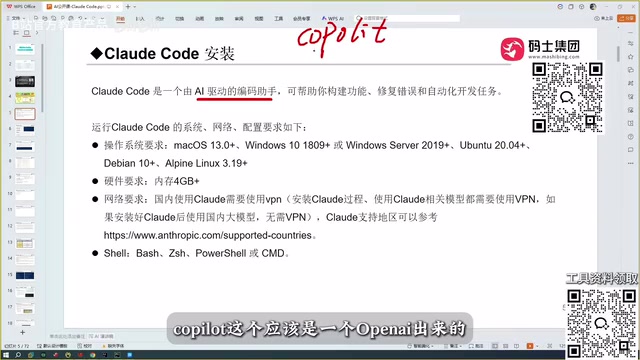
Claude Code is an AI coding assistant that runs locally on your machine. Unlike conversational tools that require you to log into a website, it installs directly on your computer and can be invoked inside your development environment to work on real projects. No website login is needed, and it supports the vast majority of operating systems.
Its purpose is clear: an automated programming tool. But what truly sets it apart from other tools is how it works — rather than simply handing you a code snippet, it can deeply participate in the entire project development workflow.
Conversational Coding vs. Claude Code: What's the Real Difference?
Many developers are accustomed to using conversational tools like DeepSeekAd or ChatGPT to write code. The limitations of this approach are obvious: the model can only give you a code snippet, which you then have to take back to your own project, run, and test. When it breaks, you go back to the conversation, iterate again, and repeat this cycle multiple times before you might get something that actually works.
More critically, conversational tools have no visibility into your entire project. If your codebase has a hundred files, the model simply cannot access that context — you have to manually paste in whatever relevant information you think it needs.
Claude Code solves exactly this problem. It can read through your entire project, feed all of that content as context to the underlying model, and generate the business logic code you need based on that full picture. On top of that, it can automatically debug errors and deliver a correct, working version of the code. This end-to-end automation capability is the core reason it has become so popular so quickly.
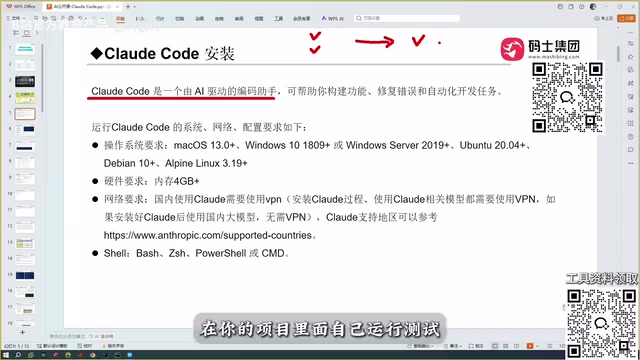
The key technology behind Claude Code's ability to "read the entire project" is the context window. Every large language model has a limit on how much text it can process at once. Early models had context windows of just a few thousand tokens (roughly a few thousand English words), while the Claude family of models has expanded this to hundreds of thousands of tokens or more. This means a medium-sized codebase — dozens of files, tens of thousands of lines — can be fed to the model all at once, letting it understand function call relationships, variable definitions and usage, and the overall architecture of the project. At the same time, Claude Code actively reads local files through a file system interface rather than relying on users to manually paste content, which transforms "reading the whole project" from a theoretical possibility into a genuinely smooth experience in practice.
A Brief History of AI Coding Tools
To appreciate the value Claude Code brings, it helps to trace the evolution of AI coding tools.
From Copilot to Cursor
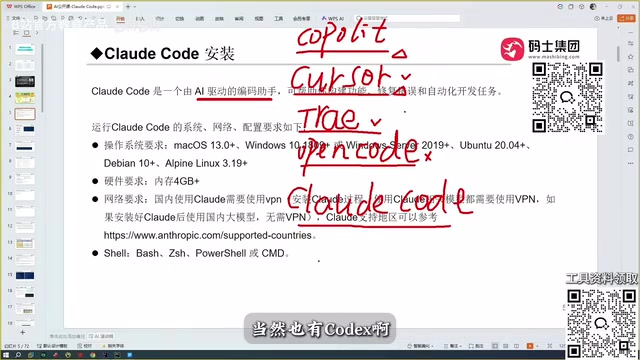
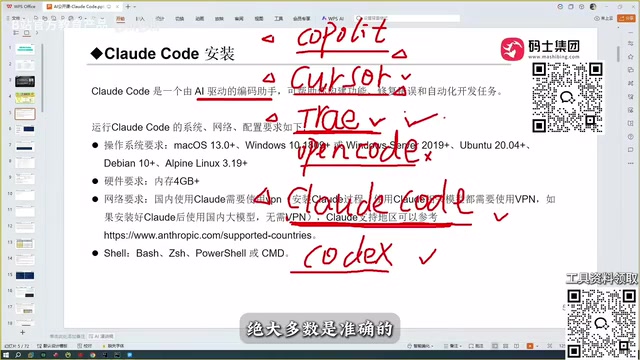
The first tool that felt truly groundbreaking to developers was Copilot. As a plugin, it could autocomplete code — a remarkably impressive experience at the time. Cursor came next and pushed the intelligence significantly further, already capable of writing code automatically, a capability that echoes what Claude Code does today.
GitHub Copilot launched in 2021, built on OpenAI's Codex model and trained on vast amounts of open-source code from GitHub. It works as an IDE plugin, with its core capability being inline completion: as you type a function name or comment, it predicts and completes the subsequent code in real time. This interaction model is fundamentally about "predicting the next line" — the model doesn't proactively understand your intent, execute code, or read your entire project. Cursor built on this foundation by introducing chat-based editing, allowing developers to describe what they want in natural language and have the model directly modify files, rather than only completing whatever is at the cursor. This was the pivotal step from "code completion tool" to "coding agent," and it established the interaction paradigm that tools like Claude Code — capable of working across files and executing tasks autonomously — would build upon.
TRAE's Localization Advantage
TRAE came along after that, available in both an international version and a domestic Chinese version. For users in China, the domestic version is free and handles Chinese remarkably well — a clear advantage. The author of this piece admits that before discovering Claude Code, they considered TRAE the most complete coding tool available.
Open Code and Codex
There's also Open Code, though among all these tools it's considered one of the harder ones to work with, and the author doesn't recommend it. Codex, on the other hand, earns real praise — once configured with OpenAI's models, its coding capability is said to be on par with Claude Code, making it a genuinely powerful option.
Why Claude Code Comes Out on Top
After practically comparing Copilot, Cursor, TRAE, and domestic Chinese models like Qianwen and GLM, the author's conclusion is clear: Claude Code is the best tool available.
The core logic is that every coding assistant's capability ultimately comes down to the underlying model's capability. The Sonnet model behind Claude Code performs extremely well, and even stronger model options are available. TRAE, while free and Chinese-friendly, produces code with lower accuracy — when faced with slightly more complex technical scenarios, what it generates tends to fall short.
Claude Code's Core Advantage: Accuracy
If there's one word to sum up Claude Code's advantage over Cursor and TRAE, it's accuracy. All of these tools offer some level of automated coding, but Claude Code's real-world accuracy is noticeably higher.
For developers, this capability can even trigger a profound sense of urgency — a tool that can read an entire project, automatically generate business logic, and debug itself is actively redefining the boundaries of coding efficiency.
In engineering practice, "accuracy" has a more concrete meaning: whether the generated code compiles on the first try, whether unit tests pass, whether function signatures match their callers, and whether the third-party library APIs referenced are consistent with the current version. Large language models suffer from the "hallucination" problem — generating API calls or function parameters that look plausible but don't actually exist — and this is particularly damaging in code generation scenarios, where incorrect code snippets often take longer to track down and fix than writing from scratch. Claude Code's automatic debugging mechanism works by actually running the code in a sandbox, capturing error messages, and feeding them back to the model for iterative correction. This significantly reduces the probability of hallucinated code making it into the production pipeline, and it's the fundamental source of Claude Code's accuracy advantage.
Wrapping Up
Claude Code's meteoric rise isn't the result of marketing hype — it genuinely advances AI-assisted programming from "assisted completion" to "automated development." For developers looking to boost their productivity, it's absolutely worth a serious try. That said, tool choice is personal, and alternatives like Codex are equally worth exploring. The key is to match the tool to your project context and working style, and find the one that fits you best.
Related articles

Chain of Thought Isn't Just for AI: How Humans Can Use CoT to Improve Thinking Quality
Chain of Thought isn't just a prompt trick for large models. Starting from a Hacker News discussion, this article analyzes why CoT works for human thinking too, breaks down actionable ways to transfer it, and highlights the key differences between human CoT and machine CoT.
Cloudflare Teams Up with OpenAI: Closi…
Cloudflare Teams Up with OpenAI: Closing the Loop from Vulnerability Discovery to Defense with AI
Cloudflare uses OpenAI Daybreak to investigate security vulnerabilities and generate reviewable remediation plans, while developers use Codex to boost coding efficiency and quality.

Orca Multi-Agent Orchestration in Practice: A Guide to Parallel Collaboration with Claude and Codex
Orca is Stable AI's free open-source agent workbench supporting 34 agents like Claude Code and Codex in parallel. Learn its Git worktree isolation, multi-model orchestration, and mobile management.