Getting Started with Claude Code: Why It's the #1 AI Coding Tool

Claude Code is an agent-based coding tool powered by context engineering — methodology matters more than tool choice.
Claude Code is not a simple code completion tool — it's an agent suite built on LLM reasoning with file system, Shell, and browser tools attached, widely regarded as the best real-world implementation of context engineering. It autonomously handles complex dev tasks through an action-execution-verification agent loop. It supports terminal, IDE plugin, desktop, and browser modes, with terminal-first being the recommended approach. The core takeaway: the tool is secondary — transferable AI coding methodology like Spec-Driven Development (SDD) is the skill worth investing in.
What Claude Code Really Is: More Than a Code Completion Tool
If you search for "the world's top AI coding tools" in a search engine or ask an LLM, the answer will typically put Claude Code in first place, with Cursor close behind. That's exactly why many AI coding courses demonstrate both tools side by side — they represent the two dominant approaches to AI-assisted development today.
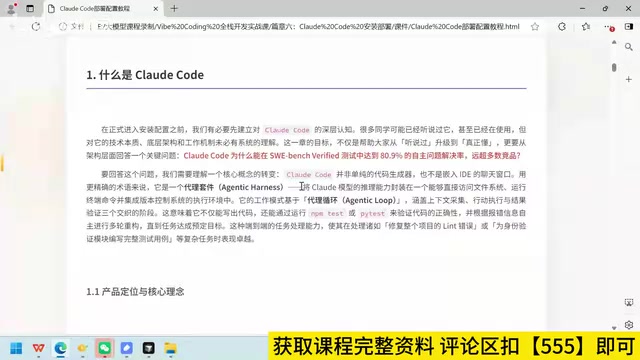
Most people's first instinct when encountering Claude Code is to think of it as "basically the same thing as Cursor." That analogy can help you get started, but it's not quite accurate. To be more precise: Claude Code is not a pure code completion tool, nor is it a chat window embedded in your IDE. It's an Agent suite.
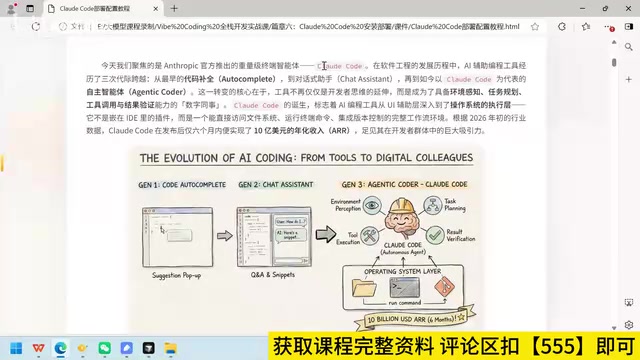
In other words, at its core, Claude Code is a capable intelligent agent (Agent). The foundation is the reasoning power of a large language model, with a wide array of tools attached on top — file system access, browser control, Shell command execution, version control integration, and more. It's precisely this combination of tools and reasoning capability that allows it to independently tackle complex development tasks.
The Mechanism Behind It: Context Engineering in Practice
The key to understanding Claude Code lies in understanding how it works under the hood — and that's inseparable from Context Engineering.
Claude Code is built by Anthropic, the same company that pioneered many of the core ideas in context engineering. Its working model is built on several intertwined phases: action, execution, and result verification, combined with an Agent Loop and context-building capabilities that allow it to iterate across multiple rounds until a task meets its target.
This means it doesn't just write code — it can run commands, verify results, and continuously refine its output based on feedback. That's the behavior loop of a mature, capable agent.
This is why the industry widely regards Claude Code as the best real-world implementation of context engineering. If you already understand the principles of context engineering, reading the official description of Claude Code will feel like you understand it even more deeply than the documentation lets on. Without that background, however, the description can seem unremarkable.
Context Engineering refers to the systematic design and management of information fed into a large language model, ensuring it has the right background knowledge, task descriptions, history, and tool state at each reasoning step. Unlike simple prompt engineering, context engineering focuses on the entire information pipeline — what to include at each moment, how to compress redundancy, and how to maintain memory across turns.
Agent Loop is the fundamental pattern by which an agent executes complex tasks: the model forms a plan, calls tools to take actions, observes the results, and decides what to do next — repeating this cycle until the task is complete or an insurmountable obstacle is encountered. In Claude Code's Agent Loop, "tools" include reading and writing files, executing Shell commands, searching codebases, and more. This means the model is no longer just "answering questions" — it's genuinely doing things in a real computing environment. Anthropic systematized this mechanism and made it directly available to developers through Claude Code.
Three Usage Modes: Why Terminal-First Is Recommended
Unlike Cursor, which primarily relies on a visual, point-and-click interface, Claude Code offers a more diverse range of usage modes — mainly three:
Terminal (Command Line)
After installation, you launch it directly from the command line terminal and enter prompts to have it complete development tasks. This is Claude Code's most core and recommended mode, and reflects the official "terminal-first" philosophy.
IDE Plugin
You can install a Claude Code plugin in editors like VSCode, and even install it inside tools like Cursor. The benefit here is that you can see your code directly, but based on the author's hands-on experience, some features are limited when integrated into an IDE, and the overall experience doesn't match the full terminal version.
Desktop App and Browser
An official desktop app and browser-based interface are also available, but in practice, almost no one uses these two modes.
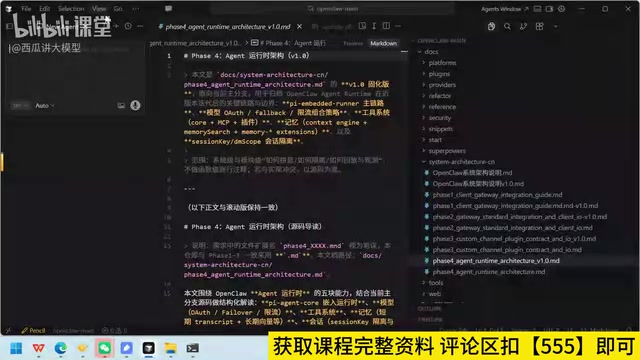
Overall, the terminal and IDE plugin are the two most widely used modes. The author's personal recommendation: if you're committed to Claude Code, use the terminal to unlock its full capabilities. The only downside of the terminal is the lack of a visual code view — but that's easy to solve. Just have VSCode or another editor open on the side, and review the code there once Claude Code finishes writing it.
Tool-Agnostic: Methodology Is What Matters
On the topic of tool selection, here's a point worth emphasizing: the coding tool itself is not the focus — the AI coding methodology is.
Whether you use Cursor, Claude Code, or a free domestic alternative, the underlying principles are the same as long as you follow a consistent development philosophy (such as Spec-Driven Development, SDD). If you're already paying for Cursor, keep using it. If you've switched to Claude Code, great. If you don't want to spend anything on tools, free alternatives work just fine — none of this affects your ability to internalize the methodology.
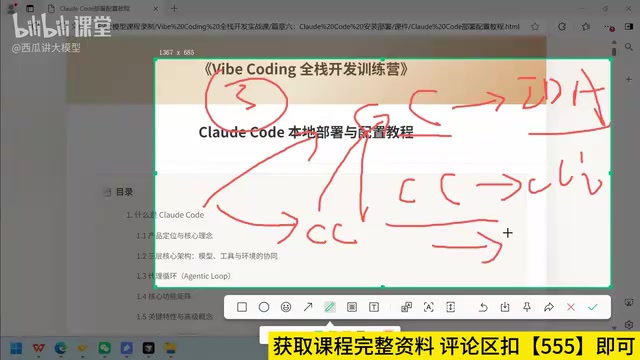
This tool-agnostic mindset is exactly the right approach to learning AI-assisted coding today. Tools will keep evolving and replacing each other. A specific feature in one tool might exist today and disappear tomorrow. What endures — how to break down tasks, how to build context, how to verify results — is the foundational skill set that transfers across every tool you'll ever use.
Spec-Driven Development (SDD) is a development approach in which you use structured documents (specifications/Specs) to clearly define functional requirements, interface contracts, data structures, and acceptance criteria before writing any code. In AI coding contexts, SDD is especially valuable: when you inject a clear specification document into the context, a large language model can generate code within the right constraints rather than guessing at details. This is precisely why "how to build context" matters more than "which tool to pick" — the same high-quality spec document can drive Cursor, Claude Code, or any other LLM-powered coding tool to produce comparably strong output.
Summary
Claude Code's power doesn't come from being a better code editor — it comes from being a capable intelligent agent and the best real-world implementation of context engineering. Understanding the agent loop and context-building mechanism behind it is what truly explains why it consistently ranks at the top of AI coding benchmarks. For learners, choosing the right methodology matters far more than agonizing over which tool to use.
Related articles

Black Forager Alexis Nelson: From Foraging to Publishing, Happy Snacking, Don't Die
Black Forager Alexis Nikole Nelson visits Talks at Google, sharing her journey from childhood plant walks with her mother to publishing the cookbook Happy Snacking, Don't Die!, revealing the racial and land history behind foraging's rise and fall in America.

How to Present Your Ideas Effectively: Three Types of Revelation Talks
Revelation talks are the most direct way to convey ideas. This article breaks down three types — Wonder Walk, Dynamic Demo, and DreamScape — with classic examples from David Gayo, Michael Pritchard, and Sylvia Earle.

Modern Web Guidance: Letting AI Write Native Declarative Dialog Popovers
Google's Modern Web Guidance makes AI coding assistants prefer native declarative dialog capabilities over repetitive JavaScript event listeners, measurably cutting boilerplate code.