Getting Started with Claude Code: Why It's the Most Powerful AI Coding Assistant

Claude Code surpasses Cursor and Trae with superior model power, full-project context, and auto-debugging.
Claude Code by Anthropic stands out among AI coding assistants like Cursor, Trae, and Copilot by leveraging powerful Claude Sonnet models, full-project context understanding, and automatic error correction. Unlike conversational coding tools limited by context windows, Claude Code reads entire projects locally, autonomously plans tasks, and delivers accurate, production-ready code—making it the top choice for developers seeking maximum coding efficiency.
What Is Claude Code
Claude Code is an AI coding assistant developed by Anthropic, fundamentally different from the conversational coding approach we're used to (such as getting code snippets through DeepSeekAd or ChatGPT chat clients). It doesn't require logging into any website—once installed locally on your computer, it can be invoked directly within your development tools to help you build entire projects.
From a technical architecture standpoint, Claude Code's core design philosophy is to deeply integrate the reasoning capabilities of large language models (LLMs) with the local development environment. Through a command-line interface (CLI), it embeds directly into a developer's workflow, accessing the local file system, reading project directory structures, and understanding dependency relationships and configuration files. This architecture allows the model to gain complete project context rather than relying solely on code snippets manually pasted by the user. Anthropic positions it as an "agentic coding" tool, meaning it can not only generate code but also autonomously plan tasks, execute commands, and validate outputs—forming a complete reasoning-execution-feedback loop.
For beginners, its power might not be immediately apparent, but it's precisely this exceptional capability that has driven its rapid adoption and popularity across the developer community. It supports the vast majority of operating systems and has a relatively low installation barrier.
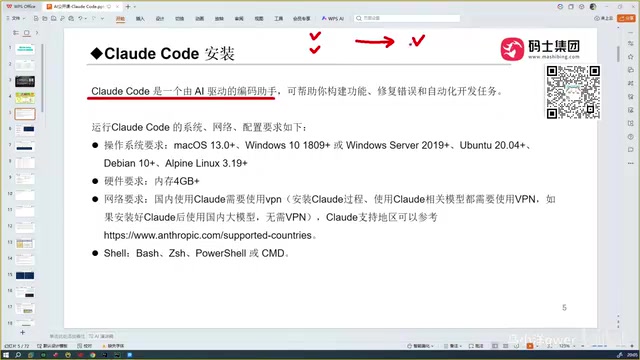
Core Differences Between Claude Code and Conversational Coding
Traditional conversational AI coding has several obvious pain points:
- Snippets only: Conversational tools typically return just a piece of code that you need to bring back to your project, run, and test to see if it works.
- Repeated trial and error: If the code has errors, you can only continue the conversation to make adjustments, often going through multiple rounds of interaction before getting the correct result.
- Lack of context: It can't read through all the code in your project. If your project has hundreds of files, the AI can't access that context—you have to manually feed it.
The root cause of the "lack of context" pain point lies in the context window limitations of large models. The context window refers to the maximum number of tokens a model can process in a single inference. Early GPT-3.5 supported only 4K tokens, and even GPT-4 only had an 8K-128K token window. A medium-sized software project might contain hundreds of thousands or even millions of lines of code, far exceeding any model's single-pass processing capability. This explains why conversational tools have never been able to truly understand the full picture of your project.
What makes Claude Code different is that it can read through all of your project's content, passing it as context to the large model to generate code that matches your actual business requirements. Specifically, Claude Code employs intelligent indexing and hierarchical retrieval strategies to tackle the context limitation challenge—it selectively loads the most relevant files and code segments based on the current task's needs, rather than simply stuffing all files into the prompt.
Furthermore, it can automatically debug and correct errors, ultimately delivering an accurate, error-free version of the code. This is a truly automated development programming tool, not just code completion or Q&A.
The Evolution of AI Coding Tools
Looking back at the development history of AI coding assistants, a clear progression of capabilities emerges:
From GitHub Copilot to Cursor
When GitHub Copilot appeared as a plugin, its auto-complete capabilities already felt quite revolutionary to developers. Copilot was first released as a technical preview in 2021, based on OpenAI's Codex model (a code-fine-tuned version of GPT-3), and was later upgraded to the GPT-4 series. Its core technology is "Code Completion"—analyzing the code context before and after the cursor position to predict what the developer intends to write next. It's worth noting that Copilot's training data came from a vast amount of open-source code repositories on GitHub, which sparked widespread debate about code copyright and license compliance. While Copilot dramatically increased coding speed, it was essentially still a "completion" tool, unable to understand a project's overall architecture and business logic, let alone autonomously perform complex cross-file refactoring tasks.
Then Cursor arrived, considered more intelligent than Copilot with its automated coding capabilities, generating explosive attention—its capabilities are already on par with today's Claude Code. Cursor is an AI-native code editor developed by Anysphere, deeply customized based on VS Code's open-source version (Code-OSS). Unlike Copilot, which functions as a plugin attached to existing editors, Cursor treats AI capabilities as a first-class citizen in the editor's design. It supports multi-model switching (including GPT-4, Claude, etc.) and introduced the "Composer" feature, allowing AI to modify multiple files simultaneously. Cursor's innovation lies in its ability to build a semantic index of the project (through embedding vectors and RAG—Retrieval-Augmented Generation—technology), enabling the model to quickly retrieve code snippets relevant to the current task, thereby partially overcoming context window limitations.
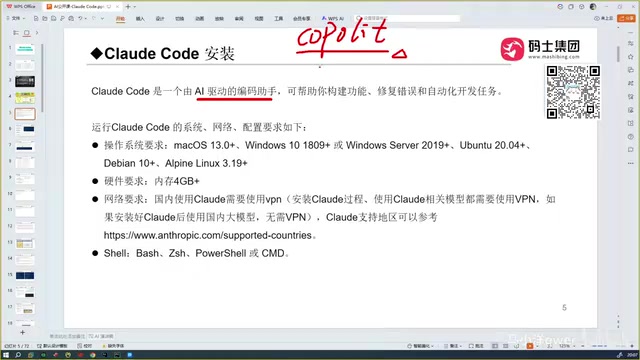
Comparing Domestic and International AI Coding Tools
After that, Trae appeared (available in both international and domestic versions). Domestic users in China are recommended to use the domestic version directly, as the international version is paid, and Cursor is similarly a paid tool.
There are also tools like Open Code, but after hands-on testing, it turned out to be one of the relatively harder-to-use coding tools among all options—not particularly recommended.
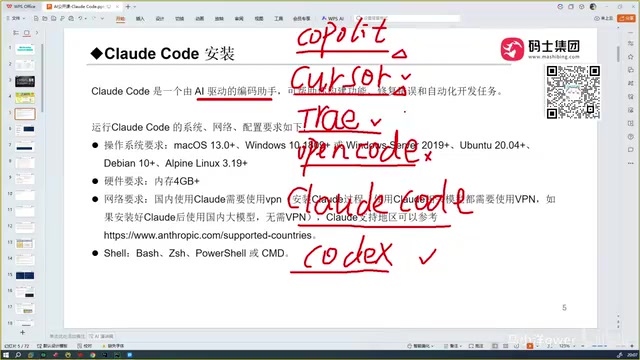
Why Claude Code Is the Best Choice
Many developers have followed a representative adoption path: starting with Copilot, then trying Cursor and Trae. Trae has made considerable optimizations for Chinese users, especially excelling in Chinese language understanding, which led many to consider it the most perfect coding tool.
However, after encountering Claude Code, that conclusion was completely overturned—Claude Code is a full tier above Trae.
It All Comes Down to the Underlying Model's Capabilities
The capabilities of all AI coding assistants ultimately depend on the power of the underlying large model. Claude Code leverages the remarkably powerful Sonnet model, with even stronger models available as options.
Specifically, Claude 3.5 Sonnet and Claude 4 Sonnet have delivered outstanding performance across multiple programming benchmarks, particularly achieving industry-leading results on SWE-bench (Software Engineering Benchmark). SWE-bench evaluates an AI model's ability to solve real GitHub Issues, requiring the model to understand the problem description, locate relevant code, and generate correct patches—closely mirroring actual software development workflows. Anthropic specifically strengthened long-context reasoning, code comprehension, and instruction-following capabilities during model training, employing alignment techniques such as RLHF (Reinforcement Learning from Human Feedback) and Constitutional AI, ensuring the generated code is not only highly accurate but also adheres to software engineering best practices.
By comparison:
- Trae: Its advantage is being free for domestic (Chinese) users, but the accuracy of generated code is somewhat lacking, with mediocre results for complex code.
- Codex: Paired with OpenAI's GPT-5, its programming capability rivals Claude Code and is equally excellent. The new version of Codex launched by OpenAI in 2025 is a cloud-based AI coding agent that runs in a cloud sandbox environment, capable of handling multiple programming tasks in parallel, supporting the full workflow from code generation to bug fixing to test writing. The key difference from Claude Code is that Claude Code emphasizes local execution and project-level context understanding, while Codex focuses more on cloud-based asynchronous execution and deep integration with GitHub workflows.
- Domestic models: After multiple rounds of comparison with models like those behind Trae, GLM, and others, the final conclusion is that the Claude Code toolchain is the best overall.
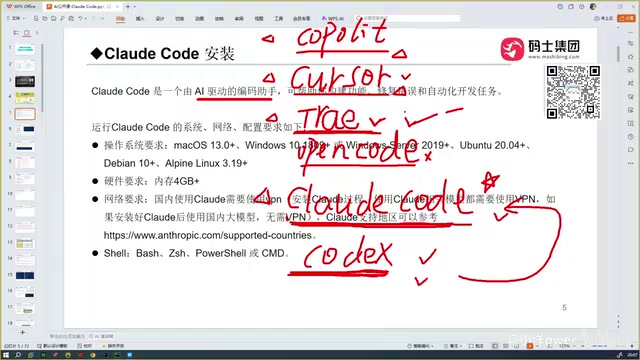
What Claude Code Means for Developers
In terms of accuracy, this is precisely Claude Code's core advantage over tools like Cursor. While Claude Code, Cursor, and Trae can all perform automated programming, Claude Code demonstrates particularly outstanding accuracy in real-world use.
Many programmers openly admit that after using Claude Code, they experience a "deep sense of crisis." Behind this statement lies the reality that AI coding tools are evolving from assistive code completion to an automated development stage capable of independently reading through entire projects, automatically debugging, and generating complete business code.
This concern is not unfounded. According to multiple industry surveys, AI coding tools can already independently complete junior to mid-level programming tasks, including CRUD operations, API integration, frontend page development, and other routine work. A 2024 McKinsey report noted that AI tools can boost overall software development efficiency by 20%-45%. However, this doesn't mean programmers will be completely replaced—AI still struggles with complex system architecture design, performance optimization, security auditing, and domain modeling that requires deep business understanding. The future software engineer's role may shift from "code writer" to "AI programming coordinator," with core competitiveness transitioning from coding speed to system design ability, problem definition skills, and the efficient command of AI tools.
For developers, rather than resisting, it's better to proactively embrace these tools and incorporate them into your daily development workflow. Mastering tools like Claude Code is becoming an essential component of improving development efficiency.
Summary: Recommendations for Choosing an AI Coding Assistant
With its powerful model capabilities, full-project context understanding, and automatic error correction mechanism, Claude Code stands as the AI coding assistant most worth trying first. It is fundamentally different from traditional conversational coding and can truly deliver end-to-end automation from code generation to debugging and error correction.
Of course, tools like Codex are equally excellent—when choosing, consider your model ecosystem and budget holistically. If you're a developer in China with a limited budget, the domestic version of Trae is a solid starting point. But if you're pursuing the ultimate in code accuracy and development efficiency, Claude Code is currently the best solution available.
Related articles

Chain of Thought Isn't Just for AI: How Humans Can Use CoT to Improve Thinking Quality
Chain of Thought isn't just a prompt trick for large models. Starting from a Hacker News discussion, this article analyzes why CoT works for human thinking too, breaks down actionable ways to transfer it, and highlights the key differences between human CoT and machine CoT.
Cloudflare Teams Up with OpenAI: Closi…
Cloudflare Teams Up with OpenAI: Closing the Loop from Vulnerability Discovery to Defense with AI
Cloudflare uses OpenAI Daybreak to investigate security vulnerabilities and generate reviewable remediation plans, while developers use Codex to boost coding efficiency and quality.

Orca Multi-Agent Orchestration in Practice: A Guide to Parallel Collaboration with Claude and Codex
Orca is Stable AI's free open-source agent workbench supporting 34 agents like Claude Code and Codex in parallel. Learn its Git worktree isolation, multi-model orchestration, and mobile management.