Getting Started with Codex: A Practical Guide to OpenAI's AI Coding Assistant

A hands-on guide to OpenAI Codex — tool comparison, DeepSeek pitfalls, and getting started fast.
This guide breaks down what OpenAI Codex is, why AI coding assistants are now a must-have workplace skill, and how to choose between Codex, Claude Code, and Cursor. It also covers a critical real-world finding: the Codex + DeepSeek integration is unreliable due to architectural incompatibility, and Claude Code is the better choice for connecting third-party models.
What Is Codex?
Codex is OpenAI's AI-powered coding assistant — essentially an intelligent agent (Agent) tool. In AI, an agent is one of the core architectural paradigms. Unlike traditional "question-and-answer" AI, an agent can perceive its environment, make autonomous decisions, and execute multi-step tasks. Codex breaks down a complex goal into sub-tasks, sequentially calling tools, running code, and reading/writing files to form a complete "plan → execute → feedback" loop. This is fundamentally different from early code-completion tools like the first-generation GitHub Copilot: Copilot was essentially "autocomplete," while Codex is closer to a "virtual junior developer" capable of completing tasks independently.
Its core value is simple: you give instructions in plain language, and it handles a wide range of development tasks — writing code, running tests, assisting with operations — with no manual coding required.
For developers, the most direct use case is "talk like a human, get working code": tell Codex "write a [feature] in Java" or "build a page in HTML," and even if you're unfamiliar with that language, it will generate usable code. As a result, Codex's user base has long since expanded beyond developers — professionals in non-technical roles are increasingly incorporating it into their daily workflows.
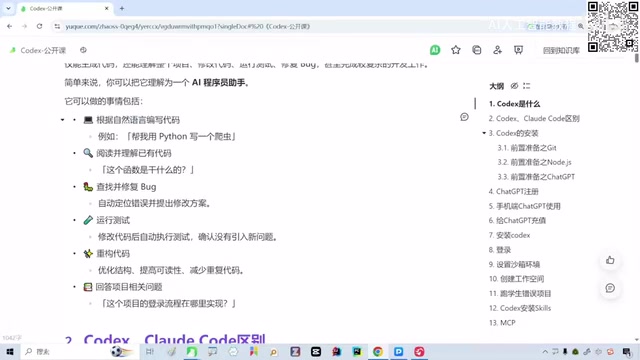
Based on real-world observations, platforms like Douyin and Bilibili already host a large volume of creators sharing hands-on Codex tutorials, with content extending into cross-domain applications like digital avatar creation. This signals that AI coding assistants are rapidly evolving from "developer-only tools" into general-purpose productivity tools.
Why You Need to Learn Codex Now
Here's a trend worth paying attention to: if you still haven't used Codex or Claude Code, you may already be noticeably out of step with where the industry is heading.
In conversations with learners, a surprising pattern has emerged — many seasoned developers with eight or nine years of experience have never touched Claude Code or Codex. And this is quietly becoming a hard filter in the job market: companies are directly asking candidates during interviews whether they have hands-on experience with Codex or Claude Code, and applicants without that background are sometimes screened out on the spot.
Internal performance pressure is equally real. Multiple practitioners have reported that their companies require AI code generation rates of 90% or higher, with direct impact on performance reviews if the threshold isn't met.
It's worth noting that "AI code generation rate" as a KPI reflects the management challenges companies face under pressure to adopt AI. Since 2024, GitHub's official data has shown that developers using Copilot commit code roughly 55% faster on average, prompting many tech companies to incorporate AI tool usage into their engineering efficiency metrics. However, measuring productivity by "AI-generated lines of code" has an obvious methodological flaw: Lines of Code (LoC) has long been recognized in software engineering as a distorted metric — good refactoring often aims to reduce code, not add more. A more rigorous approach to evaluating AI productivity should combine defect rates, feature delivery cycles, code complexity, and other multi-dimensional indicators.
This kind of metric is also structurally unfair to front-end developers — front-end codebases are inherently much larger than back-end ones, so comparing absolute line counts across roles is an apples-to-oranges assessment. The blunt measurement approaches some companies are using today are largely a transitional artifact of the early AI adoption phase, where mature evaluation frameworks haven't yet caught up. Expect these practices to become more nuanced as industry experience accumulates.
Codex vs. Claude Code: How to Choose
The main AI coding tools on the market today include Codex, Claude Code, and Cursor — each with a distinct positioning. Claude Code is Anthropic's command-line coding assistant built on its Claude language model, designed for direct codebase manipulation in a terminal environment, with support for reading project files, executing shell commands, and integrating third-party models. Cursor is a VS Code-based AI code editor deeply modified to call multiple models including GPT-4 and Claude, with an emphasis on in-editor interaction. The core difference: Codex is deeply tied to the OpenAI ecosystem, Claude Code has an open architecture that supports third-party models, and Cursor excels at editor-native UX. Understanding these distinctions helps you make a rational choice based on your own workflow.

Based on real-world testing, Codex clearly outperforms Claude Code on more dimensions. For the same task, Codex typically produces higher-quality outputs. That said, this is a somewhat subjective judgment — as both models continue to iterate, the performance gap may shift dynamically, so it's worth evaluating against your specific use case.
Configuring Codex with DeepSeek: A Pitfall You Need to Know About
Many developers have been trying to connect Codex or Claude Code to domestic models like DeepSeekAd to reduce costs. DeepSeek is a large language model series from the Chinese company DeepSeek (深度求索), which has attracted significant developer interest due to its near-GPT-4-level performance on code generation and reasoning tasks at substantially lower API costs. "Model routing" in this context typically refers to using a third-party proxy service (such as LiteLLM, One-API, or similar open-source gateways) to redirect a tool's API requests to another model that's compatible with the OpenAI API format.
However, the real-world conclusion is:
The Codex + DeepSeek combination is not worth pursuing. Drop it.
After following multiple online tutorials repeatedly, stable configuration has proven impossible — it works one moment and breaks the next. The root cause: Codex's deep integration with ChatGPT means its internal authentication, context management, and tool-calling protocols are all custom-built for OpenAI's stack. Simply swapping in a different API endpoint frequently causes functional failures or complete breakdowns. Furthermore, DeepSeek is simply not on Codex's officially supported model list. Claude Code, by contrast, uses a more open architecture — it officially supports switching model providers via environment variables, which is exactly why it integrates with DeepSeek far more reliably.
Clear recommendations:
- Want to use DeepSeek → configure it with Claude Code, where compatibility is significantly better
- Choosing to use Codex → pair it with the native ChatGPT official models — that's the right setup to get the most out of Codex
Core Principles for Getting Started

For anyone approaching Codex for the first time, these three principles will help you avoid common mistakes:
- Don't over-engineer model configuration: The best practice for Codex is to use it with ChatGPT's official models. Forcing third-party model integrations typically yields diminishing returns.
- Default to Codex: Between Codex and Claude Code, Codex offers a better all-around daily experience and more consistent code generation quality.
- If you need a third-party model: You can route through a proxy or relay service, but assess the stability risks yourself — it's not recommended as your primary, mission-critical setup.
Summary
Three key takeaways from this practical analysis:
First, AI coding assistants have shifted from "nice-to-have" to a genuine workplace skill requirement. Whether you're a veteran or a new developer, building real hands-on experience should be a priority.
Second, there's no universally correct tool choice — but for users looking to fully leverage ChatGPT's capabilities, Codex is the simpler, more direct option.
Third, the Codex + DeepSeek combination has clear compatibility issues rooted in their fundamentally different architectural integration models. If you need to connect a domestic model, Claude Code is the more reliable path.
As AI continues to reshape software development workflows, the most practical approach isn't to get lost in complex model configurations — it's to genuinely master a mainstream tool like Codex and make it a real driver of daily productivity. That's the most grounded answer to navigating the "AI code generation rate" performance era.
Key Takeaways
Related articles

Adaptive Development with Jetpack Compose: Media Query, Grid, and Nav3 in Practice
A deep dive into new Jetpack Compose adaptive development tools: Media Query capability APIs, Grid 2D layout, Flexbox, Navigation 3 scene strategies, and Compose Adaptive Skill, with large-screen adaptation benefits and case data.

Google Launches Connected Apps Platform: Build Once, Integrate with Gemini and Search
Google launches Connected Apps: developers build once with a declarative schema and MCP to integrate app capabilities into Gemini and Google Search, with remote MCP and Android MCP paths, Developer Mode testing, and risk-tiered confirmation.

Lightbuild: A Declarative Android Build Built for AI Agents
Google releases Lightbuild, an experimental Android build tool that replaces executable scripts with declarative configuration for fast IDE sync and first-class AI agent support.