Getting Started with Dify: A Complete Guide to Building Enterprise-Grade AI Apps with Low-Code
A practical guide to deploying and using Dify to build enterprise AI apps with low code and minimal cost.
Dify is an open-source, low-code platform that lets teams build AI applications — chatbots, Agents, workflows, and more — through a visual interface. This guide covers its five app types, multi-model support, built-in LLMOps monitoring, Docker-based local deployment steps, and how to configure LLM providers like DeepSeek and Tongyi Qianwen to get started quickly and securely.
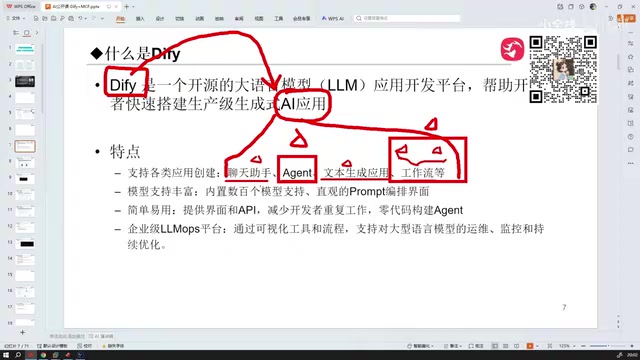
What Is Dify: A Low-Code Platform for AI Applications
Dify is a low-code AI application platform built for a global audience. Its core value proposition is simple: you barely need to write any code. Through a visual drag-and-drop interface, you can rapidly build AI-powered applications. For teams looking to bring large language model (LLM) capabilities into real business workflows, Dify offers an exceptionally accessible path to production.
The Technical Background of Low-Code Platforms: Low-code platforms accelerate software development through visual interfaces and pre-built components. Compared to traditional development, they lower the barrier from "mastering a programming language" to "understanding business logic." In the AI application space, low-code platforms are especially valuable — complex concepts like prompt engineering, RAG (Retrieval-Augmented Generation), and tool calling can all be implemented by dragging and connecting nodes, dramatically shortening the time from idea to product.
You might be tempted to underestimate Dify just because it's a "tool platform" — don't. Tools solve a vast number of real-world enterprise problems. Understanding what Dify can and can't do is what unlocks its full potential.
Five Types of AI Applications Dify Supports
Dify supports the following main categories of AI applications:
- Chatbot: Conversational apps you can publish and share with others
- Agent: Autonomous agents capable of calling tools and completing complex tasks
- Text Generator: Similar to a chatbot, but focused on one-shot content generation
- Workflow: Structured task orchestration pipelines
- Chatflow: A hybrid mode combining conversational interaction with workflow orchestration
Of these, Agents and Workflows deliver the most practical value for enterprise users. Agents emphasize autonomous decision-making, while Workflows emphasize controlled, orchestrated processes — both are core building blocks for complex AI systems.
How Agents Work Technically: An Agent is one of the most important concepts in modern AI application development. At its core, it gives large language models the ability to "act" — rather than simply generating text, a model can autonomously plan steps toward a user's goal, call external tools (such as search engines, databases, or APIs), and continue reasoning based on the results until the task is complete. This paradigm is grounded in the ReAct (Reasoning + Acting) paper, with OpenAI's Function Calling mechanism providing a standardized engineering implementation. Dify's Agent feature is built on this architecture, allowing users to configure tool sets and define behavioral boundaries for their agents.
Multi-Model Support and Built-In LLMOps
Dify has strong support for all major LLMs, both domestic and international. Chinese models like DeepSeekAd, Baidu Qianfan, and Zhipu AI are all supported, as are international models like ChatGPT and Anthropic Claude. This "model-agnostic" design lets users flexibly choose the best-value inference engine for their needs.
Beyond multi-model integration, Dify also includes a built-in LLMOps platform for real-time monitoring of workflow and application calls and execution status. This is critical for managing applications in production — you don't just build apps, you continuously observe their operational health.
The Industry Context of LLMOps: LLMOps (Large Language Model Operations) extends the MLOps concept into the era of large language models, focusing on the full lifecycle of LLM-powered applications — from development and testing to production deployment. Unlike traditional software operations, LLMOps requires attention to LLM-specific metrics: prompt version management, output quality evaluation, token cost monitoring, and latency tracking. As enterprise AI applications scale, the absence of LLMOps leads to a "black box" problem — errors are hard to trace, and runaway costs are hard to optimize. Dify's built-in LLMOps module is designed to close this gap, giving AI applications production-grade observability.
Summary of Dify's Core Strengths: Diverse application types, comprehensive model support, low learning curve, and built-in operational monitoring — making it an ideal tool for rapidly validating AI ideas and pushing them to production.
Choosing a Deployment Method: Cloud vs. Self-Hosted
Dify offers two deployment options suited to different user needs.
Online Cloud Version
Sign up at cloud.dify.ai and start using it immediately — no configuration required. However, be aware: the cloud version carries data security risks. User data may be used for model training, and there's no way to verify whether this is actually happening. For organizations with data compliance requirements, this risk cannot be ignored.
Local Self-Hosted Deployment (Recommended for Enterprises)
Dify is open source. You can download the source code and deploy it on your own machine or private server, keeping all data entirely within your own environment — fundamentally eliminating the risk of data leakage. Enterprise users should prioritize self-hosted deployment.

Deploying Dify Locally with Docker
Dify's local deployment is Docker-based and supports both Windows and Linux, but Linux is strongly recommended.
How Docker Containerization Works: Docker is the most widely adopted containerization technology today. Its core idea is to package an application along with all its dependencies (runtime, libraries, configuration files) into a lightweight, standardized "container" that runs consistently in any Docker-compatible environment — permanently solving the classic "it works on my machine" problem. Dify uses Docker Compose to orchestrate multiple microservice containers (including the web frontend, API service, database, and vector database), launching the entire application stack with a single command. This is precisely why Dify's local deployment process is so straightforward — all the complex environment configuration has been encapsulated inside the images.
Why Linux Is Preferred Over Windows
Deploying on Windows requires installing Docker Desktop, and involves compatibility issues such as system version checks and WSL environment configuration — a very unfriendly experience for beginners. On Linux, you simply install Docker directly and the deployment process is clean and efficient. In practice, service-type applications almost always run in Linux environments, and familiarity with Linux is an essential skill for developers.
Technical Differences Between WSL and Native Linux: WSL (Windows Subsystem for Linux) is Microsoft's compatibility layer for running a Linux environment inside Windows. While WSL2 has significantly improved performance, running Docker on it still introduces issues: filesystem mount performance overhead, complex network port mapping, and incomplete system resource isolation. These factors make multi-container services like Dify unstable or even prone to startup failures on Windows. Native Linux shares the same kernel with Docker, resulting in more efficient container scheduling, lower file I/O latency, and better service stability. This is why virtually all production-grade services in the industry run on Linux (typically Ubuntu Server or CentOS).
For Docker version, installing 20.0 or higher is recommended to ensure compatibility.
Step-by-Step Dify Docker Deployment
- Download a stable release: Get the source code from the GitHub Releases page. Avoid blindly using the latest version — new releases may contain unpatched bugs. Choose a verified stable release (e.g., 1.8.x).
- Extract the archive: Use the
unzipcommand to extract it (note: nottar). - Configure environment variables: Navigate to the
dockerdirectory and rename.env.exampleto.env— this environment configuration file is required to start Dify. - Start the services: Run
docker compose up -dto start everything in the background. - Verify the deployment: Run
docker psto check container status. If all containers are running without arestartflag, the deployment is successful.
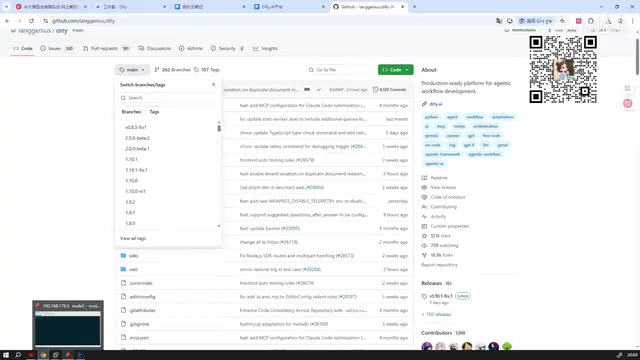
Once complete, you can access Dify through your browser. The self-hosted interface is virtually identical to the cloud version — no difference in features or experience.

Hardware Requirements
A common misconception is that running Dify requires high-end hardware. In reality, Dify itself has minimal resource requirements and runs smoothly on an ordinary VMware virtual machine. It's locally deployed LLMs that demand heavy hardware resources. If you're using cloud API calls for model inference, the machine requirements are very low.
Configuring LLMs: The Essential First Step Before You Start
After completing the local deployment, the first thing you need to do before creating any application is configure your LLM provider.
Model Configuration Workflow
Navigate to "Model Providers" in the Settings page. Dify has a large number of mainstream providers built in. If your preferred provider isn't listed, open the Dify Marketplace, search for the corresponding plugin (e.g., search "OpenAI"), and install it.
It's recommended to install the following two model types to cover the main use cases:
- DeepSeek: For everyday chat, reasoning, and task processing
- Tongyi Qianwen (Qwen): For Embedding, supporting knowledge base retrieval and similar features
Embedding and RAG Technology: Embedding is the process of converting text into high-dimensional numerical vectors — the foundational layer beneath knowledge base retrieval, semantic search, and similar features. In a RAG (Retrieval-Augmented Generation) architecture, documents uploaded by the user are first split into text chunks, then converted into vectors via an embedding model and stored in a vector database. When a user asks a question, the system vectorizes the query, retrieves the semantically closest text chunks from the database, and sends both the retrieved content and the original question to the LLM to generate an answer. This architecture enables large models to "understand" an organization's private documents without retraining the model — and it's the dominant enterprise AI knowledge base implementation approach today. Dify's recommendation to use Tongyi Qianwen's embedding model is specifically to support this workflow.
After installing the plugins, configure the corresponding API Keys and endpoint URLs (the URLs typically stay at their defaults) — refer to each provider's official documentation to obtain the API Key.
Real-World Cost Reference
Regarding model API costs: for text-based reasoning and recognition tasks at high call frequency, the daily cost is approximately ¥0.1 (about $0.014 USD). For individual learners, a top-up of ¥5–10 is more than enough. Costs will be higher for multimodal tasks involving images or video.
Once model configuration is complete, go to "System Models" to set your default inference model and embedding model, save, and you're ready to create your first AI application.
Summary
Dify, as a low-code AI application platform, provides a complete solution for non-specialist developers and enterprise teams to rapidly build intelligent applications. Its value lies not only in lowering the technical barrier, but also in its broad support for both domestic and international models, built-in LLMOps monitoring, and flexible, secure deployment options.
For organizations with data security and compliance requirements, Docker-based self-hosted deployment is the clear choice. For individual developers and learners, the extremely low model API costs make experimentation virtually cost-free. Mastering Dify is one of the most effective paths available today for bringing AI capabilities into real business workflows.
Key Takeaways
Related articles
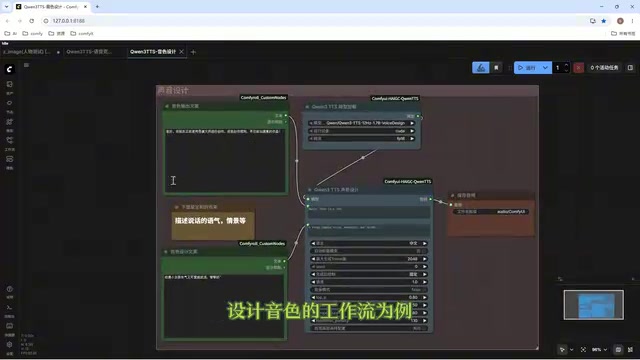
Director Master Tutorial: Full Workflow for AI Character Voice Design and Binding
Based on a Bilibili tutorial, this guide details how to design and bind AI character voices in Director Master: uploading voices, generating them via ComfyUI workflows, producing voice profiles alongside character design, and automatically inheriting voices in storyboard prompts.
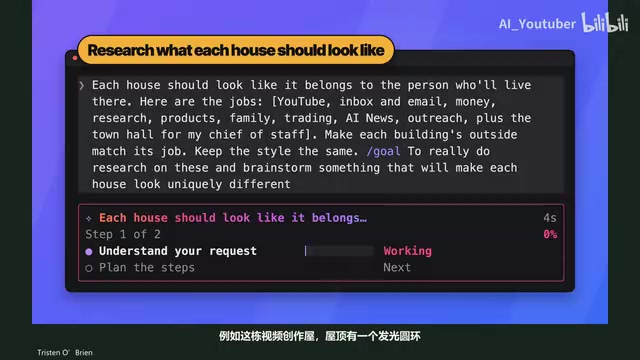
3.5 Hours and $47: Building an AI Agent Village Step by Step
A Bilibili creator built an AI Agent village in 3.5 hours for about $47: Claude Code handles logic and behavior, Higgs Field generates art. Seven steps cover maps and buildings, chief of staff and director roles, walkable areas and behavior rules, connecting to real tools like email and calendars, proving ground meetings, and retaining final human approval—including a cost ledger and prompt design thinking.
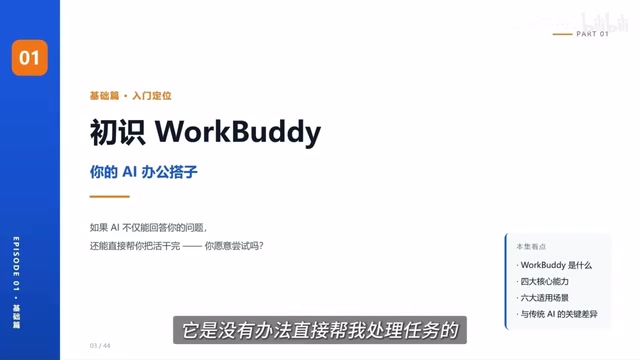
WorkBuddy Complete Beginner's Guide: Master Your AI Digital Employee in 7 Days
A detailed breakdown of the WorkBuddy beginner's guide: how this domestic Codex alternative works, its four advantages over traditional AI, and a learning path for newcomers.