Getting Started with Gemini 4 Argonne: A Hands-On Guide from Building Sites to Agents
Gemini 4 Argonne is a model for deep reasoning and long tasks; this article tests its real capability boundaries across site-building, document review, and coding Agent scenarios.
The article argues that most users evaluate models too superficially—the real test is whether a model can stay on track when tasks are large, technical, and multi-step. Gemini 4 Argonne has a shared context window of over 1 million tokens and three reasoning levels, positioned for deep reasoning, serious programming, and document analysis. The author tests it across three hands-on scenarios: generating a complete calorie tracking web app from a single prompt in Google AI Studio; uploading a 10-page architecture review PDF in the same session to first assess issues and then generate technical documentation; and building and running a browser game from scratch as a coding Agent in Anti-Gravity. The article also covers API Key integration, subscription thresholds across platforms, and a progression path for beginners.
Why Most People Are Using Gemini 4 Argonne Wrong
Most users evaluate a new model by typing a prompt, reading the answer once, and deciding it's "smart" if it feels right. But this approach barely probes the real limits of its capabilities. The true test is whether the model can stay on track when a task is too big, too technical, or too multi-step to fit into a single ordinary conversation. Most models quietly drift off target, lose context, and fall apart halfway through.
Gemini 4 Argonne was designed for exactly this problem. Google positions it as a tool for deep reasoning, serious programming, and document analysis, with enough working memory to hold an entire project instead of forcing you to chop it into pieces. Its context window exceeds 1 million tokens, shared between input and output, meaning long documents or large codebases can be processed continuously within a single session.
Another point beginners often overlook: the same model behaves completely differently depending on where you access it. In one tool it builds an app from scratch, in another it dissects dense documents, and in Agent mode it starts autonomously manipulating files and executing commands. The core of this tutorial is to put Argonne into several very different work tasks and see clearly what each usage is suited for.
Argonne's Positioning and Capability Parameters
A Model Built for Complex Tasks
Ordinary models are good at answering questions, generating content, and handling everyday tasks. But when you give them tasks that require planning, multiple steps, and tracking large amounts of information, the gap shows. Argonne focuses on deeper reasoning and more complex tasks, especially programming, problem-solving, and document analysis. It can understand information across text, tables, charts, and images, making it suitable for reviewing reports or advancing technical projects.
Google officially reports that Argonne ranks first on the Vals Index, which evaluates AI models on finance, programming, legal, and tax-related work. Of course, this is Google's own data and should be taken with a grain of salt.
Vals Index is a benchmark published by the third-party evaluation firm Vals, specifically measuring AI model performance on highly professional white-collar tasks such as finance, programming, legal, and tax. Unlike general benchmarks like MMLU or GSM8K, its questions mostly come from real work scenarios and require the model to perform multi-step reasoning, data verification, and compliance judgment, thus better reflecting the model's usability in "serious work." Google cites its first-place ranking to emphasize that Argonne is not just a chat assistant but a tool capable of handling professional tasks. However, any single benchmark has limitations: the question distribution and scoring criteria of Vals Index are set by Vals, and Google may selectively disclose favorable results. Readers should treat it as a reference signal, not an absolute conclusion, and still validate with their own tasks when making actual selections.
Input/Output and Reasoning Control
Argonne can process images, video, audio, and PDFs as input, but output remains text. It also offers three levels of reasoning intensity—low, medium, and high—allowing you to adjust thinking depth according to task complexity. At the tool level, it supports function calling, code execution, structured output, and search grounding, enabling it to interact with other systems, run code, and retrieve information beyond the conversation.
Search grounding refers to the model actively calling a search engine to obtain real-time information when generating responses and attaching the results as evidence, usually in the form of citation links. Unlike relying solely on training data, it mitigates knowledge staleness and hallucination issues, enabling the model to answer time-sensitive questions like "news happening today" or "latest prices." In the Gemini API, when grounding is enabled, the model retrieves first and then synthesizes, and the output can include source annotations for user verification. The cost is increased latency and higher expense, and retrieval quality depends on the search index. For scenarios requiring factual accuracy (such as technical documentation or financial analysis), search grounding is an important credibility safeguard; for creative writing or pure reasoning tasks, it may not be necessary.
Hands-On 1: Building a Site with a Single Prompt in Google AI Studio
Building an app isn't just about assembling a good-looking interface; you also need to consider how users will use it, what happens during interactions, and how features work together. The first test is to see how much work Argonne can take on from a single prompt, without writing a single line of code.
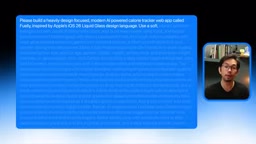
Go to Build Mode in Google AI Studio, select Gemini 4 Argonne, and describe an app. The example project is Fuley, an AI-powered calorie tracker. Users simply describe what they ate in natural language, and Gemini estimates calories, protein, carbs, and fat. The prompt includes everything at once: iOS 26 liquid glass style, personalized onboarding, dashboard, AI meal logging, editable nutrition estimates, quick food addition, daily AI insights, weekly progress tracking, browser storage, and loading and error handling.
Packing design, tracking features, and AI capabilities all into one prompt is meant to test whether Argonne can understand how these parts should work together from the start, rather than introducing features one by one.
The generation process can be watched in real time in AI Studio: it plans the project, assembles the parts, and then opens a preview. Go through the onboarding flow (age, gender, height, weight, activity level, fitness goals) and check the calorie and macronutrient targets it recommends, which can all be edited before saving. Then go to the dashboard and log a meal in natural language—two eggs, a slice of buttered toast, and a cup of black coffee. Argonne identifies each food, estimates portion sizes and nutritional values, and allows review and modification before adding to the log. Since these are AI estimates, users must be able to correct them at any time. After saving, check whether the calorie ring and macro bars update correctly, look at the weekly view, and see the AI insight card's suggestion for the next meal based on remaining goals.
This exercise reveals a practical judgment point: the accuracy of nutrition estimates and how user input is handled are key areas to check. The value of AI Studio lies in turning text descriptions into a runnable web app, including AI features, without setting up a local development environment.
Hands-On 2: Long Document Review and Technical Writing
Reviewing a lengthy technical document can take hours, especially when you need to verify data, confirm accuracy, and then convert it into material the team can use. Reports are full of technical details, tables, and charts, and it's easy to miss things.
The second test uses a 10-page PDF of an architecture review for the Atlas freight tracking platform. Argonne can handle documents containing text, tables, charts, and diagrams, so the entire file is uploaded directly without manual extraction. The prompt asks it to first perform an assessment: summarize the document's purpose, evaluate each section, identify weaknesses and missing information; check for inconsistencies in numbers, dates, and technical claims; list issues with their corresponding page numbers, sorted by severity.
After receiving the assessment, verify each identified issue against the original document to confirm accuracy, essentially adding a review step before generating technical documentation. Because the entire document is still in context, there's no need to re-upload to continue working.
The second prompt asks it to write complete technical documentation for the Atlas platform, covering system overview, architecture, components, data model, API reference, performance and reliability, security considerations, and migration plan, requiring clear headings and tables, and explicitly stating: conflicting information should be flagged rather than "resolved" by assumption.
After the document is generated, check the technical details item by item against the original PDF to confirm the information is clear and that inconsistencies in the source document are still explicitly flagged. This is a very practical business use case: handling document review and technical writing without starting from scratch each time, and continuously refining the document within the same session using the original file as reference.
Hands-On 3: Developing a Game as a Programming Agent in Anti-Gravity
Building a game from scratch involves far more than writing code: setting up the project, organizing files, installing dependencies, and figuring out why something breaks when it does—and it always does. This round tests how much Argonne can independently take on within the Google Anti-Gravity platform.
First, clarify the difference between an Agent and a regular chatbot. A regular chatbot gives you code to copy and paste; an Agent can read the project, plan work, create and edit files, run terminal commands, and attempt to fix errors it encounters. Anti-Gravity is Google's Agent-first development platform, designed for these kinds of cross-file, multi-step long tasks. Note: accessing Argonne through Anti-Gravity requires a Google AI Ultra subscription.
The example project is Starfall Survivor, a neon-style browser arcade game. The prompt requires building with Vite, TypeScript, and HTML Canvas, without relying on external game libraries. Players control a spaceship with mouse or keyboard, and the ship automatically fires at nearby enemies. Requirements also include three enemy types, a boss fight every five waves, experience points and upgrade choices, power-ups, health and score tracking, particle effects, screen shake, increasing difficulty, and a start screen, pause menu, game over screen, and locally saved high scores in the browser. Visually it requires a responsive neon style, sound effects generated via the Web Audio API with a mute option, clearly organized code, and a README with run instructions.
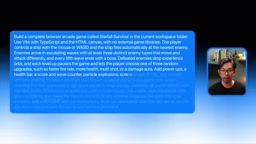
The final part of the prompt is especially critical: it asks Argonne to install dependencies, start the development server, and continuously fix errors until the game runs properly. After sending the prompt, you can see it planning the project, creating files, and running commands. Because it's being used as an Agent, it can troubleshoot and modify code on its own without manual handling of each step.
Once running, check movement, auto-firing, enemy waves, visual effects, and the interface. Also review the Agent's development process: what errors it encountered and how it handled them. The value of this usage is handing over responsibility for the entire development process, from setting up the project to getting the game running—a real test of a programming Agent handling a larger task, not just generating code in a chat.
Connecting Argonne to Your App with Your Own API Key
If you want your own website to respond to requests automatically, you can't open the Gemini chat every time. The website needs to communicate directly with Argonne, which is where the Gemini API Key comes in.
Create a new API Key at aistudio.google.com and follow the steps to generate it. One prerequisite: Gemini 4 Argonne is only available through the paid API tier, and billing must be enabled before use. Google lists pricing at $2 per million input tokens and $10 per million output tokens (price tier as of November 30), rising to $4 and $20 respectively afterward. The API Key is tied to a billing account and must be kept secret—store it in environment variables, never write it directly into public code, because anyone who obtains it could incur charges on your account. When integrating with your own project, use the model identifier gemini-4-argonne in requests.
Paid API tier is the billing tier mechanism of the Gemini API. The Gemini API is typically divided into a free tier and a paid tier: the free tier has rate limits and may use user data to improve models, while the paid tier offers higher quotas, lower latency, and a commitment not to train on user data. Gemini 4 Argonne is only available through the paid tier, meaning billing must be enabled in Google Cloud and a payment method linked before use. Pricing is per token, with input and output priced separately, and long-context task costs grow linearly with document size. For production environments, the paid tier also offers higher stability and service level agreements (SLAs). Developers should note that the API Key is tied to a billing account, and leakage could lead to unexpected charges, so it should be stored in environment variables with usage caps set.
Platform Availability and Subscription Requirements
Argonne has been rolled out across multiple Google products and programming tools, but subscription thresholds vary. For everyday use, the Gemini app and AI Mode in Google Search are available to Google AI Pro and Ultra subscribers, though support for Pro users is still rolling out in some countries, so not everyone can access it immediately.

For developers, GitHub Copilot is gradually rolling out Argonne to Pro Plus, Max, Business, and Enterprise subscribers on VS Code, Visual Studio, JetBrains, Xcode, and Copilot CLI. Anti-Gravity and its command-line tool require Google AI Ultra, while Android Studio and Firebase AI Logic use the paid tier of the Gemini app. For enterprise scenarios, there's the Gemini Enterprise Agent platform on Google Cloud, aimed at complex long-chain multi-step workflows in finance, legal, software development, and other fields.
Path Recommendations for Beginners
You don't need to start with the most complex setup. For complete beginners, first get familiar with Argonne's capabilities using Google AI Studio or the Gemini app: try a few projects, and once you're comfortable, move on to API integration or the programming Agent, advancing only when you actually have something specific to build.
These three scenarios each serve different purposes: AI Studio is for turning ideas into runnable apps, Gemini chat is for deep processing of long documents, and Anti-Gravity is for handing over the entire development process. Which one you choose depends on what you need to accomplish, not which one looks most advanced.
Background
Google Anti-Gravity is an "Agent-first" development platform launched by Google, with the core philosophy of letting AI agents lead the development process rather than serving merely as a code completion tool. In Anti-Gravity, the Agent can read the entire project structure, plan multi-file changes, create and edit files, run terminal commands (such as installing dependencies and starting the development server), and autonomously troubleshoot and fix errors when they occur. It supports cross-file, multi-step long tasks, suitable for building projects from scratch or performing large-scale refactoring. Unlike regular chatbots that "give you code to copy," Anti-Gravity hands execution authority to the Agent, with developers playing more of a reviewer and direction-setter role. Currently, accessing Gemini 4 Argonne through Anti-Gravity requires a Google AI Ultra subscription, which is a high barrier and suitable for heavy developers.
Related articles
JetBrains Launches ThinkRail: A New Tool for Developer Productivity
JetBrains' new project ThinkRail surfaces on Hacker News, drawing developer community attention. Here's what we know, how the community reacted, and what it could mean for developer workflows.

Cursor vs. Claude Code vs. Copilot: A Scenario-Based Selection Guide
Cursor, Claude Code, or GitHub Copilot? A scenario-based guide covering daily coding, large refactors and long tasks, and teams locked into existing IDEs—plus common pitfalls and combined-use advice.
DB Chat: Conversing with PostgreSQL in Natural Language, with AI Auto-Generating SQL
dbchat lets users converse with a PostgreSQL database in natural language, with an AI agent auto-generating SQL and returning live results. This article analyzes its MCP Server + Next.js + AWS full-stack architecture and anti-hallucination guardrail design.