Getting Started with Ollama Local LLM Deployment: A Chinese-Language Guide to Save You the Headache

A systematic Chinese guide to help beginners and developers deploy and run LLMs locally with Ollama.
Ollama is a local LLM runtime for Windows, Linux, and macOS that wraps complex model loading and inference into simple commands, with key advantages in data privacy and offline availability. This article introduces a third-party Chinese-language guide covering installation, model downloads, Modelfile customization, REST API calls, OpenAI-compatible integration, and GGUF quantized models. It serves as a step-by-step on-ramp for beginners and a quick-reference manual for developers. Note that Ollama updates frequently, so the guide may occasionally lag behind — always cross-check with the official docs when inconsistencies arise.
For users who want to run large language models on their own machines, Ollama is one of the most popular tools available. However, its official documentation is primarily in English, and the command-line interface isn't exactly beginner-friendly. A well-organized Chinese-language guide can string together the entire workflow — from installation and deployment to model invocation and API integration — saving you hours of research and trial-and-error.
What Is Ollama, and Why Run It Locally?
Ollama is a tool for running large language models locally, with support for Windows, Linux, and macOS. It wraps the complexities of model loading, inference, and management into simple commands, making it accessible for everyday users who want to experience offline LLMs on a personal computer.
The core value of local deployment lies in privacy and control. Your data never leaves your machine, you don't need an internet connection to chat, and you can freely switch between models of different parameter sizes. For developers, a local environment also makes debugging and integration much easier — no need to worry about cloud API rate limits or latency.
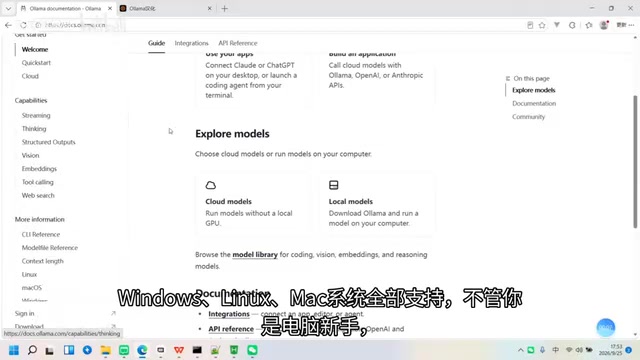
That said, the barrier to entry for beginners mainly comes down to two things: the official documentation is in English, which creates a reading obstacle; and tutorials scattered across the web use inconsistent command versions, making it easy to run into errors. This is exactly the pain point a systematic Chinese-language guide aims to solve.
Modelfile is a configuration file in Ollama used to customize model behavior, with syntax similar to a Dockerfile. Through a Modelfile, users can set a System Prompt, adjust inference parameters like temperature and context length, and even create a named "derivative model" based on an existing one — complete with a specific persona or domain expertise. This lets users quickly generate customized versions for scenarios like customer service, code assistance, or writing support, all without retraining the model. It's one of the key features that sets Ollama apart from simpler model-loading tools.
What the Chinese Guide Covers
According to the Bilibili creator who introduced it, this Ollama Chinese-language guide covers the full journey from beginner to advanced, including:
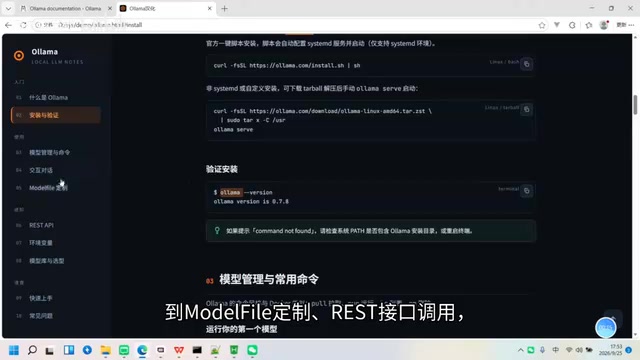
- Installation & Deployment: Step-by-step instructions for different operating systems
- Model Downloads: How to pull and manage various models
- Interactive Chat: Basic command-line usage
- Modelfile Customization: Defining custom model behavior and parameters
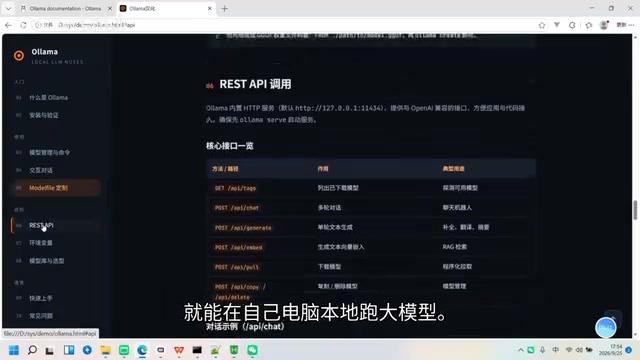
- REST API Calls: Exposing your local model as a service
- OpenAI-Compatible Integration: Seamlessly switching existing OpenAI API-based applications to a local model
- GGUF Quantized Models: Running models with lower resource consumption
The OpenAI-compatible interface deserves a special mention. Many existing applications and frameworks are built around the OpenAI API format. With Ollama's compatibility layer, developers only need to change the endpoint URL to switch their backend from the cloud to local — an extremely low-cost migration.
GGUF quantized models are a key concept for understanding the hardware requirements of local deployment. Quantization is a technique that compresses model weights from high-precision floating-point numbers (e.g., FP32, FP16) to lower-precision integers (e.g., INT4, INT8), significantly reducing VRAM and memory requirements. GGUF is a file format defined by the llama.cpp project, designed for efficient inference of quantized models on CPUs or consumer-grade GPUs. Take a 7B-parameter model as an example: in FP16, it requires roughly 14GB of VRAM, but after 4-bit quantization, only about 4GB — well within reach of a laptop's integrated GPU or system RAM. Quantization does introduce some precision loss, but for everyday conversational tasks, the impact is generally acceptable. Ollama has built-in support for the GGUF format, and users can download pre-quantized model files directly from platforms like Hugging Face and import them for use.
Value for Both Beginners and Developers
What makes this guide most practical is that it consolidates everything into copy-paste-ready Chinese notes — no more struggling through poorly formatted foreign documentation or hunting through scattered blog posts for the right command.
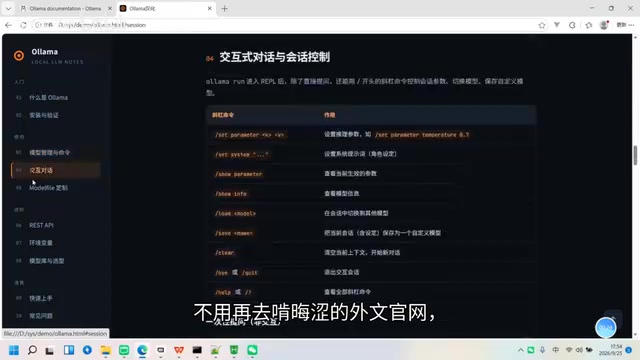
For beginners, it's a clear on-ramp: follow the steps and you'll have your first model running locally in no time. For developers, it works more like a handy reference manual — flip to the relevant section whenever you need to look up an API or a quantization approach.
One Thing Worth Keeping in Mind
Third-party localized guides have the advantage of being readable and quick to get started with, but timeliness is a real concern. Ollama itself updates frequently, and commands or parameters can change. When you notice a discrepancy between the guide and actual behavior, it's worth cross-referencing the official documentation. Treat the Chinese guide as a helpful supplement for quick onboarding and day-to-day reference — not as the single authoritative source.
Overall, if you're eager to try offline LLMs but don't want to bounce back and forth between English docs and scattered tutorials, a systematic Chinese-language guide like this one can genuinely save you a significant amount of time.
Related articles

AgentCore in Practice: Connecting Custom Tools and MCP Servers to Agents
DebuggerCafe tutorial shows how to connect custom tools and MCP servers to Amazon Bedrock AgentCore agents, covering tool contract design, MCP reuse, and production concerns.

816B Parameters Scores Only 39? The Real Cost-Effectiveness of the Open-Source LLM Parameter Race
Meta's 816B Muse Spark Open scores just 39 on Artificial Analysis, while 180B Qwen3.8-Flash-Next scores 40. This article analyzes 11 open-weight models' parameters vs. scores, exploring the real impact of activated parameters, quantized size, and deployment cost.

Aerial Manipulators: The Next Step for Drones from 'Seeing' to 'Changing'
Starting from a Reddit discussion, this article analyzes the technical challenges, potential applications, and deployment bottlenecks of aerial manipulators, exploring the key challenges for drones moving from environmental perception to physical manipulation.