Getting Started with Ollama: The Best Tool for Running Open-Source LLMs Locally

Ollama lets you run open-source LLMs locally for free, with easy setup across macOS, Windows, Linux, and Docker.
Ollama is a free, open-source local large language model management platform that lets developers deploy and run open-source models like DeepSeek on their own machines. It supports macOS, Windows, Linux, and Docker, intelligently schedules GPU and CPU resources, and offers an OpenAI-compatible REST API — making it easy to build private AI applications at zero cost.
Why Do We Need Local LLM Deployment?
Most of us have used online large language models at some point — whether that's ChatGPT, DeepSeekAd, or other popular options. The experience is largely the same: open a URL, log in, and start chatting. For casual conversations, this is simple, convenient, and usually free.
But the moment you need custom development, things get complicated. If you want to build your own application using ChatGPT or DeepSeek via API, you'll need to apply for a dedicated API Key — and that Key isn't free. You're billed based on the number of tokens consumed. Tokens are the basic units LLMs use to process text; roughly speaking, one English word equals 1–2 tokens, and each Chinese character maps to about 1–2 tokens as well. Take GPT-4o as an example: both input and output are billed per million tokens. For enterprise applications making frequent API calls, monthly bills can easily reach hundreds or even thousands of dollars. As long as you're calling a cloud-based model, costs accumulate with every request.
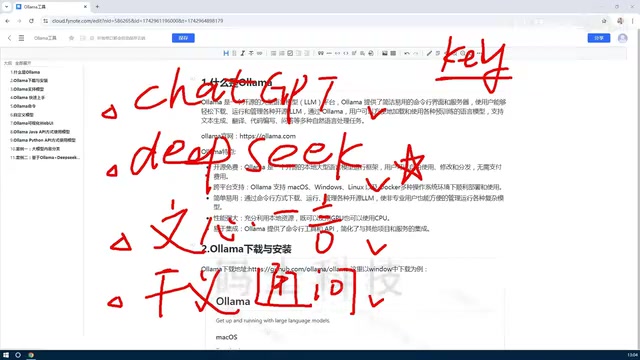
This naturally raises a question: since many powerful models are open-source, why not deploy them locally? The open-source ecosystem is far from lightweight — DeepSeek, developed by DeepSeek AI, is a series of large language models known for their competitive performance and fully open weights. LLaVA (Large Language and Vision Assistant), a joint project from the University of Wisconsin and Microsoft Research, is an open-source multimodal model capable of understanding both images and text. The rise of these open-source models has fueled a thriving local deployment ecosystem. Running models locally means zero cost — whether for everyday chatting or building API-powered applications. To make this a reality, you need the tool at the center of this article: Ollama.
What Is Ollama?
Ollama is a local large language model management platform designed to make deploying open-source models on your own machine as painless as possible.
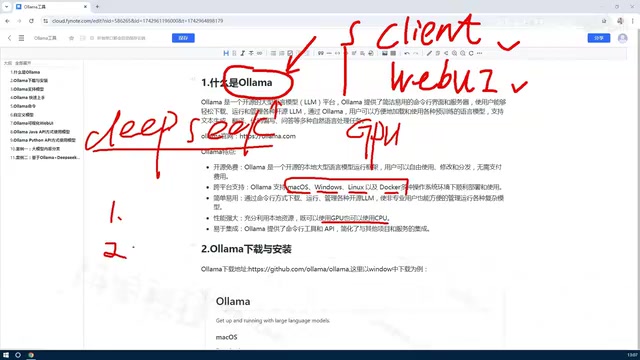
With Ollama, you can manage the full lifecycle of a model: download, run, delete, and even customize models based on existing ones. It offers two primary interaction modes:
- CLI (Command-Line Interface): Lightweight and efficient, ideal for developers comfortable with terminals;
- Web UI: A graphical interface for a more intuitive experience.
For example, if you want to run DeepSeek locally, a few Ollama commands are all it takes — no manual configuration headaches. Of course, larger models do demand more from your hardware.
Core Advantages of Ollama
Cross-Platform Support, Completely Free and Open-Source
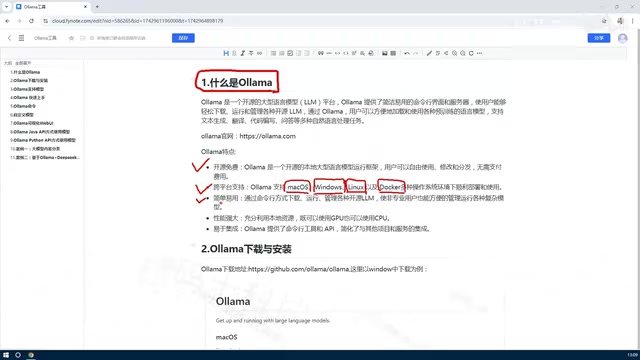
The most fundamental strength of Ollama is that it's completely free and open-source, with broad cross-platform support across all major operating systems:
- macOS
- Windows
- Linux
- Docker
Individual users can install it directly on Windows or Mac. For enterprise use cases, Linux or Docker deployments are recommended for a more stable production environment.
Intelligent GPU and CPU Scheduling
This is one of Ollama's most impressive capabilities. Running large language models typically requires a GPU, but Ollama can automatically detect and intelligently allocate your machine's GPU and CPU resources, dramatically lowering the barrier to entry.
Before Ollama came along, self-hosting an open-source LLM meant manually configuring complex GPU drivers and dependency environments — a process that demanded significant hardware knowledge and technical expertise. Under the hood, Ollama integrates the llama.cpp framework, which uses the GGUF quantization format to compress model weights, enabling models to run at acceptable speeds even on standard CPUs or Apple's M-series chips. You don't need an NVIDIA CUDA GPU to get started — CPU-only inference is entirely viable, making local AI accessible to a much wider audience.
Easy Integration and Strong Extensibility
Ollama exposes a standard REST API and command-line tools, making it straightforward to integrate into your own projects. REST (Representational State Transfer) is a widely adopted web service architectural style that uses standard HTTP methods for data exchange. Notably, Ollama's REST API is highly compatible with the OpenAI API format — meaning code originally written for ChatGPT can be redirected to your local model by simply changing the endpoint URL (default: localhost:11434), with minimal migration effort.
Typical use cases include:
- Calling local models via API as a drop-in replacement for paid cloud APIs;
- Combining local models with private knowledge bases to build enterprise-grade local Q&A systems;
- Delivering fully offline AI capabilities in scenarios with strict data privacy requirements.
Knowledge base Q&A systems typically leverage the RAG (Retrieval-Augmented Generation) architecture: internal documents are vectorized and stored, and when a user asks a question, relevant document chunks are retrieved and fed as context to the LLM to generate a response. This approach gives the model access to proprietary knowledge while ensuring sensitive data never leaves your local network — making it an ideal choice for privacy-sensitive industries like finance, healthcare, and legal services.
Ollama supports multiple programming languages including Python, JavaScript, Rust, and more, so it integrates smoothly regardless of your tech stack.
Summary
Here's a recap of the key takeaways:
What is Ollama? A local open-source LLM management tool that lets you deploy and use a wide range of open-source models on your own machine — for free.
What makes it stand out? It's free and open-source, supports multiple platforms (macOS/Windows/Linux/Docker), offers both API and CLI access, and is simple to manage.
How does it perform and scale? It intelligently schedules CPU and GPU resources, supports multi-language integration, and fits naturally into development projects or private AI system builds.
For developers and organizations looking to take control of their AI infrastructure, protect data privacy, and reduce long-term AI costs, Ollama is undoubtedly one of the best tools to start with.
Related articles

A New Paradigm for Text Editing in Compose: TextFieldState Replaces the Old API
Jetpack Compose introduces the TextFieldState API to fix dropped characters and cursor jumps from async input. The old value/onValueChange callbacks will be deprecated in 1.13. This article covers InputTransformation, OutputTransformation, four state hoisting patterns, and new formatted text editing capabilities.

Remote Compose: A New Document-Driven Paradigm for Cross-Platform UI on Android
Remote Compose transmits compact binary documents instead of screen pixels, enabling efficient UI rendering on remote surfaces like Wear OS and widgets. This article covers its document creation API, expression animations, size optimization techniques, and Wear OS progress.

How Crashlytics Eliminates Android Memory and Responsiveness Issues
Through the Chroma Clip case study, this article explains how Firebase Crashlytics uses Application Exit Info, Profiling Manager, GWP ASAN, and ARM MTE to pinpoint ANRs, OOMs, memory limit terminations, and native memory corruption—solving the challenge of stack traces that don't point to the real culprit.