Getting Started with Shadow DOM: Understanding CSS Shadow Roots Through Interactive Examples

A developer used one AI prompt to generate an interactive tutorial explaining Shadow DOM and CSS Shadow Roots.
Developer Simon Willison shared an interactive teaching tool for explaining CSS Shadow Roots, generated by the AI model Fable 5.1 Medium from a single prompt. The article introduces Shadow DOM's core concepts — the Web Components mechanism for isolating DOM structure and styles to prevent leakage between components. Because features like style boundaries, `::part`/`::slotted` selectors, and event retargeting are highly abstract, interactive examples build intuition far better than static docs. More notably, the tool's creation method itself demonstrates that AI can now rapidly transform a natural language instruction into a runnable demo prototype, dramatically lowering the barrier for producing technical educational content.
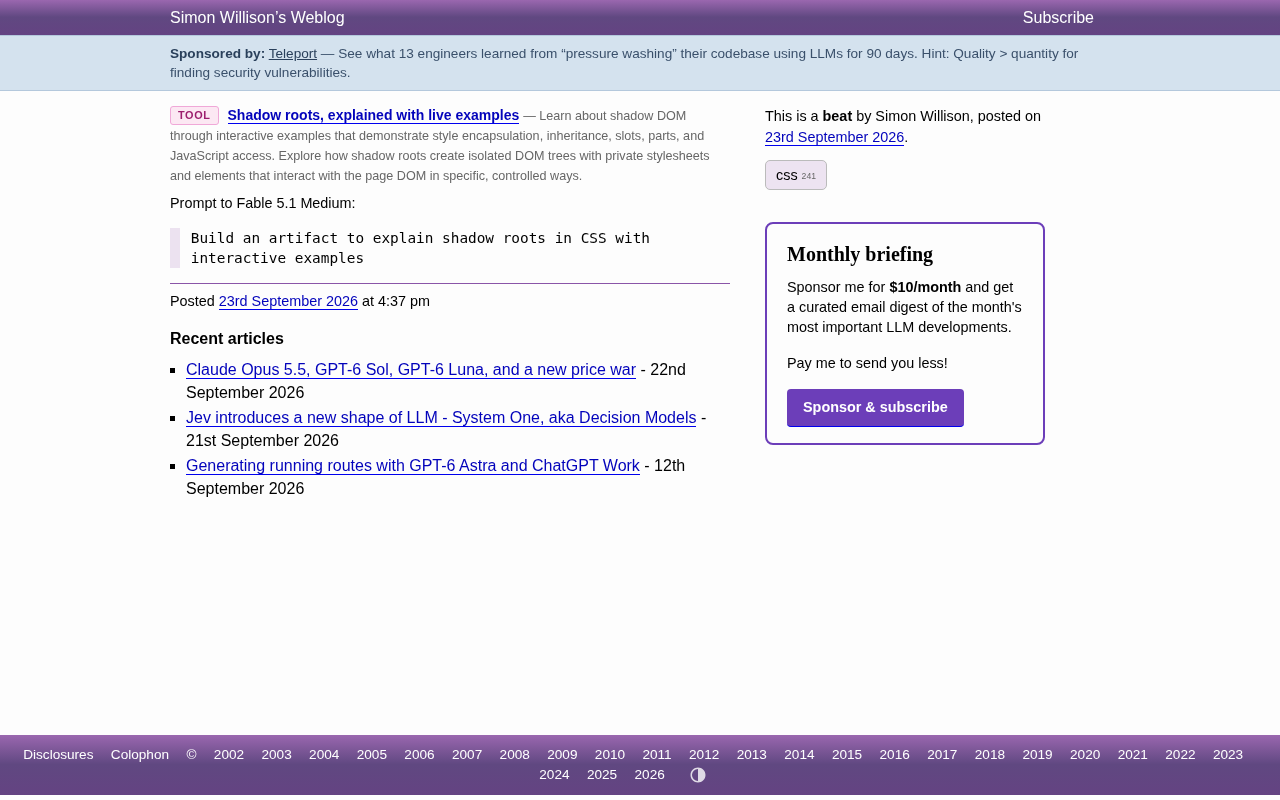
Developer Simon Willison shared an interactive tool for explaining the concept of CSS Shadow Roots. Through live, runnable examples, it makes the abstract mechanics of Shadow DOM intuitive and easy to grasp. What's particularly interesting is how the tool itself was created — by sending a single short prompt to the AI model Fable 5.1 Medium. One sentence was all it took to produce a fully interactive educational page.
What Is a Shadow Root
A Shadow Root is the core component of Shadow DOM within the Web Components standard. It allows developers to encapsulate a segment of DOM structure and styles within an isolated scope, separated from the main document's DOM tree. The most immediate benefit of this isolation is that styles don't bleed into each other — CSS rules inside a component won't leak to the outer page, and external styles won't accidentally override what's inside the component.
This encapsulation capability is critical for building reusable UI components. Native elements like <video> and <input type="range"> actually use Shadow DOM internally to hide their complex inner structures. Understanding Shadow Root behavior is a foundational step toward mastering modern component-based front-end development.
From a technical implementation perspective, Shadow Root comes in two modes: open and closed. In open mode, external JavaScript can access the shadow tree via the element.shadowRoot property; in closed mode, that property returns null, making the shadow tree completely invisible to external scripts. You create a Shadow Root by calling element.attachShadow({ mode: 'open' }), after which you can insert child nodes and stylesheets into the returned Shadow Root object. Shadow DOM also introduces the <slot> mechanism, which allows child content from the host element to be projected into designated positions inside the component — striking a balance between encapsulation and flexibility. These details determine a component's accessibility, customizability, and how it interacts with external code, making them essential foundational knowledge for practical use.
Why Interactive Examples Matter
Many of Shadow DOM's characteristics — the boundaries of style isolation, the scope of selectors like ::part and ::slotted, the event retargeting mechanism — are genuinely difficult to convey through text alone. Readers often finish the documentation still confused, because these concepts are fundamentally about "scope boundaries," and you really need to see which styles apply and which don't in order to build an intuition for it.
This is exactly where interactive tools shine. They transform static rule descriptions into an experimental playground where you can adjust things hands-on and see immediate feedback. Learners can modify styles, toggle configurations, and watch in real time how differences inside and outside the Shadow Root play out. This "see it as you learn it" approach is far more efficient than reading spec documentation.
::part and ::slotted are two special CSS selectors provided by Shadow DOM specifically for applying styles across the shadow boundary. ::part() allows consumers of a component to style elements inside it that have a part attribute — for example, my-button::part(label) { color: red; }. ::slotted(), on the other hand, targets host child nodes that have been projected into slots, letting the component provide default styles for "foreign" content. Event retargeting refers to the fact that when an event triggered inside Shadow DOM bubbles past the shadow boundary, the event's target property is automatically replaced with the host element rather than the internal node that actually triggered it — a mechanism that protects internal implementation details, but can confuse developers who aren't familiar with the principle when debugging. The behavioral boundaries of these three features are precisely what an interactive tool can demonstrate most intuitively.
Generating a Teaching Tool from a Single Prompt
What's perhaps most noteworthy about this case isn't Shadow Root itself, but how the tool was generated. The prompt the author gave to Fable 5.1 Medium was just one sentence:
Build an artifact to explain shadow roots in CSS with interactive examples
That single, concise natural language instruction was enough for the AI to produce a complete educational page with live examples. This reflects the current state of AI-assisted development: it's now capable of handling a specific class of tasks — rapidly transforming a technical concept into a runnable demonstration prototype.
For developers, technical writers, and educators, this capability means the barrier to creating educational materials has dropped significantly. What previously required manually writing HTML, CSS, and interaction logic can now start with an AI-generated working base that humans then refine. It transforms "explaining a concept" from a time-consuming manual task into a fast, iterative conversational process.
Implications for Front-End Learning
This small tool ties together two threads worth reflecting on. First, Shadow DOM, as part of the Web standard, remains foundational knowledge that front-end developers should master — especially as component-based development and design systems become increasingly widespread. Second, AI-generated tools are changing how technical knowledge is transmitted — shifting from passive reading to actively exploring through on-demand interactive demos.
If you're learning Shadow DOM, playing with this tool hands-on will build intuition far faster than reading through a pile of documentation. And if you're a content creator, this case points to a new workflow: use a single prompt to generate a teaching prototype, then focus your energy on accuracy and depth.
Related articles

Multi-task Model Accuracy Stuck at 0.40? Community Help and Diagnostic Approaches
A developer seeks help because their multi-task model's accuracy is only 0.40, suspecting model size or lack of pre-training. This article analyzes common bottlenecks in multi-task learning, including model capacity, pre-training, loss weights, and data balance, and provides systematic troubleshooting ideas and community suggestions.

Two RL Agents Team Up to 'Chopstick-Catch a Rocket': Mechazilla Captures Super Heavy Booster in Practice
A developer trains two PPO agents in JAX to control a Super Heavy booster and Mechazilla tower arms for cooperative capture, detailing staged training, rollout length, and learning rate tuning.

ConnectWise Breached by Chinese Hackers, Thousands of Enterprises Targeted by AI Agents
Microsoft discloses that ConnectWise was breached by a China-backed hacking group that used AI agents to rapidly infiltrate thousands of customer enterprises. This article analyzes the AI-driven trend in supply chain attacks, security risks of the MSP model, and defense strategies.