GitHub Copilot CLI In-Depth Review: A Free Terminal Coding Agent Powered by Claude Sonnet
GitHub launches free Copilot CLI, a terminal AI coding agent powered by Claude Sonnet.
GitHub has launched Copilot CLI in public preview, bringing AI coding agent capabilities to the terminal command line. Defaulting to Claude Sonnet, it's completely free with no limits during the preview period. Key features include pre-execution previews, a built-in GitHub MCP server, custom MCP extension support, and switchable models. Real-world testing shows impressive performance, even outperforming Claude Code on several tasks, though it has drawbacks like over-testing tendencies and no custom command support.
GitHub recently launched the public preview of Copilot CLI, bringing AI coding agent capabilities directly to the terminal command line. This tool uses Claude Sonnet as its default model and is completely free with no rate limits during the preview period. Many developers see it as a strong alternative to Claude Code. This article provides an in-depth analysis of this terminal coding tool's real-world performance across three dimensions: features, hands-on experience, and competitive comparison.
What Is GitHub Copilot CLI
GitHub Copilot CLI is an official command-line coding agent from GitHub, built on the same agent architecture as VS Code Copilot and GitHub Copilot. It's designed to compete directly with terminal AI coding tools like Claude Code and Codex.
It's worth noting that Terminal Coding Agents represent a new development tool paradigm that has emerged over the past two years as large language model capabilities have advanced. Unlike traditional IDE plugins, these tools use the command line as their primary battlefield, empowering models with abilities to read/write files, execute shell commands, and search codebases through Tool Use mechanisms. The core technical challenge lies in designing the "agent loop" — the model needs to iterate repeatedly between planning, executing, observing results, and re-planning until the task is complete. The key differences between products like Claude Code, Codex CLI, and Copilot CLI often lie not in underlying model capabilities, but in the safety boundary design of this agent loop, the richness of the tool set, and the depth of integration with developers' existing workflows.
Its core positioning is clear: enabling developers to collaborate with an AI agent on code writing, debugging, and refactoring without ever leaving the terminal. Installation is extremely simple — just one command. If you've already configured Copilot authentication through Git CLI or VS Code, it automatically reuses existing credentials, delivering a true out-of-the-box experience.
Key Features at a Glance
Compared to other coding agents, Copilot CLI has several noteworthy design highlights:
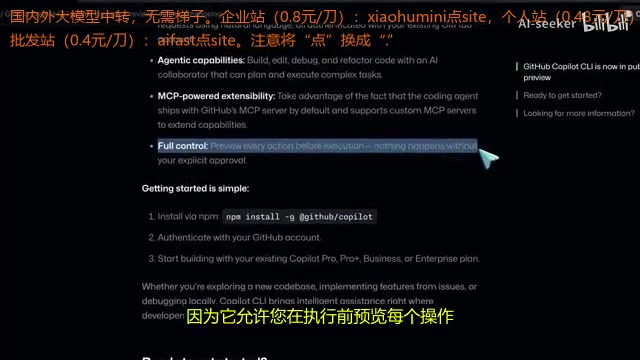
- Pre-execution Preview Mechanism: Unlike some agents that "auto-approve everything," Copilot CLI allows you to preview each operation before execution. Nothing runs without explicit approval, which is a clear win for security.
- Built-in GitHub MCP Server: It comes with a default integration of GitHub's MCP (Model Context Protocol) server, supporting natural language access to repositories, Issues, and Pull Requests. MCP is an open protocol standard proposed by Anthropic in late 2024, designed to solve the fragmentation problem of integrating AI models with external tools and data sources. Before MCP, every AI tool needed to develop separate adapters for different data sources, making maintenance costs extremely high. MCP defines a unified server-client communication specification that allows AI agents to invoke external resources like file systems, databases, and APIs in a standardized way. GitHub wrapping its own platform as an MCP server means Copilot CLI can access remote repository data as seamlessly as calling local tools — this is a core architectural advantage that distinguishes it from other terminal AI tools.
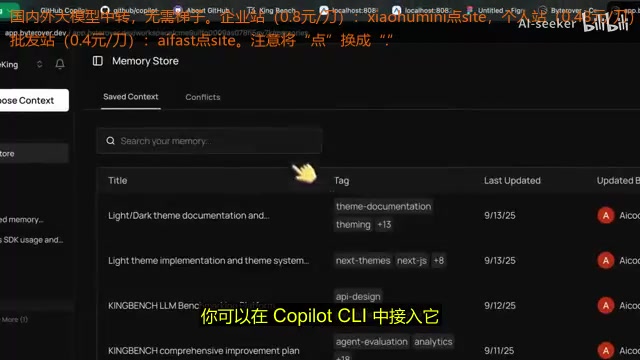
- Custom MCP Server Support: You can connect third-party MCP servers to extend functionality, such as adding a memory layer to the agent via Bitauber MCP.
- Switchable Models: It defaults to Claude Sonnet, but you can switch to GPT-5 or other models via the
COPILOT_MODELenvironment variable. Claude Sonnet is the mid-tier model in Anthropic's Claude family, positioned at the sweet spot between performance and cost — between the lightweight Claude Haiku and the flagship Claude Opus. For coding tasks, the Sonnet series is known for strong code comprehension and a large context window (supporting 200K tokens), making it particularly suitable for agent scenarios that require cross-file project structure understanding. GitHub's choice of Sonnet over the more expensive Opus as the default model is a pragmatic trade-off between reasoning quality and API call costs — for most everyday programming tasks, Sonnet's performance is more than adequate while being able to support large-scale user usage during the free preview period.
What's the Actual Experience Like
Interface and Interaction Design
Copilot CLI's interface and interaction experience is very similar to Claude Code, offering a slash command system. For example, /add directory lets you restrict file access scope — if you're only working on the backend, just add the API folder and ignore everything else.
A unique highlight is its Read Bash and Write Bash tools, which Claude Code lacks. Traditional AI agents face a fundamental obstacle when handling interactive command-line programs: most shell commands are "fire-and-forget" one-way executions, but scaffolding tools like create-next-app and npm init require continuous user input during execution. These programs typically implement interaction through pseudo-terminals (PTY), and standard subprocess calls cannot simulate this bidirectional communication. Copilot CLI's Write Bash tool bypasses this limitation by maintaining a persistent shell session and supporting data writes to it — its working principle is similar to the automation testing tool Expect, but natively integrated into the AI agent's tool-calling system. These tools enable the agent to handle interactive shell commands — for example, when running create-next-app requires entering a project name in an interactive interface, the agent can automatically complete the input via the Write Bash tool. The results are surprisingly good in practice.
However, it doesn't yet support creating custom commands or custom agents — a feature that Claude Code users love — which is a notable shortcoming.
Four Coding Tasks Put to the Test
To comprehensively evaluate Copilot CLI's coding capabilities, the tester designed four tasks of varying difficulty:
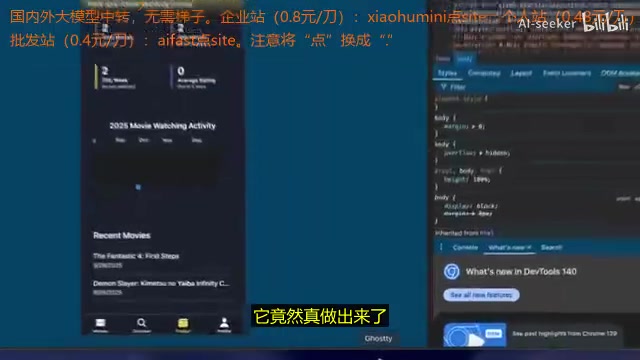
Task 1: Building a Movie Tracking App with Expo
The agent successfully completed the build. Although an error occurred during the process, it was resolved after being instructed to fix it. The final result was good — the UI lacked fine-tuning of padding and margins (more of a model-level issue), but overall functionality was complete. It was praised as "more polished and comprehensive than what Claude Code generates."
Task 2: Writing a Terminal Calculator in Go
This task was a standout — succeeded on the first try and ran smoothly. The tester specifically noted that "Claude Code usually can't get it done in one or two attempts, but Copilot CLI nailed it on the first try."
Task 3: Editing a Godot FPS Game
The task required adding a deployment timer and a health bar that changes when jumping. The features were implemented well, but some issues emerged: it took longer than DeepSeekAd or Claude Code, the agent tended to repeatedly check things, and sometimes even attempted to fix issues unrelated to the task — showing clear signs of "over-testing."
Related articles
 Product Reviews
The Programmer's Desk Setup Guide: Building a Workspace That Feels Like Home
Discover how programmers build productive, comfortable workspaces. From multi-monitor setups to ergonomic design, explore the desk philosophy that drives focus and flow.
 Product Reviews
Qoder vs Cursor Real-World Comparison: Which $20/Month AI IDE Is Better?
Hands-on comparison of Qoder vs Cursor AI IDEs: Agent autonomy, human interaction count, and architecture decisions. Qoder needed only 2 interactions vs Cursor's 8.
 Product Reviews
Cursor Cloud Agent Demo: Eliminating Bottlenecks Across the Entire Software Development Lifecycle
Deep analysis of Cursor's Cloud Agent demo showing how cloud VMs, automated test artifacts, and a full-chain control plane systematically eliminate human bottlenecks across the software development lifecycle.