GitHub Copilot vs. Cursor Coding Agents in Practice: How They Fit Into Your Daily Dev Workflow

GitHub Copilot and Cursor represent two AI coding agent philosophies: governance-first vs. efficiency-first.
AI coding assistants are evolving from autocomplete into autonomous coding agents. GitHub Copilot's new coding agent lets you assign Issues directly to AI, which works in an isolated GitHub Actions sandbox, pushes to draft PRs with real-time session logs, and requires human approval before merging — with all existing branch protections and CI/CD flows intact. Cursor takes a different approach: its agent can freely search code, edit files, and run terminal commands in your local workspace, functioning more like an instant pair programming partner. The two tools represent "governance-first" and "efficiency-first" design philosophies, suited to enterprise teams and fast-moving individuals respectively.
AI coding assistants are evolving from "autocomplete" tools into "coding agents" capable of executing tasks independently. This article draws on firsthand observations of GitHub Copilot's new coding agent and Cursor's agent interface to break down how these two tools actually work in real development workflows — and what they mean for team collaboration.
GitHub Copilot Coding Agent: Assign Issues Directly to AI
Based on what the official documentation demonstrates, the biggest shift with GitHub Copilot's new coding agent is the collaboration model — you can assign an Issue directly to Copilot, just as you would to an engineer on your team.
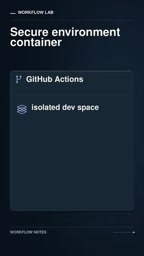
Once assigned, Copilot spins up a secure, isolated development environment powered by GitHub Actions. This means everything the agent does happens inside a controlled sandbox, rather than directly touching your local or main branch environment. This isolation design reduces the potential risks of AI executing code.
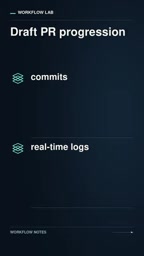
While executing a task, the agent doesn't operate as a black box. It continuously pushes commits to a draft Pull Request (draft PR). Developers can track its reasoning and validation steps through real-time session logs — seeing exactly why it made a change, what it changed, and whether validation passed.
Human Approval Remains the Final Gate
This system includes a critical engineering governance feature: existing branch protection rules and CI/CD workflows remain completely intact. In other words, no matter what code the agent produces, it must pass through the existing pipeline checks, and human approval is required before anything gets merged.
The significance of this design is that teams don't need to tear down their existing quality gates to adopt AI. The agent is embedded into the existing review system — not routed around it. For engineering teams that prioritize compliance and code quality, this is a prerequisite for AI agents to actually work in production.
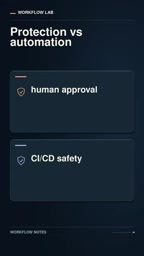
Branch Protection Rules are a repository governance mechanism provided by GitHub that allows teams to enforce requirements such as: a minimum number of peer code reviews before merging, passing all CI status checks, and prohibiting direct pushes to main branches. These rules are typically foundational infrastructure for compliance and code quality in enterprise development. CI/CD (Continuous Integration/Continuous Delivery) refers to automatically triggering builds, tests, static analysis, and other pipeline tasks on every code change, catching issues before code is officially merged. The reason Copilot's coding agent can be accepted by engineering organizations is that its output — a draft PR — is procedurally equivalent to a PR submitted by any human developer, with no privileged bypass paths. This means teams don't need to modify their existing engineering standards; they simply treat the AI as another "contributor" subject to the same level of review.
Cursor's Agent Interface: A More Flexible Local Collaboration Experience
Unlike Copilot's Issue- and PR-centric workflow, Cursor's agent interface reflects a different interaction philosophy. In Cursor, you can visually watch the agent doing three things: searching your codebase, editing files, and running terminal commands — with no limits on how many consecutive actions it takes.
This "unrestricted" operational capability makes Cursor feel more like a pair programming partner sitting right next to you, able to dive in directly. It can autonomously complete a sequence of actions within your workspace without stopping to wait for manual confirmation at each step. For rapid prototyping and exploratory coding, this fluidity can significantly boost productivity.
The Trade-offs Between Two Approaches
Looking at both tools together, a clear picture emerges of two design philosophies in current AI coding agents:
- GitHub Copilot takes a "governance-first" approach: Through isolated environments, draft PRs, session logs, and mandatory human approval, it embeds the AI agent into enterprise-grade collaboration and compliance frameworks. Safety and control come first.
- Cursor takes an "efficiency-first" approach: It grants the agent greater autonomy and operational freedom, prioritizing immediacy and a smooth developer experience.
This isn't about which is better — it's about different use cases. The former suits multi-person teams with strict process requirements; the latter suits individual developers or small teams focused on iteration speed.
Pair Programming is a software development practice where, in its traditional form, two developers share a workstation — one writes code (the Driver) while the other reviews in real time and provides direction (the Navigator) — improving code quality and knowledge sharing. Cursor's agent interaction model more closely resembles this approach: the developer acts as Navigator by describing intent or raising questions, while the agent acts as Driver by executing operations directly in the local workspace. Unlike Copilot's remote isolated sandbox model, Cursor's operations happen directly in the developer's local environment. This results in lower context-switching overhead and a more immediate feedback loop — but it also means operational risks are more directly exposed in the real workspace, placing higher demands on the developer's own oversight habits.
Impact on Daily Development Workflows
From these concrete examples, it's clear that AI coding tools have moved beyond "smart autocomplete" and are beginning to handle end-to-end task execution. The developer's role is shifting from "writing every line of code" to "assigning tasks, reviewing results, and gatekeeping quality."
This is an important distinction: agents can automatically spin up environments, open PRs, and edit files — but human judgment in the review process remains an irreplaceable link in the chain. The teams that get the most out of these tools are typically those who embrace automation while holding firm on quality gates. Regardless of which tool you choose, integrating AI agents into existing traceable, reviewable, and approvable workflows is what transforms them from impressive demos into genuine productivity gains.
Related articles

Chain of Thought Isn't Just for AI: How Humans Can Use CoT to Improve Thinking Quality
Chain of Thought isn't just a prompt trick for large models. Starting from a Hacker News discussion, this article analyzes why CoT works for human thinking too, breaks down actionable ways to transfer it, and highlights the key differences between human CoT and machine CoT.
Cloudflare Teams Up with OpenAI: Closi…
Cloudflare Teams Up with OpenAI: Closing the Loop from Vulnerability Discovery to Defense with AI
Cloudflare uses OpenAI Daybreak to investigate security vulnerabilities and generate reviewable remediation plans, while developers use Codex to boost coding efficiency and quality.

Orca Multi-Agent Orchestration in Practice: A Guide to Parallel Collaboration with Claude and Codex
Orca is Stable AI's free open-source agent workbench supporting 34 agents like Claude Code and Codex in parallel. Learn its Git worktree isolation, multi-model orchestration, and mobile management.