Give Claude Code a Physical Status Light So You Never Have to Stare at the Screen Again
A developer used Claude Code's hooks to turn an idle USB light into an AI status indicator.
A Reddit developer running Claude Code on a second laptop for time-consuming tasks was annoyed by constantly switching screens to check status, so he used an idle Kuando Busylight USB light with Claude Code's hooks mechanism as a status indicator: blinking red means working, solid red means waiting for input, green means idle. The article notes that hooks allow custom scripts to be triggered at agent lifecycle points, and the solution requires no source code changes or middleware, making replication costs extremely low. A physical light at the edge of vision can be perceived with peripheral vision, with lower cognitive load than pop-ups and screen switching, and it reflects the trend of developers designing physical presence for AI agents as they take on asynchronous long-running tasks.
A USB Light Solves the AI Coding Wait Anxiety
A developer on Reddit shared a small hack of his own: he often runs Claude Code on a separate laptop to handle time-consuming tasks, like generating new 3D models for his 3D naval combat game 《Bearing Unknown》. The problem was that he constantly had to switch over to check—was Claude still working, or had it stopped and was waiting for his confirmation?
One day he dug out an idle Kuando Busylight (a USB status indicator light) and hooked it up through Claude Code's hooks feature. Now the light's state tells him everything directly: blinking red means Claude is working, solid red means it needs user input, and green means idle. It's that simple—he no longer has to keep glancing over at the other screen.
Hooks Are the Soul of This Small Project
What makes this hack possible is the hooks mechanism provided by Claude Code. Hooks allow developers to trigger custom scripts at specific points in the AI agent's lifecycle (such as when task execution begins, when waiting for input, or when a task completes). This Reddit user simply attached the Busylight's control commands to the corresponding hook events, mapping the hardware light's colors one-to-one with Claude Code's running states.
In terms of implementation difficulty, this is almost the most lightweight hardware integration solution: no need to modify Claude Code's source code, no need for additional middleware services—just one USB light and a few lines of hook scripts. For developers with an idle USB indicator light lying around, the cost of replication is extremely low.
Claude Code's hooks are essentially an event-driven hook mechanism, typically configured in project- or user-level settings files, where each hook binds to a lifecycle event and specifies the shell command to execute. Common events include before/after tool calls (PreToolUse / PostToolUse), when the agent stops outputting (Stop), session start and end, and notification points when user approval is required. The script receives JSON-formatted context via standard input (such as tool name, command content, session ID), and can influence subsequent behavior through exit codes or returned JSON. It's important to distinguish: hooks are different from MCP and slash commands—the latter extend the capabilities the model can invoke, while hooks extend external programs' ability to perceive and intervene in the agent's runtime process, making them naturally suited for side-channel needs like driving status lights, logging, and audit alerts.
Why "Physical Notifications" Are Actually More Effective Than Pop-ups
Software-level notification solutions are already everywhere—desktop pop-ups, sound alerts, menu bar icons changing color. But this developer chose a physical light, and behind that lies an easily overlooked experience logic: when AI coding tools run on a second device, software notifications are blocked by device boundaries—you still need to switch over to see them. A physical light placed at the edge of your vision lets you perceive state changes with your peripheral vision, with a cognitive load far lower than actively switching windows to check.
This also explains why products like the Kuando Busylight were originally designed for customer service and open-office scenarios—using color to convey status is humanity's most instinctive way of reading signals. Repurposing it for an AI coding assistant turns out to be unexpectedly fitting.
This phenomenon can be understood by contrast with the concept of "peripheral perception." The human eye is quite sensitive to motion and color changes at the edge of the visual field without needing to shift the focus of attention to that object, so a blinking or color-changing light can convey the signal that "the state has changed" without interrupting the current task. In contrast, desktop pop-ups and sound alerts are interruptive interruptions that require users to actively switch context to confirm the content—the switching cost itself constitutes cognitive load. In the field of notification design, this type of low-resolution, persistently visible ambient display is called calm technology: information exists in the periphery of attention, actively read only when needed rather than forcibly pushed. Color coding works effectively also because it leverages pre-attentive processing—red-green differences can be distinguished almost instantaneously, without reading text or parsing icons.
The Big Trend Behind a Small Hack: AI Tools Are Growing a "Body"
The example of a single USB light may seem trivial, but it points to an emerging trend: as AI agents take on more asynchronous, long-running tasks, developers are starting to design a "physical presence" for them. From the breathing lights on smart speakers to physical status boards next to CI/CD pipelines, externalizing digital states into perceivable physical signals is becoming a practical workflow optimization.
According to the Reddit user himself, this is "one of the most useful things I've ever done with a USB light." There's no grand technical narrative—just someone annoyed by repeatedly switching screens, using readily available hardware to build a solution that's just good enough. This kind of bottom-up micro-innovation often fits real usage rhythms better than notification systems designed by product managers.
Externalizing asynchronous agents' states into physical signals follows the same tradition as the "information radiator" already established in software development—physical red-green lights next to CI/CD pipelines, alarm lights when builds fail, Busylights at customer service workstations are all products of the same idea. Their common premise is that task execution time is stretched out and the execution location is separated from attention: when feedback delays are measured in minutes or even hours, and the agent runs on another machine or a remote environment, in-software notifications lose their ability to reach users. The proliferation of AI coding agents amplifies this contradiction and is spawning attempts to project states onto desktop hardware, smart bulbs, and even wearable devices. The barrier to such solutions is lowering: lightweight interfaces composed of hooks, webhooks, and local scripts mean hardware integration no longer depends on dedicated product support.
Want to DIY? Confirm Two Things First
If you want to replicate this solution, you need to confirm two things first: one, whether your Claude Code version supports hooks configuration—this is the foundation of the entire solution; two, whether you have a programmable USB indicator light on hand (the Kuando Busylight is the model mentioned in the original post, but in principle other script-controllable USB lights can also work).
The original post didn't provide the specific hook configuration code, but the idea is clear enough: map the three states "working," "waiting for input," and "idle" to the light's blinking red, solid red, and green respectively. For developers familiar with scripting, all that's left is to look up how to call the device SDK.
Related articles
LangGraph Crash Course: Building Enterprise-Grade AI Agents and Workflows from Scratch
LangGraph crash course: learn its independence from LangChain, MIT license, FastAPI high-concurrency deployment, human approval, and memory storage for enterprise AI agents.
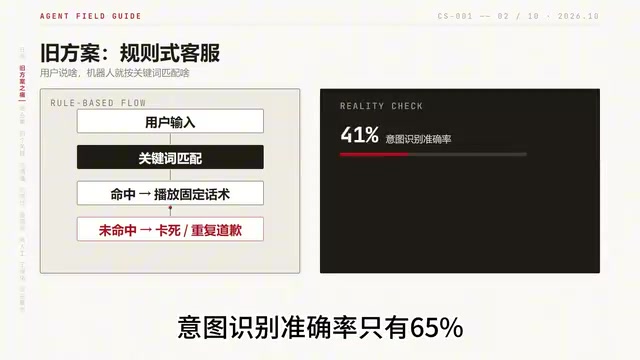
Building an AI Customer Service Agent from Scratch: A 92% Intent Recognition Case Study
A Bilibili case study: building an AI customer service agent from scratch with BERT intent recognition, dialogue state tracking, hybrid vector retrieval, and a weighted handoff model—raising intent accuracy from 65% to 92%, 78% conversation completion, handling 100K conversations daily.
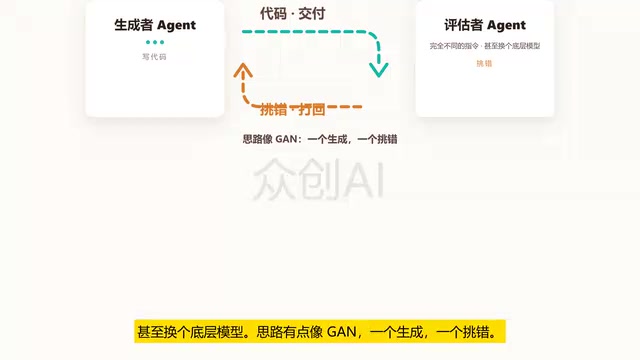
Loop Engineering: An Engineering Paradigm for AI That Writes Code and Merges PRs Autonomously
Loop Engineering is transforming AI development pipelines: Stripe's Minions system merges over 1,300 machine-generated PRs weekly. This article breaks down Loop Engineering's five core actions, six components, five failure modes, and three safety disciplines, explaining why independent evaluators, state files, and budget caps matter more than full automation.