go-cursor-help: A Deep Dive into the 26K-Star Cursor Trial Limit Reset Tool
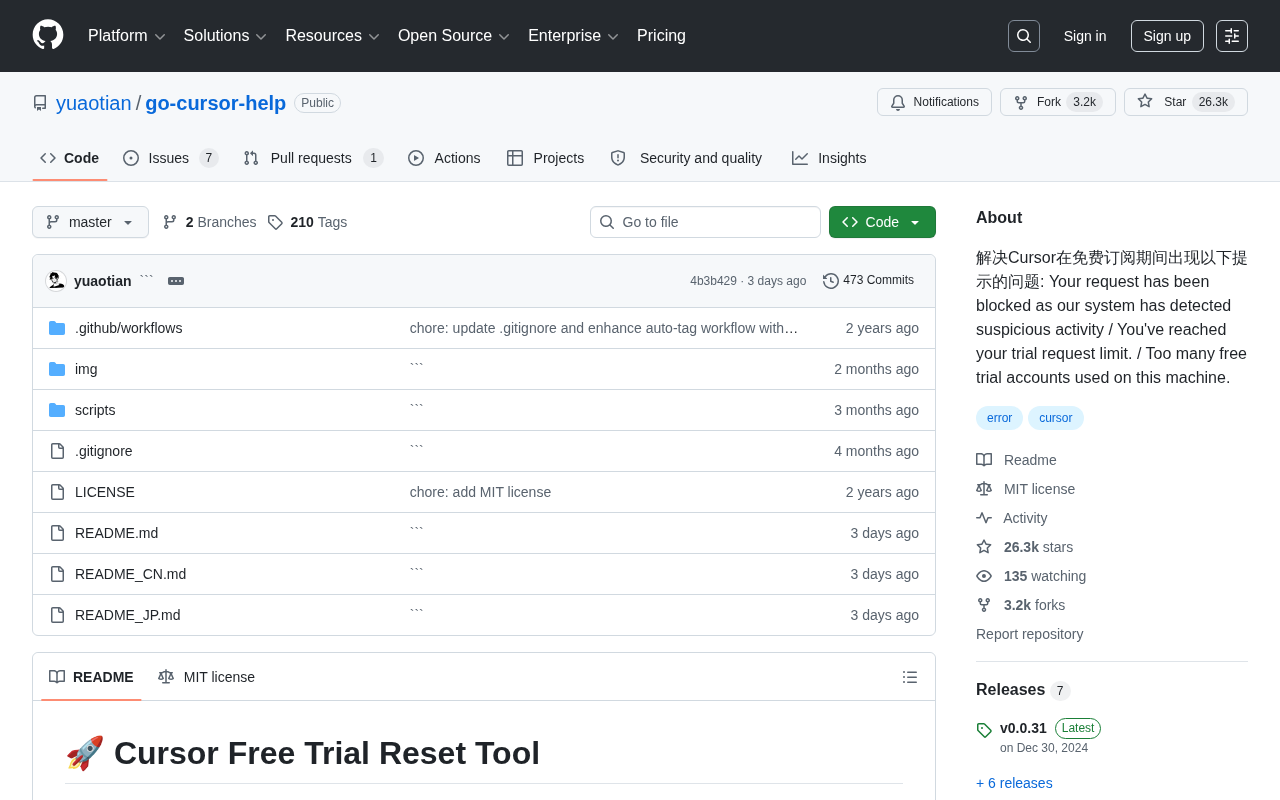
Analyzing how go-cursor-help resets device fingerprints to bypass Cursor's trial limits and the monetization dilemma behind it.
Cursor is a popular AI coding assistant, but free users frequently hit device-binding restrictions. The open-source project go-cursor-help (26,000+ Stars) bypasses trial limits by resetting device fingerprint identifiers in local configuration files. Its viral success reflects three realities: Cursor's massive user base, high proportion of free users, and overly aggressive restriction policies. However, usage carries risks including ToS violations and potential ineffectiveness. This article advises developers to understand the principles but use tools compliantly, while exploring the balance AI tools must strike between anti-abuse measures and user experience.
Why Do Cursor Free Users Get Restricted?
Cursor is one of the hottest AI coding assistants available today—its code completion and intelligent chat capabilities have quickly won over countless developers. Developed by Anysphere, Cursor is essentially a deeply customized fork of the VS Code open-source codebase, with large language model capabilities natively integrated at the editor level. Its core features include Tab smart completion (predicting the code you're about to write based on context), inline editing (Cmd+K to describe modification intent in natural language directly within code), and AI chat that supports entire codebase context. Cursor secured a $60 million Series A round led by Thrive Capital in 2024, valued at approximately $400 million, with top-tier models like OpenAI's GPT-4 and Anthropic's Claude powering it behind the scenes.
However, many free users frequently hit these frustrating prompts during daily use:
- "Your request has been blocked as our system has detected suspicious activity" — The system detected suspicious activity and blocked the request
- "You've reached your trial request limit" — You've hit the trial request cap
- "Too many free trial accounts used on this machine" — Too many free trial accounts have been used on this device
These restrictions directly disrupt developers' workflow. The open-source GitHub project go-cursor-help was born to solve this pain point, and has already garnered over 26,000 Stars and 3,190 Forks—a testament to the intense community demand.
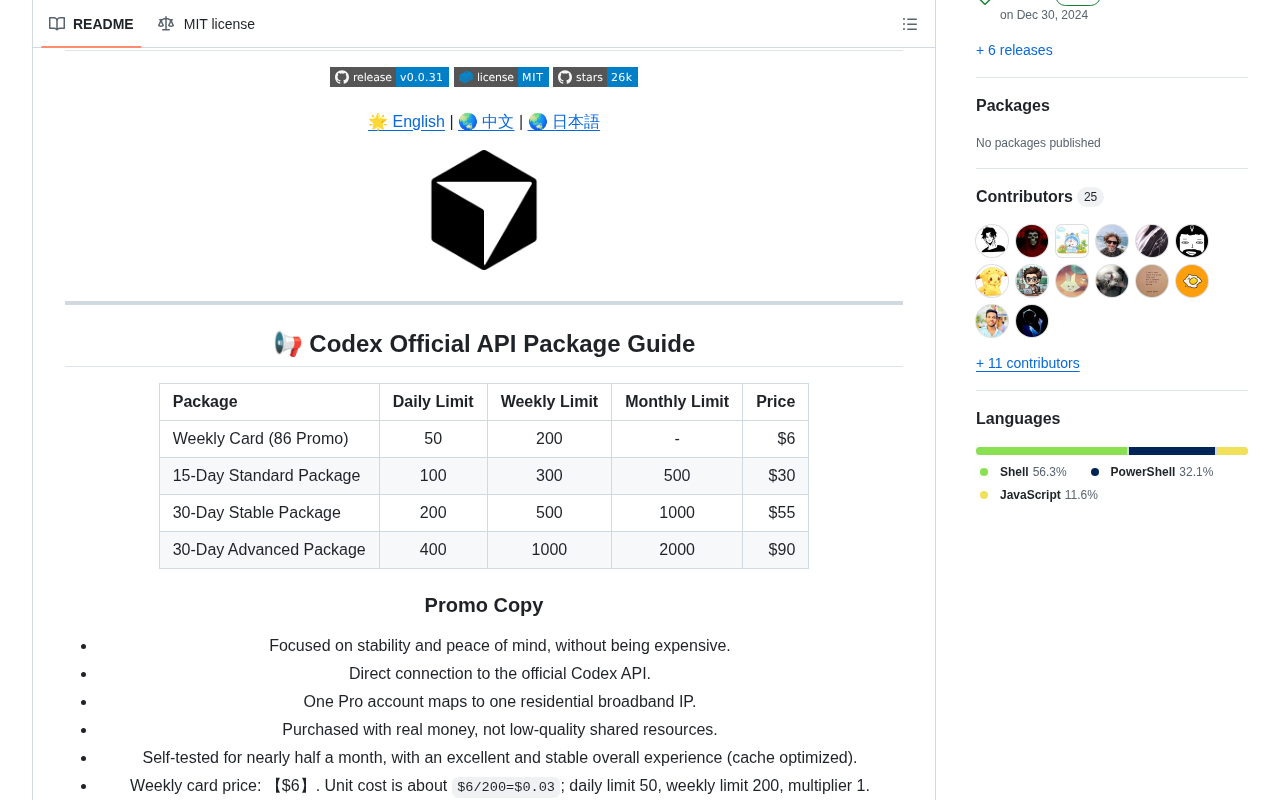
Core Mechanism of go-cursor-help: Resetting Device Fingerprints
How Does Cursor Identify Your Device?
Cursor's restriction mechanism primarily relies on device fingerprints (Machine Fingerprints) to track free trial usage. Device fingerprinting is a technique widely used in software licensing, anti-fraud, and user tracking. It collects multi-dimensional hardware and software information from a device—such as CPU serial number, motherboard UUID, MAC address, hard drive serial number, OS version, etc.—to generate a unique hash identifier. This identifier acts like a device's "digital ID card"—even if users switch accounts or clear browser cache, the server can still identify that requests are coming from the same physical machine.
In Cursor's specific implementation, device fingerprint information is typically stored in local configuration files (such as storage.json), containing fields like machineId, macMachineId, and devDeviceId. When the system detects frequent creation or switching of trial accounts on the same machine, it triggers the restrictions mentioned above.
The core approach of go-cursor-help is straightforward: by resetting or modifying device identification information, it prevents Cursor from linking the current device to previous trial records, thereby bypassing free trial usage limits. Specifically, it locates and rewrites the identification fields in these local configuration files, generating brand new random identifiers conforming to UUID v4 specifications, making the device appear as a "brand new machine" to Cursor's servers.
Why Implement It with Shell Scripts?
The project is primarily written in Shell scripts, and this technical choice brings several practical benefits:
- Cross-platform compatibility: Supports mainstream development environments like macOS and Linux
- Zero compilation cost: Runs immediately after download with virtually no usage barrier
- Fully transparent code: Users can review the script line by line, knowing exactly what it modifies, ensuring security
Shell scripts (including Bash, Zsh, etc.) are the native scripting languages of Unix/Linux systems, capable of directly calling the operating system's underlying commands and APIs without additional runtime environments or compilation toolchains. In the go-cursor-help scenario, the script needs to perform operations including: locating Cursor's configuration file directory (typically ~/Library/Application Support/Cursor/ on macOS, ~/.config/Cursor/ on Linux), reading and parsing JSON configurations, generating random identifiers, and atomically writing back configuration files. These operations involve filesystem read/write, process management (Cursor processes need to be terminated first), and permission control—precisely the domains where Shell scripts excel. Compared to compiled/interpreted programs written in Go or Python, the biggest advantage of Shell scripts is "what you see is what you get"—users can open the script with any text editor and understand each command's purpose line by line, which is crucial for sensitive operations involving system configuration modifications.
Behind 26,000+ Stars: Why Do So Many People Need It?
What the Data Tells Us
For a utility project, 26,000+ Stars is a remarkably impressive number. Breaking it down, there are three layers of reality behind this:
- Cursor has a massive user base: As a leading product in the AI coding space, Cursor has already accumulated a huge number of users. In the AI coding assistant market, it competes directly with GitHub Copilot, Amazon CodeWhisperer, JetBrains AI Assistant, and others, but has rapidly established differentiated advantages among developers through deeper editor integration and flexible multi-model support.
- Extremely high proportion of free users: A significant proportion of developers remain at the trial or free usage stage, not yet converted to paying customers. Cursor employs a typical Freemium business model: the free tier provides limited AI request quotas (e.g., 2,000 completions and 50 premium model conversations per month), the Pro version costs $20/month with significantly increased quotas, and the Business version costs $40/month with added team management and security compliance features. However, the marginal cost structure of AI tools is fundamentally different from traditional SaaS—every AI request generates real model inference costs (API fees for calling large models like GPT-4), meaning free users not only generate no revenue but directly consume the company's operating funds. This cost pressure forces Cursor to implement strict usage controls on the free tier.
- Overly aggressive restriction policies: Strict device-binding strategies hurt user experience—normal operations like reinstalling the OS or switching computers can inadvertently trigger restrictions.
Active Community Collaboration
3,190 Forks means a large number of developers have built secondary developments and adaptations on top of the original project. The community continuously contributes compatibility solutions for different operating systems and Cursor versions, forming a self-sustaining maintenance ecosystem.
How Risky Is Using go-cursor-help?
Compliance Risks You Must Know
Before considering using it, several risks need serious evaluation:
- Violates Cursor's Terms of Service: Bypassing trial limits almost certainly violates the user agreement (Terms of Service). The worst-case scenario is permanent account suspension.
- Could stop working at any time: Cursor's team will continuously upgrade anti-abuse mechanisms—methods that work today might not work tomorrow. Software vendors' anti-abuse mechanisms typically go through multiple technical iteration stages: the initial stage relies on single device identifiers (like MAC addresses or hard drive serial numbers), easily bypassed by simple configuration file modifications; the intermediate stage introduces multi-factor fingerprint fusion, combining hardware information, network environment (IP addresses, network topology), usage behavior patterns (request frequency, time distribution), and other multi-dimensional data; the advanced stage may employ server-side behavior analysis and machine learning models, using anomaly detection algorithms to identify suspicious patterns like bulk registration and automated script operations. Cursor's current device identification mechanism is relatively basic (primarily relying on ID fields in local configuration files), which is the technical prerequisite for go-cursor-help's effectiveness. However, as anti-abuse capabilities continue to strengthen, the effective window for such tools may gradually shrink.
- System configuration gets modified: Running third-party scripts will alter system-level configurations—always carefully review the code before use.
More Reliable Alternatives
For developers who rely on AI coding assistants long-term, these approaches are more dependable:
| Option | Description |
|---|---|
| Subscribe to Cursor Pro | The paid version offers generous usage quotas—good value for professional developers |
| Switch to similar tools | GitHub Copilot, Codeium, Continue, and other products offer excellent AI coding experiences |
| Plan your free quota wisely | Use AI assistance where it matters most, avoiding unnecessary request consumption |
The current AI coding assistant market has formed a multi-tiered competitive landscape. GitHub Copilot was the first product to achieve large-scale commercial deployment, backed by the Microsoft and OpenAI ecosystem, priced at $10/month (individual plan), deeply integrated into VS Code and the JetBrains suite, with the largest user base. Codeium (now rebranded as Windsurf) focuses on a free-first strategy, offering unlimited completions for individual developers while monetizing through enterprise editions. Continue is an open-source AI coding assistant framework that allows developers to freely choose backend models (including locally deployed open-source models like Code Llama, DeepSeekAd Coder, etc.), suitable for scenarios with strict data privacy requirements. Additionally, Amazon CodeWhisperer (now part of Amazon Q Developer), Tabnine, Sourcegraph Cody, and other products each have their own strengths. This intensely competitive environment means that if Cursor's free experience becomes too restricted, users have plenty of alternatives to choose from.
What go-cursor-help Reveals About AI Tools' Monetization Dilemma
The Balancing Act Between Anti-Abuse and User Experience
The viral success of go-cursor-help fundamentally exposes a product strategy problem: how to find the balance between preventing abuse and ensuring good user experience.
Overly strict restrictions not only drive away potential paying customers but also spawn numerous bypass tools, creating a vicious cycle of "cat and mouse games." The Cursor team may need to revisit their free-tier restriction strategy—for example, offering more reasonable free quotas, optimizing the fault tolerance of device identification, rather than taking a blunt, one-size-fits-all blocking approach. From the perspective of classic Freemium theory, the core goal of the free tier is to lower the barrier to trying the product, build product dependency, and ultimately drive natural conversion through feature differentiation and usage depth. If the free experience itself is full of frustration, the funnel's entry point is already broken.
The Double-Edged Sword of Open Source Community
This project also demonstrates the duality of the open-source ecosystem: it embodies the developer community's initiative and collaborative spirit in solving real problems, while also sparking debate about intellectual property protection and business model sustainability. How AI tools can form positive interactions with the open-source community on their path to commercialization is a challenge every product team must face. Notably, the cost structure of AI coding tools makes this issue even more acute—unlike traditional software with near-zero marginal service costs, every large model inference call means real GPU compute costs, making "unlimited free" economically unsustainable and making the choice between generosity and restraint all the more difficult for vendors.
Conclusion: Understand the Principles, But Use Responsibly
As a phenomenal open-source project, go-cursor-help's value lies not just in the tool itself, but in the AI tool monetization dilemma it reflects. For developers, understanding the existence and technical principles of such tools is meaningful, but when it comes to actual use, you should weigh the pros and cons, respect the labor of software developers, and choose compliant and reasonable usage methods.
After all, good tools are worth paying for.
Related articles
 Product Reviews
The Programmer's Desk Setup Guide: Building a Workspace That Feels Like Home
Discover how programmers build productive, comfortable workspaces. From multi-monitor setups to ergonomic design, explore the desk philosophy that drives focus and flow.
 Product Reviews
Qoder vs Cursor Real-World Comparison: Which $20/Month AI IDE Is Better?
Hands-on comparison of Qoder vs Cursor AI IDEs: Agent autonomy, human interaction count, and architecture decisions. Qoder needed only 2 interactions vs Cursor's 8.
 Product Reviews
Cursor Cloud Agent Demo: Eliminating Bottlenecks Across the Entire Software Development Lifecycle
Deep analysis of Cursor's Cloud Agent demo showing how cloud VMs, automated test artifacts, and a full-chain control plane systematically eliminate human bottlenecks across the software development lifecycle.