Google Dictionary Box Disappeared? Use This URL Trick to Bring It Back

Use define: and &tbs=1 in Google's search URL to reliably restore the missing dictionary box.
The Google dictionary box has become unreliable for many users. A Reddit-discovered fix uses the URL format https://www.google.com/search?q=define:+[word]&tbs=1 to force it back. The define: operator targets dictionary results while &tbs=1 signals structured display. You can also ask AI to generate a simple HTML page for one-click lookups.
Google Dictionary Box Suddenly Gone?
If you're used to looking up word definitions on Google, you may have already noticed: the "dictionary box" that used to appear at the top of search results — showing definitions, pronunciation, etymology, and example sentences — no longer shows up reliably in certain situations.
The Google Dictionary Box is part of Google's Knowledge Panel and Featured Snippet system, powered by the Knowledge Graph that Google has been building since 2012 — a semantic database containing billions of real-world entities and their relationships. The dictionary box specifically integrates content from dictionary sources like Oxford Languages, displaying phonetics, parts of speech, definitions, etymology, and example sentences directly on the search page without requiring any external link clicks. Because of how deeply integrated it is, when this module gets pulled back due to product changes, the impact on the user's lookup experience is immediately noticeable.
This feature is incredibly useful for learners and writers. Once it disappeared, many users started searching for ways to get it back. Recently, a Reddit user shared a simple and effective solution — by modifying the search URL, you can reliably summon the dictionary box again.
The Core Method: Force-Trigger the Dictionary Box with a URL Parameter
This method simply requires entering a specifically formatted search link in your browser's address bar:
https://www.google.com/search?q=define:+[word]&tbs=1
Replace [word] with the word you want to look up. For example, to look up the definition of "serendipity":
https://www.google.com/search?q=define:+serendipity&tbs=1
This URL has two key components:
define:: Google's native search operator, specifically designed to trigger the dictionary definition feature&tbs=1: An additional parameter that helps force the display of the structured dictionary result box
About the define: operator: This is part of Google's advanced Search Operator system — a set of commands Google has supported since its early days. Search operators are special syntax used to precisely control a search engine's retrieval behavior, similar to keywords in a database query language. Other common operators include site: (limit to a specific website), filetype: (limit to a specific file type), and intitle: (limit to pages with a specific word in the title). The purpose of define: is to bypass the regular relevance-ranking algorithm and directly tell Google "I want a dictionary definition," thereby prioritizing the display logic for structured dictionary data.
About the tbs=1 parameter: URL parameters are key-value pairs appended after the question mark in a URL, used to pass additional instructions to the server or front-end logic. Google search URLs contain many such parameters. "tbs" (short for Text-Based Search) is one used to control result filtering and display type. The specific effect of tbs=1 is to send a signal to Google's rendering layer indicating that the current request favors structured, text-oriented result presentation — increasing the probability that rich text modules like the dictionary box get rendered. These parameters are typically not documented officially and are mostly discovered and catalogued by the developer community through reverse engineering.
Combined, even when the default search no longer automatically shows the dictionary box, this approach can reliably surface complete definition information.
Going Further: Let AI Build You a Custom Word Lookup Tool
The original post's author also mentioned a smarter approach in the comments: use AI to generate an HTML shortcut, eliminating the hassle of manually constructing the URL every time.
No programming knowledge is required. Simply describe what you need to an AI tool like ChatGPT or Claude, for example:
"Help me write a simple HTML page with an input field and a button that, after entering a word, redirects to the Google dictionary definition page."
The AI will immediately generate working code. Save the code as a local HTML file or add it to your browser bookmarks, and you'll have your own dedicated "one-click word lookup" tool.
What This Example Illustrates
The process of building this small tool is a vivid example of how AI-assisted coding is lowering technical barriers. Large language models (LLMs) like ChatGPT, Claude, and GitHub Copilot — trained on massive code corpora — have developed the ability to understand natural language requirements and translate them into executable code. Building an HTML word lookup page traditionally required knowledge of HTML structure, CSS styling, and JavaScript event handling. With AI, users simply describe "what effect I want" conversationally, and the model generates complete code with input fields, buttons, and redirect logic. Researchers refer to this shift as the "democratization of programming" — technical skills are no longer a prerequisite for creating digital tools, dramatically shortening the distance between "thinking of something" and "making it happen."
Why Do Search Features Change Quietly?
The change to Google's dictionary box reflects a common phenomenon in the ongoing evolution of search engines: UI redesigns, algorithm adjustments, or shifts in product strategy can all cause familiar features to quietly disappear, creating friction for users.
At a deeper level, Google's continuous adjustments to the Search Engine Results Page (SERP) reflect competing commercial and technical forces. Advertising revenue remains Google's core income source, and any change to page layout affects ad click-through rates. Meanwhile, with the full rollout of AI Overviews in 2024, generative AI answers now occupy more page real estate, causing the priority of traditional structured rich results — including dictionary boxes, calculators, weather widgets, and the like — to decrease for certain queries. Additionally, Google continuously runs A/B tests across different regions and user groups, meaning the same feature may display differently for different users rather than changing uniformly — which explains why some people still see the dictionary box normally while others no longer see it at all.
It's worth noting that community-shared workarounds like this one often help users solve real problems faster than official documentation. The active sharing of tips on platforms like Reddit reflects users' resourcefulness and creativity in the face of product changes.
For those who rely on search engines for learning and work, mastering a few URL parameter tricks and search operators can help maintain a degree of adaptability when features change. Combining AI tools to build personalized productivity tools is an even more future-facing approach to problem-solving.
Summary
This small tip from Reddit is simple, but it genuinely addresses a pain point for many users. By using the define: operator combined with the &tbs=1 parameter, you can reliably pull up the Google dictionary box at any time. Add an AI-generated HTML shortcut into the mix, and your entire word lookup workflow becomes smooth and natural.
Search engine features are constantly evolving. Learning a few practical URL tricks and using AI tools to solidify them into personalized conveniences is one of the smartest ways to adapt to product changes.
Key Takeaways
Related articles
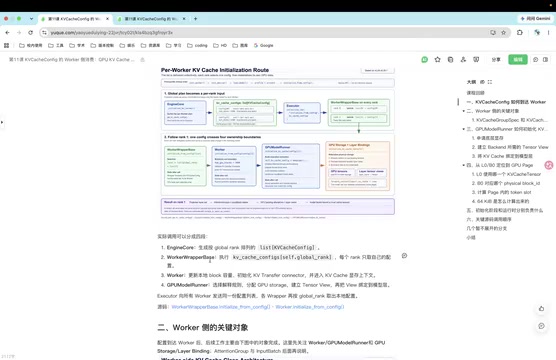
Deep Dive into vLLM Worker-Side GPU KV Cache Initialization
Deep dive into vLLM's Worker-side KV Cache GPU memory allocation, covering the full pipeline from KVCacheConfig generation to physical memory binding via ModelRunner.
Zepto Builds AI Customer Service with MLflow: An Evaluation-Driven Practice Guide
Deep dive into how Zepto built an evaluation-driven AI customer service system using MLflow and Databricks, achieving 60% faster responses and 40% less manual handling. From technical architecture to practical insights.
Iran Captures U.S. Underwater Drone in Strait of Hormuz: A Comprehensive Analysis
Iran announces capture of U.S. Navy underwater drone in Strait of Hormuz. In-depth analysis of the incident, strategic value of UUVs, U.S.-Iran geopolitical competition, and implications for global energy security and military dynamics.