Google Pivots from Gemini CLI? Antigravity CLI Takes Aim at Claude Code and Codex

Google upgrades terminal AI coding from single-agent Gemini CLI to multi-agent Antigravity CLI, competing with Claude Code and Codex.
Google has made a major shift in its terminal AI coding lineup: individual users are being migrated from Gemini CLI to Antigravity CLI, which upgrades from a single-agent model to a "main agent + parallel SubAgents" team architecture capable of handling bug fixes, testing, and dependency checks simultaneously. Antigravity CLI also shares its agent core with the Antigravity desktop app and offers MCP, Skills, Plugins, and Hooks extension points, positioning itself as a customizable AI development team platform. By comparison, Anthropic's Claude Code emphasizes deep collaboration on a single project, while OpenAI's Codex uses Git Worktrees for parallel multi-task orchestration. Gemini CLI itself lives on, continuing to serve enterprise and API use cases.
If you've been following last year's tutorials on Gemini CLI — opening a terminal, typing commands, letting Google's AI read your code, modify files, and run tests — you may have noticed the product has changed significantly. Google has made a substantial shift in its terminal AI coding product line, and the primary offering for individual users has quietly become Antigravity CLI.
Is this the "death" of Gemini CLI, or an evolution of the product? This article breaks down Google's strategic moves in terminal AI coding agents and how they differ from Anthropic's Claude Code and OpenAI's Codex.
From Chat Box to Terminal: The Origins of Gemini CLI
Google's original vision for Gemini CLI was straightforward — bring Gemini from a web chat interface into the terminal. You'd navigate to a project folder and say something like "read through this project and explain how the login system works," and it would search files, read code, and analyze structure.
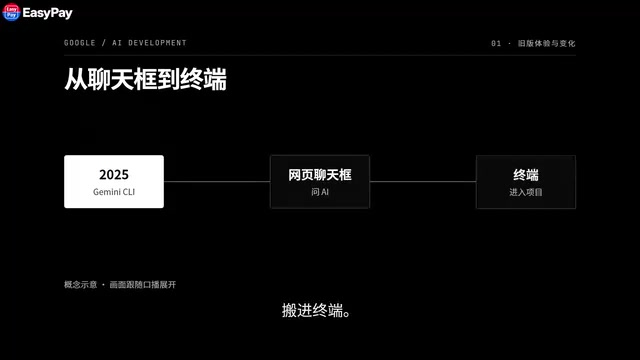
Then you'd say "fix the bug where the page still refreshes after logout," and it would continue modifying files, running commands, executing tests, and iterating on failures. The core pain point it addressed was clear: instead of asking an AI for code, copying it, pasting it, and running it yourself, the AI steps directly into your codebase and terminal — transforming from a chat assistant into a true coding agent.
That's why many people's first reaction when it launched was "Google's version of Claude Code is here." A single agent working deeply on one project — that was the first-generation product logic.
From a Single Agent to an Agent Team: What's Changed with Antigravity CLI
Google quickly realized one agent wasn't enough. Real-world complex software tasks often involve frontend work, backend changes, testing, documentation, bug fixes, and code review happening simultaneously. Routing everything through a single agent is, at its core, still single-threaded.
So Google migrated individual users to Antigravity CLI. The biggest change can be summed up in one sentence: Gemini CLI is like one agent moving into your terminal; Antigravity CLI is like an entire agent team moving in.
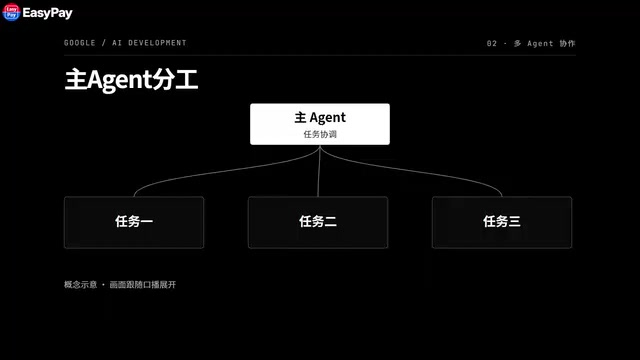
For example, when you say "I'm preparing a new release — check for login bugs, add tests, and look for any security issues in the dependencies," the main agent doesn't have to handle everything sequentially. Instead, it breaks the task apart and delegates: one SubAgent hunts for bugs, one runs tests, another checks dependencies — all running in parallel in the background while you continue chatting with the main agent.
The entire structure shifts from "you → one AI → one task" to "you → main agent → multiple SubAgents executing in parallel." You can open the Agent panel directly and see who's running, who's finished, and who needs your authorization.
This is the most fundamental directional difference between Antigravity CLI and Gemini CLI.
Multi-agent parallel architecture isn't Google's invention, but the core engineering problem it solves is worth explaining clearly. In single-agent mode, tasks must execute serially — an agent can only focus on one thing at a time, and wait times stack linearly for complex tasks. Multi-agent architecture introduces an Orchestration Layer — the main agent handles intent decomposition, task assignment, and result aggregation, while each SubAgent holds its own independent context window and tool permissions, advancing in parallel without interference. The tradeoff is coordination overhead and the complexity of merging results — but for real software projects where you need to "simultaneously advance multiple related but independent subtasks," the benefits usually far outweigh the costs. Google's choice to make this architecture Antigravity CLI's core selling point reflects a bet that the next bottleneck for coding agents isn't single-conversation quality, but multi-task concurrent scheduling.
Terminal and Desktop Share the Same Agent Core
Google also did something else: they didn't build the CLI as an isolated island. Antigravity CLI and the Antigravity 2.0 desktop app run on the same underlying agent core.
This means you can quickly kick off a task in the terminal — "help me figure out why this project won't build" — and when it grows more complex and you need to monitor multiple agents simultaneously, you can shift the work to the desktop app. The terminal and desktop are powered by the same agent system, fully connected.
This also signals that Google's ambitions extend beyond copying Claude Code — they're building an entire AI development platform.
Comparing All Three: Deep Collaboration, Task Orchestration, and Platform Ecosystems
Lining up the terminal agents from Google, Anthropic, and OpenAI, each has a distinctly different focus.
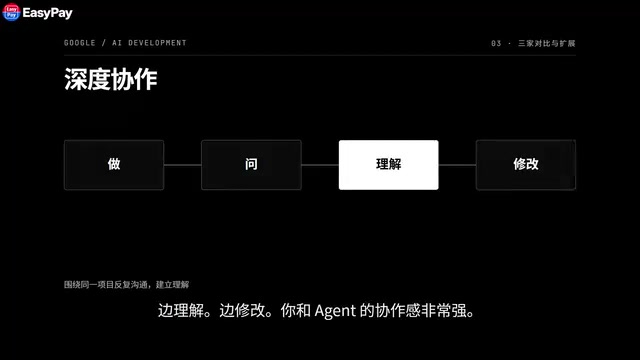
Claude Code feels like having a highly capable AI programmer sitting next to you, diving deeper and deeper into the same project together — asking it to explain something, having it explain, asking it to change something, having it change it, and when tests fail, continuing to investigate. It emphasizes deep collaboration: doing, asking, understanding, and modifying iteratively, with a strong sense of working partnership.
Codex increasingly resembles an AI development task control center. Say you have four tasks: fixing a bug, refactoring, adding tests, and updating documentation. Codex can run multiple agents simultaneously and isolate code using separate Worktrees. Think of Worktrees as parallel tracks temporarily branched off from the same project — each agent works on a different track without interfering with the others, and you decide which results to merge back in. It emphasizes task orchestration and parallel development.
Antigravity CLI positions itself as "terminal + SubAgents + the full Antigravity agent platform." It also provides multiple extension points — MCP, Skills, Plugins, and Hooks — letting you connect agents to external tools, embed fixed workflows, install plugins, and even trigger tasks automatically on certain events. The question it's trying to answer is no longer "can Gemini help me write code?" but "how do I build my own AI development team?"
The Worktree mechanism Codex uses comes from a native Git feature (
git worktree), which allows you to check out multiple branches from the same repository into different directories simultaneously, each with its own independent working area. Codex pairs this with multi-agent parallelism: each agent operates in its own isolated Worktree, avoiding conflicts when multiple agents might otherwise modify the same files. Users then review each agent's output like reviewing a PR, deciding what to merge into the main branch. This "isolated execution, human sign-off" model is essentially grafting Git's branch management workflow onto AI agent task scheduling — relatively low adoption friction for teams already using Git workflows.
MCP (Model Context Protocol) is an open protocol originally proposed by Anthropic and now adopted by multiple vendors. It standardizes how AI models connect to external tools and data sources. Through MCP, agents can call database queries, API endpoints, local file systems, and other external capabilities without needing a custom adapter for each tool. Antigravity CLI's MCP support means it can reuse all existing tool connectors in the MCP ecosystem, dramatically lowering the cost of integrating third-party services.
Gemini CLI Isn't Dead — It's Just Moved to a Different Battlefield
The most easily misunderstood part of the headline: Gemini CLI hasn't been completely replaced.
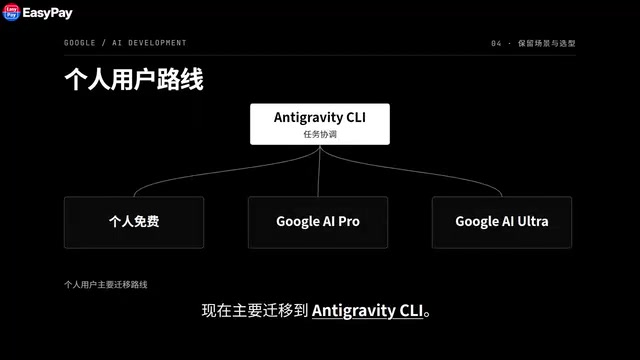
To be precise — individual free users, Google AI Pro users, and Google AI Ultra users are now primarily being migrated to Antigravity CLI. Enterprise users and certain API-based scenarios still have Gemini CLI. So it's not "Gemini CLI is dead" — it's that Google has moved the next-stage product for individual users to Antigravity.
How to Choose
Given each product's positioning, the choice is actually straightforward:
- If you like diving deep into a single project, asking follow-up questions, understanding the codebase, and modifying as you go, Claude Code fits that rhythm well.
- If you often juggle many development tasks simultaneously and want multiple agents working in parallel so you can review results all at once, Codex is worth a look.
- If you're already in the Google ecosystem and want terminal multi-agent support, MCP, Skills plugins, and desktop agent management all connected in one platform, then what you should really be exploring isn't Gemini CLI — it's Antigravity CLI.
To sum up Google's play: Gemini entering the terminal was just the first move. Google is now upgrading "one AI programmer" into "an AI development team that can work simultaneously." That's where Antigravity CLI is really trying to compete with Claude Code and Codex.
Related articles

Felix Rieseberg Personal Homepage
Felix Rieseberg's personal homepage sparks attention on Hacker News. This article covers the Slack engineer's technical background, the rise and fall of nativefier, and the value of a developer homepage as a tech calling card.

@ai-sdk/vue 3.0.306 Patch Release Syncs with [email protected] Update
@ai-sdk/vue 3.0.306 released, synced with [email protected]. A routine patch release for the Vercel AI SDK ecosystem with no public API changes; the Vue adapter layer stays version-aligned with the core package.

Gemini 4 Argon API Launches: The Era of Million-Token Output Begins
Google launches Gemini 4 Argon with sparse MoE architecture, up to 1M output tokens, and a 68.90% Vals Index score, available across API, AI Studio, and the Gemini app.