GPT-5.6 Practical Guide: 7 Tips to Save Tokens and Boost Efficiency

Seven practical tips to save tokens and boost efficiency when using GPT-5.6 in Codex.
This guide distills seven community-tested optimization tips for GPT-5.6 in coding environments like Codex. Key advice includes keeping context under the 272k pricing threshold, using GPT-5.6-sol with High thinking mode, disabling Superpowers, enabling Ultra/Fast only when needed, explicitly restricting sub-agents in agents.md, and trimming agents.md to prevent model overthinking.
After GPT-5.6 launched, a wave of practical optimization insights emerged from the community, especially around real-world usage in programming environments like Codex. Bilibili creator DP compiled seven actionable tips — drawn from hands-on testing — to help users save tokens and get more mileage out of their subscriptions. This article walks through those tips while unpacking the reasoning behind each one.
The following is primarily based on personal usage experience. Always refer to official OpenAI announcements and documentation as the authoritative source.
1. Understanding the Context Window: The 272k Price Trap
Many users are drawn to the appeal of an ultra-long context window — but in GPT-5.6, using it carelessly can be surprisingly expensive.
What the context window actually means
A large language model's context window is essentially the maximum amount of text the model can "see" in a single inference pass, measured in tokens. Tokens don't map directly to characters or words — in English, one token is roughly 4 characters or 0.75 words; in Chinese, a single character typically maps to 1–2 tokens. GPT-series models charge separately for input tokens (Prompt Tokens) and output tokens (Completion Tokens), while cached input reads receive a discount for repeated content. The tiered pricing that kicks in beyond certain thresholds is essentially the provider passing along the cost of compute — longer contexts mean larger KV Cache usage and higher VRAM consumption.
Three key numbers are worth knowing: 272k, 258k, and 353k.
- 272k: The "doubled context" threshold in the official documentation. Beyond this point, input tokens are billed at 2×, output at 1.5×, and cached reads become more expensive too.
- 258k: The practical effective context limit in real conversations — about 95% of 272k, and the actual usable window size in Codex. Reaching this point triggers automatic local or remote compression.
- 353k: The effective context window when GPT-5.6 initially pushed its theoretical limit to 372k.

Why is this a price trap? A simple calculation: if you fill both a 353k and a 258k window and trigger remote compression, the difference is roughly 100k — about 35% more context — but you're paying nearly 70% more in costs.
In concrete terms: if a 258k context request costs 100, a 353k request could cost around 170. You're paying 70 extra for just a 35% increase in context. That's a bad trade.
Bottom line: keep your context window under 272k. OpenAI's later rollback of the context window cap reflects similar thinking — after the rollback, users actually found they had more usable tokens in practice. Long context isn't a silver bullet.
2. Model and Thinking Intensity: Go with 5.6-sol + High
The recommendation here is straightforward: use GPT-5.6-sol with High thinking mode.

How thinking modes work under the hood
The High/Medium/XHigh thinking modes in GPT-5.6 correspond to the depth and breadth of the model's internal reasoning steps (Chain-of-Thought) before generating a final response. This mechanism traces back to the "reasoning tokens" concept introduced with OpenAI's o-series models: before producing a visible answer, the model consumes tokens on internal "draft" reasoning. These tokens are typically not shown in output but do affect cost and latency. Higher thinking intensity means more reasoning tokens, generally more stable answer quality, but also higher cost and longer response times. The fading of the Medium tier reflects the fact that as base model capabilities improve, lightweight reasoning already covers most use cases — the marginal value of a middle tier keeps shrinking.
When GPT-5.6 first launched, the community recommended more nuanced strategies: High or XHigh for complex tasks, Medium for routine ones. But after OpenAI adjusted the thinking mechanism, testing shows that going straight to High is the most hassle-free and cost-effective choice — Medium is no longer worth recommending as a middle option.
This trend toward simplifying choices reflects model progress in a way: when base intelligence is strong enough, users no longer need to fine-tune settings for different task types.
Turn Off Superpowers
Here's a counterintuitive but important tip: disable Superpowers in the 5.6 era.
During GPT-5.5, Superpowers was practically standard. But after upgrading to 5.6, keeping it on actually makes the model feel worse to work with — turning it off results in a noticeably smoother experience.
The reason is simple: capabilities that once required external augmentation are now baked into the model itself. Keeping the enhancement layer active just creates interference. This mirrors the "over-abstraction" anti-pattern in software engineering — when the underlying system is powerful enough, intermediate abstraction layers introduce unnecessary complexity.
3. Ultra and Fast: Enable Only When Needed
For Ultra and Fast, the general recommendation is to leave them off by default.

From a token-saving standpoint, keeping them off is the safest default. When are they worth enabling? The criteria are clear:
- When you have tokens to spare: enable Fast to speed up your workflow;
- When the task is genuinely complex: enable Ultra — the extra cost is justified.
For the vast majority of everyday tasks, High thinking mode is more than sufficient. The core principle is: spend resources where they actually matter.
4. Sub-Agent Strategy: Explicitly Restrict Automatic Invocation
GPT-5.6-sol has a notable tendency: it loves spinning up sub-agents, which can lead to unnecessary token consumption in many situations.
Sub-agent mechanics and multi-agent architecture
Sub-agents are a core concept in multi-agent system architectures. In AI coding tools like Codex, a primary orchestrator agent can dynamically spin up multiple specialized sub-agents — running in parallel or in sequence — to handle subtasks. For example, one sub-agent might handle code generation, another test validation, and another documentation. In theory this improves task quality, but every sub-agent launch means its own context load and token spend. GPT-5.6-sol's strong agentic behavior means the model tends to decompose tasks and invoke sub-agents on its own whenever it perceives complexity — which can easily lead to runaway token usage.
The recommended approach: explicitly restrict this behavior in agents.md, making clear that the model should not use sub-agents unless the user explicitly requests it. Enforcing constraints through agents.md is essentially hardcoding the model's autonomy boundaries via System Prompt — a core practice in modern prompt engineering.
If certain scenarios genuinely require sub-agents, you can also document those allowed strategies in agents.md — again as explicit rules, so model behavior stays predictable and controllable.
5. Trim Your agents.md
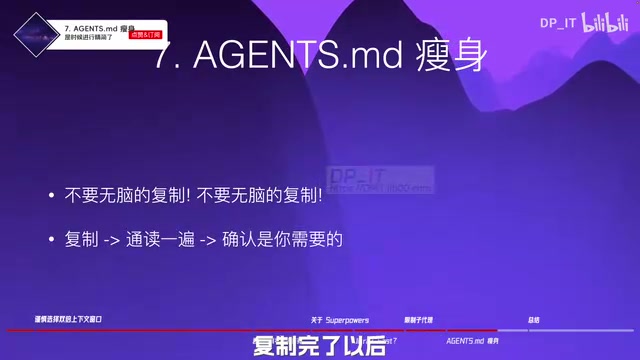
This is one of the most overlooked tips — and yet it's critically important: agents.md needs to go on a diet.
The role of agents.md and prompt engineering principles
agents.md is the configuration file used in Codex and similar OpenAI API-based coding assistants to store persistent system instructions. Its contents are injected as part of the System Prompt at the start of every conversation. The System Prompt is the highest-priority instruction layer in LLM inputs, defining the model's role, behavioral boundaries, output format, and global rules. A well-established principle in prompt engineering: overly long, contradictory, or vague system prompts cause the model's attention to scatter, leading to "overthinking" or failures to follow instructions. This parallels cognitive load theory — when information density exceeds the model's effective processing capacity, output quality degrades. Trimming agents.md is essentially writing a clearer "job description" for the model: less ambiguity, higher instruction-following reliability.
In the GPT-5.5 era, users got into the habit of blindly copying any agents.md content that seemed useful — more was assumed to be better. But 5.6 has stronger processing capabilities, and a bloated, poorly managed agents.md will actually cause the model to overthink, wasting tokens and hurting efficiency.
The right approach:
- Don't blindly copy any
agents.mdcontent; - After copying, read through the entire file;
- Keep what you actually need; revise or remove anything unclear or irrelevant;
- During use, if the model isn't behaving as expected, go back and review the relevant rules.
This kind of cleanup typically happens once during initial project setup — once the workflow stabilizes, you rarely need to revisit it.
Summary: Key Takeaways
Overall, the philosophy for using GPT-5.6 can be summed up as: lean, controlled, and on-demand.
- Keep context under 272k: balance attention quality with cost control;
- Default model and thinking mode: GPT-5.6-sol + High;
- Turn off Superpowers: the model no longer needs external augmentation;
- Ultra / Fast on demand: only enable when tokens are abundant or tasks are genuinely complex;
- Explicitly restrict sub-agents: define invocation rules clearly in
agents.md; - Trim agents.md: read it, filter it, simplify it — avoid triggering overthinking.
These tips share a common thread: as model capabilities improve, many "additive" strategies that worked in older versions — longer context, more plugins, more complex configurations — have become liabilities. The real optimization direction is subtraction: concentrate resources where they actually create value. This pattern repeats throughout the history of software engineering: when the underlying infrastructure becomes powerful enough, excessive abstraction layers and external enhancements tend to shift from enablers to obstacles. Of course, actual results will vary depending on your specific project — and official documentation always remains the final authority.
Related articles

Firebase AI Logic + Gemini Nano 4: A Practical Guide to Android AI Development
How Firebase AI Logic and Gemini Nano 4 help Android developers ship generative AI: App Check and prompt templates ensure security, hybrid routing cuts latency and cost, Spend Caps control budgets, and AI monitoring provides observability.

Microsoft AI Agent Breakthroughs: More Efficient, Better at Code and Weather Forecasting
Microsoft Research Focus Issue 97: ForkPilot cuts agent inference costs, Cabra reveals coding agents' code-understanding gap, Teletune learns workflows from logs, PBC improves extended forecasts, BioEMU-2 opens preview.

Prime Intellect Releases Prime Mega MoE: Trainable Fused MoE Kernel with 3.11x Forward Speedup
Prime Intellect releases Prime Mega MoE, adding backpropagation to DeepSeek's fused Mega MoE kernel for trainability. Up to 3.11x forward speedup and 34% faster Qwen3 MoE training steps in prime-rl.