GPT-6.2 Sol/Astra Released? A Step-by-Step Guide to Subscribing to Plus in China
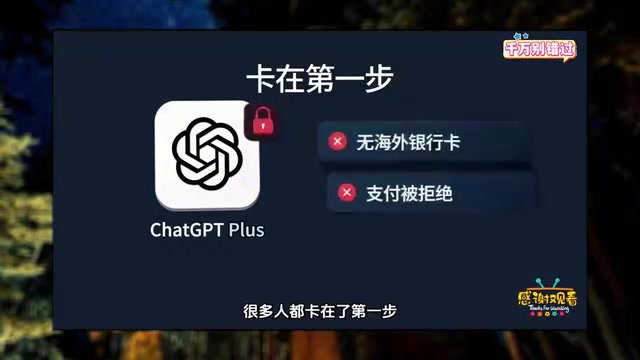
The clickbait title mentions GPT-6.2, but it's actually a tutorial on third-party direct top-up for ChatGPT Plus in China, along with risk warnings.
This article discusses a Bilibili video titled "GPT-6.2 Sol/Astra Released," which is actually a step-by-step guide for domestic users to subscribe to ChatGPT Plus through a third-party "official website direct top-up" platform. It first analyzes the practical value of Plus for light developers and content creators, then breaks down the direct top-up process: logging in, copying the token (including parentheses), verifying the email, paying, and waiting for activation. It also highlights operational details and risks, such as token format, account verification, non-instant activation, and the account security and after-sales uncertainties of unauthorized third-party platforms. Finally, it notes that such tutorials exist because of the payment threshold for overseas AI services, and advises users to choose platforms carefully, prioritizing official or virtual card options.
GPT-6.2 Sol/Astra Released? A Step-by-Step Guide to Subscribing to Plus in China
Recently, rumors have been circulating on Bilibili that GPT-6.2 Sol/Astra has been officially released, but upon clicking the video, it turns out to be a hands-on tutorial on how to subscribe to ChatGPT Plus using domestic payment methods. The "GPT-6.2 Sol/Astra" mentioned in the video title is more like a catchy label; the truly valuable part is that it directly addresses a headache for many: how to top up a Plus membership without an overseas bank card.
Is subscribing to Plus really worth it?
The video starts with a calculation: $20 can't hire an assistant, but it can subscribe you to ChatGPT Plus for a month. Use it to write copy, make PPTs, analyze data, or even write code and develop websites through Codex—it's like having an AI assistant on standby for the price of a meal. Although this comparison is simple, it points out the practical value of Plus for light developers and content creators—not to replace professional tools, but to bundle multiple scattered needs into one entry point.
However, the video also admits that subscribing to ChatGPT membership is becoming increasingly difficult. Without an overseas bank card, payments get rejected, and many people are stuck at the first step. This actually reflects the common dilemma domestic users face with overseas AI services: the product is good, but the payment threshold is not low.
ChatGPT Plus is a paid subscription plan launched by OpenAI, costing $20 per month. Compared to the free version, it offers priority access to new models, faster response times, availability guarantees during peak hours, and advanced features (such as web browsing, image generation, file analysis, etc.). For light developers and content creators, the value of Plus lies in integrating scattered needs like copywriting, PPT generation, data analysis, and coding into one tool to improve work efficiency. However, a Plus subscription requires binding an overseas credit card or supported payment method, which becomes the main obstacle for domestic users.
The practical process of the official website direct top-up platform
The solution given in the video is to change the approach—complete payment through an "official website direct top-up" platform. The uploader claims to have found this relatively reliable channel and demonstrates the complete process.
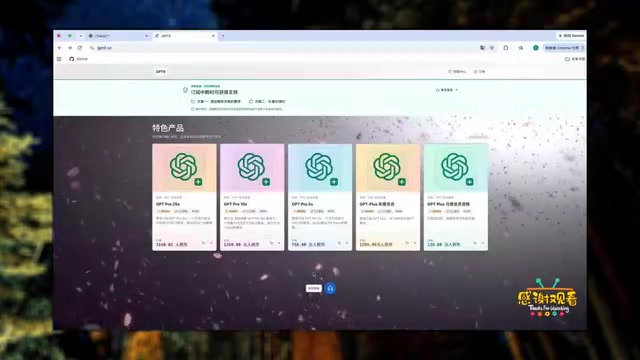
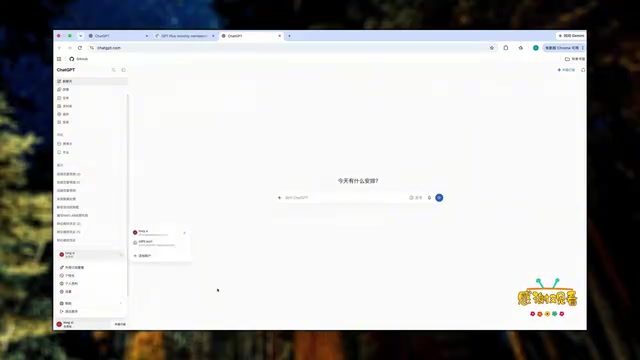
After entering the top-up page, you can see the full product list and select the package you need. Taking Plus as an example, click on the product to enter the top-up page. The first step is to click ChatGPT to log in to the account you want to top up. In the video demonstration, the login was already done, so the login tutorial is skipped. After logging in, the lower left corner will show the free version; confirm the account is correct.
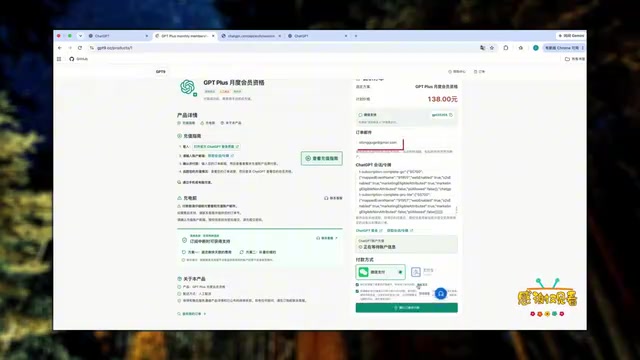
Next, return to the product page, click to obtain the drawing token (verbally referred to as "obtain drawing another row" in the video), enter the page and select all to copy, including the parentheses. Then go back to the top-up page, paste the copied content into the input box—this string of email is the account you want to top up. After verifying the account is correct, click confirm payment.
The video doesn't show much of the payment process. After the direct top-up is completed, wait one to two minutes, and the page shows the top-up was successful. Go back to the GPT page and refresh; the lower left corner now shows Plus, indicating the subscription is active. The video also mentions that the website has 24-hour online customer service, so you can contact them anytime if there are issues.
A few details to note
Throughout the process, there are a few points worth highlighting separately. First, when copying the token, you must "include the parentheses"; missing this detail may cause the paste to fail. Second, before payment, be sure to verify the email address, because the token corresponds to the top-up account—filling in the wrong one means you've topped up someone else's account. Third, the video emphasizes "wait one to two minutes," indicating that direct top-up is not instant; you need to give the system time to process, so don't rush to place duplicate orders.
Additionally, the uploader mentions, "Currently, I've only found this one relatively reliable platform for official website direct top-up." This is a single-source recommendation, and viewers need to judge the platform's reliability themselves. The video does not show the platform name or specific URL, which also makes it harder to follow. For tutorials involving accounts and payments, caution is necessary.
The so-called "official website direct top-up platform" usually refers to third-party recharge services where users pay through domestic payment methods, and the platform then uses its overseas payment channels to top up the user's account. Such platforms are not officially authorized by OpenAI; their operation relies on the platform's own payment channels and account management, so there are certain risks: for example, the platform may use fraudulent credit cards or other违规 means, leading to the user's account being associated and banned; or the platform may abscond, causing financial loss. When choosing, users should prioritize platforms with long-term reputation and after-sales support, and avoid providing sensitive information such as account passwords (only the email token is needed).
Why such tutorials have a market
From a content perspective, the popularity of this video (beyond the clickbait title) reveals a reality: the payment threshold for overseas AI products is becoming the first filter for user experience. Official channels do not support domestic bank cards, so users either find third-party recharge services, tinker with virtual cards themselves, or give up. The video chooses to lower the operational barrier with a "nanny-level" step-by-step demonstration, essentially filling the gap outside official channels.
But it should also be noted that such third-party direct top-up platforms are not officially authorized, and there is uncertainty regarding account security and after-sales support. The mention of "24-hour online customer service" in the video is somewhat reassuring, but actual experience needs verification from more independent sources. For users who rely on ChatGPT Plus long-term, the safer approach is still to research officially supported payment paths or choose reputable virtual card services.
Virtual card services are another common payment solution. Users open a virtual credit card (such as Depay, Nobepay, etc.) and load it with US dollars, then directly bind it for payment on the OpenAI official website. This method is relatively safe because users have full control over their accounts and payment information, but it requires completing identity verification, paying recharge fees, and some virtual card platforms may also be shut down due to compliance issues. In contrast, third-party direct top-up platforms are simpler to operate but riskier. Users should choose the appropriate method based on their risk tolerance and long-term needs.
Final thoughts
Back to the "GPT-6.2 Sol/Astra officially released" in the title—the video content does not elaborate on the specific capabilities or updates of this version, so it's impossible to confirm whether this is a real release or just a title gimmick. If your goal is to subscribe to Plus, the step-by-step demonstration in this tutorial is clear enough; if you were drawn in by "GPT-6.2" hoping to learn about a new model, you might be disappointed. It's advisable to focus on the payment process itself and be extra cautious about platform selection and account security.
Related articles

Xenon Flash Bug Returns: Radxa Dragon Q8B Affected
The Xenon flash bug resurfaces, this time on the Radxa Dragon Q8B board. This article reviews early Hacker News discussion and analyzes the potential impact and community concerns.

ChatGPT Plus Subscription Guide for Users in China: Official Top-Up Channel Walkthrough and Comparison
A complete guide to subscribing to ChatGPT Plus from China via official top-up platforms: plan selection, account login, copying account info, payment verification, plus a comparison of top-up, proxy, and self-supplied card channels.

The Complete Guide to Subscribing to ChatGPT Plus in China: Hands-On Walkthrough of Third-Party Top-Up Channels and Risk Analysis
How can users in China subscribe to ChatGPT Plus? This article breaks down the complete process of third-party top-up platforms, analyzes account security, renewal sustainability, and risk-control risks to help you decide which subscription option suits you better.