Hammer: An Offline-First Open-Source Novel Writing App with Docker Self-Hosted Sync

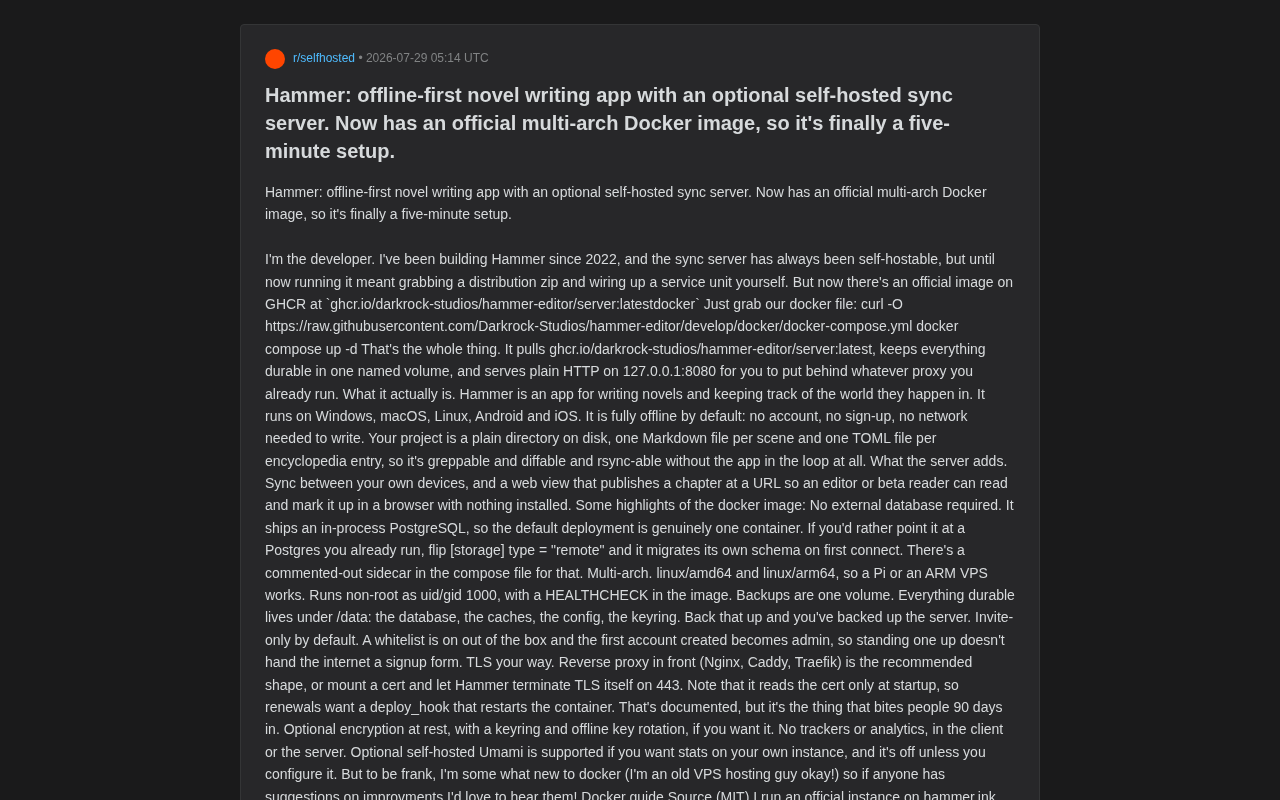
Hammer: offline-first open-source novel writing app with Docker self-hosted sync support.
Hammer is an open-source novel writing application built on an offline-first philosophy, storing all content as plain Markdown and TOML files. It supports Windows, macOS, Linux, Android, and iOS. With its new official Docker image, users can deploy a self-hosted sync server in five minutes, enabling cross-device synchronization and web-based publishing for beta readers — all while maintaining full data sovereignty under the MIT license.
For serious fiction writers, choosing a writing tool often involves a frustrating trade-off: cloud-based apps offer convenient syncing but sacrifice privacy and control, while local software keeps things secure but makes cross-device collaboration difficult. The open-source project Hammer tries to strike a balance between the two — built around an "offline-first" philosophy while offering an optional self-hosted sync server. Recently, the developer released an official multi-architecture Docker image, reducing what was once a tedious deployment process to just five minutes.
What Is Hammer: An Offline-First Novel Writing App
Hammer is an open-source application specifically designed for novel writing and worldbuilding, continuously developed by Darkrock Studios since 2022. It covers virtually every major platform: Windows, macOS, Linux, Android, and iOS.
Its most distinctive feature is that it's completely offline by default — no account, no registration, and no internet connection needed to start writing. This design philosophy is particularly refreshing in today's SaaS-saturated writing tool market.
"Offline-first" refers to a software architecture philosophy that treats the local device as the primary location for data storage and processing. Unlike cloud-first architectures, offline-first applications provide full core functionality even in completely disconnected environments. This philosophy stems from practical concerns about network reliability — airplanes, remote areas, and spotty café WiFi shouldn't be obstacles to creativity. On the technical side, offline-first implementations typically rely on conflict resolution algorithms (such as CRDTs — Conflict-free Replicated Data Types) to handle data merging after multi-device offline editing. In recent years, as users have demanded greater data privacy and application reliability, tools like Obsidian and Logseq have adopted similar local-first strategies.
Data Format Openness: Say Goodbye to Tool Lock-in
Hammer's true technical highlight lies in its respect for data sovereignty. Your entire project is simply an ordinary directory on disk:
- Each scene corresponds to a Markdown file
- Each encyclopedia entry corresponds to a TOML file
TOML (Tom's Obvious Minimal Language) is a configuration file format designed in 2013 by GitHub co-founder Tom Preston-Werner. Its design goals are semantic clarity, human readability, and unambiguous mapping to hash table data structures. Compared to JSON, TOML supports comments and doesn't require extensive curly braces; compared to YAML, it avoids the parsing ambiguities caused by indentation sensitivity. TOML is widely used in the Rust ecosystem (Cargo.toml), Python projects (pyproject.toml), and other domains. Hammer's choice of TOML for encyclopedia entries means each entry's metadata (such as categories, tags, and relationships) can be precisely parsed by programs while remaining directly editable with any text editor.
This means your creative work is grep-searchable, diff-comparable, and rsync-syncable — even without the Hammer application itself, these files remain fully usable, portable plain text. For creators worried about vendor lock-in, this transparent data structure provides tremendous peace of mind. By contrast, many commercial writing applications use proprietary binary formats, putting user data at risk if the service is ever discontinued.
Core Capabilities of the Self-Hosted Sync Server
While Hammer itself works entirely offline, the optional self-hosted sync server adds two key capabilities:
- Multi-device sync: Synchronize projects across devices on a server you control, with data never passing through a third-party cloud.
- Web publishing view: Publish a chapter to a URL so editors or beta readers can read and annotate directly in their browser without installing any software.
This design elegantly balances the privacy of personal creation with the convenience of collaboration. Authors can stay completely offline during the writing phase and selectively expose specific content only when external feedback is needed.
Docker Image Deployment: Set Up Your Sync Server in Five Minutes
Previously, self-hosting the Hammer sync server required downloading a release zip and manually configuring a systemd service unit — a high bar for non-technical users. Now, the official image has been published to GHCR (GitHub Container Registry):
GHCR is a container image hosting service launched by GitHub in 2020. Similar to Docker Hub but deeply integrated into the GitHub ecosystem, it allows developers to associate Docker images with source code repositories, automatically build and publish images using GitHub Actions, and inherit the repository's permission model. Compared to Docker Hub's free tier limitations (such as anonymous pull rate limits and automatic deletion of inactive images), GHCR provides free unlimited bandwidth for public images and never automatically cleans them up. For open-source projects, GHCR provides a fully auditable chain from source code to image — users can trace any image tag back to its specific code commit.
curl -O https://raw.githubusercontent.com/Darkrock-Studios/hammer-editor/develop/docker/docker-compose.yml
docker compose up -d
That's it. It pulls ghcr.io/darkrock-studios/hammer-editor/server:latest, stores all persistent data in a named volume, and serves plain HTTP on 127.0.0.1:8080, ready to sit behind your existing reverse proxy.
Named volumes in Docker are a persistent storage mechanism managed by the Docker engine. Unlike bind mounts, Docker manages the storage location itself (typically under /var/lib/docker/volumes/), providing better cross-platform compatibility and clearer lifecycle management. Named volumes persist after containers are deleted and can be backed up, migrated, and cleaned up via docker volume commands. For database-type applications, using named volumes is a recommended best practice, as it avoids file permission mapping issues and facilitates declarative management with Docker Compose.
Deployment Highlights
This Docker image is quite thoughtfully engineered:
- No external database required: The image includes an in-process PostgreSQL instance, so the default deployment truly runs as a single container. If you want to connect to an existing Postgres instance, simply set the
[storage]typeto"remote"— it will automatically migrate the schema on first connection. The compose file already includes a commented-out sidecar configuration.
Traditional Docker best practices recommend "one process per container," but Hammer's choice to embed PostgreSQL in a single container is a pragmatic compromise. This "embedded database" pattern dramatically reduces deployment complexity — users don't need to understand inter-container networking, database connection strings, and similar concepts. Similar approaches have precedent in Gitea (which can embed SQLite) and Mastodon's single-machine deployment options. The trade-off is limited horizontal scaling, but for personal or small-team writing sync scenarios, single-machine performance is more than sufficient. Hammer also retains the option to connect to an external PostgreSQL instance, leaving room for future scaling.
- Multi-architecture support: Both
linux/amd64andlinux/arm64are provided, so Raspberry Pi and ARM VPS deployments work seamlessly. - Secure defaults: Runs as a non-root user (uid/gid 1000), with a built-in HEALTHCHECK in the image.
- Dead-simple backups: All persistent data — database, cache, configuration, keyring — lives under
/data. Backing up this single volume is equivalent to backing up the entire server.
Security and Privacy Protections
Hammer's stance on privacy is crystal clear: neither the client nor the server contains any tracking or analytics code. If you do want access statistics, you can optionally self-host Umami, but it's disabled by default and requires manual configuration.
Umami is an open-source web analytics tool positioned as a privacy-friendly alternative to Google Analytics. It doesn't use cookies, doesn't track cross-site behavior, doesn't collect personally identifiable information, and fully complies with privacy regulations like GDPR and CCPA. Data is stored on the user's own server, the interface is clean, and resource usage is minimal. Umami is licensed under the MIT License and supports MySQL and PostgreSQL as backend storage. Hammer's recommendation of Umami over other analytics solutions reflects its consistent privacy philosophy — even when analytics are needed, data stays out of third-party hands.
On the deployment security front, the server uses an invite-only system by default — the whitelist is enabled out of the box, and the first account created automatically becomes the administrator. This means that after setting up your instance, you won't accidentally expose an open registration form to the entire internet.
For encryption needs, Hammer also provides optional encryption at rest, complete with a keyring and an offline key rotation mechanism. Encryption at rest means data is stored in encrypted form on the storage medium — even if a hard drive is physically stolen or a server is accessed without authorization, attackers cannot read the plaintext content. Key rotation is the security practice of periodically changing encryption keys, so that even if a key is compromised, the impact is limited to data encrypted during that key's validity period. Hammer's "offline key rotation" means key replacement can be performed in a completely disconnected environment, preventing key exposure during network transmission. This design is particularly important for authors working with sensitive creative content, such as unpublished manuscripts.
TLS Certificate Configuration Considerations
The developer candidly points out a detail that "will bite you after 90 days": if you choose to let Hammer terminate TLS on port 443 itself (instead of using a reverse proxy like Nginx, Caddy, or Traefik), be aware that it only reads certificates at startup. This means that after certificate renewal, you need to configure a deploy_hook to restart the container, or you'll run into certificate expiration issues. The official documentation covers this point, but it's still an easy trap for beginners. The recommended approach remains putting a reverse proxy in front to handle TLS.
The "90 days" mentioned here directly relates to Let's Encrypt certificate validity periods. Let's Encrypt is currently the most widely used free TLS certificate authority, issuing certificates valid for 90 days (rather than the traditional CA's one year or longer) to encourage automated renewal and shorten the risk window after key compromise. Most modern reverse proxies (such as Caddy) have built-in automatic certificate issuance and renewal capabilities requiring no manual intervention, which is one reason Hammer recommends using a reverse proxy.
Open-Source License and Community Ecosystem
Commendably, Hammer is open-sourced under the MIT License, one of the most permissive open-source licenses available. The MIT License only requires preservation of copyright and license notices, allowing anyone to freely use, modify, and distribute the code — including for commercial purposes — without requiring derivative works to be open-sourced. Compared to GPL's copyleft requirements or Apache 2.0's patent clauses, MIT's simplicity makes it the most popular open-source license — according to GitHub statistics, over 25% of open-source projects use the MIT license.
The developer also maintains a refreshing level of candor — he describes himself as an "old-school VPS guy" relatively unfamiliar with Docker, and actively solicits improvement suggestions from the community. This kind of open attitude often attracts more contributors to help refine the project.
Additionally, the team runs a demo instance at hammer.ink where users can experience its public-facing features.
Summary: A Mature Choice for Local-First Writing Tools
Hammer represents an increasingly popular software philosophy: local-first + optional self-hosting. This movement traces back to the 2019 paper published by the Ink & Switch lab, "Local-First Software: You Own Your Data, in spite of the Cloud," which proposed seven ideal principles: works without a network, fast responsiveness, cross-device sync, collaboration support, long-term availability, privacy and security, and full user control over data. This philosophy has since spawned a range of tools and technologies, including CRDTs (such as Yjs, Automerge), peer-to-peer sync protocols (such as Hypercore), and representative products including Obsidian, Anytype, and Linear.
Hammer preserves the openness and portability of plain text files while dramatically lowering the barrier to self-hosted syncing through Docker. For writers who value data sovereignty and don't want to be locked into cloud services — especially those with some technical ability — Hammer provides a mature option that balances privacy, control, and collaboration convenience. With the arrival of the official Docker image, it's taken another step closer to being accessible to everyone.
Related articles

AI-Generated Images Are Driving Away Your Blog Readers: A Trust Crisis and How to Respond
Hacker News debate: Why AI-generated blog images trigger reader trust crises. Analysis of the turn-off effect, plus strategies for content creators to use AI images without losing authenticity.

P.D.E Experiment Nº5: Deep Dive into the TouchDesigner Open-Source Multi-Source Video Playback System
Deep analysis of P.D.E Experiment Nº5 open-source multi-source video playback system, covering frame-accurate switching, multi-source scheduling, and TouchDesigner + generative AI workflows.

ZapDigits MCP: A Hands-On Review of AI Direct Access to 30+ Marketing Data Sources
In-depth analysis of how ZapDigits MCP connects Claude and ChatGPT to 30+ marketing data sources like Google Analytics and Meta Ads via Model Context Protocol, solving data silo challenges.