Hands-On: Building an AI Real-Time Livestreaming App with GPT-Astra and Fal H3Max
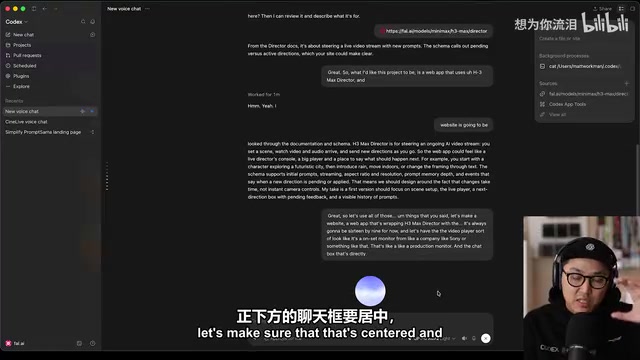
Building a real-time AI livestreaming app by combining GPT-Astra with Fal H3Max Director's steerable video API.
A technical creator combined OpenAI's GPT-Astra model with Fal's H3Max Director real-time video streaming API to build CineLive—an AI-powered livestreaming web app—entirely through conversational programming. The workflow covered API comprehension, natural language requirements, tiered model allocation, autonomous Codex thread development, and seamless Vercel deployment, demonstrating a reusable paradigm for AI-assisted full-stack development.
Recently, OpenAI released its next-generation model GPT-Astra (referred to as GPT-6 Astra in the video), and on the same day, video generation platform Fal launched a new real-time video stream control API called H3Max Director. A technical creator attempted to combine the two, building an AI real-time livestreaming web application from scratch using conversational programming. This article is based on that demonstration, walking through the complete workflow and key technical details.
Project Origins: The Collision of GPT-Astra and Fal H3Max Director
The starting point for this project was remarkably simple—two heavyweight tools launched on the same day. GPT-Astra offers enhanced reasoning and voice agent capabilities, while Fal's H3Max Director is a brand-new API specifically designed for "steering an in-progress AI video stream."
Fal is a platform focused on AI model inference infrastructure, with its core capability being the packaging of open-source and closed-source generative AI models into low-latency API services. H3Max Director belongs to the emerging technical paradigm of "steerable video streams"—unlike traditional text-to-video models (such as Sora or Runway Gen-3) that generate complete video clips in one go, Director uses a continuous generation + mid-stream intervention architecture: once a video stream is started, it continuously outputs frames, and developers can inject new text instructions via the API at any moment to change the visual content, camera movement, or scene transitions. This design essentially transforms video generation from "batch processing" to "streaming interaction," making it naturally suited for scenarios requiring real-time responsiveness, such as livestreaming, game cutscenes, and virtual studios.
The creator's approach is worth noting: instead of immediately asking the AI to write code, he first pasted the H3Max Director API documentation to the model and asked it to "describe in words what this API does and what we can build with it, but don't write anything yet." The model's response was clear: H3Max Director is used to "steer an ongoing AI video stream"—you set up a scene, watch as video and audio arrive in real time, and continuously send new instructions along the way to change the direction of the visuals.
This "understand first, build later" prompting strategy is critical for preventing AI from going off-track in complex projects. It ensures the developer and model reach consensus on the objective before entering the actual architecture design phase.
Defining Requirements: Using Natural Language to Shape the Product
After confirming the API's purpose, the creator described the product requirements in natural language: build a web app wrapping H3Max Director, with a video player locked to 16:9 aspect ratio that looks like a "studio monitor"; place the chat input box centered directly below the player, using a typewriter font like Courier to create a "writing a screenplay" feel.
The model promptly suggested a technical stack: build it as a "GitHub-ready Next.js + TypeScript app, deployed to Vercel." Next.js is a full-stack React framework developed by Vercel that supports server-side rendering (SSR), static site generation (SSG), API routes, and middleware. This tech stack choice was no accident: Next.js's API Routes feature allows writing both frontend interfaces and backend endpoints within the same project, eliminating the complexity of maintaining a separate backend service; TypeScript's type system is especially valuable in AI-generated code scenarios, as type checking can catch interface mismatch errors the AI might produce at compile time; and Vercel's deep integration with GitHub means every git push automatically triggers a build and deployment, achieving true continuous delivery. For AI-assisted development workflows, the value of this pipeline lies in reducing the friction between "code complete" and "user accessible" to nearly zero.
One detail worth mentioning: the creator specifically noted that GPT-Astra's voice agent experience was noticeably improved compared to before—responses were "very substantive, well-organized," and interactions were much smoother. This kind of "actually wanting to talk to the AI" experience is precisely what makes conversational programming flow smoothly.
Architecture Implementation: Fully Automated Development Driven by Codex Threads
With the plan confirmed, the creator opened a new Codex thread to handle the architecture setup, explicitly specifying "GPT-Astra high" tier for coding and "GPT-Astra lite" for voice interaction.
The tiered model system introduced by GPT-Astra reflects a core trade-off in large model deployment: reasoning depth versus response latency. The "high" tier means longer Chain-of-Thought reasoning, greater context window utilization, and more refined code generation capabilities, but at the cost of higher computational overhead and longer wait times. The "lite" tier optimizes Time to First Token, sacrificing some reasoning depth for near-real-time interaction, making it particularly suited for latency-sensitive scenarios like voice conversations. This strategy of selecting model tiers based on task nature can significantly optimize cost efficiency in practice—not every task needs maximum reasoning power, just as not every screw needs a power wrench.
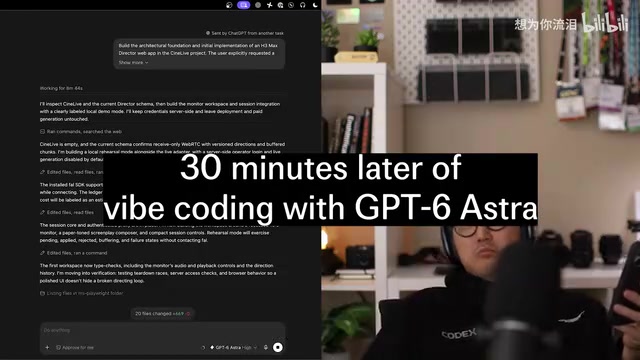
The Codex thread operates much like an AI agent with a complete development environment: it can create file structures, write code, execute build scripts, run test cases, and autonomously fix issues based on test results. This is fundamentally different from traditional code completion assistants—the latter only respond passively when humans type, while Codex threads proactively plan and execute the entire development workflow after receiving high-level objectives. During development, the model progressively reported its progress:
- The first interface passed script checks, including playback controls and instruction history functionality
- The monitor, script editor, and real-time connection adapter were implemented in sequence
- "Rehearsal mode" used browser test signals and simulated instruction events for validation—a classic integration testing strategy that generates test signals (such as color bars or solid-color frames) via the browser's MediaStream API to simulate state changes when real video streams arrive, thereby verifying frontend logic completeness without consuming actual API calls
- Both desktop and mobile rehearsals ran through the full workflow successfully
- Browser checks identified two edge-case configuration mismatches, which were automatically fixed
The entire process was nearly fully automated—from architecture design, coding, and testing to bug fixes, the model drove everything forward autonomously, with the developer only needing to confirm direction at key checkpoints. Ultimately, the app was deployed directly to Vercel with code synced to GitHub, ready for testing at any time.
Live Testing: The Impressiveness and Limitations of Real-Time Video Generation
Once the app (named CineLive) went live, the creator ran real-world tests. He selected "Go live," set it to low quality with a random seed, and began entering scene instructions: "A Korean man in his thirties wearing a black suit is exploring a backstage room with a low ceiling."
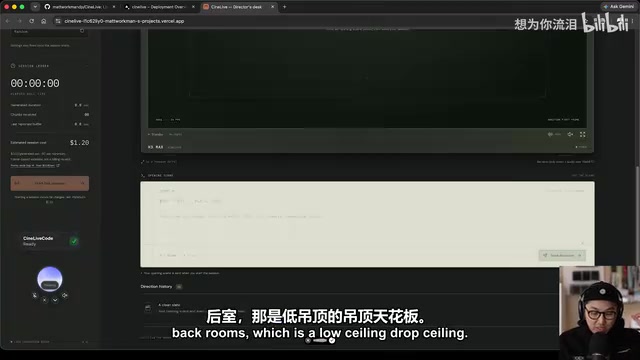
The video responded almost immediately, with a character matching the description appearing on screen. He then added follow-up instructions: the man sees a door with light coming through and walks in, where a woman in a business suit sits at a desk. The system promptly generated the corresponding transition and new scene.
The most impressive moment came when he instructed the two characters on screen to "discuss in English how amazing the newly released GPT-6 Astra is"—the video characters actually began a dialogue with lines: "I have been expecting you, Mr. Kim." The creator exclaimed on the spot: "We can't prompt fast enough to keep up with how fast it's generating—it's burning through it."
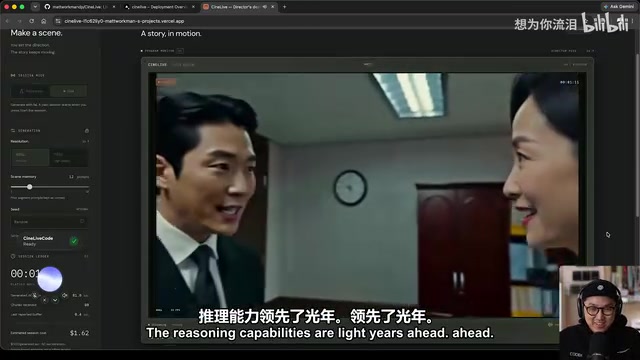
Of course, the demo also exposed the current limitations of real-time AI video generation: content occasionally "goes slop" (visuals become blurry, logic deteriorates), and the UI was still fairly rough—sending new instructions required scrolling up and down, with the interaction experience needing polish.
This sudden drop in visual quality reveals the core technical challenges facing current real-time video generation models. The main bottlenecks come from three levels: first, temporal coherence—streaming generation models need to maintain consistency of character appearance, scene layout, and physical laws within a limited context window, and as generation time extends, accumulated errors cause visual drift; second, the semantic alignment problem of instruction injection—when new instructions represent a large jump from the current visual state, the model must trade off between maintaining visual continuity and following the new instructions, often resulting in quality degradation in transition frames; finally, the real-time constraints on computational resources—to maintain smooth frame rates (typically requiring at least 12-24fps), generation time per frame is strictly limited, which directly restricts the number of denoising steps the model can use, thereby affecting visual fidelity. These limitations aren't unique to any single model but represent structural differences between real-time and offline generation paradigms.
Workflow Insights: A Complete Paradigm for Conversational Full-Stack Development
Although small in scope, this demo presented a complete and reusable modern AI development workflow:
- Voice/text conversation to understand requirements—have the model explain the API's capabilities first, then describe the product vision
- Tiered model allocation for different tasks—lite handles interactive communication, high handles deep coding
- Autonomous development via Codex threads—fully automated progression from architecture setup to testing and fixes
- Seamless deployment via GitHub + Vercel—code hosting and going live in one step
- Real-time iterative fixes—test, fix edge cases, and converge on issues rapidly
From requirements to a working product, the entire process involved "some back and forth" but ultimately shipped successfully. It demonstrated that when strong reasoning models, real-time video generation APIs, and mature deployment pipelines come together, individual developers can build AI livestreaming applications in extremely short timeframes that previously would have required entire teams.
As the creator put it: "It's generating video faster than I can prompt, faster even than I can think." This may be the most honest portrait of today's AI toolchain—the bottleneck is no longer the tools themselves, but human imagination and operational speed.
Related articles
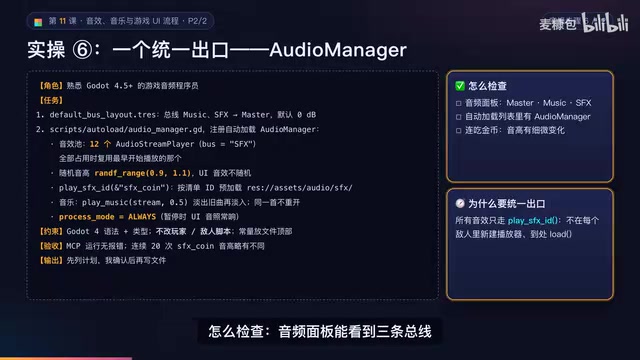
AI Game Development in Practice: Audio Buses and Building the Full UI Flow
AI game dev lesson 11 part 2: Godot's audio trio, audio buses and dB conversion, AudioManager's player pool and random pitch, autoload boundaries, the full UI flow from title to clear, fault-tolerant JSON saves, and pixel font anti-aliasing and integer-size rules.
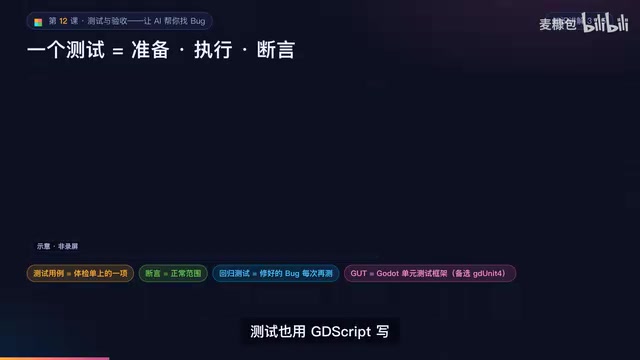
AI Game Dev Acceptance Lesson: Using GUT Tests and Agent Self-Checks to Make Bugs Impossible to Hide
Lesson 12 of AI game development: use GUT automated tests, Agent self-check loops, browser smoke acceptance, and external playtesting to turn "AI says done" into verifiable evidence.

DoorDash Reveals Only Hundreds of Orders from AI Agents, Open Collaboration Seen as Key
DoorDash reveals only hundreds of orders from AI agents and says it is open to working with third-party agent developers. This article analyzes the early state of agentic commerce, platform openness, and transaction trust bottlenecks.