Hands-On Review of Tencent WorkBuddy: Build Your First AI Agent with Zero Barriers

Tencent WorkBuddy lets beginners build multi-Agent workflows without writing a single line of code.
This independent review of Tencent's WorkBuddy explores how the AI Agent tool achieves a genuinely zero-barrier experience — from one-click installation to multi-Agent collaboration via Expert Teams. Real-world tests cover data analysis, automation, mobile connectivity, and an impressive cyber-gardening project where WorkBuddy autonomously manages plants. The verdict: low entry barrier with a surprisingly high capability ceiling.
Why Ordinary People Need a Zero-Barrier AI Agent
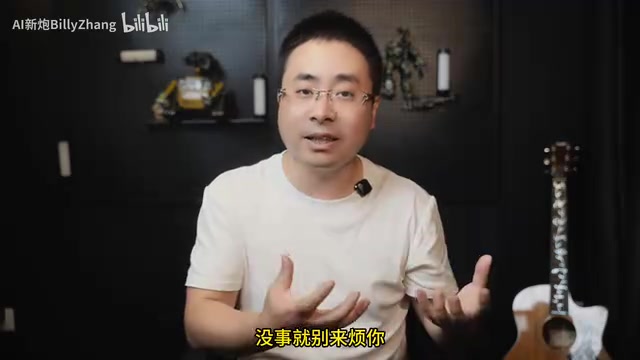
Bilibili creator "Bili" posed a pointed question in his latest video: after months of teaching hundreds of people about AI through livestreams, membership groups, and offline classes, he noticed a pattern — the more cutting-edge the topic, the fewer people engaged. This raises a question worth pondering for everyone in the AI space: Do ordinary people really need to know programming, write code, and chase the latest tech trends just to use AI?
If the answer is yes, then is AI truly an opportunity for regular people, or just another barrier? With this question in mind, the creator went back to basics and reviewed Tencent's AI Agent tool — WorkBuddy. He set several hard requirements for "an ordinary person's first Agent": no special network access needed, no high paywall, Mac and Windows dual-platform support, seamless phone-computer connectivity, and "not a single confusing technical term in sight." After a thorough scan, WorkBuddy came closest to meeting all these criteria.
It's worth noting that this is an independent, non-sponsored review — both strengths and weaknesses are presented honestly.
WorkBuddy Installation & Onboarding: Truly Just Click "Next" All the Way
WorkBuddy's installation is extremely simple — no command lines, no environment configuration. Windows users just download the corresponding version and click next; Mac users pick the version for their chip and drag it into the Applications folder. Once launched, you can start using it immediately by scanning a WeChat QR code.
After registration, your account comes with over 2,000 credits, the trial version provides 500 credits monthly, and there are incentive mechanisms like daily check-ins and referrals. As the creator put it: "After completing today's beginner experiences, your wallet is definitely safe."
The interface design is clean and refreshing. Click "New Task" in the upper left to start a conversation. WorkBuddy divides scenarios into three categories: Daily Office, Code Development, and Design & Creative, each with corresponding capability presets and sample use cases. Taking contract review as an example — after AI completes the review, annotations can be viewed in the sidebar, you can click "+" after paragraphs to add new notes, and even highlight specific text to send along with revision suggestions to the AI for precise adjustments. As a tool branded around "Buddy (work companion)," the document collaboration experience is genuinely smooth.
Real-World Testing: Data Analysis Impresses, but Don't Over-Rely on Templates
The creator stress-tested the tool using his own domain — visual effects for film and TV, where he has over a decade of experience. He asked the Agent to analyze the current VFX industry employment landscape using data analysis and visualization capabilities. The general direction was fine, but the numbers were "overly optimistic."

Seeing "80K monthly salary" in the analysis results, this industry veteran "couldn't help but shed tears of excitement," joking that he'd been dragging down the industry average. He then had WorkBuddy use its slideshow capabilities to analyze Chinese box office numbers — the process "really did have that professional vibe," but the conclusion somehow spun clearly poor data into "steady improvement and new opportunities."
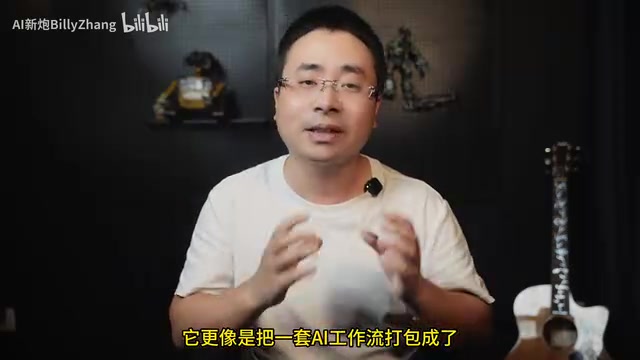
Here the creator offered a very fair assessment: This system is essentially a combination of pre-configured agent personas paired with skill templates. The output is passable, but there's still a clear gap from truly useful "personalized capabilities." The key insight is that truly useful tools and skills are honed through long-term collaboration with AI — they don't fall from the sky as one-size-fits-all templates. He recommends treating the default capabilities as references rather than relying on them too heavily.
Core Concepts Explained: Experts, Skills, Connectors & Expert Teams
WorkBuddy introduces several unique concepts in its interface. Understanding them is key to using the tool effectively.
Experts: Essentially an AI Job Description
The creator cuts straight to the point: so-called "Experts" are not new models trained by Tencent — the underlying engine is still whatever large model you've selected. An Expert is essentially a pre-written job description that Tencent has prepared for the AI — telling it who it is, what to look at first when handling problems, what steps to follow in analysis, and what the final deliverable should look like. For example, a "Contract Review Expert" follows the workflow of "identify risks → classify risk levels → provide revision suggestions."
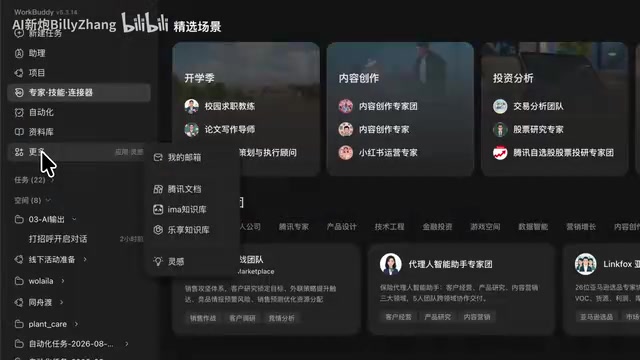
The relationship between the three concepts in one sentence: Experts handle "what identity and methodology to think with," Skills handle "how to actually do the work," and Connectors handle "which external applications the AI accesses for data and operations." Combined, an Expert doesn't just analyze — it can actually start doing real work.
Additionally, WorkBuddy keeps Agents confined in a security sandbox by default — actions outside the permitted scope require explicit user approval. You can enable "Allow Full Access" to let the Agent execute autonomously, but this is a risky operation (the creator joked it might "delete your homework or thesis before school starts"), and the software provides extra safety warnings.
Expert Teams: Packaging AI Workflows into Virtual Teams
If an Expert is a single employee, then an Expert Team is a whole department. You don't need to assign work to each Expert individually — just tell the "team leader" your end goal, and the leader will break down the task, assign it to different Experts (some research, some analyze, some compile the plan). These tasks can run in parallel, and the leader collects results and assembles a complete deliverable.
Take the "Content Creation Expert Team" as an example — 7 Experts led by a "Creative Director" as team leader. The creator points out this goes beyond just giving AI different personas — it's more like packaging a complete AI workflow into a virtual team you can summon at any time. He adds a professional perspective: similar multi-Agent collaboration is achievable in Claude Code and Codex, but you'd first need to understand sub-Agents, task decomposition, and inter-Agent handoffs. WorkBuddy tucks all that complex configuration behind a single "Summon Expert Team" button. From his experience with various tools, this is the lowest-barrier way for beginners to access multi-Agent collaboration.
Customization: Low Barrier Doesn't Mean No Room for Advanced Use
When creating custom Experts, WorkBuddy doesn't make you fill out a bunch of forms — it summons a "skill specifically for creating Experts." You simply describe what kind of Expert you want, hand over your experience, materials, and workflows, and it organizes everything into a ready-to-use Expert. For advanced users, you can open the underlying configuration file to modify roles, workflow steps, delivery standards, attach skills, and even assemble your own Expert Teams.
Automation, Mobile Access & Knowledge Base: Embedding Agents into Daily Workflows
Beyond conversations, WorkBuddy offers several practical features for integrating Agents into daily life:
- Automated Tasks: Set up scheduled or recurring tasks, such as "check the weather forecast for the next three days in Beijing Chaoyang and log it to a Tencent Doc." Results can be pushed to the mini-program or WeCom bot.
- Assistant Integration: Connect to WeChat, WeCom, QQ, Feishu, or DingTalk. As long as WorkBuddy is running, you can assign tasks to your desktop Agent via WeChat while away from home — for example, "Check the travel itinerary on my desktop — what time is the high-speed train?"
- Mobile Dual Entry Points: Both the mobile app and WeChat mini-program are available, supporting "Cloud Work" and "Connect to Computer" modes. The latter essentially turns your phone into a remote control for the desktop.
- Knowledge Base & Work Inbox: Divided into "My Materials" (personal accumulation) and "Team Space" (multi-person collaboration). WorkBuddy also has its own email address — incoming emails can be brought into conversations with one click for summarizing, organizing, or drafting replies.
How High Is the Ceiling? A Cyber-Gardening Project Provides the Answer
The most impressive part of the video is a project the creator showcased that's actually running in real life: WorkBuddy has completely taken over the care of plants in his yard.
He simply says "Check how the flowers in the yard are doing," and the Agent responds with something like "The persimmon plant's moisture is a bit low — watering it with 500ml." The principle isn't that complex: soil sensors in the pots send real-time data via Bluetooth to a Raspberry Pi by the window, WorkBuddy connects to the Raspberry Pi via WiFi to read the data, and sends watering commands to a water stick through it. If he's too busy, he can set up scheduled tasks so the Agent autonomously decides when to water based on soil moisture, weather, and light data, then pushes plant status updates to him. He even plans to add a camera to capture plant images for more precise pest and growth data.
The key point — the software side of this system, from API interfaces and data processing to the skill instructions written for WorkBuddy, was all built step by step using AI.
Summary: Who Is WorkBuddy For? Low Barrier but High Ceiling
The creator summarized his core insight from this review in one sentence: "AI won't magically grow arms and legs, but ordinary people can absolutely use AI to give their lives a new pair of eyes and hands."
This is perhaps what AI should truly look like for regular people. WorkBuddy, as a "beginner's lifesaver" entry-level tool, derives its value not just from its install-and-use, zero-jargon low barrier, but from how it tucks complex configurations like multi-Agent collaboration and automated scheduling — things that normally require development skills — behind a few simple buttons. The barrier is low enough, but the capability ceiling is not. Of course, its default templates still fall short of being "personally tailored and ready to use" — real value needs to be forged by users through long-term collaboration.
Related articles

No Local LLM Deployment Needed: A Complete Methodology for Systematically Researching and Testing AI Guardrails
Learn how to systematically research and test AI guardrails without local LLM deployment, using cloud APIs, adversarial test sets, and layered validation strategies.

Trump Claims NASA Will Send a Nuclear-Powered Ship to Mars by 2028 — Is It Technically Feasible?
Trump claims NASA is building a nuclear-powered starship to reach Mars by 2028. We analyze the technical feasibility through NTP technology, the DRACO project, and crewed Mars mission challenges.

A Guide to Cleaning Zombie Vectors in RAG Systems: Identifying and Eliminating Stale and Orphaned Vectors
Explore three types of zombie vectors in RAG systems—stale, orphaned, and deleted-but-retrievable—and learn systematic detection and cleanup strategies for vector database hygiene.