Herdr: An Open-Source Terminal Manager for Multi-AI Agent Collaboration

Herdr is a Rust-based open-source terminal tool for orchestrating and monitoring multiple AI agents in parallel.
Herdr is an Apache 2.0 open-source terminal tool designed for developers who need to manage multiple AI coding agents simultaneously. It organizes agents in a Workspace/Tab/Pane hierarchy, provides real-time status monitoring, and supports tiered model assignment — routing reasoning tasks to premium models and execution tasks to cheaper ones. Built as a native Rust binary, it installs with a single command and requires virtually no configuration. With an optional Skill plugin, one agent can actively send instructions to another, enabling true multi-agent collaboration.
What Is Herdr: Your AI Agent Manager in the Terminal
As AI coding agents become more common, developers often need to run multiple agents simultaneously — one writing code, one waiting for a response, one handling analysis. The problem is that these agents operate in isolation, with no unified coordination or monitoring hub. The open-source project Herdr was built specifically to solve this pain point.
Herdr is released under the Apache 2.0 license and is completely free and open source. According to the author, the project has completed its second angel funding round. Its core positioning is clear: an AI Agent manager that runs in your terminal. It lets you open multiple windows within the same terminal area, each controlling agents in different states — issuing commands, waiting for tasks to complete, and monitoring progress — like having a project manager constantly watching over every moving part of your team.
The official website is herdr.dev, and the source code is hosted on GitHub. It coordinates multiple AI coding agents via a client and local Socket API, enabling agents that previously ran in isolation to communicate and collaborate with one another.
Core Capabilities: Coordination, Monitoring, and Model Assignment
Herdr's value is concentrated across three areas. The first is parallel multi-agent management — you can create Workspaces, Tabs, and Panes to launch multiple agents in different areas, and those agents can even send messages to each other and work in tandem.
The second is work status monitoring. Which agent is writing code, which is waiting for a response, and where something is stuck and needs attention — Herdr presents all of this in real time, so you can address bottlenecks immediately rather than waiting for a task to silently fail.
The third is intelligent model assignment, which is a particularly practical design. You can assign different tiers of models based on the nature of the task: use premium models for tasks that require reasoning ability, such as design, planning, and analysis; switch to standard or cheaper models for pure execution tasks. This tiered strategy can significantly control token costs while maintaining quality.
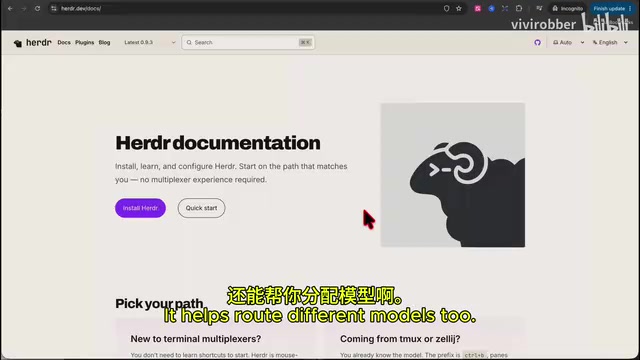
Installation and Getting Started: Out-of-the-Box Experience Powered by Rust
The barrier to installing Herdr is extremely low. Simply copy an install command from the GitHub page, paste it into your terminal, and hit Enter. Because it's a binary written in Rust, the file size is very small and installation completes almost instantly — a truly out-of-the-box experience.
Starting it is equally simple: enter the herdr command to enter the interface. On first launch, you'll be guided through setup: Ctrl+B serves as the Prefix key, which is the core shortcut entry point for Herdr. Users familiar with tmux will feel right at home. Style and other settings can generally stay at their defaults — just press Enter to enter the main interface.
It's also worth noting that the official website offers a rich plugin (Plugin) ecosystem. Plugins can be installed with the herdr plugin install command, and some are quite useful — pick and choose as needed.
Rust is a systems programming language known for memory safety and high performance. Unlike tools written in Python or Node.js, Rust programs are compiled into standalone native binaries that don't require a pre-installed runtime environment (such as a Python interpreter or Node.js) on the user's machine. This makes them extremely small, fast to start, and free from version conflict issues. This is exactly why Herdr can deliver a "copy one command, install instantly" experience. For developer tools, this distribution model means lower environment dependency risk and more stable cross-platform consistency.
Interface: Mouse and Keyboard Shortcut Support
Herdr's interface layout is intuitive — the command-line area is on the left or bottom, with the Workspace in the center. One of its standout features is that a large number of UI elements support mouse clicks, which lowers the learning curve compared to a purely keyboard-driven command-line tool.
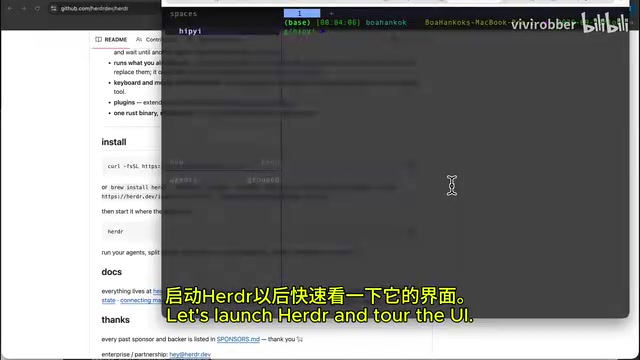
Here's a rundown of common operations:
Tabs and Split Panes
- Create a new tab: click the plus sign in the interface, or press
PrefixthenC - Close a tab: right-click and select Close
- Create a split pane: press
PrefixthenVto split into two windows
Workspace Management
- View all Workspaces and their status: press
Prefix, thenW, thenG - Switch between Workspaces: mouse click, or press
Prefix+Wand use the arrow keys - Exit/stop: press
Prefix, thenQ
If you forget a shortcut, press Prefix then ? to see the full list of shortcuts, and press ESC to exit.
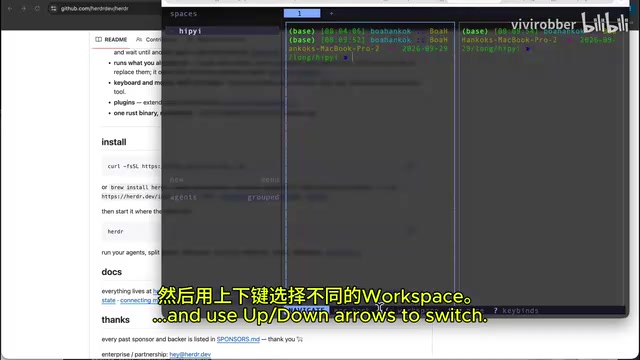
Herdr's Prefix key design (default Ctrl+B) is directly inspired by tmux — a widely used terminal multiplexer. tmux also uses a two-stage shortcut system of "prefix key + action key," allowing users to create multiple sessions, windows, and split panes within a single terminal window. Developers familiar with tmux will find Herdr's interaction logic almost identical. For those unfamiliar with tmux, think of the Prefix key as a "mode switch": pressing it puts the terminal into a command-receiving state, and only then does pressing a subsequent letter trigger the corresponding function — preventing those letters from being accidentally typed into the currently running program.
Hands-On Demo: Getting Two Agents to Communicate
Herdr supports virtually all mainstream AI agents. Using Claude as an example, once opened inside Herdr, you'll see a Claude agent running under Herdr's control.
However, to have one agent call and control another, you'll need to install an additional Herdr Skill — this can be done with a single npx command (using the Symlink method), and the process is equally quick.
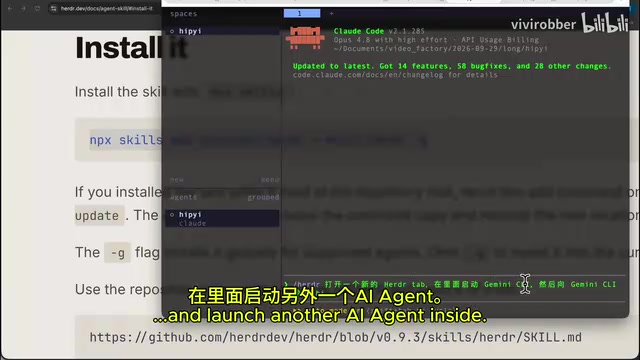
After installing the Skill, restart Claude, and you can use herdr-related commands in the conversation to have it open a new Herdr Tab and launch another AI agent inside it, then send a "Hi". In the demo, the new Tab was successfully created, and another agent (Gemini client in the demo) successfully received the message and replied.
This is a small example, but it clearly validates Herdr's core promise: it can genuinely orchestrate and coordinate communication and collaboration between multiple AI agents. The author also mentioned a practical detail during the demo — some agents may want to perform Server-side Classification, which consumes extra tokens; you can skip this at startup to save on costs.
The "Skill" mentioned here is essentially a tool-call extension (Tool/MCP interface) that Herdr provides for AI agents. Current mainstream AI agent frameworks (such as Claude Desktop and various agentic IDE plugins) generally support registering custom tools with the model via MCP (Model Context Protocol) or similar mechanisms, enabling the model to call external commands or APIs during a conversation. Herdr's Skills work through exactly this mechanism — exposing operations like "open a new Tab" and "send a message to a specified agent" to the AI model, allowing the model to actively control Herdr's multi-agent environment rather than simply responding passively to user instructions. The npx command is a standard way in the Node.js ecosystem to directly execute remote packages, and is used here solely as a tool for installing the Skill configuration files.
Summary: Who Should Use Herdr
Herdr fills the gap of "unified orchestration" in AI agent workflows. For developers who are used to working with multiple AI coding agents in the terminal but lack a unified monitoring and coordination solution, it's a lightweight, free, and easy-to-use option.
Its highlights include: minimal installation thanks to Rust, a friendly dual-mode interface supporting both mouse and keyboard shortcuts, parallel multi-agent management with inter-agent communication, and cost-conscious model assignment by task type. For developers exploring multi-agent collaborative workflows, Herdr is well worth a try.
Related articles

iPhone Duo vs Z Fold 8: Which Foldable Nails Cover Screen and Form Factor Experience Better?
Based on a YouTube comparison, we analyze the iPhone Duo vs Samsung Z Fold 8 in cover screen ratio, one-handed grip, pocketability, app adaptation, multi-posture use, and keyboard input.

Why Tech Media Always Gets Accused of "Shilling"? The Verge Editor-in-Chief Responds to Bias Allegations
After The Verge's Duo review drew accusations of bias, Editor-in-Chief Nilay Patel responds: no paid reviews, no brand deals, editorial independent of sales, and details the ethics policy.

Claude Code 3x Speedup: Thanks to 1997's GZip Technology
Claude Code achieves 3x faster local sessions and 2.8x faster cloud sessions by enabling GZip compression. This article analyzes how this classic technology optimizes message transmission efficiency in AI coding tools and what it means for developers.