Hermes Agent Getting Started Guide: A Better AI Agent Framework Than OpenClaude

Hermes is a Linux-based local AI Agent framework for file operations and remote PC control via WeChat and more.
Hermes is a personal AI work assistant framework comparable to OpenClaude, offering a better interaction experience and safer file operation warnings. The course recommends deploying it in a VMware Ubuntu VM to reduce accidental deletion risks on Windows. It operates primarily via command-line multi-turn dialogue with optional Web UI support. Coverage includes installation, session management, built-in and extended tools, Skill configuration, multi-type context memory, voice mode, and integration with WeChat, QQ, and Feishu for remote PC control from your phone — the most practically powerful feature of the entire course.
What Is Hermes: An AI Agent Framework to Rival OpenClaude
Hermes is an AI Agent framework similar to OpenClaude (affectionately nicknamed "Crawfish" in the Chinese community), designed to serve as a personal work assistant. It can read and manipulate files on your computer, execute multi-step tasks, and act as an intelligent helper for everyday work.
Based on real-world usage, the course instructor offers a clear verdict: Hermes delivers a significantly better overall experience than OpenClaude. This "better" isn't just about interaction flow — more importantly, when Hermes operates on sensitive files, it provides timely warnings that reduce the risk of accidentally deleting important data. For an Agent that has permission to touch your local files, that's a critically important safety design.
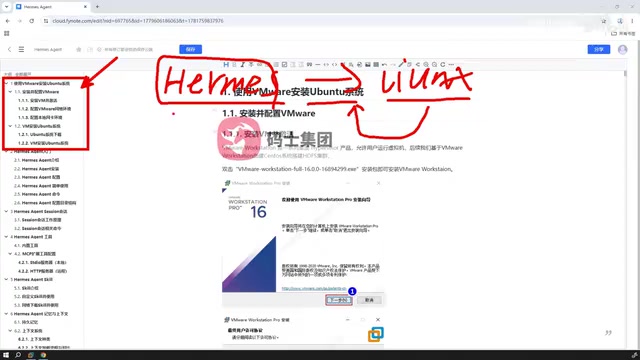
Precisely because the Agent has the ability to operate on local files, the course recommends deploying Hermes on Linux (Ubuntu) rather than directly on Windows. The reason is straightforward: on Windows, if operations run too fast and confirmations aren't carefully reviewed, you can easily delete important files. Isolating it in a Ubuntu environment essentially carves out a more controlled workspace for this "digital assistant." The instructor does clarify that Windows installation is technically possible — it's simply a tradeoff made for safety reasons.
AI Agent frameworks are a category of software architecture that allows large language models (LLMs) to go beyond mere "conversation" and actually execute tasks. Unlike simple chatbots, Agent frameworks give models the ability to call external tools (such as reading/writing files, executing commands, and accessing the web), completing complex multi-step tasks through a "think → act → observe" loop. OpenClaude — a community toolchain associated with Claude, often nicknamed "Crawfish" in Chinese circles — was one of the earlier implementations of this kind to gain traction in the Chinese-speaking community. Hermes builds on that foundation with more engineering encapsulation and safety optimizations. Understanding the concept of an "Agent framework" is the prerequisite for understanding why Hermes needs file permissions and why it should run in an isolated environment.
Environment Setup: Installing Ubuntu on VMware
The first part of the course covers environment setup and is aimed at users with zero prior experience with large models. The process breaks down into two steps:
Install VMware First, Then Ubuntu
VMware is a virtualization software. You install it first, then set up an Ubuntu system with a graphical interface on top of it. The GUI version of Ubuntu is chosen specifically to make things more intuitive and beginner-friendly. This "virtual machine + Linux" combination gives users the benefits of running Hermes in a Linux environment while avoiding the risks of modifying their primary Windows system.
For users who have never touched Linux, this step is the foundation for the rest of the course — and reflects the tutorial's commitment to being a true beginner's guide.
Getting Started: Installing and Configuring Hermes
The second part dives into Hermes itself. It covers how to install it, how to configure it, how to use it, and walks through the file directory structure. Understanding the directory structure is a prerequisite for troubleshooting issues and extending functionality down the line.
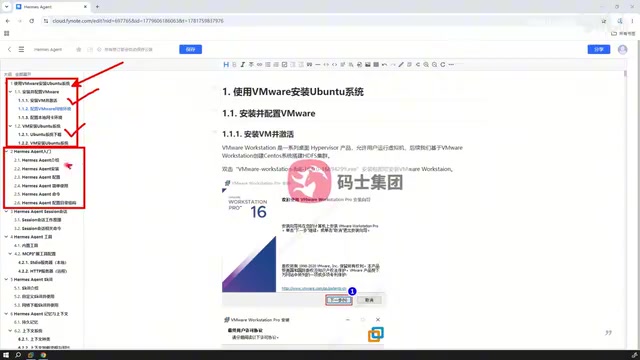
In terms of interaction style, Hermes more closely resembles Claude Code: it doesn't provide a visual interface by default the way OpenClaude does. Instead, after launching the client, you work through command-line multi-turn conversations. The course includes dedicated coverage of Session management — how to maintain multi-turn conversations and how to organize context. For users accustomed to graphical interfaces, Hermes also supports configuring a Web UI, which is covered in a later section of the course.
Tools and Skills: The Core Capabilities of an Agent
As an Agent, calling Tools and Skills is where its core value lies. This section of the course covers two levels:
Built-in Tools and Tool Extensions
First, what tools come built into Hermes; second, how to extend it with external tools so the Agent's capability boundary can grow with your needs.
Skill Configuration and Web-Based Skills
On the Skill side, the course explains how to configure Skills and how to support Skills loaded from the web. Tools handle "hands-on execution," while Skills handle "knowing how" — together they determine the complexity of tasks the Agent can complete.
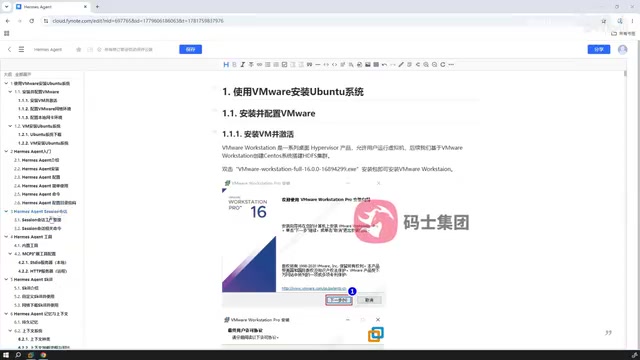
In the design semantics of Agent frameworks, a Tool typically refers to an atomic operation the Agent can directly invoke — such as reading a file, executing a shell command, or making an HTTP request. A Skill, by contrast, is closer to an encapsulated composite capability or predefined task workflow: essentially a bundle of multiple tool calls packaged into a reusable "experience module." The benefit of this layered design is that lower-level tools remain general-purpose and atomic, while higher-level Skills can be rapidly customized for specific business scenarios without needing to re-orchestrate tool call chains from scratch each time. Supporting Skills loaded from the web means the community can share and distribute capability modules — users can gain access to complex task execution capabilities built by others without writing anything themselves.
Memory and Context: A Key Mechanism of the Agent
Memory and context are flagged by the instructor as a "particularly important" topic. Hermes has several distinct types of context internally. The course clarifies what each type is, how they relate to one another, and how they are loaded at runtime — including their loading order.
For an Agent, context management directly determines whether it can "remember" task objectives and maintain coherence across long chains of reasoning. Understanding this mechanism is the dividing line between "knowing how to use it" and "using it well."
The "memory" problem in Agents is fundamentally an engineering response to the hard constraint of limited context windows in large language models. There is a ceiling on how many tokens can be fed into a model at once, yet a complete task may span dozens of turns of interaction or even hours of work. To address this, Agent frameworks typically divide context into several categories: short-term memory (the conversation history of the current session), working memory (intermediate state and variables for the current task), and long-term memory (user preferences and historical conclusions persisted across sessions). The loading order determines which information gets prioritized within the model's effective perception window. Understanding this mechanism helps users diagnose whether a task failure was caused by lost context or a failed tool call — enabling more targeted adjustments to how they use the system.
Advanced Features: Voice, Web UI, and Multi-Platform Integration
The final section of the course covers several advanced capabilities.
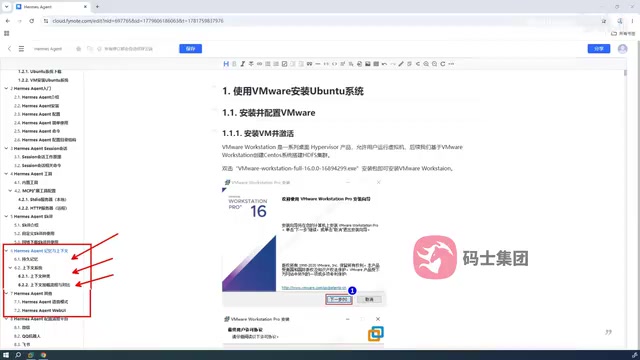
First, there's voice mode configuration and hands-on use of the Web UI interface. What really opens up the imagination, though, is multi-messaging-platform integration: Hermes can not only be used locally on your computer, but also configured to work with WeChat, QQ, Feishu, and other platforms.
This means you can chat with a Hermes instance running on your computer directly through WeChat, QQ, or Feishu — on your desktop or mobile — and remotely control your machine from there. In other words, your phone becomes the remote control, and Hermes becomes your personal work assistant that travels with you everywhere. This cross-device, cross-platform control capability is the most practically powerful segment of the entire course.
Summary
The course spans eight modules in total: from installing Ubuntu on VMware and configuring Hermes, to Session management, Tools and Skills, memory and context, and finally voice mode, Web UI, and multi-platform integration. It forms a complete learning path from zero to advanced. For users who want to build their own AI work assistant but worry about the learning curve, this is a well-structured, accessible starting point.
Related articles

How Big Can Stars Really Get? The Physical Limits of the Largest Stars
Red supergiants are the largest stars by volume, with radii up to 2,000 times the Sun, engulfing the inner solar system. But there is no precise upper limit on stellar size—models predict up to 15,000 solar radii. The most massive blue stars are far smaller than red supergiants—biggest and heaviest are two different things.

Apple HomeView Smart Display Full Feature Breakdown: Wall-Mount or Desktop, $299
Apple launches HomeView, a $299 smart display with wall-mount and desktop options, 12MP camera for facial recognition, smart home control, music playback, and recipe step-by-step cooking. Full breakdown of watch faces, apps, privacy, and cooking integration.

Where Did the Promised New Studio Go? Craft Computing Answers After Five Years
Craft Computing's host responds to viewer questions: the new studio promised five years ago was shelved as construction costs soared from $30,000 to $75,000, and was replaced by a 168-square-foot garage conversion.