How One Sampling Setting Crashed an LLM's JSON Compliance Rate from 75% to 4%

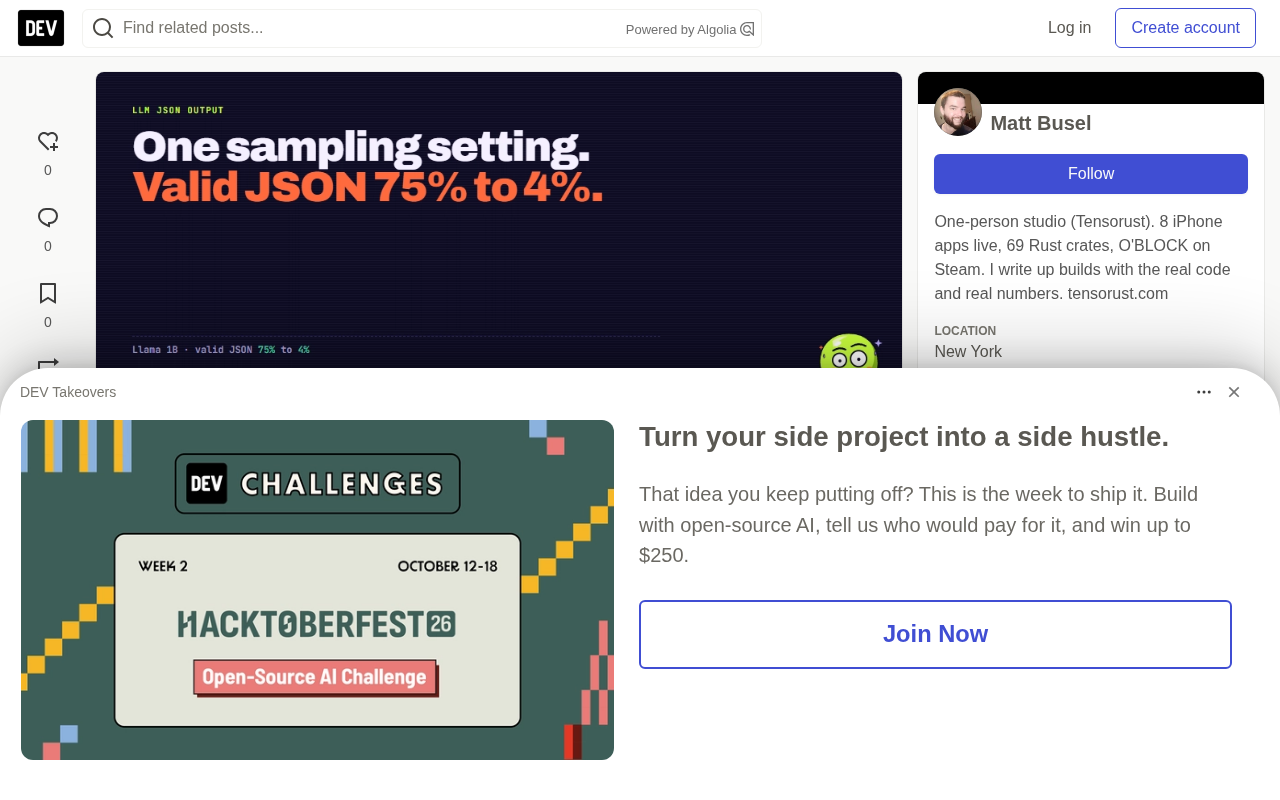
One no_repeat_ngram_size setting dropped Llama 3.2 1B's JSON compliance from 75% to 4%.
The author tested three small models (SmolLM2 360M, Qwen2.5 0.5B, Llama 3.2 1B) in a real browser with Transformers.js and WebGPU, generating 432 JSON outputs. Ablations show temperature is essentially harmless and repetition_penalty causes only a slight drop, while no_repeat_ngram_size: 3 alone cuts Llama's schema compliance from 75% to 4%, because it counts the prompt as history and bans the repeating token sequences JSON requires, forcing detours like extra spaces, single quotes, or renamed keys. A four-step parsing ladder raises parse rates from 29% to 44% but can't fix truncation loops or responses with no JSON. Example prompts also caused 21 of 288 responses to leak example values. The author recommends disabling both parameters for structured calls, using greedy decoding, and adding schema validation and retries — with constrained decoding as the best fix.
How One Sampling Setting Crashed an LLM's JSON Compliance Rate from 75% to 4%
If you're using small open-source models for structured output (say, getting the model to return JSON), this real-world test might save you hours of debugging. A developer ran 432 JSON generations across three small models in a real browser environment and found that a common anti-repetition setting, no_repeat_ngram_size: 3, drove Llama 3.2 1B's JSON compliance rate from 75% straight down to 4%. The problem isn't model capability — it's that the sampler forbids the model from producing the tokens the schema requires.
Experimental Setup: 432 Responses, Three Small Models, One Real Browser Tab
The author tested three models in a self-built BEINGS chat room: SmolLM2 360M Instruct, Qwen2.5 0.5B Instruct, and Llama 3.2 1B Instruct (q4f16). All ran via Transformers.js 4.2.0 on WebGPU with 4-bit weights — the same fixed build used in the production product.
The tests included three tasks with 8 inputs each: tagging chat messages with a speaker, one of four emotions, and a reply; extracting name, email, and phone from a message; and converting shopping notes into a list of items with integer quantities. Each input had a ground-truth answer, so three things could be evaluated separately: whether the output could be parsed, whether it matched the schema, and whether the answer was correct.
Two sampling configurations were compared: the one used in the production chat room (sampling enabled, temperature 0.75, top_p 0.9, top_k 40, repetition_penalty 1.12, no_repeat_ngram_size 3), and pure greedy decoding (sampling disabled, repetition_penalty 1.0, no_repeat_ngram_size 0).
Transformers.js, WebGPU, and 4-bit Quantization
Transformers.js is a JavaScript port of Hugging Face's inference library that lets models run directly in the browser without a backend. It relies on WebGPU for GPU acceleration — WebGPU being the browser's new-generation graphics and compute API, better suited to general-purpose computing than WebGL, though it can still trigger "device lost" errors due to driver or VRAM issues.
4-bit quantization compresses model weights from 16-bit floats to 4-bit integers (e.g., q4f16 means 4-bit weights with some computation in fp16), greatly reducing VRAM usage and download size so that 1B-class models can run on consumer devices. The trade-off is precision loss, which can affect instruction following and format stability. Testing in a real browser tab is closer to actual deployment conditions but also introduces runtime uncertainty like device loss, so the author re-ran failed batches.
Under Chat Settings, Not a Single One of 72 Responses Matched the Schema
Using the full chat settings and example prompts, none of the three models produced a schema-compliant response: 0/72. Switching to greedy decoding with the same prompts yielded 25/72, with Llama alone jumping from 0/24 to 18/24.
The author then enabled chat settings one at a time on top of greedy decoding, adding a single parameter per group of 24 responses. Results:
| Setting Added | Llama 3.2 1B | SmolLM2 360M |
|---|---|---|
| None (greedy) | 18/24 (75%) | 7/24 (29%) |
| temperature: 0.75 only | 19/24 (79%) | 9/24 (38%) |
| repetition_penalty: 1.12 only | 16/24 (67%) | 9/24 (38%) |
| no_repeat_ngram_size: 3 only | 1/24 (4%) | 0/24 (0%) |
| All chat settings | 0/24 | 0/24 |
Temperature was essentially harmless — it even helped Llama get one more right. Repetition penalty caused only a slight drop. The real culprit is the n-gram ban, which alone is enough to destroy JSON output.
Root Cause: no_repeat_ngram_size Bans Tokens the Schema Requires
The rule of no_repeat_ngram_size: 3 is "never produce any 3-token sequence that has already appeared." In the Transformers.js implementation, any token that would form a repeated 3-gram gets its score set to negative infinity and can never be selected.
The key detail is that input_ids includes the entire prompt. The generation loop starts from the full prompt and keeps appending new tokens. JSON lists naturally contain repeating structure, such as {"name": ..., "qty": ...}, {"name": ..., "qty": ...}, where the same token combinations recur. Worse, the example prompt had already written "name": " and "qty": once, so those 3-token sequences were banned before the model even started speaking.
The model can't refuse to answer — it can only take a suboptimal path: a detour. Real responses included " qty" (with a leading space), ".name", single-quoted 'name', "quantity" instead of "qty", and "type" instead of "name". Each one is the shortest path around a banned 3-gram. The danger is that some of these detoured JSON outputs still parse, but your code reading item.qty just gets undefined.
The model isn't bad at JSON; the sampler forbids the exact tokens the schema requires — and the examples in the prompt make it worse.
The Mechanics of n-grams and no_repeat_ngram_size
An n-gram is a sequence of n consecutive tokens in text. no_repeat_ngram_size: 3 means that, for each new token, the decoder checks whether the 3-gram formed by the current token and the two before it has appeared in the generated history; if so, that token's logit is set to -inf and is hard-banned. Unlike the soft penalty of repetition_penalty, this is an inviolable constraint.
The problem is that most implementations (including Transformers.js) count the entire input_ids as history, and input_ids includes the prompt itself. So any 3-gram that appeared in the prompt is permanently banned during generation. For highly templated formats like JSON, where keys and punctuation recur constantly, this ban cuts off the model's path to writing legal structures. The parameter was designed to suppress repetition loops in long-form text generation — fine for free text, unsuitable for structured output.
Repetition Penalty Also Penalizes Your Prompt
repetition_penalty is a gentler mechanism from the CTRL paper (Keskar et al., 2019). It divides the scores of already-seen tokens by the penalty factor. The Transformers.js source comments explicitly state that for decoder-only models, the tokens considered include the prompt.
This means every quote mark, colon, and key name in the schema has its probability of reappearing slightly suppressed. A factor of 1.12 is a nudge rather than a ban, and the data matches: Llama dropped from 18/24 to 16/24. Still, the author recommends setting it to 1.0 for structured calls — there's no reason to penalize the punctuation you explicitly asked for.
Many applications may have set these parameters once in a shared config, and all structured calls silently inherit them. Worth a search through your codebase.
The Parsing Ladder Recovers 43 Responses, But Not All of Them
Even with correct sampling settings, small models still wrap JSON in prose or code blocks, and JSON.parse throws immediately. The author designed a four-step parsing ladder:
- Parse directly
- Strip code fences, then parse
- Extract the first paired
{...}or[...], then parse - Fix common syntax issues, then parse (drop
//comments, quote bare keys, convert single quotes to double, map Python's True/False/None, remove trailing commas, close unclosed brackets)
Of the 288 main-run responses, strict JSON.parse accepted 84 (29%); the ladder raised that to 127 (44%). For Llama with greedy decoding and plain prompts, it went from 14/24 to 24/24.
But the gap between 44% and 100% is the point. The ladder can fix how JSON is wrapped; it can't fix responses that contain no JSON at all.
The Real Reasons Parsing Fails: Truncation and No JSON at All
Of the 204 unparseable responses, only 43 involved code fences or prose like "Here is your JSON:". The two biggest causes can't be solved by a parser:
- Truncation at the token limit (62): mostly not long answers, but loops. Qwen repeatedly output
"jars", "jars", "jars"until it ran out of tokens. - No JSON at all (61): pure prose, a Python function that "extracts contact info," an apology, or the input echoed back verbatim.
Qwen2.5 0.5B deserves special mention: of 96 responses, 0 parsed directly, 4 succeeded via the ladder, and 0 matched the schema. Greedy responses mostly echoed the user message and then fell into loops. The author stresses this may not be a general Qwen2.5 issue — it could be this quantized build — but warns you to test the exact file you deploy.
Valid JSON Doesn't Mean Correct JSON
Schema compliance and answer correctness are two different numbers. Llama's best configuration (greedy + examples) produced 18 schema-valid responses, but only 16 were correct. Two problem types:
- Example leakage: Asked to extract contact info from "Call me back on (555) 018-2299. Thanks, Tom Okafor," Llama returned the name and email from the example, paired with Tom's phone number. Of the 288 responses with example prompts, 21 contained values copied from the examples. With plain prompts, only 1 of 144 did.
- Type drift:
"qty": "1"as a string, or a missing"email"key instead ofnull. JSON Schema validators catch these;JSON.parsenever will.
Example prompts were still the better choice for Llama (16 correct vs. 12 with plain prompts), but worse for SmolLM2 (3 vs. 7). Small models tend to copy examples rather than learn from them. If you use examples, make the example values obviously fake (e.g., "NAME", 0) so leakage is easy to spot.
JSON Schema Validation and Type Drift
JSON.parse only checks whether the text is legal JSON, not whether the structure matches expectations. JSON Schema is a specification for describing the shape of data — required keys, field types, enum values, etc. — and with a validator (such as Ajv) it can further validate after parsing.
"Type drift" in the article refers to output whose structure looks correct but whose types don't match — for example, a quantity written as the string "1" instead of the integer 1, or a missing field represented by an absent key rather than null. JSON.parse can't detect these at all; downstream code fails silently when reading them. That's why adding schema validation after the parsing ladder — and checking types, not just key presence — is essential for usable data.
What This Means for GPT, Claude, and Large Models
This test covers 360M to 1B parameter models in a browser, so failure rates will be higher than with frontier APIs. But the author argues the sampler finding applies to anyone running open-source models themselves: the n-gram ban is a mechanical rule that doesn't care how smart the model is. Larger models just find cleverer detours — which may be worse, because they look correct.
Skip the guessing if you can. Constrained decoding restricts each next token to those that keep the output consistent with a grammar or schema, eliminating format errors by construction. OpenAI Structured Outputs, llama.cpp GBNF grammars, and Outlines all offer this capability. If you can't use it, the parsing ladder plus schema validation plus a single retry is the practical baseline.
Constrained Decoding
Constrained decoding restricts candidate tokens at each sampling step to those that keep the output consistent with a given grammar or JSON Schema. Implementations typically compile the schema into a finite state machine or context-free grammar, then dynamically mask illegal tokens. This makes malformed output impossible by construction, with no need for post-hoc parsing fixes.
Common solutions include OpenAI's Structured Outputs, llama.cpp's GBNF grammar files, and the Outlines library. Their limitation: they guarantee only syntactic and structural validity, not semantic correctness (e.g., whether field values are accurate), and they don't solve truncation or a model refusing to answer; complex nested schemas can slow down decoding. For teams deploying open-source models themselves, this is a more fundamental solution than tuning sampling parameters.
What You Can Do in Your Project Today
- Search for
no_repeat_ngram_sizeandrepetition_penalty. If structured calls inherit these from a shared config, override them:no_repeat_ngram_size: 0,repetition_penalty: 1.0. - Use greedy decoding or low temperature for JSON. Temperature didn't hurt here, but greedy makes failures reproducible, which helps with fixing.
- Use ladder parsing. Log which step was used; a rising share of step 4 is an early warning.
- Validate against the schema after parsing — check types, not just key names.
- Retry once with the error message after a failure. The two big failure types (loops and no JSON) are beyond what a parser can fix.
- Make example values obviously fake, and test for leakage.
- Raise the token limit for lists. Truncated responses are the one case where you should close the brackets — but you'll silently lose entries.
Key Numbers at a Glance
| Metric | Value |
|---|---|
| Responses generated and scored | 432 (288 main run + 144 ablation) |
| Llama 3.2 1B schema-valid, greedy + examples | 18/24 (75%) |
| Same, with only no_repeat_ngram_size: 3 added | 1/24 (4%) |
| All three models, chat settings + example prompts | 0/72 |
| 288 main responses parsed directly | 84 (29%) |
| Parsed after four-step ladder | 127 (44%) |
| Llama greedy + plain prompts via ladder | 24/24 |
| Responses leaking example values | 21 of 288 example-prompt responses |
| Qwen2.5 0.5B schema-valid | 0/96 |
One honest note: Chrome's WebGPU lost the device twice. The author re-ran Llama's entire batch and made the script reload the model and retry on device loss; all numbers come from the complete dataset.
For BEINGS's next step, the author plans to have creature actions returned as JSON, using a separate greedy, penalty-free configuration for structured calls while keeping anti-repetition settings for chat. Whether the 75% holds up under real room traffic is worth watching.
If you happen to have a broken LLM response on hand, try the author's free JSON repair tool — it runs the same four-step ladder and tells you which step fixed it.
One-line Summary
One no_repeat_ngram_size setting dropped Llama 3.2 1B's JSON compliance from 75% to 4%.
Related articles

Chain of Thought Isn't Just for AI: How Humans Can Use CoT to Improve Thinking Quality
Chain of Thought isn't just a prompt trick for large models. Starting from a Hacker News discussion, this article analyzes why CoT works for human thinking too, breaks down actionable ways to transfer it, and highlights the key differences between human CoT and machine CoT.
Cloudflare Teams Up with OpenAI: Closi…
Cloudflare Teams Up with OpenAI: Closing the Loop from Vulnerability Discovery to Defense with AI
Cloudflare uses OpenAI Daybreak to investigate security vulnerabilities and generate reviewable remediation plans, while developers use Codex to boost coding efficiency and quality.

Orca Multi-Agent Orchestration in Practice: A Guide to Parallel Collaboration with Claude and Codex
Orca is Stable AI's free open-source agent workbench supporting 34 agents like Claude Code and Codex in parallel. Learn its Git worktree isolation, multi-model orchestration, and mobile management.