How to Choose a Self-Hosted Calendar App: Open Source Options and Key Requirements
A practical guide to choosing a self-hosted calendar that balances data sovereignty with mobile usability.
As privacy concerns grow, more tech users want to move their calendar data off Google or iCloud and onto servers they control. This article uses a real Reddit user's requirements — open source, web UI, iCal integration, and a stable Android client — to map out the self-hosted calendar landscape. Most solutions are built on the CalDAV protocol with a decoupled server-client architecture. The article highlights mobile sync as the hardest challenge and recommends working backwards from your Android client to pick a compatible server, while also weighing deployment complexity, resource usage, and community health.
Why More People Are Considering Self-Hosted Calendars
As awareness around data privacy continues to grow, many tech enthusiasts are becoming uneasy about storing their calendar data on third-party cloud services like Google Calendar or iCloud. A user in Reddit's self-hosting community recently posted asking for an open source calendar app that meets a specific set of requirements — a question that speaks for a surprisingly large group of people: those who want full control over their data without sacrificing usability.
The core value of a self-hosted calendar lies in data sovereignty — every appointment, event, and reminder lives on a server you control, never passing through the hands of any commercial company. But that also means you're responsible for deployment, maintenance, and sync reliability. Finding the right balance between freedom and usability is a challenge you can't avoid when making your choice.
Breaking Down the User's Core Requirements
The original post outlines a fairly specific — and very relatable — list of requirements. Here's what they boil down to:
Open Source and Self-Hosted
This is the baseline. Open source means transparent code that the community can audit; self-hosted means the data never leaves your own server. These two criteria alone eliminate all closed-source commercial options, narrowing the field to a handful of mature open source projects.
Web Interface
The user explicitly wants a Web UI — the ability to access and manage their schedule directly from a browser, not just through a dedicated client. This is especially important for cross-device, cross-platform use: no matter which computer you're sitting at, you can open a browser and see your schedule.
External Calendar Integration (iCal)
Support for iCal subscriptions is a key requirement. In practice, many people's schedules are scattered across different platforms: work calendars, holiday calendars, sports team schedules, and more. Being able to aggregate external calendars through the iCal standard protocol is what makes a true "see everything in one place" experience possible.
iCal (iCalendar, RFC 5545) is a universal calendar data exchange format, distributed as
.icsfiles orwebcal://links. Nearly every major calendar service — Google Calendar, Outlook, Apple Calendar — supports exporting or publishing subscription links in iCal format. On the self-hosted server side, iCal subscription support essentially means periodically fetching.icsdata from an external URL (usually every few hours) and merging it into the local calendar store. It's worth noting that this integration is one-way and read-only: updates from the external calendar sync in, but any changes you make on the self-hosted side won't be written back to the source. For scenarios like work calendars that require two-way sync, you'll need to evaluate whether this meets your needs.
A Stable and Visually Appealing Android Client
This is arguably the hardest requirement to satisfy in the self-hosted world. The user specifically emphasizes "stable sync" and a "visually appealing" Android app. Self-hosted solutions often have solid server-side functionality, but the accompanying mobile experience varies wildly — sync failures and bare-bones interfaces are common pain points.
The Main Technical Approaches to Self-Hosted Calendars
While the original post hasn't yet received a definitive recommendation, the current state of the self-hosting ecosystem shows that solutions meeting these requirements almost always revolve around the CalDAV protocol. CalDAV is the open standard for calendar data synchronization, and virtually every mature open source calendar solution is built around it.
The Server–Client Separation Architecture
Self-hosted calendars typically use a decoupled "server + client" architecture. The server stores calendar data and exposes it via CalDAV; clients (including the Web UI and mobile apps) sync with the server over CalDAV. The advantage of this architecture is flexibility — you can mix and match different servers and clients. The downside is that you're responsible for ensuring compatibility between components.
The most notable server-side options in the self-hosting ecosystem include: Nextcloud (feature-rich with a built-in calendar app, but resource-heavy), Radicale (extremely lightweight, pure Python, great for Raspberry Pi and low-spec devices), Baikal (PHP-based, easy to deploy, clean interface), and DAViCal (mature, stable, long-established). On the Android client side, DAVx⁵ (formerly DAVdroid) is widely considered the most reliable CalDAV sync adapter, bridging server data to the phone's local calendar; for display, you can pair it with Simple Calendar, Proton Calendar, or the system's built-in calendar app. Understanding this ecosystem makes it much easier to quickly identify viable combinations during evaluation — and avoid wasting time on incompatible components.
How iCal Integration Works
For external calendar subscriptions, mature servers typically include built-in iCal subscription support, periodically fetching external iCal feeds and merging them for display. This lets users see external events directly in their own calendar without manual importing.
The Key to Mobile Sync
Stable sync on Android typically depends on a CalDAV-compliant sync client. This kind of sync tool runs in the background, keeping server data consistent with the phone's local calendar, while a separate calendar app (built-in or third-party) handles the display layer. Understanding this separation is useful when troubleshooting: it helps you identify whether a problem lies in the sync layer or the display layer.
Key Dimensions to Weigh When Choosing a Solution
Beyond checking off the feature list, there are several practical dimensions worth considering when evaluating candidates.
Deployment complexity: Some solutions are lightweight single-process apps you can run with a single command; others require a database, web server, and multiple components working together. For personal use, simpler generally means easier to maintain.
Resource usage: If you're deploying on a Raspberry Pi or a low-spec VPS, the server's memory and CPU footprint matters. Lightweight solutions are better suited for these environments.
Community activity: The long-term viability of an open source project depends on whether the community is active and updates are ongoing. Choosing a well-maintained project reduces the risk of running into problems later.
Mobile ecosystem: Since the user specifically cares about the Android experience, priority should go to server-side solutions that have an official or high-quality third-party Android client — otherwise you risk ending up with a great server you can't comfortably use on your phone.
Advice for Anyone with Similar Requirements
For users with the same needs, the most practical approach is to start by identifying your single non-negotiable priority. If mobile experience matters most, work backwards from the Android client to find a compatible server. If ease of deployment is the top concern, start with a lightweight solution.
It's also worth doing a small-scale test with a limited amount of data before fully migrating — specifically to verify that iCal integration is stable and that mobile sync is reliable. The joy of self-hosting is in the tinkering, but a calendar is a high-frequency productivity tool, and stability should come first. Data sovereignty matters, but if you're constantly losing sync or missing reminders, the tradeoff isn't worth it.
There's no single "best" self-hosted calendar solution — only the one that best fits your personal habits and technical comfort level. That's precisely why discussions like this one in the self-hosting community are so valuable: helping you find the combination that's just right for your specific needs.
Related articles
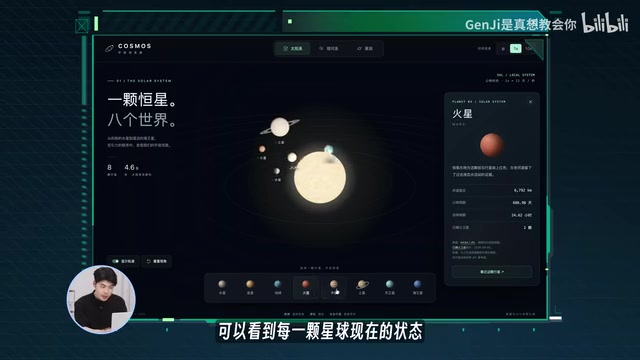
GPT-6 Astra Tested: 5 Real-World Cases That Put the 'AGI' Claim to the Test
GPT-6 Astra vs Kimi K3 vs GLM 5.3: a hands-on benchmark across 5 cases — universe browser, Apple-style product page, Plants vs. Zombies, Blender 3D modeling, and Xiamen city flythrough.

Masayoshi Son's All-In Bet on OpenAI: The Unicorn Hunter from Yahoo to GPT-6
SoftBank surged $70B in 4 days after GPT-6 Astra launched. Behind it: Masayoshi Son's decades-long bet from Yahoo and Alibaba to ARM and OpenAI.
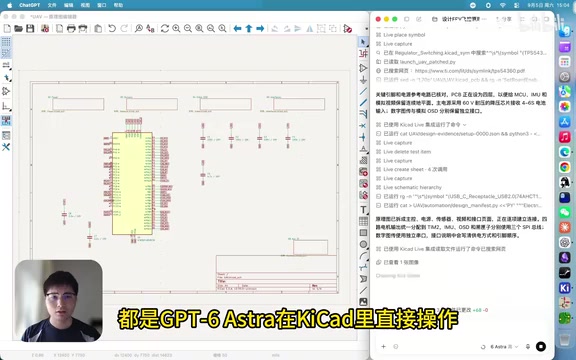
GPT-6 Astra Autonomously Designs a 6-Layer F405 FPV Flight Controller PCB: A Full Walkthrough
GPT-6 Astra autonomously designed a 6-layer F405 FPV flight controller PCB in an EDA tool — from schematic to layout, ERC/DRC checks, and full production file export — in 3h 14min using ~52M tokens. Physical testing pending.