How to Choose the Most Cost-Effective AI Model? Plus: Navigating LangChain's Confusing Doc Changes

A practical guide to AI model cost-efficiency and surviving LangChain's documentation overhaul.
This article tackles two recurring pain points in AI development: choosing the most cost-effective LLM and navigating LangChain's post-v1 documentation restructure. It recommends evaluating models across price, quality, and latency — and using a tiered routing strategy to cut costs. On the LangChain side, it explains that missing content like PDF loaders and Hugging Face embeddings has moved to `langchain-community` or partner packages, not disappeared, and advises pinning versions and searching by class name.
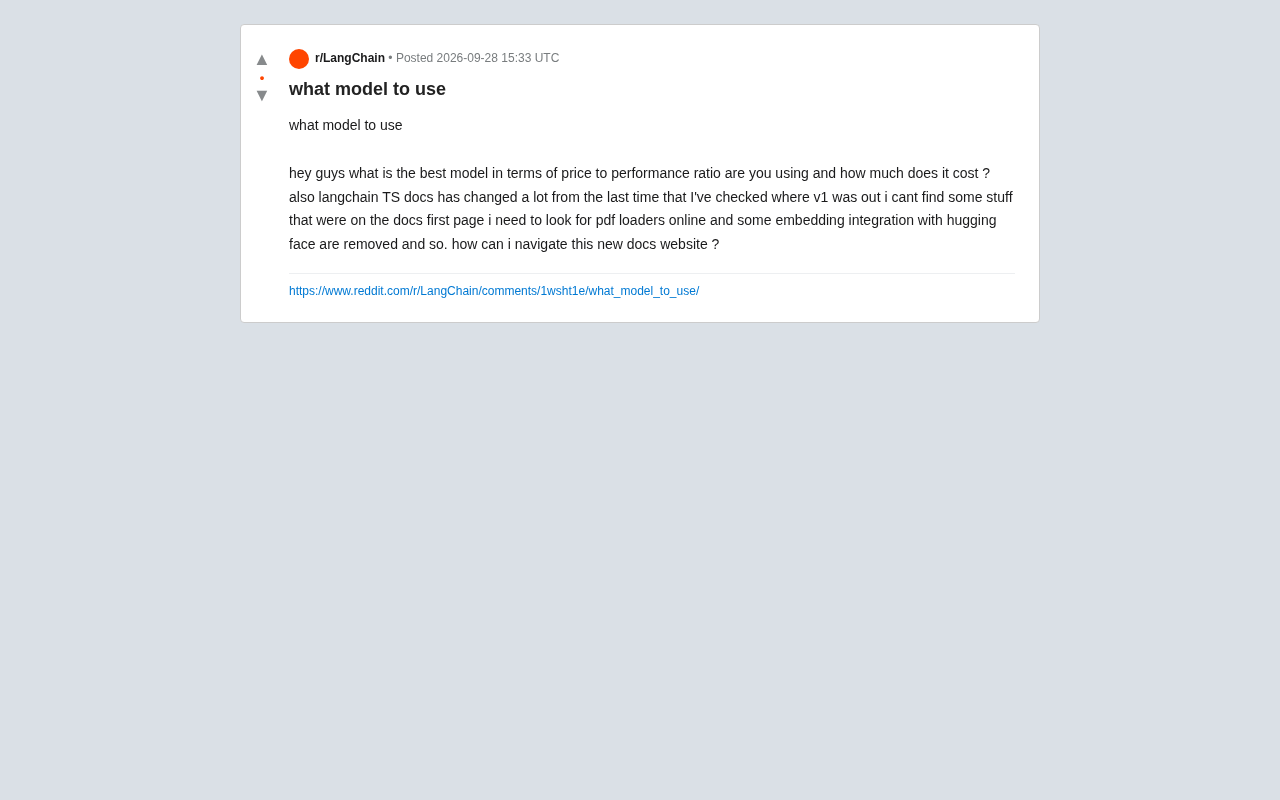
In the AI application development community, two questions keep coming up: which large language model actually balances cost and performance, and how do you keep up with rapidly changing framework documentation? A Reddit developer recently raised both at once — asking what cost-effective models people are using and how much they're spending, while also complaining that LangChain's TypeScript docs changed dramatically after v1, with previously accessible content like PDF loaders and Hugging Face embedding integrations seemingly gone.
These two seemingly unrelated questions reflect two pain points shared by nearly every AI application developer today. This article draws on community discussions to outline a practical approach to both.
How to Choose a Cost-Effective Model
"The best model" is a misleading framing. The right question is: "which model offers the best value for my specific use case?" Model selection can't be decoupled from the task at hand, because different tasks have vastly different requirements for reasoning capability, context length, and response latency.
Evaluating cost-effectiveness means looking at three dimensions together: price per token, task completion quality, and throughput/latency. A cheap model that requires multiple retries to get a correct result isn't actually cheap; an expensive model that nails complex tasks on the first try may actually be more cost-efficient.
When it comes to the cost concerns developers raise, a few lessons from practice are worth keeping in mind. For simple classification, extraction, or formatting tasks, use a small or lightweight model — costs can be pushed extremely low. Reserve flagship models for tasks requiring complex reasoning, code generation, or long-document understanding. Many teams adopt a "tiered routing" strategy: process requests with a cheaper model first, then escalate to a stronger model only when confidence is low. This can significantly reduce overall costs.
Don't Overlook Local and Open-Source Options
If your call volume is high and data privacy is a concern, self-hosting an open-source model may be more economical than paying per-token API fees. Of course, this requires weighing hardware investment and operational overhead — it only makes sense at sufficient scale. For small-to-medium projects, pay-as-you-go managed APIs remain the lowest-friction option.
Popular self-hostable open-source models include Meta's Llama series, the Mistral series, and Qwen, all of which can be run locally or on private servers using inference frameworks like Ollama, vLLM, or llama.cpp. vLLM, for example, supports continuous batching, which dramatically improves GPU utilization and suits production scenarios that need to handle concurrent requests. On the cost side, the break-even point for self-hosting typically appears when monthly API fees exceed 1.5–2x the cost of renting cloud servers — below that threshold, the operational complexity of self-hosting usually isn't worth it. Managed inference services like Hugging Face Inference Endpoints and Replicate offer a middle ground: no infrastructure to manage, and lower per-token costs than mainstream commercial APIs, making them a good fit for mid-scale projects.
Dealing with LangChain's Documentation Overhaul
The developer's second frustration is extremely common: LangChain is a fast-moving framework, and its documentation structure often changes significantly with version upgrades. He couldn't find the PDF loader, and the Hugging Face embedding integration appeared to have been removed.
In reality, most of this content hasn't been deleted — it's been reorganized or split into separate integration packages. In recent years, LangChain has stripped a large number of third-party integrations out of the main library and moved them into langchain-community or their own dedicated partner packages. The documentation was restructured accordingly, filed under an "Integrations" category rather than listed on the homepage. That's the root cause of why so many people "can't find anything."
Tips for Navigating the New Documentation
Rather than clicking through layers of the homepage, the most efficient approach to the revamped docs is to use the site's built-in search or a targeted external search engine query. When looking for a PDF loader, searching by the specific class name or module name will usually take you directly to the relevant integration page. Hugging Face embedding functionality has typically been moved into a separate integration module that requires installing an additional package.
A reliable fallback is the official API reference documentation and example code in the GitHub repository. When narrative docs are slow to update or structurally confusing, the API docs and source code tend to be more accurate. Also make sure the library version you have installed matches the version of the docs you're reading — version mismatches are the most common reason for "it works in the docs but throws an error in my code."
langchain-community is a transitional integration package introduced during LangChain's v0.1 architectural reorganization. It houses a large collection of community-maintained third-party connectors, including document loaders, vector database adapters, and embedding model interfaces. Meanwhile, higher-traffic integrations with official partnerships — such as OpenAI, Anthropic, and Google — were split into dedicated partner packages like langchain-openai and langchain-anthropic. The intent was to reduce dependency bloat in the main library and let users install only what they need. The downside is that the same feature may now exist as multiple same-named classes spread across different packages, and migration paths aren't always clearly documented. Before upgrading, consulting the Migration Guide for the relevant version and using the migration tools provided by langchain-cli can save a lot of manual debugging.
Practical Advice for Developers
Looking at both problems together, a common principle emerges: the AI ecosystem moves too fast to chase "definitive answers." What matters more is building sustainable habits for evaluation and verification.
For model selection, run small-scale benchmark tests on candidate models using a sample of real data before committing. Track quality, cost, and latency, and make decisions based on data rather than reputation. For framework usage, pin your dependency versions, prioritize the API reference and source code over narrative docs, and lean on search — this will save enormous amounts of time wasted on documentation drift.
The fact that these questions keep surfacing in the community is itself a signal: AI application development is still in a period of rapid evolution, and neither the toolchain nor best practices have fully stabilized. Staying flexible and validating things hands-on is usually more effective than waiting for an optimal choice to emerge.
Related articles

Chain of Thought Isn't Just for AI: How Humans Can Use CoT to Improve Thinking Quality
Chain of Thought isn't just a prompt trick for large models. Starting from a Hacker News discussion, this article analyzes why CoT works for human thinking too, breaks down actionable ways to transfer it, and highlights the key differences between human CoT and machine CoT.
Cloudflare Teams Up with OpenAI: Closi…
Cloudflare Teams Up with OpenAI: Closing the Loop from Vulnerability Discovery to Defense with AI
Cloudflare uses OpenAI Daybreak to investigate security vulnerabilities and generate reviewable remediation plans, while developers use Codex to boost coding efficiency and quality.

Orca Multi-Agent Orchestration in Practice: A Guide to Parallel Collaboration with Claude and Codex
Orca is Stable AI's free open-source agent workbench supporting 34 agents like Claude Code and Codex in parallel. Learn its Git worktree isolation, multi-model orchestration, and mobile management.