How to Launch Your First Open Source Project: A Complete Guide for New Authors

A systematic guide helping first-time open source authors navigate licenses, docs, contributions, and versioning.
This comprehensive guide helps first-time open source authors tackle key challenges: choosing between permissive (MIT, Apache 2.0) and copyleft (GPL) licenses, building essential project documentation, establishing Fork & Pull Request workflows with CI/CD automation, implementing semantic versioning, and managing maintainer burnout through healthy boundaries.
Starting from Zero: Common Questions New Open Source Authors Face
I recently saw a developer's question on Reddit that resonated with many in the tech community: "This is my first time open-sourcing my own project, and I'm confused—there's so much to consider that I don't even know where to start. What license should I choose? How do I accept contributions? Should I create a roadmap? Any advice for beginners?"
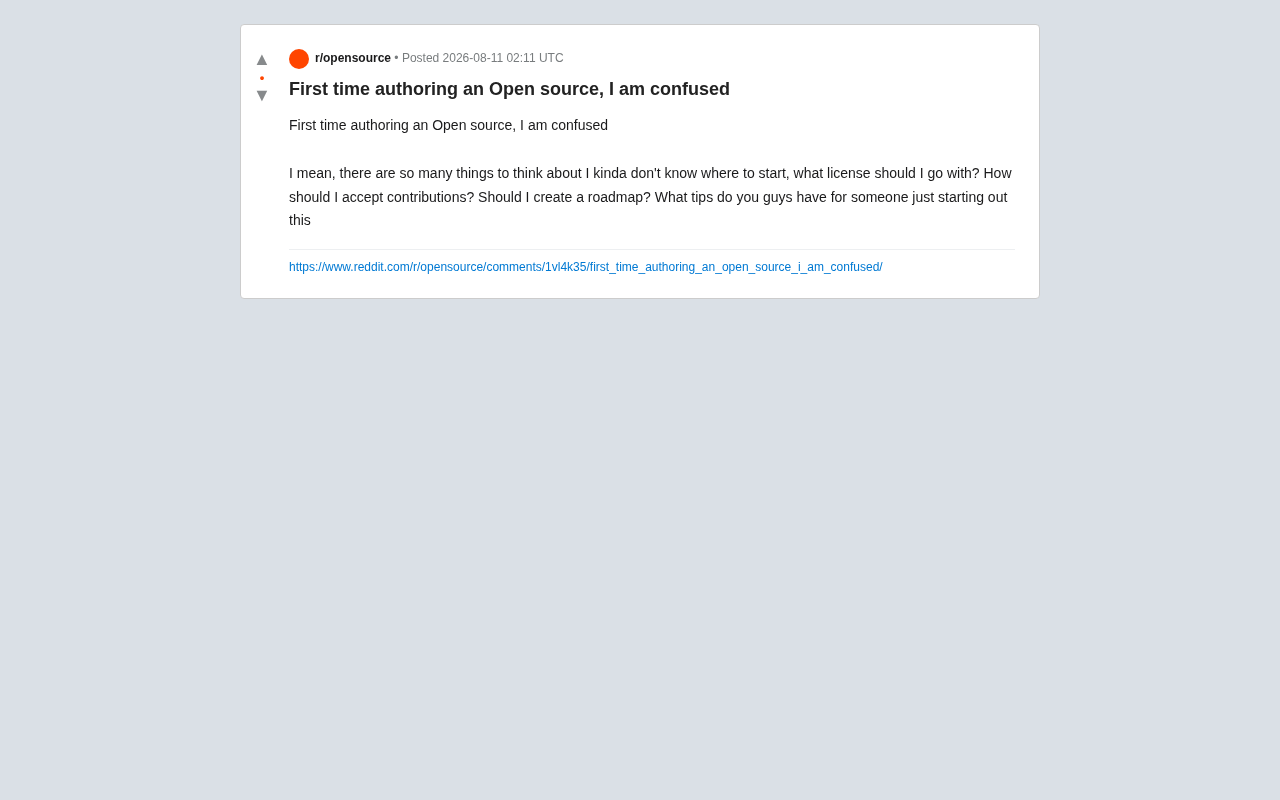
These questions may seem trivial, but they're realities every open source project author must eventually face. Open source isn't just about throwing code onto GitHub—it involves legal authorization, community governance, collaboration workflows, and long-term maintenance. This article draws on community experience to systematically walk through the key areas new open source authors need to understand.
Choosing an Open Source License: Permissive vs. Copyleft
The open source license is the legal foundation of your entire project. It determines how others can use, modify, and distribute your code.
From a legal perspective, an open source license is essentially a software copyright license that operates under copyright law in various jurisdictions. Without an explicit license, code is protected by copyright by default, and others have no right to copy, modify, or distribute it. This is why simply putting code in a public repository doesn't equal "open source"—without a license file, others legally can't do anything with it. The Open Source Initiative (OSI) maintains a list of certified open source licenses, and only those conforming to the Open Source Definition (OSD) are recognized as truly open source.
For beginners, the most important thing is understanding the difference between the two major categories of licenses.
Permissive Licenses
Permissive licenses represented by MIT, Apache 2.0, and BSD impose minimal restrictions. Anyone can use your code for virtually any purpose—including in closed-source commercial products—as long as they retain the copyright notice.
- MIT: The simplest and most popular choice, suitable for the vast majority of personal projects, with terms that are only a few lines long.
- Apache 2.0: Builds on MIT by adding explicit patent grant clauses, making it more enterprise-friendly and suitable for projects that may involve patent risks. The patent clause in Apache 2.0 addresses an important legal gray area: even if code is open source, patent rights potentially embedded in the code are not automatically granted to users. The license explicitly states that contributors grant users the patent rights involved in their contributions, and includes a "patent retaliation" clause—if someone initiates patent litigation, their patent grant is automatically terminated. This is a key reason why large tech companies like Google prefer Apache 2.0.
Copyleft Licenses
Copyleft licenses represented by GPL, AGPL, and LGPL require that any derivative work based on your code must be open-sourced under the same license. This ensures code always remains open, but may deter some commercial users.
The copyleft concept was proposed by free software movement founder Richard Stallman in the 1980s as a subversive use of traditional Copyright. Its core philosophy uses copyright law itself to safeguard software freedom—legally requiring derivative works to maintain the same openness, thereby preventing code from being "privatized." GPL is the direct product of this philosophy, while AGPL extends the concept further by requiring software that provides services over a network to also disclose its source code, addressing how SaaS models circumvent traditional GPL.
Advice for beginners: If you want your project to be adopted as widely as possible (including by enterprises), choose MIT or Apache 2.0. If you insist that your code and all derivatives must remain open source forever, choose the GPL family. When in doubt, MIT is the safest default choice. You can use choosealicense.com to quickly make a decision.
Project Documentation: Making Your Project Understandable
A good open source project is half code and half documentation. Clear documentation dramatically lowers the barrier for others to participate and use your project.
Essential Files Checklist
- README.md: The project's front door. Should include a project description, installation instructions, quick-start examples, and basic usage. This is a visitor's first impression.
- LICENSE: Contains the full text of your chosen license.
- CONTRIBUTING.md: Explains how to contribute code, including development environment setup, commit conventions, and Pull Request workflow.
- CODE_OF_CONDUCT.md: A code of conduct to foster a healthy community atmosphere. You can directly adopt the Contributor Covenant template.
- CHANGELOG.md: Records version changes so users can track updates.
A well-structured README can often determine whether a project earns its first Stars and contributors. The time you spend polishing it pays enormous dividends.
Contribution Management: How to Accept and Review Pull Requests
"How to accept contributions" was one of the original poster's biggest concerns. A healthy collaboration workflow lets your project benefit from help without descending into chaos.
Establish a Clear Fork & Pull Request Workflow
The typical open source collaboration model is Fork & Pull Request:
- A contributor Forks your repository
- Develops on their own branch
- Submits a Pull Request
- You review the code (Code Review) and decide whether to merge
The Fork & Pull Request workflow is a distributed collaboration model popularized by GitHub in 2008, rooted in Git's distributed version control capabilities. Before this, open source projects primarily relied on submitting patches via mailing lists or required direct commit access to the repository (as in the SVN era). The revolutionary aspect of the Fork & PR model is that it completely separates "contribution rights" from "merge rights"—anyone can start contributing without prior permission, dramatically lowering the barrier to open source participation. This is one of the key mechanisms that enabled GitHub to foster its massive open source ecosystem.
To reduce ineffective contributions, you can:
- Use Issue templates and PR templates to guide submitters in providing necessary information
- Use labels to mark
good first issue, helping new contributors find entry-level tasks - Configure CI/CD (e.g., GitHub Actions) to automatically run tests and code checks
CI/CD (Continuous Integration/Continuous Deployment) is a set of automation practices where CI means automatically running builds and tests after every code commit, and CD means deploying code to production through automated pipelines. For open source projects, CI is particularly important: when an unfamiliar contributor submits a PR, automated tests can verify code correctness and compatibility before a maintainer manually reviews it. GitHub Actions is currently the most popular CI tool for open source projects—it's completely free for public repositories, supports defining workflows via YAML files, and can run unit tests, linting, type checking, security scanning, and more.
Learn to Say "No"
A common mistake new authors make is accepting all PRs. But every line of code merged in becomes your future maintenance burden. Politely but firmly declining contributions that don't align with the project's direction is an essential skill for maintainers.
Roadmap and Version Management: Making Project Direction Visible
Regarding "should I create a roadmap," the answer is: yes, but it doesn't need to be overly formal.
For early-stage projects, a roadmap doesn't need to be a detailed Gantt chart—it can be a few lines of text in your README, or GitHub's Milestones feature, explaining what you plan to do next. This lets potential users and contributors understand the project's direction and activity level.
Additionally, it's recommended to adopt Semantic Versioning (SemVer), using the format MAJOR.MINOR.PATCH (e.g., 1.2.3), so users clearly understand the scope of each update. Semantic Versioning was proposed by GitHub co-founder Tom Preston-Werner. The rules are: the MAJOR version increments for incompatible API changes; the MINOR version increments for backward-compatible new features; and the PATCH version increments for backward-compatible bug fixes. For example, going from 1.2.3 to 2.0.0 signals breaking changes, and users should be extra careful when upgrading. SemVer has become the versioning convention foundation for mainstream package managers like npm, Cargo, and pip, with dependency resolution tools using it to automatically determine which versions can be safely upgraded.
Core Advice for New Open Source Authors
Drawing from common community experience, here are some of the most practical tips:
- Don't wait for perfection before publishing. Release a minimal working version first—iterating in the open is far more effective than building behind closed doors.
- Lower the barrier to participation. Clear documentation and a friendly attitude attract contributors more than flashy features.
- Manage your energy. Open source maintenance can easily lead to burnout. Set a reasonable response cadence—you have no obligation to immediately reply to every Issue.
Open source maintainer burnout has been a widely discussed issue in recent years. The 2016 left-pad incident, the 2021 Log4Shell vulnerability, and the 2024 xz-utils backdoor all exposed a harsh reality: vast amounts of critical infrastructure depend on a handful of unpaid maintainers. Research shows that core maintainers of many popular open source projects are under chronic pressure—facing endless Issues, feature requests, and security vulnerabilities with no financial return or organizational support. Platforms like GitHub Sponsors, Open Collective, and Tidelift attempt to alleviate this through funding, but a fundamental solution still requires the entire industry to re-evaluate the value of open source maintenance work. As a new author, establishing healthy boundaries from the start is key to long-term sustainable maintenance.
- Start by emulating. Find a mature open source project you admire, observe its repository structure, documentation organization, and collaboration practices, and borrow directly from it.
Conclusion
Feeling confused as a first-time open source author is completely normal. The essence of open source isn't just sharing code—it's building a sustainable collaborative ecosystem. You don't need to figure everything out from the start—pick an MIT license, write a decent README, publish it, and then gradually learn and adjust through real community interactions. Taking that first step is itself the most important thing.
Related articles

Python 3.15 New Feature: Is the sentinel Type Better Than None?
Python 3.15 adds the sentinel type, using named unique sentinel objects to replace None and bare object(), resolving confusion among missing values, explicit emptiness, and invalid input while avoiding type hint failures.

Deep Learning's Three Architectures and the Universal Approximation Theorem: A Complete Guide to MLPs, CNNs, and Transformers
Explaining the inductive bias differences among MLP, CNN, and Transformer, the existence meaning of the Universal Approximation Theorem (UAT), and the role of Taylor expansion in approximation analysis, while clearing up common misconceptions.

GitLab Emergency Patch Release: Analysis of Critical Security Fixes
GitLab releases critical patch 19.5.1, sparking 355 points of discussion on Hacker News. This article analyzes the background, upgrade steps for self-hosted instances, and verification points to help DevOps teams respond quickly to security updates.