How to Use Gemini 3.1 Pro in China? 5 Solutions Tested and Compared

A comparison guide to 5 solutions for accessing Gemini 3.1 Pro from within China.
This article addresses the practical challenges Chinese users face accessing Google's latest Gemini 3.1 Pro model, presenting five viable solutions: Google AI Studio (free but limited), Gemini official website (most complete but highest barrier), 2233.ai relay platform (hassle-free domestic access), API relay (flexible for developers), and POE aggregation platform (one-stop multi-model experience). It recommends choosing based on network conditions, payment capability, and use case.
Google's latest Gemini 3.1 Pro has broken records on multiple mainstream benchmarks, and it integrates with Notebook LM, enabling direct access to personal local knowledge bases — making it exceptionally powerful overall. Benchmarks are standardized test sets used in the AI field to measure model capabilities. Common ones include MMLU (Massive Multitask Language Understanding), HumanEval (code generation ability), MATH (mathematical reasoning), GPQA (graduate-level Q&A), and more, covering dimensions like language understanding, logical reasoning, code writing, and multimodal processing. However, it's worth noting that high benchmark scores don't necessarily translate to great real-world experience. The industry increasingly values ranking mechanisms like Chatbot Arena, which relies on blind-test voting by real users as a supplementary evaluation.
But for users in China, how to reliably and efficiently access this model remains an unavoidable practical challenge.
This article covers 5 solutions for using Gemini 3.1 Pro from within China, ranging from complete beginners to power users with programming skills. Each solution's pros, cons, and ideal user profiles are broken down in detail to help you quickly find the best path.
Solution 1: Google AI Studio — The Lowest-Cost Official Entry Point
Google AI Studio is Google's official developer platform, but regular users can absolutely use it as a chat tool directly. This is the go-to choice for most users who have the network conditions, for a simple reason: free quota, no credit card required, no subscription needed — just sign up for a Google account and you're good to go.
Once on the platform, simply select the Gemini 3.1 Pro model to start chatting. Google's intent behind offering free access is to collect user data to optimize model training, so keep a few things in mind:
- Performance throttling risk: The free version may experience compute fluctuations
- Rate limits: Free quota has API call frequency caps
- Version differences: You may occasionally encounter different internal test versions
- Limited features: No integration with Notebook LM
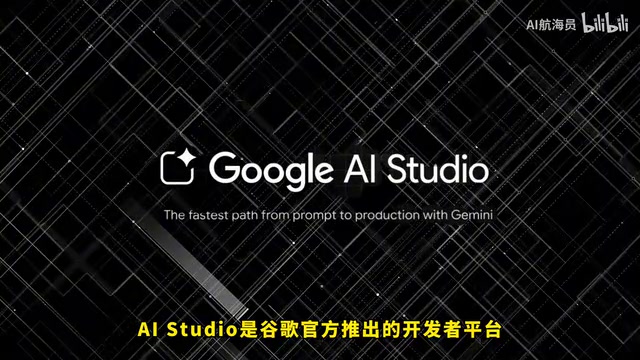
Best for: Users with network access, limited budgets, and light daily usage.
Solution 2: Gemini Official Website — Most Complete Experience but Highest Barrier
The Gemini official website offers the best user experience among all solutions, with the most comprehensive features. The most differentiated feature is Notebook LM integration. Notebook LM is a personal knowledge management tool built on large language models by Google. Users can upload PDFs, Google Docs, web links, YouTube videos, and other formats, and the system builds a dedicated knowledge base from these materials. Its core technology is RAG (Retrieval-Augmented Generation) — when answering questions, the model first retrieves relevant passages from user-uploaded documents, then generates answers based on the retrieved results, significantly reducing AI hallucination issues. Gemini 3.1 Pro's integration with Notebook LM means users can leverage the strongest model capabilities to process their private knowledge bases, which is enormously valuable in scenarios like academic research, legal document analysis, and enterprise knowledge management. Additionally, features like music generation are exclusively available on the official website — a unique advantage no alternative solution can offer.
But the practical challenges are clear: accessing the official website has become increasingly difficult recently. More critically, Gemini 3.1 Pro is currently prioritized for paid Pro and Ultra users on the official site. Free accounts can use it, but the quota is extremely limited.
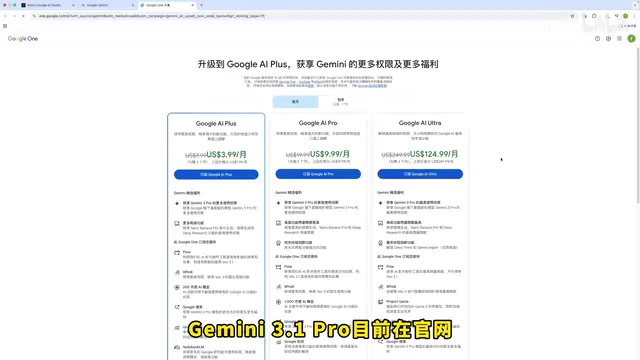
In my testing, the free quota is basically enough for one use per day — once depleted, you have to wait until the next day for a refresh. If you have stable network access and an overseas payment method, consider subscribing to Pro membership to unlock the full experience.
Best for: Users who need full functionality (especially Notebook LM integration) and have stable network access and overseas payment capability.
Solution 3: 2233.ai — The Optimal Balance for Users in China
If you don't want to deal with network setup, this solution deserves special attention. 2233.ai is one of the more mature AI relay platforms in China, with a solid reputation in AI circles. It supports mainstream models including ChatGPT, Claude, and Gemini.
Its biggest advantage can be summed up in one word: hassle-free. No special network environment needed — just open it and start using it.
From a technical architecture perspective, these domestic relay platforms typically work by deploying proxy servers overseas, calling the official APIs of Google, OpenAI, Anthropic, and other companies through those servers, then forwarding results to domestic users. The request chain is roughly: Domestic client → Relay platform domestic node → Relay platform overseas server → Model official API → Return via same route. This architecture eliminates the need for users to solve network issues themselves. However, note that all conversation content passes through the relay platform's servers, so there are data privacy considerations. When choosing a relay platform, pay attention to its operating history, user reputation, data privacy policies, and whether it has a stable technical team for maintenance.
In terms of Gemini usage experience, 2233.ai's interface design is nearly identical to the official site, offering a very close-to-native experience. It currently supports Gemini 3.1 Pro along with other flagship models. Among similar platforms, 2233.ai's pricing is on the lower end, offering good value for money.

The drawbacks are straightforward: no Notebook LM integration — a common limitation of all third-party platforms. Additionally, due to latency stacking from multi-hop network transmission, response speed may be slower than direct API connections when generating long text.
Best for: Users in China without network access or who don't want the hassle, seeking an out-of-the-box experience.
Solution 4: API Relay — The Flexible Choice for Developers
Non-programmers can skip this solution entirely.
By calling Gemini 3.1 Pro's capabilities through API, you pay only for the Tokens you use — pure pay-as-you-go. Here's an explanation of Tokens: a Token is the basic unit that large language models use to process text, and it doesn't simply equal one character or one word. In English, one Token corresponds to roughly 4 characters or 0.75 words; in Chinese, one character is typically split into 1-3 Tokens, depending on the model's Tokenizer. API usage-based billing usually distinguishes between input Tokens (content sent by the user) and output Tokens (content generated by the model), with output Token pricing typically 2-4x that of input. Gemini 3.1 Pro features an ultra-long Context Window, supporting extremely long text inputs, but this also means that a single call with large text inputs can consume a substantial number of Tokens — cost management is important.
The two most popular API relay platforms among developers are GPTS API and OpenRouter, both of which have already launched Gemini 3.1 Pro. OpenRouter's operating model unifies multiple AI companies' model APIs into a single interface compatible with the OpenAI API format, allowing developers to switch between models by connecting to just one API. The advantage of this standardized interface is exceptional ecosystem compatibility — tools like Cursor and Cherry Studio mostly natively support the OpenAI API format, enabling seamless integration.
Pricing:
- GPTS API: Same pricing as official
- OpenRouter: Slightly more expensive
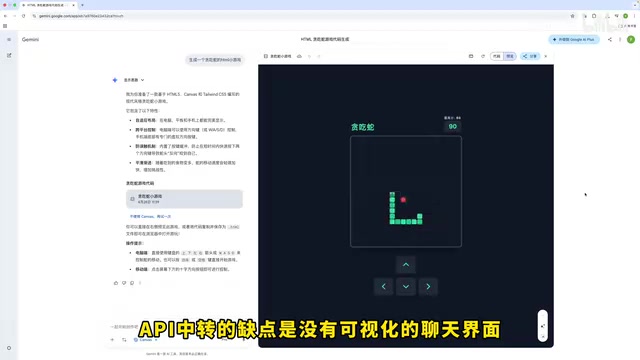
The core shortcoming of API relay is no ready-made chat interface — you need to connect it with tools like Cursor or Cherry Studio yourself, making the onboarding cost relatively high. Cursor is currently one of the hottest AI coding tools among developers, deeply integrating large language models into the code editor with support for code completion, refactoring, bug fixing, and more. By connecting Gemini 3.1 Pro through API relay, developers can use Gemini's capabilities directly within Cursor to assist with programming. For developers who need to integrate Gemini's capabilities into their workflows, this is the most flexible solution.
Best for: Developers with programming skills who need to integrate model capabilities into their toolchains.
Solution 5: POE — One-Stop AI Model Aggregation Platform
POE (Platform for Open Exploration) is an AI aggregation platform under Quora, launched by Quora founder Adam D'Angelo (who is also a member of OpenAI's board of directors), with a considerable global user base. Its logic is credits-based: after purchasing credits, you can use all models on the platform, including GPT, Claude, Gemini, and more — no need to register accounts everywhere.
This credits-based business model is essentially compute reselling: the platform bulk-purchases API call quotas from various model providers, then distributes them to end users in the form of credits. Different models consume different amounts of credits — models with larger parameter counts and higher inference costs (like GPT-4o, Claude 3.5 Sonnet, Gemini 3.1 Pro) consume more credits. The advantage of this model is reduced management overhead for users — no need to separately register on multiple platforms, manage multiple API Keys, or handle multiple billing systems. The disadvantage is that users cannot precisely control model parameters (such as temperature, Top-P, and other sampling parameters), and the platform may impose additional input/output length restrictions to control costs.
For users who want to experience all mainstream models, POE is genuinely convenient — one platform handles everything. Gemini 3.1 Pro is now available on POE for direct access.
But the drawback is obvious: subscription membership requires an overseas bank card for payment — domestic bank cards cannot complete the transaction, which is a hard barrier for many users.
Best for: Users with overseas payment capability who want to experience multiple models on a single platform.
Side-by-Side Comparison of All Five Solutions
| Solution | Network Required | Cost | Feature Completeness | Difficulty |
|---|---|---|---|---|
| AI Studio | Yes | Free | Medium | Low |
| Gemini Official Site | Yes | Free/Subscription | Highest | Low |
| 2233.ai | No | Paid | High | Lowest |
| API Relay | Platform-dependent | Pay-as-you-go | Model capability only | High |
| POE | Yes | Credits-based | High | Medium |
Summary and Recommendations
Which solution to choose comes down to three core factors: network conditions, payment capability, and use case.
- Have network access with a limited budget → AI Studio is the best starting point
- Need full features like Notebook LM → Only the Gemini official website can deliver
- In China and don't want the hassle → 2233.ai is the most hassle-free choice
- Developer needing to integrate model capabilities → API Relay is the most flexible
- Want a one-stop experience across multiple models → POE is worth considering
Gemini 3.1 Pro's capabilities are beyond question — the key is finding the access method that works for you. I recommend starting with free solutions to confirm the model meets your needs, then consider upgrading to paid options.
Related articles
 Product Reviews
The Programmer's Desk Setup Guide: Building a Workspace That Feels Like Home
Discover how programmers build productive, comfortable workspaces. From multi-monitor setups to ergonomic design, explore the desk philosophy that drives focus and flow.
 Product Reviews
Qoder vs Cursor Real-World Comparison: Which $20/Month AI IDE Is Better?
Hands-on comparison of Qoder vs Cursor AI IDEs: Agent autonomy, human interaction count, and architecture decisions. Qoder needed only 2 interactions vs Cursor's 8.
 Product Reviews
Cursor Cloud Agent Demo: Eliminating Bottlenecks Across the Entire Software Development Lifecycle
Deep analysis of Cursor's Cloud Agent demo showing how cloud VMs, automated test artifacts, and a full-chain control plane systematically eliminate human bottlenecks across the software development lifecycle.