How to Use WorkBuddy: A Guide to Installing the Local AI Agent and Building Your Workbench

WorkBuddy is a low-barrier, locally deployed AI agent that autonomously executes tasks and delivers finished results—ideal for ordinary office workers.
Starting from the limitation of traditional large models—'advice without action'—the article identifies the dividing line between AI agents and traditional AI: whether they can fully execute a task within authorized scope and deliver a finished product. It then introduces WorkBuddy, a locally deployed 'domestic alternative to Codex' requiring no special network environment or complex setup, capable of document formatting, PPT creation, data analysis, coding, and even browser control, with multi-agent parallelism for complex tasks. It explains its beginner-friendliness across four dimensions—ease of use, adaptation to the domestic office ecosystem, security controls, and cost—and covers Skill plugins, multi-role experts, multi-model switching, and the MCP extension interface. Finally, it compares freedom versus barrier to entry with Codex and recommends it to office workers swamped by repetitive document work, while noting the content is based on a single creator's demo and should be tested firsthand.
The Limits of Traditional AI: Advice Without Action
We use all kinds of AI tools every day, but the vast majority still operate on a question-and-answer model—you ask how to fix the layout of a Word document, and it gives you a set of steps, leaving all the manual labor to you. According to a demonstration in a Bilibili creator's tutorial, when a regular large model is faced with a poorly formatted Word document, it only tells you how to adjust the layout; every adjustment still has to be done by hand, item by item.
This is exactly the dividing line between AI agents and traditional large models. Traditional AI outputs copy, plans, and suggestions; an agent, within the scope of user authorization, fully executes the task and delivers the result. The creator summed it up in one sentence: the former is a response tool, while the latter is more like a digital employee on duty around the clock, able to autonomously operate the computer, invoke office tools, plan workflows, and directly produce finished deliverables.
What Is WorkBuddy: A Local AI Agent with an Extremely Low Barrier to Entry
WorkBuddyAd is described by the creator as a "domestic alternative to Codex." Its core selling points are local deployment, no need for a special network environment, and no complicated configuration—zero-experience users can simply download it from the official website and get started. Its capabilities cover writing proposals, building spreadsheets, data analysis, making posters, writing code for development, and even taking over the browser to control various software, producing results with one click.

The tutorial demonstrates two typical scenarios: first, after the user inputs an organizing request in natural language, WorkBuddy automatically locates the target document on the desktop and completes beautification, layout, and format unification with no manual intervention throughout; second, after a request is provided, it fully automatically creates a PPT with animated effects. Once a unified standard is set, it can also batch-process dozens or hundreds of documents, far more efficiently than manual work.
The Differentiation of Multi-Agent Parallelism
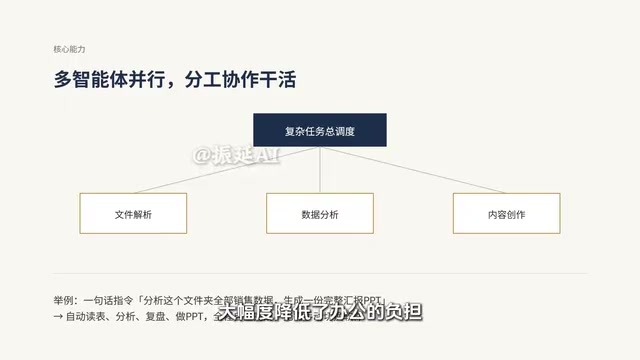
Compared with ordinary agents, WorkBuddy supports multi-agent parallel work. When faced with a complex task, it automatically breaks down the workflow and mobilizes multiple "digital employees" to divide the work and collaborate, separately handling file parsing, data analysis, and content creation. The creator gives an example: instruct it to analyze all the sales data in a folder, automatically review and summarize it, and generate a reporting PPT—the entire chain can be completed autonomously without manually switching between various software programs.
Multi-Agent parallelism refers to running multiple independent agent instances simultaneously within a single task, each with its own context, tool permissions, and assigned goals. Compared with a single agent processing serially, its key value lies in task decomposition and parallel execution: the orchestration layer first breaks a complex goal into subtasks, then assigns subtasks to different "digital employees" based on capability, and finally a aggregation layer merges the results. This architecture can significantly shorten the time required for long-chain tasks and also makes each sub-step's prompts and tool sets more focused and less error-prone. The cost is that orchestration and result merging themselves require extra design, and if data dependencies between subtasks are mishandled, information inconsistency can easily arise.
Why Beginners Should Choose It First: Advantages Across Four Dimensions
Extremely low barrier to entry. Search the official website in a browser to download it; the local deployment process is simple and intuitive, requiring no professional technical background.
Deep adaptation to the domestic office ecosystem. The platform's dedicated connectors are the authorization entry points for interfacing with various office software, and can bind common tools such as WeCom. After authorization, it can automatically sort through chat content, organize meeting minutes, and help handle work messages, integrating AI into actual workflows and forming a closed office loop.
Security controls. It is equipped with permission controls and dangerous-command interception mechanisms. All file reads and software operations require user authorization, and high-risk operations are automatically intercepted, fundamentally avoiding the risks of data leaks and misoperations.
User-friendly cost. New users receive points upon registration and can claim a free quota every day, enough to cover daily light office needs. According to the creator's observation, most overseas agents require paid subscriptions and only show results with heavy use, whereas this type of tool is better suited to ordinary office workers.

Extensibility: Skill Plugins and Multi-Role Experts
The platform includes built-in Chinese Skill plugins, all of which are pre-built professional skills that support one-click installation, extending office capabilities as needed. It also comes with multi-role expert agents covering positions such as development, HR, operations, sales, and administration, which can be invoked with one click to assist with the corresponding professional work. At an advanced level, there are two further points of support: first, multi-model switching, compatible with multiple domestic large models and flexibly interchangeable according to business needs; second, the MCP Service extension interface, which can connect to custom business tools and expand the boundaries of what the AI can do.
MCP (Model Context Protocol) is an open interface specification for connecting large models with external tools and data sources. You can think of it as the "USB interface of the AI world": as long as a piece of software or a service exposes its capabilities according to the specification (reading files, querying a database, calling an API), an agent can discover and invoke it in a unified way, without the need to write separate adapter code for each tool. The significance of the MCP Service extension interface is that it extends the agent's capability boundary from built-in features to the user's own business systems, such as an internal ticketing system or a private knowledge base. It should be noted that after connecting custom tools, permission scopes and data flows should also be incorporated into authorization and auditing mechanisms.
How to Choose Between It and Codex: Weighing Freedom Against Barrier to Entry
Agents like Codex offer greater freedom, but they require professional foundations such as coding and command-line configuration, making the barrier high and unsuitable for beginners. WorkBuddy, by contrast, takes a route that balances ease of use, low cost, and localization, enabling office workers across all industries to get started quickly.
It should be noted that the above content is mainly based on the one-sided demonstration and evaluation in this creator's tutorial, and it is still recommended that you test against the official website for the actual experience. The accompanying "blue book" materials promised in the tutorial also need to be obtained through the video author's channels.
The trade-off between "freedom" and "barrier to entry" is a core variable in selecting agent products. High-freedom tools usually rely on command lines, configuration files, and script orchestration as their primary interaction methods, allowing users to precisely control every step of behavior and tool invocation, but requiring users to understand the runtime environment, dependency installation, and error troubleshooting. Highly packaged products condense these details into a graphical interface and pre-built workflows, trading some customizability for speed of adoption. For most office scenarios, where task patterns are relatively fixed, the efficiency gains from packaging often outweigh the flexibility gains from customization; only when business processes are highly specialized and require deep coupling with non-standard systems do high-freedom solutions become more advantageous.
Who It's For: A Realistic Entry Point for Office Automation
If your daily work is dominated by a large amount of repetitive document processing, report organization, and preparation of briefing materials, and you don't want to spend time learning programming and configuration, this type of local agent is currently a cost-effective entry point. It does not pursue extreme customizability, but instead takes "being able to directly deliver finished products" as its core value—and for ordinary office workers, this is precisely the most practical part.
Related articles
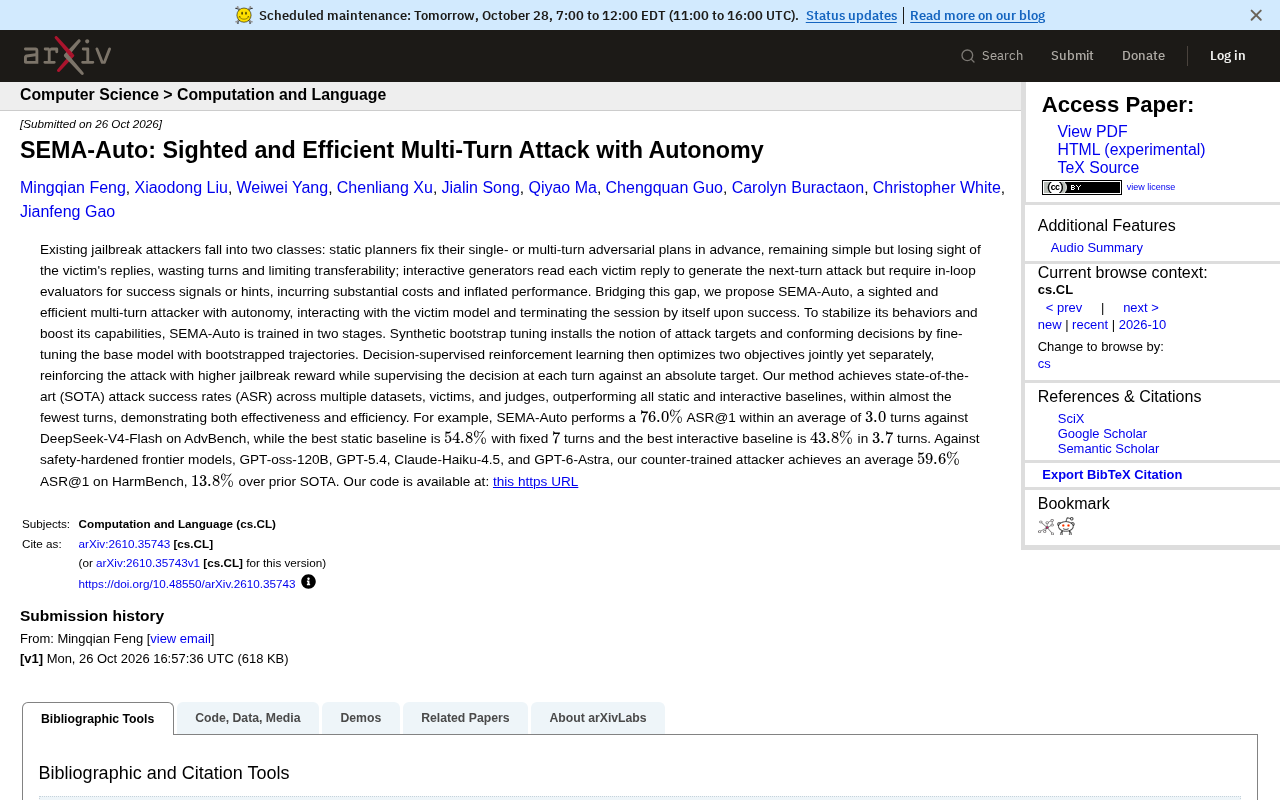
SEMA-Auto: Breakthroughs in Both Efficiency and Success Rate for Autonomous Multi-Turn Jailbreak Attacks
Microsoft proposes SEMA-Auto, an autonomous multi-turn jailbreak attack method that achieves autonomous termination and efficient attacks via two-stage training, reaching 76% success rate in 3 turns on AdvBench, surpassing static and interactive baselines.

Acer Predator Atlas 8 Gaming Handheld Debuts in the US, Exclusive at Best Buy
Acer's Predator Atlas 8 gaming handheld arrives in the US for the first time, with the Intel Arc G3 Extreme edition sold exclusively at Best Buy. Model choice, channel strategy, and market competition analyzed.
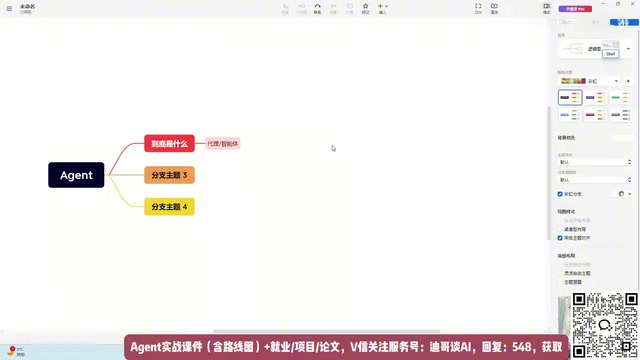
LLM Agent Research Guide: Breaking Down Agent Principles and Implementation Approaches
Starting from a Bilibili creator's accessible explanation, this article breaks down the core principles of Agent: understanding commands, task decomposition, and step-by-step LLM calls. It analyzes the practical limitations of rule-dependent Agent design and offers implementation ideas for research topic selection starting from rule design.