Jules Review: Is Google's Free AI Coding Agent Worth It? A Deep Comparison with Cursor

Google launches Jules, a free async AI coding agent with deep GitHub integration to rival Cursor and Copilot.
Google has released Jules, a free AI coding assistant positioned as an asynchronous coding agent. It connects directly to GitHub repositories and autonomously handles the full workflow from requirements analysis and code planning to test execution. Unlike paid tools like Cursor and GitHub Copilot, Jules uses a Plan-Execute-Verify model, runs tasks in the background, and features a unique voice summary capability. Google's free-entry strategy aims to capture developer mindshare and build its AI platform ecosystem.
Google Enters the AI Coding Race with Jules
The competition in AI coding tools is heating up, and Google has finally played its hand — Jules. This AI coding assistant can autonomously handle complex programming tasks. Unlike Cursor and GitHub Copilot, which require paid subscriptions, Jules is currently completely free, taking the price war all the way to zero.
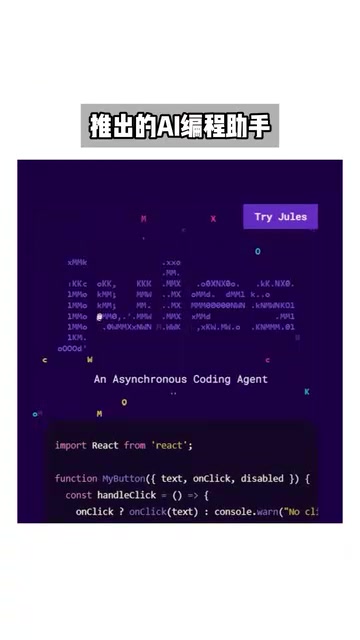
But don't mistake Jules for just another code completion tool. It's positioned as an Asynchronous Coding Agent — you hand it a task, and it independently handles the entire workflow in the background, from requirements analysis and code planning to writing tests, while you get on with other things.
The concept of an "asynchronous coding agent" represents the latest evolution in AI coding tools. Traditional AI coding assistants operate synchronously — as developers type, the AI provides real-time completion suggestions, requiring continuous attention and interaction. Asynchronous agents, by contrast, borrow from the software engineering concept of "async tasks": once a task is submitted, the agent runs autonomously in an isolated execution environment without blocking the developer's other work. The technical foundation for this is the combination of large language model (LLM) reasoning capabilities and tool use — the agent doesn't just generate code, it can autonomously invoke external tools like file I/O, terminal commands, and testing frameworks to complete a full task loop. This concept aligns with the broader "AI Agent" wave that has dominated industry discussion since 2024, representing a paradigm shift from "AI-assisted" to "AI-autonomous execution."
Jules Core Features: Direct GitHub Integration and End-to-End Automated Coding
Deep GitHub Repository Integration
Jules' most practical capability is directly connecting to your GitHub repositories, reading the full context of your entire codebase. It doesn't generate code snippets in a vacuum — it genuinely understands your project's architecture, coding style, and business logic before getting to work.

This deep, codebase-level integration involves several key technologies. First is full-repository context understanding — unlike tools that only analyze the currently open file, Jules needs to index and semantically understand the entire repository. This typically relies on Retrieval-Augmented Generation (RAG), splitting the codebase into semantic chunks, building a vector index, and retrieving the most relevant code snippets as context during task execution. Second is deep GitHub API integration, covering operations like reading repository file structures, branch management, creating Pull Requests, and reading Issue descriptions. Google has a natural advantage here — its Gemini model supports an extremely long context window (up to 1 million tokens), providing the model-level foundation for understanding large codebases.
Based on its understanding of the complete codebase, Jules can handle:
- Adding new features: Describe requirements in natural language, and it automatically finds the right place to add code
- Fixing bugs: Pinpoints the root cause and generates a fix
- Code refactoring: Optimizes existing code structure to improve maintainability

The Plan-Execute-Verify Workflow
Unlike the instant responses of traditional AI code completion tools, Jules follows a "Plan-Execute-Verify" approach. After you describe your requirements, it doesn't rush to write code — it first drafts a detailed execution plan, then implements it step by step, and finally runs tests automatically to validate the results.
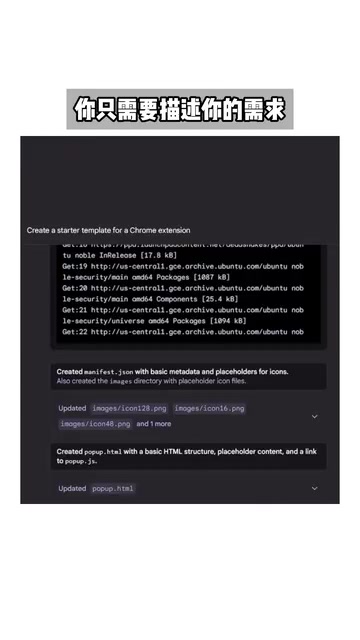
This three-phase workflow actually mirrors the methodology of senior software engineers. In traditional software development, experienced engineers design a technical solution (a Design Doc) before writing a single line of code, then validate correctness through unit and integration tests after implementation. In the AI Agent space, this pattern is known as an engineering application of the ReAct (Reasoning and Acting) framework — the AI first reasons and plans, then executes specific actions, and finally observes results to verify and adjust. Compared to the "one-shot output" model of directly generating code, this phased approach significantly reduces the probability of generating incorrect code, because the plan can be reviewed and corrected by the developer before a large amount of code has been written, avoiding the costly situation of discovering a fundamental direction error only after the fact.
The practical benefit of this async model is straightforward — once you submit a task description, you can go handle other things while Jules quietly gets it done in the background and notifies you when it's ready for review. For developers juggling multiple tasks simultaneously, this workflow delivers a meaningful efficiency boost.
Voice Summaries: Jules' Standout Feature Among AI Coding Tools
Among all the AI coding tools out there, Jules has one genuinely distinctive feature — voice summaries. It can automatically generate spoken reports of code changes, keeping you updated on project progress at any time.
This might sound like a gimmick, but it's genuinely useful in real-world scenarios. If you're in a meeting or handling something else, you don't need to open your editor and dig through code — a quick audio summary tells you everything you need to know about what changed. This interaction mode reduces the cognitive overhead of context-switching, and is especially well-suited for developers who need to keep tabs on multiple projects simultaneously. From a human-computer interaction perspective, voice summaries essentially shift information load from the visual channel to the auditory channel, allowing developers to stay aware of project status even when their hands and eyes are occupied — a direction that aligns closely with the broader trend toward multimodal AI interaction.
Jules vs. Cursor vs. Copilot: Can a Free AI Coding Tool Challenge Paid Solutions?
Here's how the major players in the AI coding tool market currently stack up:
| Tool | Pricing | Core Strengths |
|---|---|---|
| Cursor | Paid subscription | Deep IDE-level integration, real-time interaction |
| GitHub Copilot | Paid subscription | Code completion and conversational coding |
| Jules | Free | Async coding agent, deep GitHub integration |
Google's free-entry strategy has a clear goal: build user volume first. Backed by Google's accumulated AI infrastructure, Jules has a natural advantage in model capability and compute resources. But Cursor and Copilot have already cultivated loyal user bases — to win them over, being free isn't enough. Actual code quality and user experience are what will ultimately matter.
Google's decision to launch Jules for free follows a clear commercial logic. The AI coding tool market is in a period of rapid growth: Cursor was valued at several billion dollars in 2024, and GitHub Copilot generates substantial subscription revenue for Microsoft. Google entered this space relatively late, but its advantage lies in the completeness of its underlying AI infrastructure — custom TPU chips for compute, the Gemini model family for inference, and Google Cloud for deployment and scaling. The free strategy is essentially trading compute costs for market share and user data, which in turn can be used to optimize the model's performance in coding scenarios, creating a flywheel effect. Additionally, locking the developer ecosystem into Google's AI platform helps drive growth in paid products like Google Cloud — a business model not unlike how Google built its advertising empire through a free search engine.
From a product positioning standpoint, Jules and Cursor aren't entirely in direct competition. Cursor excels at real-time, in-IDE interactive experiences; Jules excels at handling complex tasks asynchronously in the background. The two can work perfectly in tandem — use Cursor for immediate coding needs, and Jules for large background tasks.
Is Jules Worth Using? Practical Recommendations
The emergence of Jules signals that AI coding tools are moving from "assisted completion" to "autonomous agents." The developer's role is shifting too — from writing every line of code by hand, toward reviewing and governing the quality of AI-generated code.
This evolution follows a clear three-stage trajectory: Stage 1 was code completion (2021–2022), exemplified by GitHub Copilot, where AI predicts the next lines of code based on context. Stage 2 was conversational coding (2023–2024), where developers could use natural language to generate and modify code through dialogue — Cursor's Chat feature is a prime example. Stage 3 is autonomous coding agents (2024–present), where AI can independently complete the full workflow from understanding requirements to delivering code. Cognition AI's Devin, OpenAI's Codex Agent, and now Jules all belong to this third stage. This shift is redefining what it means to be a software engineer, placing greater emphasis on higher-level skills like code review, architectural design, and requirements decomposition.
For individual developers and small teams, a free and capable AI coding agent is a genuinely meaningful benefit. Jules may not completely replace your existing development tools, but as an async coding assistant integrated into your daily workflow, its value is already clear.
If you have GitHub repositories to maintain, it's worth giving Jules a try — it won't cost you anything.
Key Takeaways
- Jules is Google's free AI coding assistant, capable of autonomously handling complex programming tasks
- Supports direct connection to GitHub repositories, reading full codebase context for feature additions and bug fixes
- Uses an async agent model to automatically complete the full workflow: requirements planning, code writing, and test execution
- Features a unique voice summary capability that can report code changes in audio form at any time
- Enters the market with a free pricing strategy, posing direct competition to paid AI coding tools like Cursor
Related articles
 Product Reviews
The Programmer's Desk Setup Guide: Building a Workspace That Feels Like Home
Discover how programmers build productive, comfortable workspaces. From multi-monitor setups to ergonomic design, explore the desk philosophy that drives focus and flow.
 Product Reviews
Qoder vs Cursor Real-World Comparison: Which $20/Month AI IDE Is Better?
Hands-on comparison of Qoder vs Cursor AI IDEs: Agent autonomy, human interaction count, and architecture decisions. Qoder needed only 2 interactions vs Cursor's 8.
 Product Reviews
Cursor Cloud Agent Demo: Eliminating Bottlenecks Across the Entire Software Development Lifecycle
Deep analysis of Cursor's Cloud Agent demo showing how cloud VMs, automated test artifacts, and a full-chain control plane systematically eliminate human bottlenecks across the software development lifecycle.