kayet: A Minimalist's macOS Text Editor

kayet is a minimalist macOS text editor focused on quiet, distraction-free writing, gaining initial attention on Product Hunt.
kayet is a newly launched minimalist macOS text editor on Product Hunt, emphasizing a quiet, distraction-free writing experience. Rather than listing complex features, it returns attention to the words themselves by reducing interface elements and operational paths. The product received 68 upvotes, 3 comments, and a ranking of #19 on Product Hunt, placing it in the early attention stage. Its positioning spans writing and note-taking scenarios, suitable for users who primarily write in plain text and don't need cloud sync, collaboration, or complex formatting. The article places kayet in the context of feature inflation in writing tools, noting that minimalist editors serve a specific audience by actively subtracting, and their value lies not in a feature list but in the focus and quietness you feel after opening them.
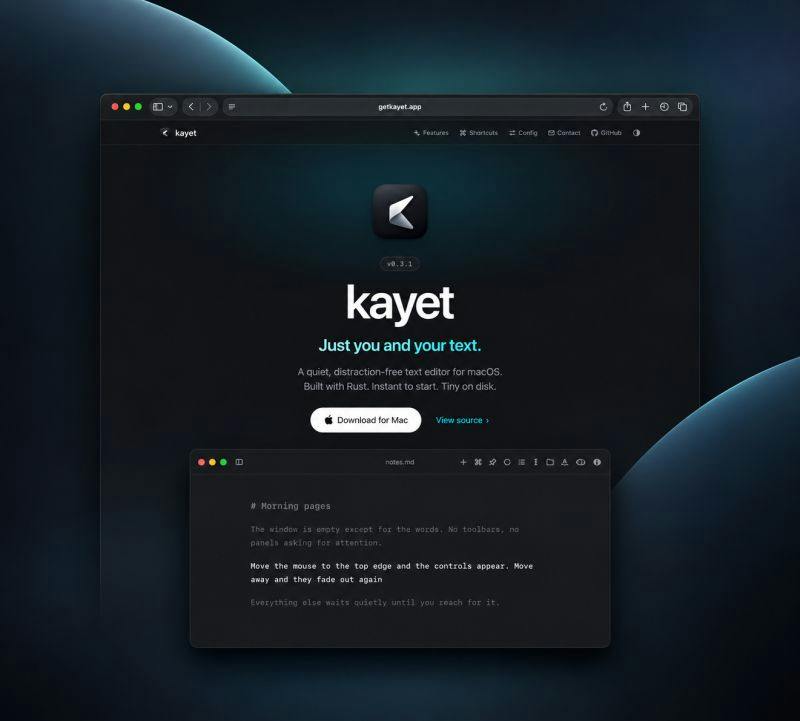
In an age of information overload, writing tools themselves can become a source of distraction. kayet is a newly launched macOS text editor that appeared on Product Hunt, emphasizing a "quiet, distraction-free" writing experience. It doesn't boast a flashy feature list; instead, it tries to give attention back to the words themselves through minimalist design.
When an Editor Starts Subtracting
kayet's positioning is very clear: a minimalistic text editor for macOS. Judging from the product description, it emphasizes "a quiet, distraction-free text editor"—quiet and free of interruptions. This stands in contrast to the current trend among mainstream editors of continuously piling on features, integrating AI assistants, and adding sidebars.
For users who write and take notes frequently, opening an app and seeing only a cursor and a blank page is itself a product statement. kayet treats "less" as its core selling point rather than proving its value through the number of features.
This type of minimalist editor typically means a lighter startup burden, fewer interface elements, and a more direct input path. kayet doesn't list specific features in its description, but from the keyword "minimalist" one can infer that its design focus is on text input itself rather than file management or collaboration capabilities.
Minimalist Editor refers to a category of text editing tools whose core design philosophy is to reduce interface elements and functional distractions. Unlike integrated development environments or all-in-one writing software, minimalist editors typically retain only the most basic text input, save, and open functions, deliberately omitting additional modules such as sidebars, toolbars, syntax highlighting, and AI completion. Their design philosophy can be traced back to concepts like "focus mode" and "zen mode," emphasizing that users should not be distracted by non-core features during use. Representative tools in this category include iA Writer, Ulysses' focus mode, and the open-source Left. Minimalist editors are not lacking in functionality; rather, they actively subtract to reduce cognitive load, making the act of writing itself the only prominent focus in the interface. For users who need long periods of immersive writing, this design can effectively reduce operational paths and visual noise.
Its Place in the macOS Ecosystem
macOS has never lacked text editors. From the system's built-in TextEdit to various Markdown tools aimed at writers, the choices are quite abundant. kayet's differentiator lies not in feature coverage but in temperament: it uses "quiet" as its product language.
Product Hunt categorizes it under three tags—Writing, Notes, and Text Editors—indicating that its use cases span both writing and note-taking. With 68 upvotes, 3 comments, and a ranking of #19, it's a product that has gained initial attention on Product Hunt but has yet to generate large-scale discussion. This fits the typical spread pattern of a minimalist tool—it's more likely to appeal to a specific group of people rather than pursuing broad coverage.
For users who are tired of complex interfaces, kayet offers a subtractive choice. It doesn't try to replace full-featured writing software; instead, it serves scenarios where people want to "open and write."
Who It's For, Who It's Not For
kayet is better suited for users who primarily write in plain text and don't need complex formatting or plugin systems. If you're used to writing in Markdown, occasionally take notes, and want the interface to be as clean as possible, this type of tool will feel handy.
Conversely, if you rely on cloud sync, multi-person collaboration, version history, or rich export formats, kayet's minimalist positioning may not meet your needs. This isn't a product flaw but a design trade-off. The value of minimalist tools lies precisely in their deliberate renunciation of certain capabilities.
Product Hunt is a community platform for new product launches and discovery, where users can upvote and comment on products launched that day. A product's ranking on Product Hunt is typically calculated based on the number of upvotes and engagement received on launch day; a ranking of #19 means the product is in the top twenty or so among all launches that day. The upvote count reflects the initial interest of early adopters and community members, but it doesn't directly equate to product quality or market success. For independent developers and small teams, Product Hunt is an important channel for getting first-batch user feedback and media exposure; 68 upvotes represents a moderate-to-low level of attention, typically corresponding to niche tools or vertical category products. The number of comments better reflects the depth of community discussion; 3 comments indicate that the product has yet to spark widespread discussion and is still in the early validation stage.
Markdown is a lightweight markup language created by John Gruber in 2004, designed to let authors write in plain text format and achieve formatting through simple symbols (such as # for headings and ** for bold). Markdown files are essentially plain text and can be read and edited without relying on specific software, which is why they are widely used for writing, note-taking, documentation, and blog publishing. Many minimalist editors natively support Markdown syntax highlighting or preview, but some plain text editors only offer unformatted input. For users accustomed to Markdown, whether an editor supports live preview, syntax highlighting, and keyboard shortcuts affects writing fluency. kayet is categorized under Text Editors and Writing tags on Product Hunt, but its product description doesn't explicitly mention Markdown support, so users need to try it out to confirm its formatting capabilities.
The Enduring Appeal of Minimalist Editors
Over the past few years, the writing tool market has experienced feature inflation. Features like AI completion, grammar checking, and knowledge base linking have been continuously added, and editors have gradually become work platforms. On the other side, a group of products that insist on subtracting has always existed, attracting the same type of user: those who want the tool to recede into the background and let the content take center stage.
kayet's emergence can be understood within this context. It doesn't claim to redefine the editor; it simply offers a quiet option. For macOS users, having one more such choice is valuable in itself—especially when default apps are becoming increasingly complex.
Early Signals of the Product
68 upvotes isn't high, but in the context of everyday Product Hunt launches, it represents initial recognition from a group of real users. The low comment count means community discussion has yet to unfold, and the product's long-term reputation still needs time to be tested. For early-stage tools, the focus is usually on stability, update frequency, and developer responsiveness—and this information is still relatively limited on the current product page.
If you're interested in minimalist writing tools, kayet is worth adding to your candidate list for a trial. Its value lies not in a feature list but in the quietness you feel after opening it.
Related articles
 Tech Frontiers
MuJoCo: An Analysis of DeepMind's Open-Source General-Purpose Physics Simulator
An in-depth analysis of Google DeepMind's open-source physics simulator MuJoCo: high-performance C++ kernel, MJCF modeling format, contact solving principles, MJX GPU acceleration, and robot reinforcement learning use cases.
 Tech Frontiers
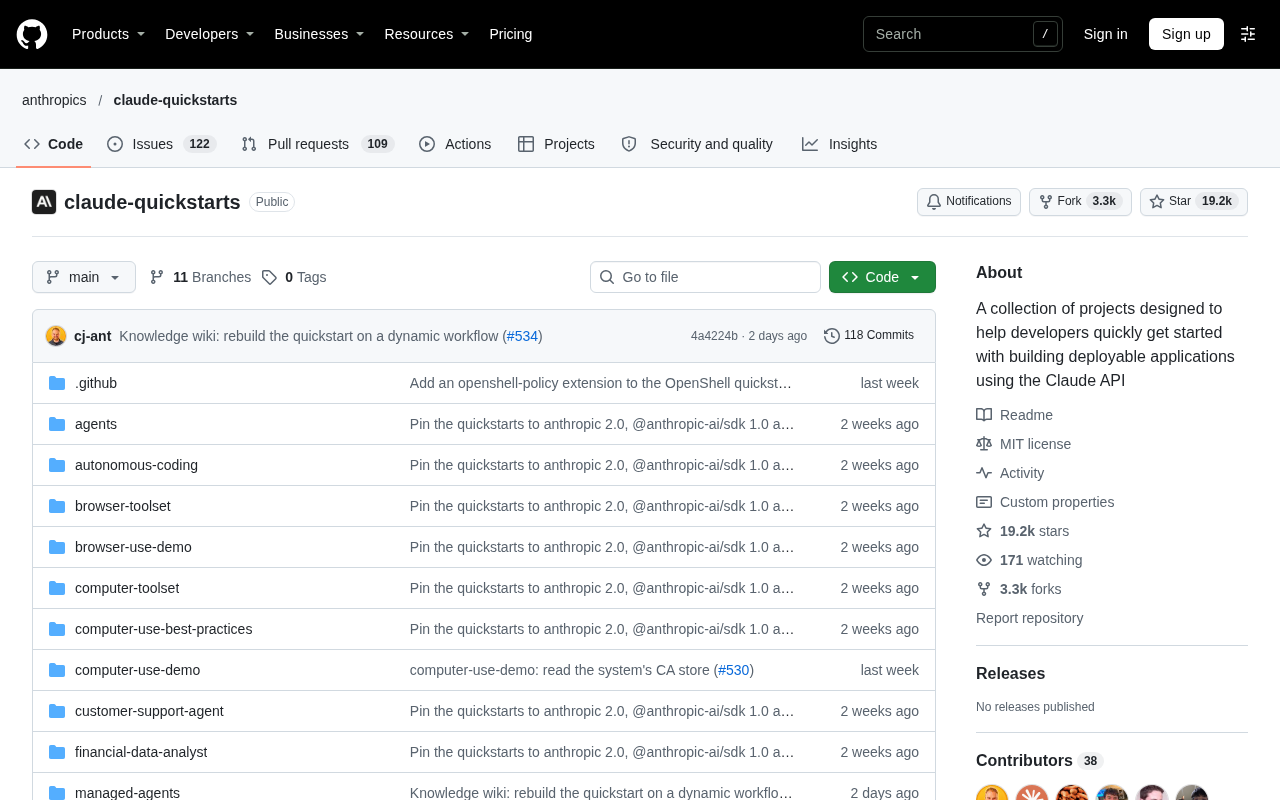
Claude API Quick Start: The Official Quickstarts Project Collection
Anthropic's official claude-quickstarts project collection helps developers quickly build deployable apps with the Claude API. Nearly 20k stars, Python-based, great for beginners and prototyping.
 Tech Frontiers
AI Agents Connecting Directly to APIs: Which Calls Can Be Safely Allowed?
AI agents can call any API, but the real challenge is deciding which calls can be safely allowed. This article analyzes allowance decisions from three dimensions—intent matching, least privilege, and controllable impact—and argues that the control layer should sit outside the agent, combined with audit traceability to build a trustworthy API call governance mechanism.