KernelAI: Offline Private AI for iPhone and Android, Running 50+ Models Locally

KernelAI runs 50+ AI models locally and offline on phones, keeping all data on-device.
KernelAI is a local-first AI app that runs over 50 models offline on iPhone and Android, covering chat, document Q&A, image understanding, and code generation. It uses on-device RAG for PDFs and other documents, never uploading chats or files to servers, and supports importing GGUF models for experimentation. Privacy comes from architecture, not promises: no account, no ads, no subscription, fully offline by default, connecting only to download models or enable web search with a user-supplied API key. On iOS it also integrates with Siri, Shortcuts, and Apple's built-in AI. The trade-off is weaker capability than cloud flagships, making it best for sensitive documents or offline use.
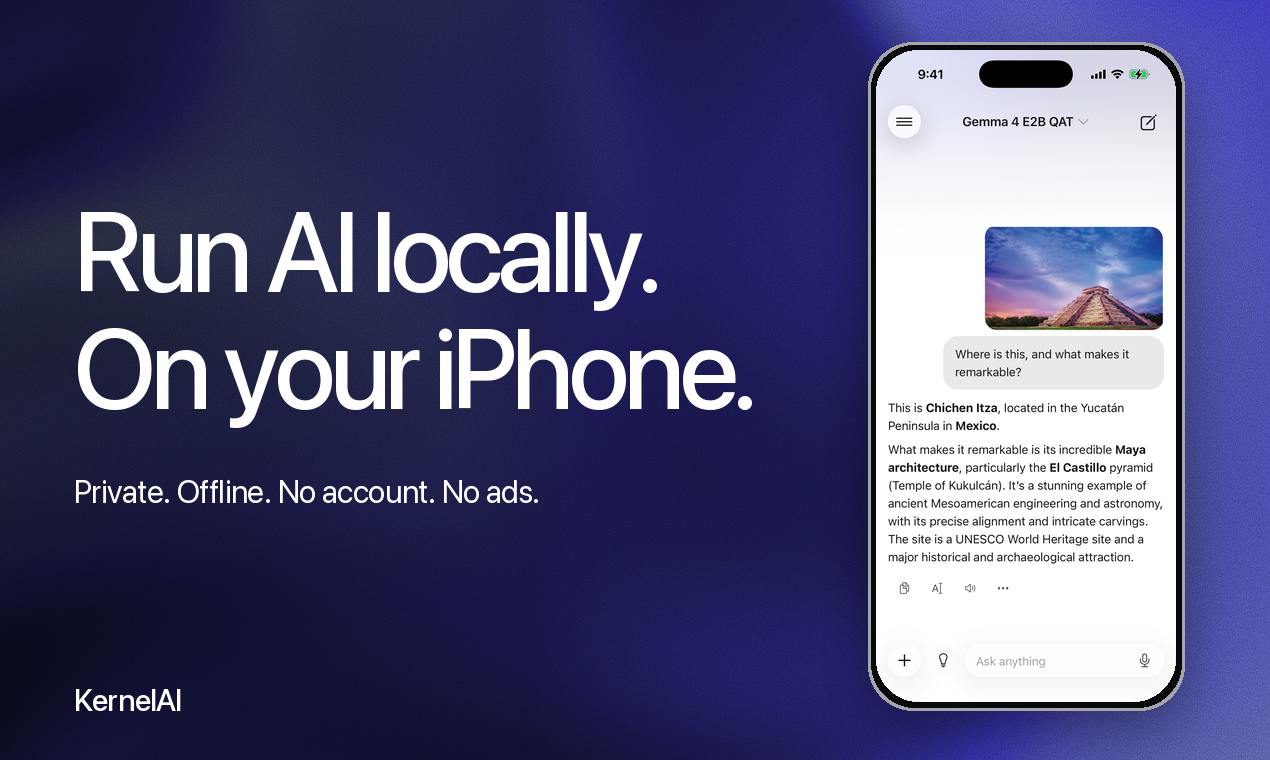
At a time when cloud-based large models dominate the headlines, a product taking the opposite approach is gaining attention on Product Hunt. KernelAI's core premise is straightforward: put AI models on your phone so they work even without a network connection, with data never leaving the device. It supports running over 50 AI models locally on iPhone and Android, covering chat, document Q&A, image understanding, and code generation.
What It Can Actually Do
KernelAI's features revolve around "running locally." You can chat directly with models, or import PDFs and other documents and ask questions about them using on-device RAG (Retrieval-Augmented Generation) — the entire process requires no file uploads to any server.
Image understanding is also handled locally, with vision models able to analyze photos you take or have in your album. For developers, it can generate and autocomplete code in environments without network access. Input flexibility is also considered: it supports voice dictation for prompts and allows customizing the reply style.
What's particularly notable is that it allows importing GGUF-format models, marked as an experimental feature. This means users aren't limited to the app's built-in model library — they can bring their own models.
On-Device RAG (Retrieval-Augmented Generation): RAG is a technique that lets a language model retrieve external material before answering, then generate a response based on the retrieved content. Traditional cloud RAG chunks documents, vectorizes them, and stores them in a server database; at query time, it retrieves relevant segments and passes them to the model. KernelAI moves this entire pipeline onto the phone locally: documents are chunked and indexed on-device, and both retrieval and generation are handled by local models. The trade-off is that, constrained by phone memory and compute, the scale of documents it can handle and retrieval precision are usually weaker than cloud solutions — but in exchange, files never leave the device.
GGUF Format: GGUF (GPT-Generated Unified Format) is a model file format introduced by the llama.cpp project, specifically designed for efficiently running large models on consumer-grade hardware. It packages model weights, tokenizer, and metadata into a single file, and supports multiple quantization schemes — by lowering weight precision (e.g., from 16-bit down to 4-bit), it dramatically reduces file size and memory footprint, at the cost of slightly degraded output quality. This is precisely why GGUF has become the de facto standard for running open-source models on edge devices like phones and laptops, and it's the technical foundation behind KernelAI's "bring your own model" capability.
Privacy Isn't a Selling Point — It's Architecture
Many AI apps on the market write "privacy protection" into their marketing, but fundamentally still send data to the cloud and then promise not to retain it. KernelAI's privacy model is different: once models are downloaded locally, inference runs entirely on-device, and chat history and documents stay on your phone from start to finish.
The direct result of this architecture is — no account system, no ads, no subscription. The app itself is free, and the official statement is clear that no registration is needed. Network connectivity only occurs in two optional scenarios: downloading models, and enabling web search after you configure your own API key. In other words, in its default state it can operate completely offline.
This trade-off has costs. Local models typically have fewer parameters than cloud flagship models, so there's a gap in complex reasoning and long-text processing. But for users handling sensitive documents or working in unstable network environments, it's a worthwhile exchange.
Platform Differences: Extra Integration on iOS
KernelAI's capabilities aren't entirely equivalent across the two platforms. On iPhone, it can integrate with Siri, Shortcuts, and, on supported devices, tap into Apple's built-in AI capabilities. This allows it to blend into system-level automation workflows rather than being just a standalone app.
On Android, the focus leans more toward the app's own functional completeness. This difference reflects a reality: iOS currently offers more room for third-party apps to integrate with system-level AI interfaces.
Shortcuts and App Intents: iOS Shortcuts allow users to chain actions from multiple apps into automation workflows — for example, "take photo → recognize text → generate summary → save to Notes." For a third-party app to integrate with this system, it needs to expose App Intents interfaces, letting the system know it can be invoked and what parameters it needs. After KernelAI integrates with Siri and Shortcuts, users can trigger local models by voice or embed them into longer automation chains, transforming it from "a standalone app" into part of the system's capabilities. This is precisely the root cause of the noticeable experience gap between iOS and Android in this kind of integration.
Who It's For
People who regularly handle sensitive materials like contracts, medical records, and internal documents will be the most direct beneficiaries — such content was never suitable for uploading to third-party servers in the first place. For those who travel frequently and work on planes or in areas with poor signal, offline availability is also very practical.
For AI enthusiasts, being able to run different models directly on a phone and import GGUF files for experimentation is appealing in itself. But expectations need to be managed: local inference on phones is limited by hardware in both speed and capability. It's not a replacement for cloud models, but a complement for a different use case.
KernelAI received 73 upvotes on Product Hunt, ranking 20th, with relatively little discussion in the comments. This level of attention shows it strikes a chord with those who question the default assumption that "AI must be online and data must go to the cloud." As more and more AI features get pushed into the cloud, choosing to keep models and data on your own device has ironically become a differentiator.
One-line Summary
KernelAI lets phones run 50+ AI models locally and offline, with data never leaving the device.
Paragraph Summary
KernelAI is an AI app built around local execution, supporting offline running of over 50 models on iPhone and Android, covering chat, document Q&A, image understanding, and code generation. It uses on-device RAG to process PDFs and other documents, keeping chat history and files off any server, and supports importing GGUF-format models for experimentation. Privacy is guaranteed by architecture rather than promises: no account, no ads, no subscription, fully offline by default, connecting to the network only when downloading models or when you enable web search with your own API key. On iOS it can also integrate with Siri, Shortcuts, and Apple's built-in AI. The trade-off is that local models are less capable than cloud flagships, making it suitable for users handling sensitive documents or needing offline use.
Related articles

Chain of Thought Isn't Just for AI: How Humans Can Use CoT to Improve Thinking Quality
Chain of Thought isn't just a prompt trick for large models. Starting from a Hacker News discussion, this article analyzes why CoT works for human thinking too, breaks down actionable ways to transfer it, and highlights the key differences between human CoT and machine CoT.
Cloudflare Teams Up with OpenAI: Closi…
Cloudflare Teams Up with OpenAI: Closing the Loop from Vulnerability Discovery to Defense with AI
Cloudflare uses OpenAI Daybreak to investigate security vulnerabilities and generate reviewable remediation plans, while developers use Codex to boost coding efficiency and quality.

Orca Multi-Agent Orchestration in Practice: A Guide to Parallel Collaboration with Claude and Codex
Orca is Stable AI's free open-source agent workbench supporting 34 agents like Claude Code and Codex in parallel. Learn its Git worktree isolation, multi-model orchestration, and mobile management.