Kiro Deep Dive: AWS's Spec-Driven AI Coding IDE — How Does It Compare to Cursor?
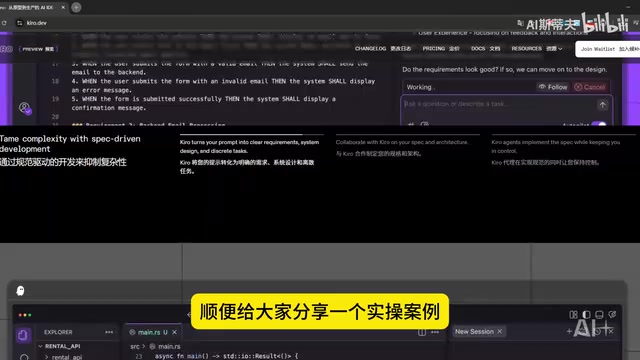
AWS launches Kiro, a spec-driven AI coding IDE that differentiates itself from Cursor with Specs and Hooks.
AWS has launched Kiro, an AI coding IDE built on VS Code OSS and Claude Sonnet 4. Unlike Cursor's natural language code generation approach, Kiro champions "spec-driven development." Its core Specs feature requires developers to define requirements through structured documentation before the AI implements them step by step, reducing hidden rework. Hooks automate rule checking and semantic analysis during development to ensure code consistency. The tool quickly went viral after offering limited-time free access to Claude Sonnet 4.
A New Shake-Up in AI Coding Tools: Kiro Enters the Scene
The AI coding tool landscape has been heating up lately. Just as many Cursor users were struggling with Claude quota issues, AWS quietly launched a brand-new AI coding IDE called Kiro. With a limited-time free access offer for Claude Sonnet 4, it quickly set the developer community ablaze. Shortly after launch, the official website had to close its download channel due to overwhelming beta demand — a clear sign of its popularity.
So what exactly makes Kiro special? How does it relate to Cursor? Today, we'll do a comprehensive breakdown of this tool's core philosophy and feature highlights.
What Is Kiro? AWS's Spec-Driven AI Coding IDE
Kiro is an AI coding IDE backed by AWS (Amazon Web Services), built on top of the open-source version of VS Code — VS Code OSS — and powered by Claude Sonnet 4 as its underlying AI model.
It's worth noting that VS Code OSS (Open Source Software) is the open-source core of Microsoft's VS Code editor, released under the MIT license. Unlike the full VS Code distribution, the OSS version doesn't include Microsoft's proprietary components but retains the complete editor architecture, Language Server Protocol support, and extension API. This is precisely why it has become the foundation of choice for many AI coding tools — Cursor, Windsurf (formerly Codeium), Gitpod, and others are all built on it. This ecosystem choice means developers don't need to relearn the interface, while tool developers are free to layer AI capabilities on top of the core editing experience.
Claude Sonnet 4, meanwhile, is the latest-generation large language model released by Anthropic, positioned as the mid-tier product in the Claude 4 series. Anthropic has deep expertise in AI safety research, and its Constitutional AI training methodology gives the Claude model family standout performance in code generation, long-context comprehension, and instruction following. Notably, AWS and Anthropic share a deep strategic investment relationship, which is a key reason why Kiro can natively integrate Claude models and offer free usage quotas.
For developers already familiar with VS Code, the learning curve for Kiro is virtually zero — the interface layout, plugin ecosystem, and keyboard shortcuts are all highly consistent. But Kiro isn't simply slapping an AI layer on top of VS Code. It introduces a fundamentally different development philosophy.
What's the Essential Difference Between Kiro and Cursor?
Cursor's core proposition is natural language code generation — you describe your requirements in a prompt, and the AI directly outputs code. This approach is fast and direct, but it has clear limitations: the AI's understanding of context is heavily dependent on prompt quality, and the stability and consistency of generated results are hard to guarantee.
Kiro takes a completely different path: Spec-Driven Development. It encourages developers to first clearly define requirements and specifications through documentation, then lets the AI implement them step by step based on those specs. In other words, Kiro doesn't ask you to "roll the dice on prompts" — it uses structured documents to guide AI programming.
Specs: The Core Feature for "Think Before You Code"
Specs is Kiro's most distinctive feature and the core vehicle for its "spec-driven development" philosophy.
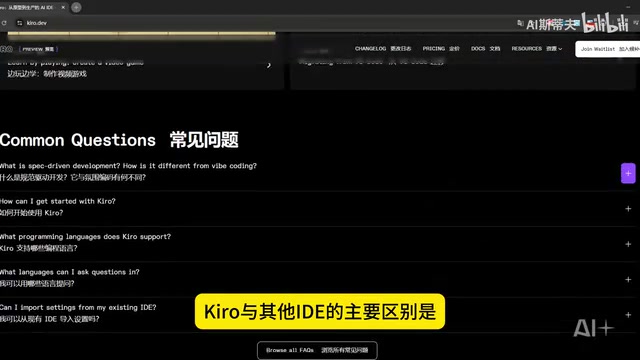
Spec-driven development isn't a concept invented by Kiro — it has deep roots in software engineering theory. It descends from the intellectual frameworks of Behavior-Driven Development (BDD) and Test-Driven Development (TDD) — describing a system's expected behavior and constraints in structured language before writing any implementation code. In traditional software engineering, this kind of work typically exists in the form of PRDs (Product Requirements Documents), API contracts (such as OpenAPI specifications), or Architecture Decision Records (ADRs). Kiro's innovation lies in deeply integrating this documentation system — traditionally maintained manually — with an AI agent, so that spec documents are no longer "write-it-and-forget-it" formalities but real-time context that drives AI decision-making.
What Can Specs Actually Do?
In simple terms, Specs is a thinking aid you use before building your application. It helps you accomplish the following:
- Plan your application structure: Before writing any code, clearly define module boundaries, data flows, interface designs, and more through documentation
- Organize feature logic: Break down complex requirements into executable steps, preventing scope drift during development
- Clarify system behavior: Eliminate ambiguity in requirements so that both the AI and the developer share a unified understanding of "what needs to be done"
- Guide AI decisions: With clear specifications in place, the AI agent can make smarter implementation decisions that better match expectations
Why Are Specs Kiro's Killer Feature?
With traditional AI coding tools, developers often describe requirements directly in natural language, then iteratively adjust after the AI generates code. This process may seem efficient, but it's riddled with "hidden rework" — the AI doesn't understand your architectural intent, the generated code style is inconsistent, and coupling between modules becomes chaotic.
The value of Specs is that it embeds the fundamental software engineering principle of "think before you act" into the AI coding workflow. While it adds an extra documentation step upfront, the downstream gains in development efficiency and code quality are substantial.
Hooks: Your Automated Guardian During Development
If Specs solves the problem of "thinking clearly before development," then Hooks solves the problem of "maintaining consistency during development."

How Does the Hooks Mechanism Work?
Kiro's Hooks mechanism is conceptually similar to Git Hooks and CI/CD pipelines in software engineering, but it shifts the trigger point forward to the local development stage. Traditional Git Hooks (such as pre-commit and post-merge) allow developers to automatically execute scripts before or after specific Git operations, while CI/CD tools (like GitHub Actions and Jenkins) trigger automated workflows after code is pushed. Kiro's Hooks combine this automation capability with AI, enabling not just static rule checking but also semantic-level code comprehension and documentation generation. This "shift-left" approach brings quality assurance directly into the developer's workflow.
Related articles
 Product Reviews
The Programmer's Desk Setup Guide: Building a Workspace That Feels Like Home
Discover how programmers build productive, comfortable workspaces. From multi-monitor setups to ergonomic design, explore the desk philosophy that drives focus and flow.
 Product Reviews
Qoder vs Cursor Real-World Comparison: Which $20/Month AI IDE Is Better?
Hands-on comparison of Qoder vs Cursor AI IDEs: Agent autonomy, human interaction count, and architecture decisions. Qoder needed only 2 interactions vs Cursor's 8.
 Product Reviews
Cursor Cloud Agent Demo: Eliminating Bottlenecks Across the Entire Software Development Lifecycle
Deep analysis of Cursor's Cloud Agent demo showing how cloud VMs, automated test artifacts, and a full-chain control plane systematically eliminate human bottlenecks across the software development lifecycle.