Knock: Tap Your Mac's Body to Trigger Quick Actions

Knock uses the Mac's built-in accelerometer to trigger shortcuts by tapping the laptop's body.
Knock is a Mac shortcuts app that reuses the accelerometer built into MacBooks (originally for Sudden Motion Sensor disk protection) to sense tap vibrations, letting users run screenshots, open apps, mute, and more by lightly tapping the side of the laptop—no extra hardware needed. It has 67 upvotes on Product Hunt and ranks 20th in the Productivity category. Its value lies in providing a new trigger method that doesn't occupy the keyboard or trackpad and requires no memorized key combinations, suited to fixed-position use cases. However, reliability depends on vibration recognition accuracy, false-trigger control, and the ability to distinguish ambient vibrations. The product page hasn't disclosed details such as supported macOS versions and configurable tap types, so real-world experience needs further verification.
Tap Your Laptop to Run Quick Actions
On a Mac, executing quick actions usually requires keyboard shortcuts, trackpad gestures, or extra hardware buttons. Knock, a new product on Product Hunt, offers a different approach: triggering shortcuts by tapping the laptop's body.
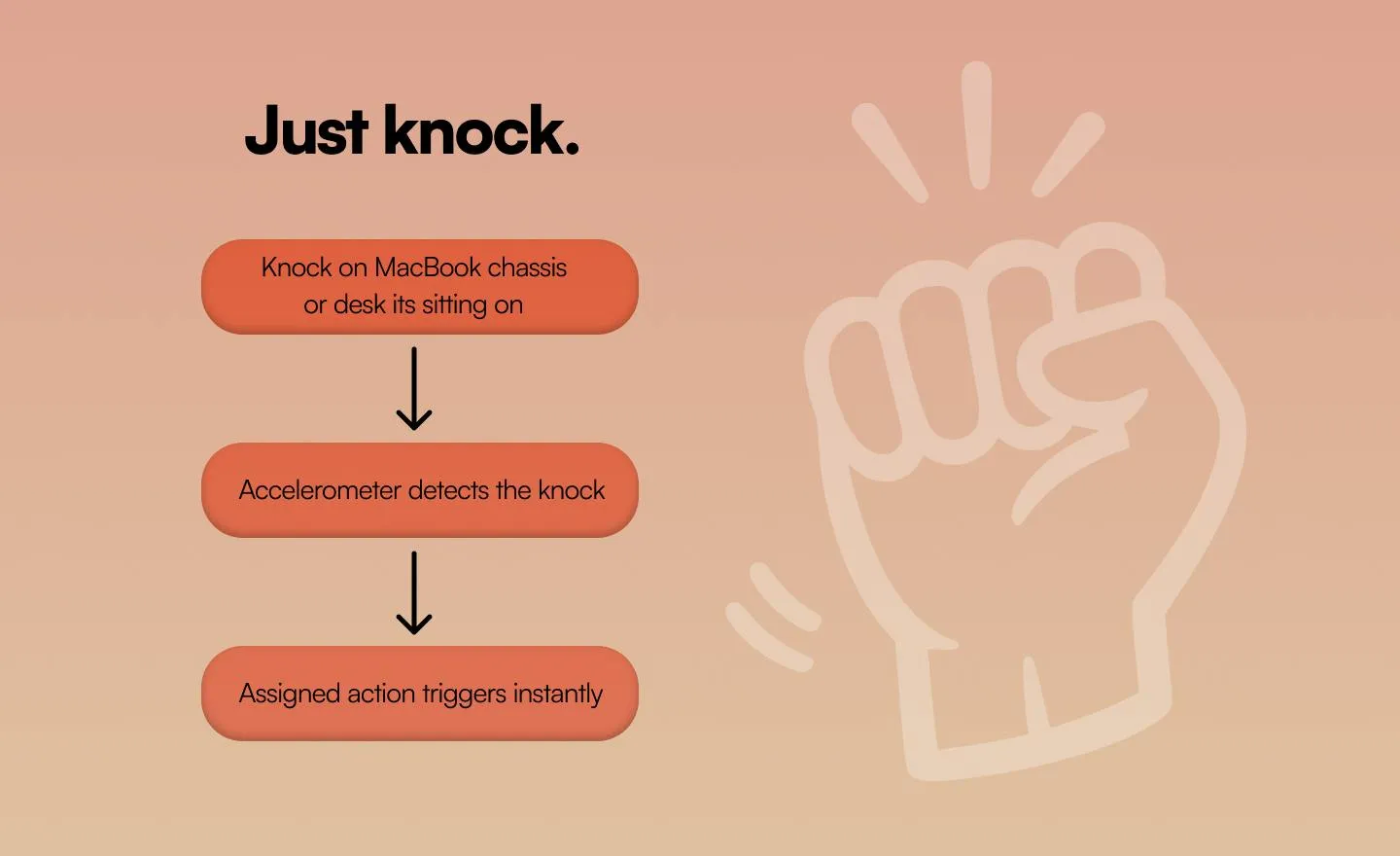
According to its Product Hunt page, Knock is a shortcuts app that lets users run any shortcut—screenshot, open an app, mute, and more—with a light tap on the side of the laptop. It uses the Mac's built-in accelerometer to sense the vibrations from taps and respond in real time, with no additional hardware required.
Developed by Arianna I, the product currently has 67 upvotes and ranks 20th on Product Hunt for the day in the Productivity category.
How It Works: A New Use for the Accelerometer
The accelerometer built into MacBooks was originally used for Sudden Motion Sensor (SMS), protecting the hard drive when a drop or violent shake is detected. Knock repurposes this sensor to detect tap vibrations, turning the chassis surface into an input interface.
The clever part of this approach is reusing existing hardware. Users don't need to buy an extra tap sensor or programmable button—just install the app and go. The product description emphasizes "tap and go," meaning the shortcut executes immediately after a tap, highlighting real-time responsiveness.
However, the accelerometer senses vibrations across the entire device, so distinguishing a user's tap on the side of the chassis from ambient vibrations (e.g., when the laptop sits on a desk) is a practical challenge such solutions must address. The two comments on the Product Hunt page don't provide further technical details.
Sudden Motion Sensor (SMS) is a hardware protection mechanism Apple introduced in some MacBooks and iPods starting in 2005. It relies on a built-in accelerometer (originally three-axis, later integrated into the logic board) that continuously monitors acceleration changes across three dimensions. When the detected instantaneous acceleration exceeds a preset threshold, the system determines the device is falling or experiencing a severe impact and commands the hard drive heads to park within milliseconds, preventing the heads from contacting the platter and causing physical damage. As Apple fully transitioned to solid-state drives (SSDs), SMS's disk protection function lost its original purpose, but the accelerometer itself remains on the logic board and can be used for other purposes. Knock leverages this "idle" sensor, turning it from a passive protection component into an active input device—a classic example of hardware reuse.
Accelerometer-based tap recognition centers on analyzing vibration waveforms. When a user taps the laptop chassis, the accelerometer captures a short pulse signal whose amplitude, duration, and frequency characteristics differ from everyday ambient vibrations (such as sitting on a desk, typing, or fan rotation). Knock needs to continuously sample sensor data at the system level and use signal processing algorithms (e.g., threshold detection, band-pass filtering, or a simple machine learning classifier) to distinguish "valid taps" from "noise." Because sensor placement, sensitivity, and chassis structure vary across MacBook models, the algorithm also needs model-specific adaptation. In addition, tap location (side, palm rest, lid) affects signal strength, so products typically require users to tap in a specific area or go through multiple calibrations to build a personalized trigger model. The balance between false positives and false negatives is key to determining the quality of the experience.
Use Cases and Potential Limitations
Judging from the product description, Knock targets high-frequency, lightweight actions: screenshots, opening frequently used apps, and muting. These actions already have keyboard shortcuts; Knock's value lies in offering a trigger method that requires no memorized key combinations and doesn't occupy the keyboard or trackpad.
For users who regularly use their Mac in a fixed position, tapping the chassis could become an intuitive interaction. But in mobile scenarios—such as using the laptop on your lap or in a café—tapping may be inconvenient and prone to accidental triggers. In addition, the recognition accuracy of tap force and rhythm directly determines whether this interaction is reliable.
The Product Hunt page doesn't disclose details such as supported macOS versions or the number of configurable tap types, which are important for assessing the product's completeness.
Summary
Knock demonstrates an interesting interaction direction: treating the laptop chassis itself as an input device. It doesn't aim to replace the keyboard but adds a new entry point for specific quick actions. For users who enjoy trying new interaction methods and are willing to accept some risk of accidental triggers, this product is worth watching. Its ultimate experience depends on the accuracy of vibration recognition and the flexibility of shortcut configuration—things that require hands-on use to judge.
One-line Summary
Knock uses the Mac's built-in accelerometer to let users trigger shortcuts by tapping the laptop's body.
Paragraph Summary
Knock is a Mac shortcuts app that reuses the accelerometer built into MacBooks (originally for Sudden Motion Sensor disk protection) to sense tap vibrations, letting users run screenshots, open apps, mute, and more by lightly tapping the side of the laptop—no extra hardware needed. It has 67 upvotes on Product Hunt and ranks 20th in the Productivity category. Its value lies in providing a new trigger method that doesn't occupy the keyboard or trackpad and requires no memorized key combinations, suited to fixed-position use cases. However, the reliability of tap interaction depends on vibration recognition accuracy, false-trigger control, and the ability to distinguish ambient vibrations. The product page hasn't disclosed details such as supported macOS versions and configurable tap types, so real-world experience needs further verification.
Related articles

Remote Compose: A New Document-Driven Paradigm for Cross-Platform UI on Android
Remote Compose transmits compact binary documents instead of screen pixels, enabling efficient UI rendering on remote surfaces like Wear OS and widgets. This article covers its document creation API, expression animations, size optimization techniques, and Wear OS progress.

How Crashlytics Eliminates Android Memory and Responsiveness Issues
Through the Chroma Clip case study, this article explains how Firebase Crashlytics uses Application Exit Info, Profiling Manager, GWP ASAN, and ARM MTE to pinpoint ANRs, OOMs, memory limit terminations, and native memory corruption—solving the challenge of stack traces that don't point to the real culprit.

Googlebook's First Developer Case Studies: How Notability and Logitech Built Desktop-Class Android Experiences
Notability and Logitech share first-hand experience building for Googlebook: using Jetpack Compose, Navigation 3, and Jetpack Ink for desktop-class Android, plus how the peripheral customization API bridges hardware and OS.