Launchie: The Best Launchpad Replacement After macOS Removes It

Launchie fills the Launchpad void in macOS 26 with a grid launcher, Spaces pages, and a one-time purchase model.
Apple removed the long-standing Launchpad app launcher in macOS 26, frustrating users who relied on its grid-style interface. Launchie 1.6.1 steps in to fill that gap, bringing back a grid launcher for Mac with enhancements: free icon arrangement, unlimited folders, multi-scene app pages (Spaces), and built-in instant search. It's available free with an optional one-time Pro upgrade via the Mac App Store or Homebrew, and earned 76 upvotes on Product Hunt — a clear sign it's meeting real user demand.
Apple removed the classic Launchpad app launcher in macOS 26, and it remains absent in the subsequent macOS 27 Golden Gate. For longtime users who relied on the grid-style app management experience, this is no small inconvenience. A third-party tool called Launchie is stepping in to bring that familiar launch grid back.
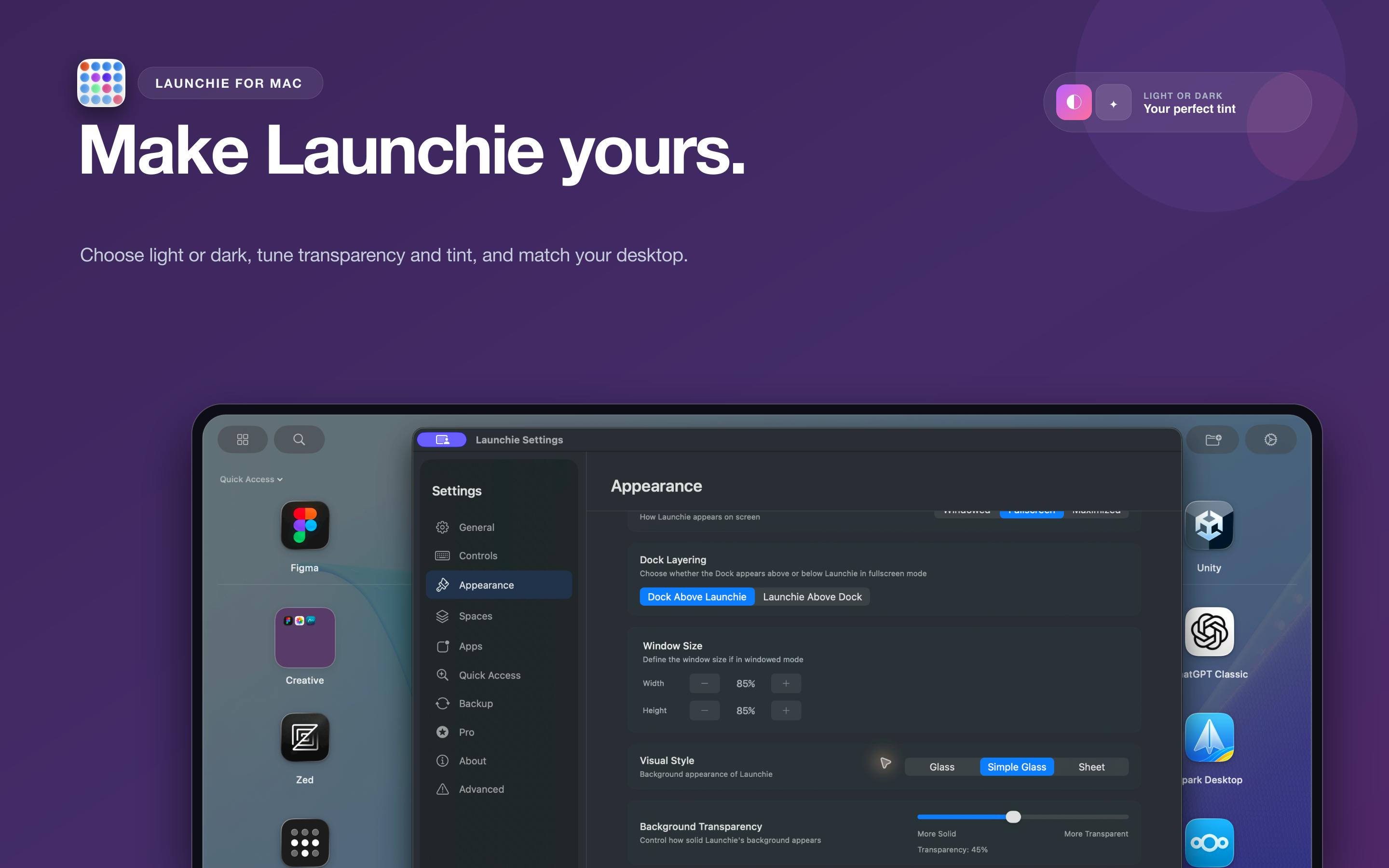
The Gap Left by Launchpad's Removal
Launchpad has long been an important way to organize and launch apps on macOS — especially popular among trackpad users and those transitioning from iOS. Apple's decision to remove it in macOS 26 in favor of a new app management paradigm sparked considerable discussion in the community.
Users who were accustomed to arranging apps in a grid and organizing them into folders suddenly found their familiar launcher gone. Launchie targets exactly this gap — and rather than being a simple clone, it builds on the original experience with added functionality.
Launchpad was first introduced alongside macOS Lion (10.7) in 2011, directly inspired by the iOS home screen to ease the transition for users moving from iPhone/iPad to Mac. It supported a five-finger pinch gesture on the trackpad and allowed users to drag apps into folders for organization. Despite years of criticism for overlapping heavily with Dock and Spotlight, a significant portion of users still relied on it as their primary app management tool. Apple removed it in macOS 26 citing a new "app management logic," though the full replacement solution hasn't been fully disclosed — context that helps explain why third-party tools like Launchie have been quick to fill the void.
What Launchie Brings to the Table
As a Launchpad replacement, Launchie 1.6.1's core offering is bringing the grid-style app launcher back to the Mac desktop. According to its official description, it delivers several key capabilities:
Free Arrangement and Unlimited Folders
Users can arrange app icons however they like, free from the system's default layout constraints. It also supports unlimited folders, making it easy to categorize large numbers of apps — a more flexible approach than the native Launchpad ever offered.
Independent App Pages with Spaces
Launchie introduces a Spaces concept that lets you create multiple independent app pages. This means you can configure separate app layouts for different contexts — work, entertainment, development — making it easy to switch between them cleanly.
It's worth noting that Launchie's "Spaces" concept is entirely different from the macOS system's built-in Mission Control Spaces (virtual desktops). The former is an internal multi-page grouping mechanism within Launchie, used solely to organize app icons within the launcher; the latter is an OS-level multi-desktop environment. Despite the similar name, the two operate at completely different levels and serve distinct purposes. Launchie's Spaces are more akin to an upgraded version of native Launchpad's "multi-page swipe" experience — allowing users to actively name and customize each page's content rather than simply overflowing to the next screen.
Instant Search
The built-in instant search lets users quickly locate the app they want to launch without scrolling through multiple pages, further boosting efficiency.
Pricing and Availability
Launchie uses a free-to-use + one-time Pro purchase model — no ongoing subscription pressure, which is a welcome approach for users who are wary of subscription software.
It's also easy to get: available through the Mac App Store or Homebrew, covering both general users and developers.
Product Reception and Market Signal
On Product Hunt, Launchie 1.6.1 earned 76 upvotes and ranked 10th for the day, listed under the Mac, Productivity, and Apple categories. While the vote count isn't explosive, for a utility tool solving a specific pain point, it signals that the product is addressing genuine user needs.
From a product strategy perspective, Launchie's success is built on Apple's own product decisions — when an officially provided feature used by many is removed, third-party developers gain an opportunity to fill the gap. Tools of this type tend to have a stable target audience, particularly veteran Mac users who are reluctant to abandon years of established habits.
Wrap-Up
Launchie is a textbook example of "Apple removes a feature, developer fills the gap." It not only restores the Launchpad grid launch experience but enhances it with unlimited folders, Spaces-based page organization, and instant search. For macOS users who miss Launchpad, this is a worthy alternative to try — especially given its friendly pricing: free to use, with a one-time Pro purchase and no subscription required.
Related articles

Chain of Thought Isn't Just for AI: How Humans Can Use CoT to Improve Thinking Quality
Chain of Thought isn't just a prompt trick for large models. Starting from a Hacker News discussion, this article analyzes why CoT works for human thinking too, breaks down actionable ways to transfer it, and highlights the key differences between human CoT and machine CoT.
Cloudflare Teams Up with OpenAI: Closi…
Cloudflare Teams Up with OpenAI: Closing the Loop from Vulnerability Discovery to Defense with AI
Cloudflare uses OpenAI Daybreak to investigate security vulnerabilities and generate reviewable remediation plans, while developers use Codex to boost coding efficiency and quality.

Orca Multi-Agent Orchestration in Practice: A Guide to Parallel Collaboration with Claude and Codex
Orca is Stable AI's free open-source agent workbench supporting 34 agents like Claude Code and Codex in parallel. Learn its Git worktree isolation, multi-model orchestration, and mobile management.