Learning scikit-learn and PyTorch the Right Way: From Memorizing Code to True Mastery

How to truly master scikit-learn and PyTorch by understanding principles, not memorizing code.
This article tackles a frustration common among ML beginners: tutorials teach you to type code, but leave you helpless on real projects. The core argument is that tutorials teach "implementation" while ignoring "design decisions." For scikit-learn, build a mental model of the ML workflow and understand algorithm principles before touching APIs. For PyTorch, start from tensors, autograd, and computation graphs, then hand-code simple models before using high-level abstractions. The universal methodology: learn through real projects, rely on official documentation, and actively modify code instead of passively following along.
A Common Learning Frustration
Almost every beginner on the machine learning path hits the same wall: you follow along with a video tutorial, type out all the code, and feel like you've "learned" the library — only to find yourself completely lost when you try to work on a real project. You don't know which modules to import, why things are written the way they are, or how to choose the right tool when you face a new problem.
This exact issue came up recently from a Reddit user: he had previously studied scikit-learn but felt helpless when applying it in practice. He made it clear he didn't want to just "memorize code he'd forget anyway," and with PyTorch on his learning horizon, he wanted to avoid making the same mistakes. The question cuts to the heart of how skills are actually built — memorizing code vs. understanding principles.

Why Tutorials Leave You Stuck With scikit-learn and PyTorch
The Inherent Limits of Video Tutorials
The user made a sharp observation: most video tutorials "all implement the same things." This isn't a coincidence. To lower the barrier to entry and keep viewers watching, tutorials gravitate toward the most classic, foolproof examples — iris classification, MNIST digit recognition. You type along, feel the "I get it" click, but the understanding is shallow and context-bound.
When you face a completely new problem, what you're missing isn't the ability to type. It's decision-making ability: Why choose this algorithm over that one? What do these hyperparameters actually mean? How should the data be preprocessed? The "why" and "how do I choose" questions are precisely what tutorials cover least — yet they matter most.
The Gap Between "Implementation" and "Design"
Copying code solves an "implementation" problem. Real projects test your "design" thinking. scikit-learn and PyTorch are both toolboxes at their core, and the value of any tool isn't knowing how to type a particular API call — it's knowing which tool to reach for, in which situation, and why. Building that judgment requires a solid understanding of the underlying principles.
The Right Way to Learn scikit-learn
Understand the ML Workflow First, Then Learn the API
The power of scikit-learn lies in how it standardizes the entire machine learning workflow: data preprocessing, feature engineering, model training, evaluation, and tuning. Instead of worrying about "what to import," first build a complete mental map of the pipeline:
- Data preparation:
train_test_split,StandardScaler, etc. - Model selection: classification, regression, and clustering algorithms
- Evaluation:
cross_val_score, various metrics - Optimization:
GridSearchCV,Pipeline
Once you understand "what comes first, what comes next, and why," knowing which module to import becomes natural. The algorithm selection cheat sheet in scikit-learn's official documentation is an excellent decision-making tool — it uses a flowchart to answer "given this data, which algorithm should I choose?"
The design philosophy of scikit-learn is embodied in its highly consistent Estimator API: whether it's a classifier, regressor, or data transformer, nearly every object follows the same three core methods — fit(), predict(), and transform(). fit() learns parameters from training data, predict() uses those learned parameters to make predictions on new data, and transform() handles data transformations like normalization and dimensionality reduction. This consistency means that once you've internalized the interface pattern, the cost of learning any new algorithm is extremely low. Even more worth understanding is the Pipeline mechanism: it lets you chain preprocessing steps and models into a single object. This both prevents data leakage (where statistics from the test set leak into training during cross-validation, inflating evaluation scores) and makes the entire workflow more reproducible and deployable. Understanding why Pipeline was designed this way matters far more than memorizing its syntax.
Understand the Algorithm Itself, Not Just How to Call It
The user's core anxiety was "not wanting to just memorize code." The antidote is: before calling any algorithm, take time to understand its intuition. How does a decision tree split nodes? What boundary is an SVM trying to find? Why does random forest reduce overfitting? You don't need to derive every mathematical formula, but you do need to understand each algorithm's use cases, trade-offs, and what its key parameters actually mean.
Once you understand the algorithm itself, scikit-learn's API becomes remarkably natural — because the library's design philosophy (the consistent fit/predict/transform interface) is built around the universal logic of machine learning.
Advanced Strategies for Learning PyTorch
Start with Tensors and Computation Graphs
PyTorch is lower-level and more flexible than scikit-learn, so the learning approach should differ accordingly. Unlike scikit-learn, which provides high-level abstractions over the entire workflow, PyTorch hands you the building blocks for constructing neural networks. To avoid the "just copying code" trap, start with the most fundamental concepts:
- Tensors: Understand the relationship and differences between tensors and NumPy arrays
- Autograd: Understand how PyTorch automatically computes gradients
- Computation graphs: Understand how forward and backward passes work
Only by understanding these lower-level mechanisms will you grasp what loss.backward() and optimizer.step() are actually doing — rather than treating them as incantations you've memorized.
Tensors are PyTorch's most fundamental data structure — essentially multi-dimensional arrays highly similar to NumPy's ndarray, but with two key differences: they can run on GPUs, and they have built-in automatic differentiation support. Autograd is PyTorch's core mechanism: every time you perform an operation on a tensor, PyTorch dynamically builds a computation graph in the background, recording all operations and their dependencies. When you call loss.backward(), PyTorch traces back through this graph from the output to each parameter, using the chain rule to automatically compute gradients; optimizer.step() then updates the model weights according to those gradients using the specified optimization algorithm (such as SGD or Adam). This three-step loop — "forward pass builds computation graph → backward pass computes gradients → optimizer updates parameters" — is the underlying skeleton of virtually all PyTorch training code. Unlike TensorFlow's early static computation graphs, PyTorch uses dynamic computation graphs that are rebuilt on every forward pass. This makes debugging more intuitive and is better suited for scenarios with variable input shapes, such as variable-length sequences in natural language processing.
Implement It Manually First, Then Use the High-Level APIs
A widely validated approach is: start by manually implementing a simple model from scratch (for example, writing a linear regression training loop using raw tensor operations), and hand-code the gradient descent and parameter updates yourself. Going through this "painful" process will give you a deep understanding of what PyTorch's nn.Module, DataLoader, and optimizers are actually doing for you — what they abstract away and what they encapsulate. This "build the wheel before using the wheel" path is what makes abstract concepts truly concrete.
A General Methodology for Breaking Through the Learning Plateau
Learn Through Projects, Not Passive Tutorials
The most effective way to learn isn't watching tutorials passively — it's learning with a real problem in hand. Pick a dataset or task you genuinely care about and try to solve it from scratch. When you get stuck, look up the documentation and reference material you need. This problem-driven approach forces you to make real technical decisions, building the kind of practical intuition that tutorials simply cannot provide.
Use Official Documentation, Not Just Videos
Video tutorials are great for building an initial intuition, but to truly master a library, official documentation is the ultimate resource. Both scikit-learn and PyTorch have excellent documentation full of examples, API explanations, and best practices. Learning to read documentation is the defining line between "beginner" and "competent developer."
Actively Modify the Code
Don't stop when a tutorial ends. Try changing it: swap in a different dataset, try a different algorithm, adjust parameters and observe what happens, deliberately introduce bugs and then fix them. This kind of active exploration exposes the blind spots in your understanding — and it's precisely the exercise that bridges the gap from "memorizing" to "understanding."
Conclusion
The frustration expressed by that Reddit user is a growth phase every practitioner goes through. When learning libraries like scikit-learn and PyTorch, the key isn't memorizing APIs — it's building a mental framework for understanding the machine learning workflow and algorithmic principles. Once you understand the "why" and "which tool for which situation," code naturally becomes the expression of your thinking rather than a burden to memorize. Remember: tools exist to solve problems. Start from real projects, learn with genuine questions in hand — that's the fundamental way out of the "I can't learn this" trap.
Related articles

DeepSeek Open-Sources DeepInfer: What Is an Inference Framework Actually For?
DeepSeek open-sources its inference framework DeepInfer under Apache 2.0, supporting DeepSeek V4.1 Flash offline inference. This article explains its request scheduling, FlashMLA/DeepGEMM compute optimization, DSPark speculative verification acceleration, and what it means for developers and ordinary users.
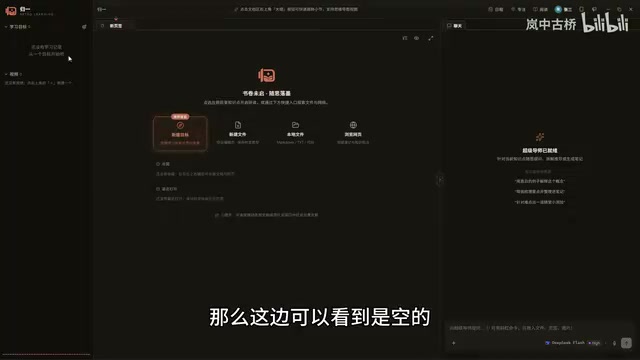
Open-Source AI Learning Agent: A Full Workflow Experience from Topology Graphs to Exam Generation
Explore an open-source AI learning agent: built on DeepSeek API, it constructs knowledge systems via topology graphs, with automatic document generation, notes, super documents, and exams. Learn about its Agent workflow and design highlights.

DeepSeek Whale Girl Open-Source MV Meme: AI Industry Coded Slang About Pivoting to Closed Source
Bilibili's DeepSeek Whale Girl rap MV uses fictional memes to tease the AI open-source vs. closed-source debate, with lyrics full of industry slang. This article explains the meme culture, the Whale Girl symbol, and the open/closed tension.