Letting the Harness Speak for the User: Designing Automated Agent Progress Reports

The Harness can auto-generate user-seat messages at four moments, replacing repetitive human bookkeeping—607 messages in one run.
The article describes how Favur's Harness automatically generates user-seat messages, replacing much of the repetitive "bookkeeping" input in long conversations. These messages (e.g., "continue," "tests failed") merely restate state the program could read itself and can be automated. The Harness appends them as user messages rather than embedding state in the system prompt, preserving conversation history and avoiding breaking prefix caching. It speaks only at four moments and generated 607 user messages in one run—396 progress reports. Round-counter stall notifications led all 21 stalled agents to complete their steps, with none terminated; each report is tagged at write time for the context compactor.
Orchestrating a team of agents, the Harness is taking over most of the repetitive work humans do in the user seat. Data from a public run by Favur shows its Harness automatically generated 607 messages that would otherwise have been sent by the user, 396 of which were progress reports.
Most user messages are just bookkeeping
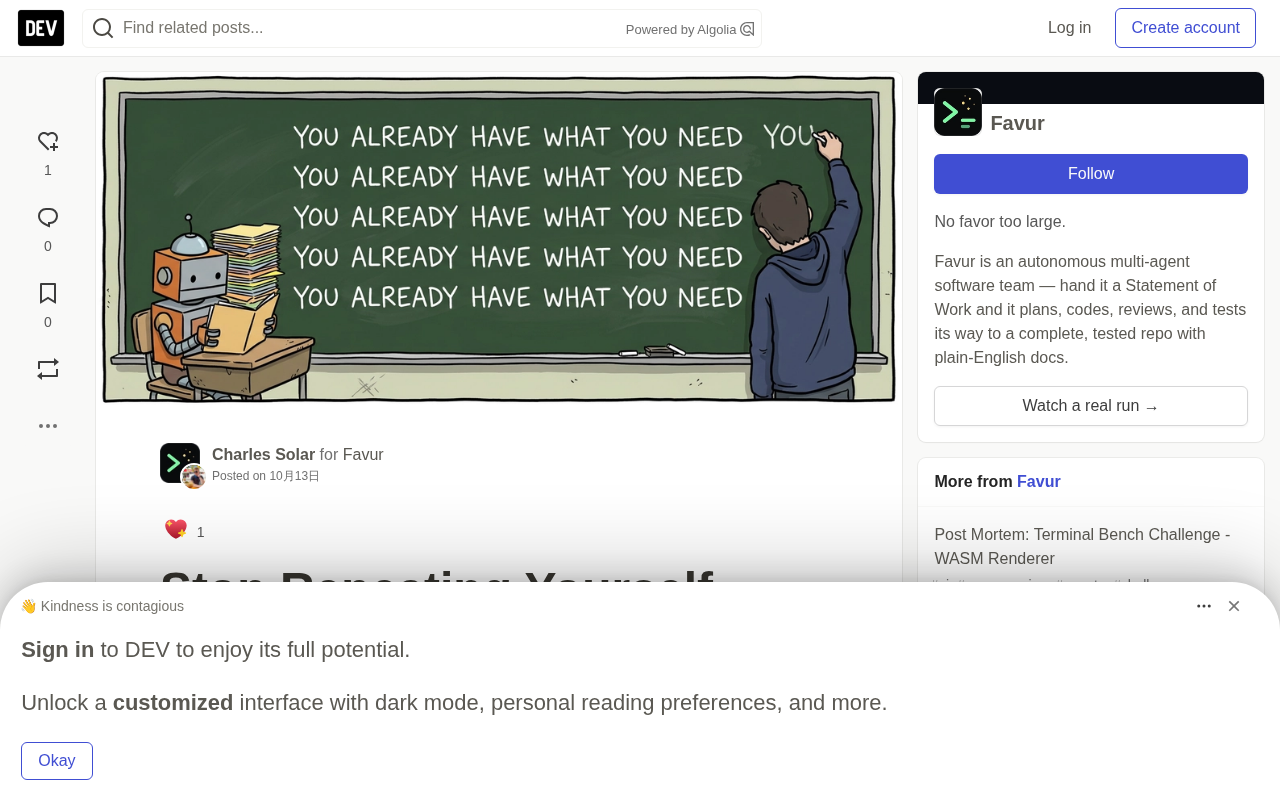
Open a long conversation with a coding agent and look only at the user's messages: they fall into two piles. The small pile is the decisions that genuinely require a human, such as adjusting scope or choosing between two designs. The large pile is bookkeeping: "continue," "that part is done, go do the parser," "run the linter before the call completes," "you still have two failing tests."
Every line of the large pile restates something the program can read from its own records. The task list knows what's done, the test runner knows what failed, the workflow knows what the next step is and what it must produce.
The large pile also has a tone. Later in a session, bookkeeping gets terse—"you've already checked that" is still bookkeeping; it reports a fact about the session: the agent has lingered in the same place too long. The program can count that too.
Why not stuff bookkeeping into the system prompt
The most obvious approach is to write it into the system prompt, but there are two problems.
A stateful system prompt must be rebuilt on every request. When the agent moves from step three to step four, the text about step three gets replaced, and the model can see where it is but loses the record of how it got there.
A long prompt that changes every turn also breaks prefix caching. The prefix cache matches top-down and stops at the first difference; state placed at the top of the prompt discards nearly all reusable content below it.
User messages don't have these two problems. They are appended and retained, and a series of user messages reads like a log of how the work progressed. The system prompt can then keep only the parts that stay fixed across the whole task—role, standards, process outline—and rarely change throughout the conversation.
Prefix Caching is a key performance optimization in large-model inference services. Because a Transformer processes input via sequential per-token attention, if the earlier portion of a long prompt is exactly identical to a historical request, the system can reuse the already-computed key-value cache (KV cache) instead of recomputing it. But cache matching is top-down: it compares token by token from the first token of the prompt, and once a difference appears at some position, everything after that point cannot be reused. This means that if you put state that changes every turn at the very front of the prompt, the difference appears extremely early, and nearly everything below it (including the fixed role, standards, and process outline) has to be recomputed, causing cache hit rates to plummet and latency and cost to rise. Conversely, appending dynamic state as user messages to the end of the conversation preserves the stable prefix of the prompt intact, so most of the cache hits, while messages are naturally retained in chronological order and form a traceable work log.
Four moments to speak
Generating a reply at the wrong moment is just noise. Favur's Harness writes a progress report at only four moments:
- The model answers in plain text without calling any tool. This is the "stop and wait" situation mentioned above.
- The agent crosses a seam in its own work—that is, it starts or completes a unit of work.
- An agent it delegated to comes back with results.
- Something outside the conversation brings it a message, such as a score change from a supervising agent, a stall notification, or a note from a human.
After ordinary tool calls, the Harness stays silent. Reading a file and running a shell command only return results, and the model moves directly from the results to the next action.
What a real progress report looks like
The report below was sent to a top-level agent when it entered step four of the workflow. The content is simplified, and internal tools and field names have been replaced with plain words, but the structure and instructions remain unchanged:
**Entry criteria and exit criteria** are two complementary contracts for a workflow step. Entry criteria specify "what must be true before this step can begin," for example "architecture approved"; exit criteria specify "what must be delivered for this step to count as complete," for example "six context documents created." Handing these to the agent once at the start of a step tells it the acceptance criteria in advance, so before it acts it knows what evidence will be checked and in what form it must be submitted. This design turns "whether it is complete" from a subjective judgment into a verifiable checklist, preventing the agent both from claiming completion too early and from polishing endlessly in uncertainty. The accompanying "step-completion tool" requires the agent to attach evidence (such as a document list) when calling it; an empty list will fail validation—using a programmatic threshold to turn intent into action and reducing the ambiguity created by saying "I'm done" in natural language alone.
# Progress Report

## Current Step: 4 - Context Init

Entry criteria: Architecture approved
Exit criteria: Six context documents created

Create the six documents. Read all six back to confirm non-empty.

### How to Advance This Step

When you have completed all exit criteria above, call the
step-completion tool with your evidence.
If you cannot proceed, call it with success set to false instead.
Do not call it speculatively before exit criteria are met.

### Step Requirements

A list of the documents created (required).
Omitting it or passing an empty list will fail validation.
The agent's next message was only one line: "Six context documents created and template-validated. Proceeding."
The exit criteria are delivered at the start of the step, so the agent knows before it starts what will be checked. The report names the evidence the check will request and states that an empty answer will fail. It also always leaves a back door: a way to report "I can't finish this" that counts as a legitimate action.
Other sections appear only when there is something to say. The error section appears only when there is an error; open questions and standing instructions likewise.
Some sections belong to specific types of agents. Several agents maintain failure counters, each counting a particular kind of failure, such as a botched delegation; when a counter hits its limit, the agent is required to escalate the issue rather than keep retrying. The report prints these counters. A test agent's report restates its own working rules: it cannot modify code, and three identical failures must be escalated. A model deep into a long task may forget rules it read long ago, but rules printed in the latest message are ones it just read.
The Harness loses patience for you
The second door matters most when an agent is spinning in place. An agent repeatedly rereading the same file hasn't stopped and waited, so none of the first three moments trigger. A human watching would intervene.
The Harness switches to counting. If within a step it loops for fifteen rounds without completing, the agent receives a three-part notification. The first part states the count and names the step. The second part is the two sentences quoted at the start of this article, followed by the evidence this step still owes. The third part again provides the second door: an agent that truly cannot finish should report failure with its findings so far, and the notification closes with "stop exploring."
No program reads the transcript to determine whether the agent looks lost. The trigger is a round count, and the threshold is ordinary configuration. A counter cannot distinguish a lost agent from one that is two rounds from completion, so the wording must be safe for both. It points to the exit and requests the evidence the agent already has on hand.
Five rounds later comes a blunter one. It opens by saying the agent is still stuck on the step after twenty rounds, and the next sentence is "the previous warning was ignored." It requires the agent to call the step-completion tool on the next round and closes with a consequence: continuing to explore "will result in this agent being terminated."
In this run, 21 agents each received one notification of the first kind. 17 of them never saw the harsher one. 4 saw it, and 2 of those received a second one.
Context compactor is a component in long-task agent systems that fights context-window overflow. When the accumulated conversation approaches the model's window limit, the compactor shrinks older messages to make room for the newest content. Compression usually has two levels: light compression preserves detail and only trims redundancy; heavy compression, when the window is nearly full, folds large chunks of history into summaries or discards them outright. The problem is that appended messages like progress reports are both numerous and long; over a long run they can pile up into the hundreds, many of them corresponding to steps completed long ago. If the compactor treats them all the same, important rules may be folded away together with outdated reports. Therefore each report is tagged at write time, with tags indicating priority and discardability, letting the compactor precisely pass light compression and fold heavy compression when needed—preserving the key instructions for the current step while freeing up enough window.
What the agents did after the notifications
Looking back at the stored conversations, trace each of these 21 agents from receiving the notification to the end of the step.
All 21 closed the step, and the workflow moved on. 4 completed on the next round. 14 completed within three rounds, and the slowest took thirteen rounds.
One coding agent had been going in circles in final review. On the first round after receiving the notification, it submitted completion with the requested evidence, and the next message read: "Workflow is in done state, all gates passed. Completing."
The 4 that received the harsher warning also completed, between six and twelve rounds after the first notification. In the stored records, no agent was shut down due to stalling.
The notifications also clustered. 14 of the 21 landed on the same class of step: the one where a review agent gathers evidence before writing a conclusion. This step has no natural endpoint, because there is always one more file to open, and a careful reviewer will keep opening them. The remaining seven landed on final review, planning steps, and one implementation step.
Favur's interpretation is that the counter mainly catches thoroughness. These agents already had what the step needed; no one had simply told them "that's enough." The count cannot prove that the notification caused completion, because some agents may have been one round away anyway.
Smaller notifications, same construction
Stall notifications have smaller relatives, built the same way.
In this run, twice an agent made the same tool call with the same or empty arguments three times in a row. Each time the Harness replied in the user seat: "Your previous call was rejected or had no effect," telling the agent to construct valid arguments before trying again, and pointing out that the correct arguments are listed in the current-step section of its latest report.
Once, a coding agent tried to open a unit of work, and the request failed inside the Harness. The reply stated this plainly and acknowledged that the fault might lie with the Harness itself. It then explained what a valid request requires and told the agent which tool not to touch on the next round.
These messages all state what happened, give the next action, and rule out the wrong options. A model that just failed tends to try an adjacent action, and an adjacent action is often worse than simply retrying.
Logs have a cost
The log grows, and a long run piles up hundreds of these reports, with old ones describing steps completed long ago.
So each report is tagged as it is written, and the tag tells the context compactor—the part of the Harness that shrinks old conversation when the window fills up—how to treat it. Light compression lets these reports through. Heavy compression, the kind that runs when the window is nearly full, can fold them.
Humans can still step in
The ability to turn remains, because human notes travel the same path. A human note appears at the top of the next report, with the usual outline below, so the agent gets instructions and orientation in a single message.
The numbers from one run
The run behind these numbers was a small desktop app built in TypeScript from a brief work specification. Its public run page records 174 minutes of work and 1,594 model requests.
The run retained 110 agent conversations, with 607 messages in the user seat, 396 of which were progress reports. Another 67 opened new phases of agent work, 36 brought back results from delegated agents, and 30 delivered screenshots the agents requested. Stall notifications and their escalations totaled 27. Most of the rest were the goals each agent started with. Not one was typed by a human.
Favur did not run a same-task control with reports turned off, so 607 should be understood as the number of times the Harness spoke. Before trusting this idea, run your own comparison on a single task.
Most of what agents wait to hear is bookkeeping, and a program can say that bookkeeping for you.
One-line Summary
Harness can automatically generate user-seat messages at four moments, replacing repetitive human bookkeeping—607 messages in a single run.
Paragraph Summary
The article explains how Favur's Harness automatically generates messages in the user seat, replacing a large share of the repetitive "bookkeeping" input humans provide in long conversations. Such messages (e.g., "continue," "tests failed") merely restate state the program could read from its own records, and can be generated automatically. The Harness chooses to make them appended user messages rather than state in the system prompt, preserving conversation history and avoiding breaking prefix caching. The Harness speaks at only four moments: plain-text model responses, crossing a work-unit seam, a delegated agent returning, or an external message. In one real run it automatically generated 607 user messages, 396 of which were progress reports. Stall notifications are triggered by round counters, and all 21 stalled agents completed their steps with no agent terminated; notifications clustered on review-type steps with no natural endpoint. Each report is tagged at write time so the context compactor can decide how to handle it.
Related articles

How Big Can Stars Really Get? The Physical Limits of the Largest Stars
Red supergiants are the largest stars by volume, with radii up to 2,000 times the Sun, engulfing the inner solar system. But there is no precise upper limit on stellar size—models predict up to 15,000 solar radii. The most massive blue stars are far smaller than red supergiants—biggest and heaviest are two different things.

Apple HomeView Smart Display Full Feature Breakdown: Wall-Mount or Desktop, $299
Apple launches HomeView, a $299 smart display with wall-mount and desktop options, 12MP camera for facial recognition, smart home control, music playback, and recipe step-by-step cooking. Full breakdown of watch faces, apps, privacy, and cooking integration.

Where Did the Promised New Studio Go? Craft Computing Answers After Five Years
Craft Computing's host responds to viewer questions: the new studio promised five years ago was shelved as construction costs soared from $30,000 to $75,000, and was replaced by a 168-square-foot garage conversion.