Linux Disk Defragmenter: An Open-Source Tool That Brings Back the Classic Block Animation

An open-source Linux defragmenter revives the classic Windows block animation while performing real disk reorganization.
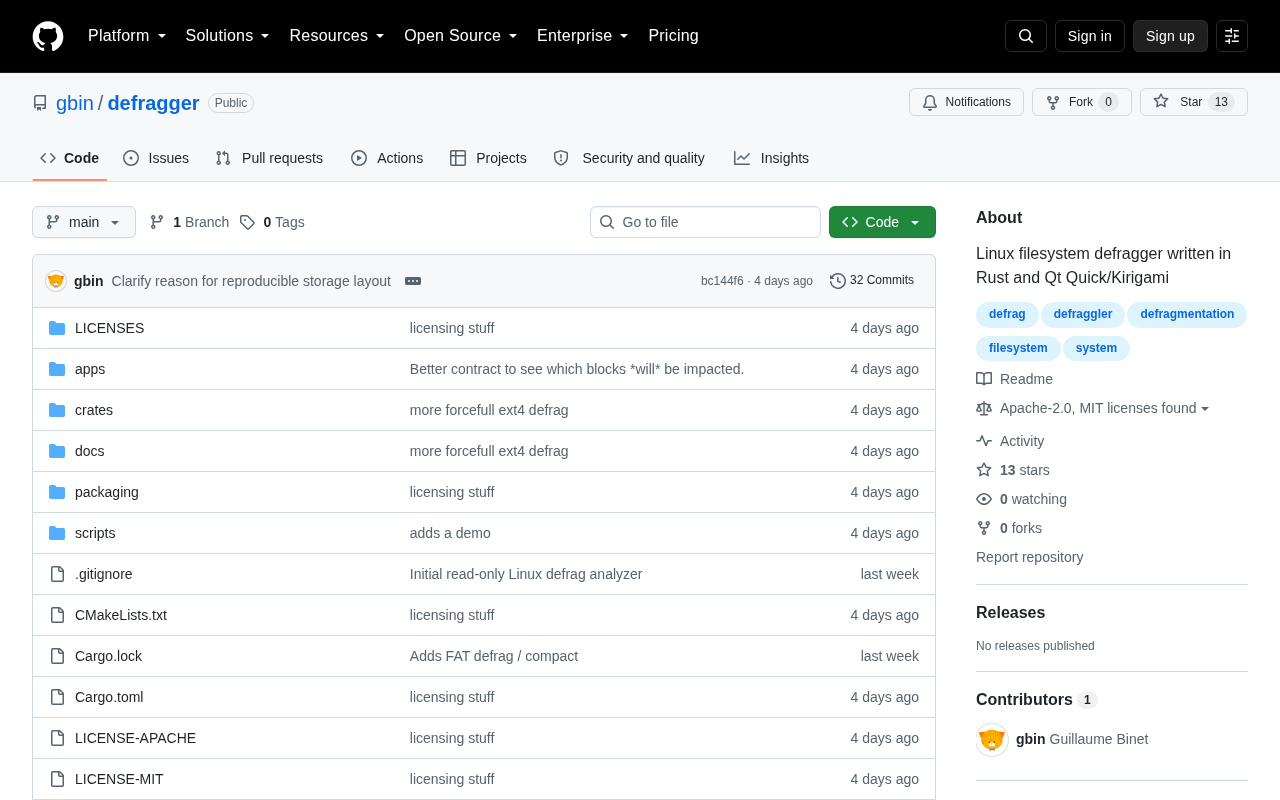
A developer built a real Linux disk defragmenter inspired by the classic Windows moving-block animation. Unlike fake tools that only show visuals, this one actually reorganizes data on disk. The article explores why Linux rarely needs defragmentation thanks to ext4/XFS/Btrfs design, when fragmentation still matters (full disks, CoW file systems, HDDs), and why TRIM replaces defrag for SSDs. The project fills a niche for HDD users while celebrating open-source nostalgia.
A Nostalgia-Driven Open-Source Project
Remember the disk defragmenter in older versions of Windows? A screen full of tiny colored blocks slowly moving and rearranging themselves — watching them gradually fall into place was a shared memory for an entire generation of computer users. Now that solid-state drives (SSDs) have become the norm, the ritual of defragmenting a mechanical hard drive has faded into history.
Recently, a developer posted a nostalgia-filled Show HN project on Hacker News: "I missed those moving blocks, so I built a real disk defragmenter for Linux." This simple opening line captures the spirit of the project — it's not just a technical exercise, but a tribute to a piece of computing history.
The project attracted community attention after its release. While the discussion was modest in scale (11 upvotes, 4 comments), it touched on a fascinating question: does disk defragmentation still matter on modern Linux systems?
Why Linux Rarely Talks About Defragmentation
For a long time, "Linux doesn't need defragmentation" has been near-consensus in the community. There are solid technical reasons behind this.
A Fundamental Difference in File System Design
Unlike the FAT file system used by early versions of Windows, Linux's commonly used file systems — ext4, XFS, Btrfs, and others — were designed from the ground up with fragmentation in mind. FAT (File Allocation Table) was a file system Microsoft designed in 1977 for DOS, using a linear allocation table to track the usage status of each disk cluster. When files were deleted, the gaps left behind could only be filled piecemeal by subsequent writes. This simple "first-come, first-served" allocation strategy was inherently prone to fragmentation. While NTFS, introduced later by Windows, significantly improved the situation, defragmentation tools remained a staple in the Windows ecosystem. The Linux camp took a different technical path from the very beginning, implementing extensive optimizations in allocation strategies that reduced fragmentation at the source.
Modern Linux file systems typically employ the following strategies to minimize fragmentation:
- Delayed allocation: Instead of immediately assigning disk space, the file system waits until enough data has accumulated to choose a more optimal contiguous region. Specifically, traditional file systems allocate disk blocks as soon as an application calls write(), but delayed allocation temporarily stores data in the page cache in memory, deferring physical space allocation until the data actually needs to be flushed to disk (e.g., during a sync operation or when memory pressure triggers writeback). By this point, the file system knows the full size of the write request and can find a large enough contiguous area in one go. ext4 introduced this feature in 2006, while XFS adopted a similar strategy even earlier. It's worth noting a side effect: data that hasn't yet been allocated physical space may be lost during an unexpected power failure, which is why modern file systems typically pair this mechanism with journaling to ensure data consistency.
- Block groups: Clustering data blocks from related files within the same physical region
- Intelligent space allocation strategies: Placing data blocks belonging to the same file in physically contiguous locations whenever possible
Because of all this, most Linux users have never encountered a scenario requiring manual disk defragmentation, and such tools are relatively rare in the ecosystem.
Fragmentation Hasn't Completely Disappeared
However, "uncommon" doesn't mean "nonexistent." The following scenarios can still produce noticeable file fragmentation:
- When disk space is nearly full, the file system struggles to find large contiguous blocks
- Frequent large-file I/O operations (such as video editing or frequent database updates)
- Long-running systems that have never been reinstalled
It's worth specifically mentioning Btrfs and other modern file systems that use a Copy-on-Write (CoW) mechanism. CoW means that when data is modified, it's not overwritten in place — instead, it's written to a new disk location, and the metadata pointers are updated. This design enables powerful features like snapshots and data checksumming, but ironically, CoW is inherently more prone to fragmentation than traditional "in-place update" strategies, because every modification scatters data blocks to new locations. Btrfs addresses this with a built-in defragmentation command (btrfs filesystem defragment), and XFS similarly provides the xfs_fsr tool for online defragmentation. The very existence of these built-in tools proves that even well-designed modern file systems haven't fully eliminated the fragmentation problem.
For users still running mechanical hard drives, severe fragmentation causes the read/write head to seek constantly, significantly slowing down read speeds. To understand the physics: data read/write on a mechanical hard drive depends on physical motion — the actuator arm must move to the correct track position (seeking), then wait for the platter to rotate to the target sector (rotational latency). A typical 7200 RPM drive has an average seek time of about 8–12 milliseconds and an average rotational latency of about 4.17 milliseconds, meaning each random access takes at least 12–16 milliseconds. When files are heavily fragmented, reading a single file requires the head to jump back and forth between different tracks. Modern HDDs can achieve sequential read speeds of 150–200 MB/s, but fragmentation-induced random reads can drop below 1 MB/s — a performance gap of over 100x. This is precisely the niche this project fills: providing a genuinely functional defragmentation tool with a visual interface for Linux scenarios where fragmentation is a real problem.
What a "Real" Defragmenter Actually Means
The project author specifically emphasizes that this is a "real" defragmenter — a word worth examining closely.
Not Just a Visual Animation, but Actual Data Reorganization
There have been "fake" defragmentation programs that simply play an animation of colored blocks moving around to satisfy nostalgia, without actually performing any data reorganization on disk. The author's use of "real" draws a clear line: this tool not only recreates the classic moving-block visuals but also genuinely rearranges file blocks on disk at a low level, making the physical layout more contiguous.
A Clever Blend of Visualization and Practicality
This design philosophy serves two types of needs simultaneously:
- Nostalgia: Recreating the mesmerizing block-moving experience for users who miss it, making abstract disk operations visible and tangible
- Utility: Actually solving performance problems caused by fragmentation, allowing users to intuitively see the distribution of disk fragments and the progress of defragmentation, rather than staring at a cold percentage progress bar
The visualization itself has diagnostic value — by observing the colors and distribution of blocks, users can quickly assess whether their disk fragmentation is severe enough to warrant the time investment of defragmentation.
In the SSD Era, Is Defragmentation Obsolete?
An unavoidable question surrounding this project: in a world dominated by SSDs, is there still a need for defragmentation tools?
SSDs Don't Need Traditional Defragmentation
The answer is largely yes — traditional defragmentation is obsolete for SSDs. SSDs use flash memory chips with no mechanical read/write heads, so random and sequential access speeds are virtually identical (random access latency is typically under 0.1 milliseconds, in stark contrast to 12–16 milliseconds for HDDs). Traditional defragmentation — making data physically contiguous — offers almost no performance benefit for SSDs.
More critically, SSDs have a limited write lifespan, and large-scale data reorganization would add unnecessary write volume, shortening the drive's life. For SSDs, the TRIM command is the more appropriate maintenance mechanism. TRIM is a command in the ATA instruction set (its NVMe equivalent is Deallocate), and it addresses a structural issue unique to SSDs: flash memory writes must be performed in "pages" (typically 4KB), but erasure must be performed in "blocks" (typically 128–256 pages). When the OS deletes a file, it only marks the space as available at the file system level — the SSD controller doesn't know the data is now invalid. Without TRIM, when the SSD needs to write new data, it must first relocate valid data from an entire erase block to another location, erase the entire block, and only then write — this is known as "write amplification." TRIM lets the OS proactively inform the SSD which logical blocks are no longer in use, allowing the SSD controller to perform garbage collection during idle time, consolidating valid data and freeing up erase blocks to maintain stable long-term write performance. In Linux, TRIM can be triggered manually via the fstrim command, or enabled in real-time by adding the discard mount option.
Mechanical Hard Drives Still Have Widespread Use Cases
That said, mechanical hard drives haven't exited the stage. HDDs still serve irreplaceable storage roles in the following scenarios:
- NAS and home servers: Significant cost-per-gigabyte advantages for large-capacity storage
- Data warehouses and cold storage: Long-term archival of massive datasets
- Enterprise backup systems: Cost-sensitive large-scale storage solutions
- Legacy hardware: A large installed base of traditional equipment still in service
For these scenarios, defragmentation remains a valuable performance optimization technique. Therefore, a well-designed Linux defragmentation tool that can identify disk types and operate carefully still has a practical place in the world.
The Open-Source Spirit Behind a Small Project
From a broader perspective, this project is a vivid microcosm of open-source culture. It grew from a developer's personal emotional impulse — "I missed those moving blocks" — then was built by hand and shared with the community.
It may never become a widely adopted star tool, but it fills a gap in the Linux ecosystem and brings a knowing smile to fellow nostalgic users. It's countless small projects like this — driven by passion and curiosity — that form the rich and colorful fabric of the open-source world.
The significance of technology sometimes lies not in solving grand problems, but in earnestly building something you just can't get out of your head.
Conclusion
This Linux disk defragmenter reminds us that tech nostalgia isn't just about replicating appearances — it can also be a reimplementation of classic ideas. With a solid understanding of modern file systems and storage media characteristics, the author has created a tool that's both sentimental and genuinely useful.
For Linux users still running mechanical hard drives, this open-source project is worth following and trying out. And for everyone else, it at least lets us revisit that wonderful time when we watched colorful blocks slowly fall into place.
Related articles

Chain of Thought Isn't Just for AI: How Humans Can Use CoT to Improve Thinking Quality
Chain of Thought isn't just a prompt trick for large models. Starting from a Hacker News discussion, this article analyzes why CoT works for human thinking too, breaks down actionable ways to transfer it, and highlights the key differences between human CoT and machine CoT.
Cloudflare Teams Up with OpenAI: Closi…
Cloudflare Teams Up with OpenAI: Closing the Loop from Vulnerability Discovery to Defense with AI
Cloudflare uses OpenAI Daybreak to investigate security vulnerabilities and generate reviewable remediation plans, while developers use Codex to boost coding efficiency and quality.

Orca Multi-Agent Orchestration in Practice: A Guide to Parallel Collaboration with Claude and Codex
Orca is Stable AI's free open-source agent workbench supporting 34 agents like Claude Code and Codex in parallel. Learn its Git worktree isolation, multi-model orchestration, and mobile management.