MacBook Pro Debuts Touchscreen and ProLED XDR: Apple's Self-Disruption

Apple's concept short previews the first touchscreen MacBook Pro, with ProLED XDR and M5 chips.
The article analyzes an Apple concept-preview short that sketches a major shift for the MacBook Pro: the first touchscreen, plus a new-generation display technology called ProLED XDR. It moves from display upgrades to touch interaction, M5 Pro/M5 Max chips and neural accelerators, weight reduction, and audio enhancements. Touch is the core variable, requiring systematic adjustment of the macOS interaction paradigm; ProLED XDR is positioned at reference-monitor level. No timetable or pricing is disclosed, and all descriptions remain conceptual.
Apple has used a playful short film to preview a major shift for the MacBook Pro: for the first time, a touchscreen is coming to a Mac laptop, alongside a new-generation display technology called ProLED XDR. The film unfolds in the classic "If you give a Mac an OLED" style, building layer by layer toward an almost irresistible product logic—once the screen is good enough, the body light enough, and the performance strong enough, touch becomes the natural next step.
From OLED to ProLED XDR: More Than Just a New Panel
The film opens with a premise: if you give a Mac an OLED, it has to be "another kind of OLED"—Pro OLED, which is to say ProLED XDR. This phrasing reveals Apple's consistent product philosophy: never settling for the industry's generic solution, but redefining the standard.
According to the film, ProLED XDR will deliver more vivid colors, higher brightness, purer blacks, and sharper contrast. These specs already approach the level of professional reference monitors, meaning the MacBook Pro's screen is being elevated from "an excellent laptop display" to "a reference monitor you can carry with you." For color grading, graphic design, HDR content creation, and similar scenarios, the value of this display quality is plain to see.
What follows are the associated engineering challenges: anti-glare and anti-reflective coatings, burn-in protection mechanisms, and real-time pixel correction. These details show that Apple isn't simply swapping out the panel—it has rebuilt the entire display subsystem around the new display characteristics. The mention of burn-in protection and pixel correction also indirectly confirms that the panel may use a self-emissive approach.
OLED and Burn-In Mechanisms
OLED (organic light-emitting diode) pixels emit their own light, enabling pixel-level light control that produces pure blacks and extremely high contrast. But organic materials age at uneven rates, and displaying static bright content (such as menu bars or taskbars) over long periods causes localized brightness decay, creating ghost images—known as "burn-in." Manufacturers typically mitigate this through pixel shifting, brightness limiting, screensavers, and pixel refresh. The "burn-in protection mechanisms" and "real-time pixel correction" mentioned in the article are precisely the engineering measures addressing this problem: the former prevents uneven aging, while the latter uses compensation algorithms to correct existing brightness deviations. This also indirectly suggests that ProLED XDR is very likely to use a self-emissive panel rather than a traditional LCD backlight solution.
Touchscreen: A Historic Step for the Mac Lineup
The core turning point of the film is this line: "It looks so real, you'll want to reach out and touch it—and if you can touch it, you can swipe and drag and pinch and scroll and spin stuff on it."
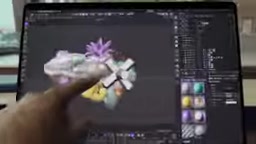
This is the first time the Mac lineup has officially introduced touch operation. For a long time, Apple executives publicly stated that touchscreen laptops were not ergonomic—a stance that has clearly now been reassessed. The gestures listed in the film—swipe, drag, pinch, scroll, spin—cover the basic set of touch interactions, suggesting there will be corresponding gesture support at the system level, rather than treating touch merely as a mouse substitute.
The addition of touch places new demands on macOS's human interface design. Simply porting iPad gestures to the Mac would feel disjointed; the real challenge is making touch, trackpad, keyboard, and Apple Pencil-style input complementary rather than conflicting.
The Interaction Divide Between macOS and iPadOS
Since its inception, macOS has been built around the pointer (mouse/trackpad), with interface elements designed for "click precision"—menu bars, window controls, and context menus all rely on hovering and precise targeting. iPadOS, by contrast, was designed from the ground up for multi-touch, using direct manipulation, large touch targets, and gesture navigation. The two have fundamentally different interaction models: simply layering touch onto macOS tends to produce problems such as touch targets that are too small and gestures that conflict with system shortcuts. The real difficulty of bringing a touchscreen to the Mac therefore lies not in the hardware but in redesigning an interaction layer where touch, pointer, and keyboard coexist and complement one another—one of the reasons Apple has long been cautious about a touch Mac.
Performance and Portability: M5 Pro / M5 Max Power the New Form Factor
To make touch operations respond smoothly and help developers build apps faster, the film names the M5 Pro and M5 Max chips, with particular emphasis on their neural accelerators.
In touch scenarios, low latency is the lifeline of the experience. Every frame of a finger swipe requires instant feedback, which tests both the graphics pipeline and system scheduling. The addition of neural accelerators suggests that on-device AI tasks will be a key selling point of this generation of Macs—whether real-time image processing, voice interaction, or creative assistance.
Alongside the performance upgrade come memory and storage configurations. The film glosses over them with the word "match," but the logic is clear: more powerful chips need wider memory bandwidth and larger storage to support professional workflows.

Portability gets its own mention. "It should be a lot lighter"—behind this line is a clear demand for weight reduction. A laptop that can serve as a reference monitor and support touch-based creation is pointless as a mobile advantage if its weight spirals out of control. The film also jokes about "all-night battery life," suggesting battery performance is likewise a design priority.
Neural Accelerators and On-Device AI
The Neural Engine is a dedicated AI inference unit that Apple introduced starting with the A11, sitting alongside the CPU and GPU in the SoC and excelling at matrix operations, image recognition, and voice processing. Offloading AI workloads to the Neural Engine enables real-time processing at low power, avoiding the heat and latency that come from occupying the main CPU. For a touch Mac, low-latency gesture response, real-time image enhancement, voice transcription, and other on-device tasks all depend on this kind of dedicated unit. Emphasizing the neural accelerator means Apple treats on-device AI as part of the system-level experience rather than an isolated feature.
Completing the Picture: Audio and Creative Scenarios
The latter half of the film turns to the audio experience. "Use it to play more music, so you'll want more bass, so you'll want good mics."

This may seem casual, but it actually points to two high-frequency needs in creator scenarios: low-frequency performance during playback and microphone quality during recording. For music production, podcast recording, video conferencing, and similar scenarios, the quality of the built-in microphone directly affects usability. Apple has continued to strengthen the audio system on recent generations of MacBook Pro, and this time it will clearly continue that trajectory.
What Signals Does This Film Send?
In terms of content form, this is a typical concept-preview short rather than a formal product launch. But the product logic it conveys is quite complete: display technology upgrade → touch interaction introduction → chip performance support → portability and audio completion.
A few judgments worth noting:
- Touch is the core variable. Adding a touchscreen to the Mac means macOS's interaction paradigm needs a systematic adjustment, which has far deeper implications than a hardware upgrade.
- ProLED XDR targets the professional market. A reference-monitor-grade screen combined with touch could give rise to new mobile creative workflows.
- M5 Pro / M5 Max are the foundation. The emphasis on neural accelerators shows that on-device AI capabilities will be deeply integrated into the system experience.
- Lightweighting is not a compromise. Reducing weight while comprehensively upgrading performance, display, and touch is a direct demonstration of engineering capability.
Of course, the film gives no timetable or pricing information, and all descriptions remain at the conceptual level. Whether a touch Mac truly arrives, and in what form, remains to be seen at an official Apple launch. But one thing is certain: if the MacBook Pro described in this film becomes real, it will be the generation with the biggest change in interaction since the Mac was born.
One-line Summary
Apple's concept short previews the first touchscreen MacBook Pro, with ProLED XDR and M5 chips.
Paragraph Summary
The article analyzes an Apple concept-preview short that sketches a major shift for the MacBook Pro: the first introduction of a touchscreen, along with a new-generation display technology called ProLED XDR. The film unfolds in the progressive "If you give a Mac an OLED" style, moving from display upgrades to touch interaction, M5 Pro/M5 Max chips and neural accelerators, weight reduction, and audio enhancements. The article notes that touch is the core variable, meaning macOS's interaction paradigm needs systematic adjustment; ProLED XDR is positioned at reference-monitor level, with anti-glare, burn-in protection, and pixel correction; lightweighting and battery life are also design priorities. The film discloses no timetable or pricing, and all descriptions remain at the conceptual level.
Related articles

OpenAI Breaks ETH? P=NP Could Upend the Cryptography World
OpenAI reportedly disproved ETH with a sub-exponential algorithm, sparking P=NP speculation. What it means for RSA, blockchain, and protein folding.
When an Anti-Fingerprinting Script Is …
When an Anti-Fingerprinting Script Is Flagged as a Bioweapon: The Detection Dilemma of Security Tools
An anti-fingerprinting script was flagged as a bioweapon by security scanning, sparking Hacker News debate. This analysis covers the causes of keyword-matching false positives, how developers respond, and the long-term imbalance between automation and precision in security tools.

41,000 DHS Employee Records Leaked, Including Undercover ICE Agents
Data breach exposes 41,000 DHS employees, including undercover ICE agents. Analysis of sensitive data risks, law enforcement security gaps, and protection measures like access control and auditing.