MCPHub: The AI-Native Launchpad That Uses One MCP to Discover All MCP Servers
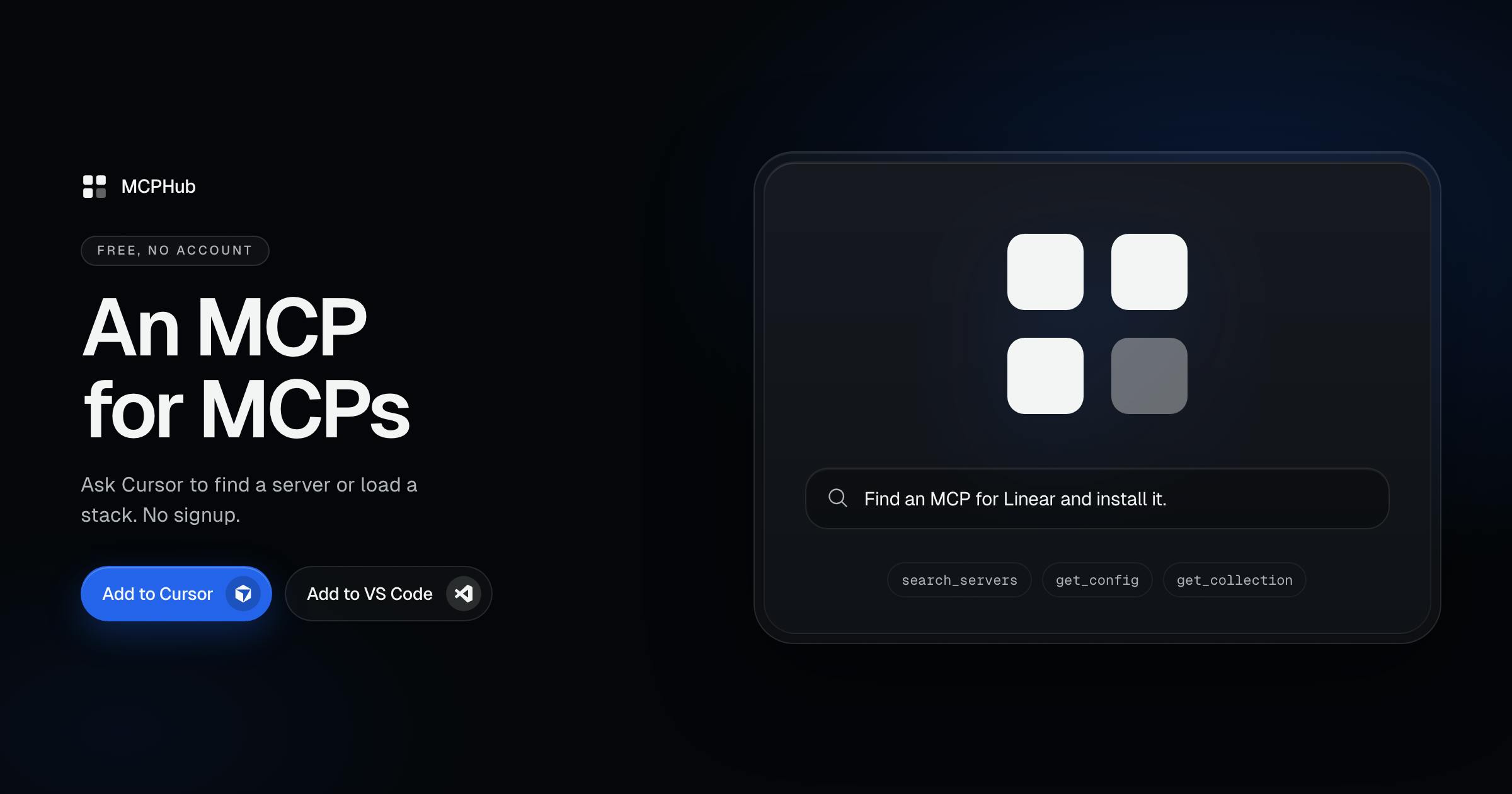
MCPHub is an MCP server that helps AI agents discover and configure other MCP servers.
MCPHub is an AI-native launchpad that uses a single MCP to help developers discover, compare, and configure approximately 4,000 MCP servers. It integrates with Cursor, Claude, and VS Code, exposing five core tool functions that let AI agents handle the entire discover-retrieve-configure workflow via natural language. Features include task pages for side-by-side comparisons, Stacks for one-click tech stack configurations, and a Playground sandbox for pre-integration testing.
When MCP Servers Keep Multiplying, We Need a Unified Entry Point
As the Model Context Protocol (MCP) gradually becomes the de facto standard for connecting AI agents with external tools, developers face a thorny problem: the number of MCP servers is exploding, so how do you quickly find the one you need among thousands of options?
Model Context Protocol (MCP) Background
Model Context Protocol (MCP) is an open protocol standard introduced by Anthropic in 2024, designed to solve the problem of standardized connections between AI applications and external data sources and tools. Before MCP, every AI application had to write custom integration code for different data sources and tools, leading to low development efficiency and difficult maintenance. MCP defines a unified communication protocol that enables AI models to access databases, APIs, file systems, and other external resources in a standardized way. The protocol uses a client-server architecture, where MCP servers encapsulate the capabilities of specific tools or data sources, and AI applications act as clients that invoke these capabilities through standard interfaces. Since its release, MCP has quickly gained recognition from the developer community, with numerous third-party developers building MCP servers covering scenarios ranging from database operations to API integration.
MCPHub's answer is quite ingenious — it is itself an MCP, one specifically designed to discover other MCP servers. This "using tools to manage tools" design philosophy is a quintessential example of how AI-native development workflows are evolving.
Built by Ildar Timerbaev, MCPHub positions itself as an "AI-native launchpad for MCP servers." Spanning productivity, developer tools, and artificial intelligence, it precisely addresses a real pain point in the AI programming ecosystem.
How MCPHub Works
AI Agent Concept Explained
An AI agent is an AI system capable of perceiving its environment, making autonomous decisions, and executing actions to achieve specific goals. Unlike traditional conversational AI, agents can use tools, invoke external services, and perform multi-step tasks. In the MCP ecosystem, AI agents interact with the outside world through tool functions provided by the protocol — they can read files, query databases, call APIs, and even operate other software systems. This capability elevates AI from a mere "conversation partner" to an "actionable assistant." For example, when a developer says "help me find an MCP server that connects to PostgreSQL," the agent not only understands the intent but proactively invokes search tools, retrieves relevant information, and returns results. This proactivity and tool-use capability is the core characteristic that distinguishes AI-native applications from traditional software.
MCP Integration with Cursor, Claude, and VS Code
MCPHub's usage logic is remarkably straightforward: you add it to Cursor, Claude, or VS Code just once, and from then on you can have the AI agent search for servers, load collections, or copy configurations directly.
Cursor is an AI code editor built on VS Code with deeply integrated AI-assisted programming capabilities; Claude is the large language model developed by Anthropic and the primary driving force behind the MCP protocol; VS Code is Microsoft's open-source code editor with a massive developer ecosystem. All three tools support MCP protocol integration, allowing developers to add MCP servers through configuration files (typically mcp.json). Once configured, the AI assistant in the editor can invoke tools provided by these servers. For example, after configuring a GitHub MCP server, developers can have the AI query repository information, create issues, or submit PRs directly in the editor without manually switching to a browser. This integration model extends AI capabilities from pure code generation to complete development workflow management, representing a new paradigm in AI-assisted development.
Five Core Tool Functions
Under the hood, MCPHub exposes five key tool functions to AI agents:
- search_servers: Search for MCP servers by keyword
- get_server: Get detailed information about a specific server
- get_config: Retrieve a server's configuration content
- list_collections: List all available server collections
- get_collection: Get the complete content of a collection
These five tools form a complete "discover — retrieve — configure" closed loop. Developers don't need to leave their editor or open a browser to search manually; they simply describe their needs to the AI in natural language, and the agent uses these tools to complete the entire process from discovery to configuration generation.
AI-Native Tool Design Philosophy
This design perfectly aligns with the core philosophy of AI-native tools: making AI the interface itself, rather than forcing users to adapt to traditional GUIs or command lines.
"AI-native" is an emerging concept in software design, referring to a product philosophy that places AI as the core interaction interface from the very beginning. Traditional software is typically designed around graphical user interfaces (GUIs) or command-line interfaces (CLIs), requiring users to learn buttons, menus, or command syntax. AI-native tools, however, use natural language as the primary interaction method — users describe their intent directly, and the AI handles translating that intent into specific actions. MCPHub is a textbook AI-native tool — it has no complex search interface; users simply tell the AI "I need a tool that connects to Slack," and the AI automatically invokes the search function, retrieves results, and returns configurations. The core advantage of this design paradigm is reducing learning costs and cognitive burden, making it especially suited for scenarios with complex features and numerous options. In the future, more and more developer tools are likely to adopt this "AI-first" design approach.
A Directory of Approximately 4,000 MCP Servers
MCPHub's true core value lies in the directory data behind it. According to official information, the platform's directory has indexed approximately 4,000 MCP servers — a considerable scale that essentially covers both mainstream solutions and long-tail options across the current MCP ecosystem.
Task Pages: Side-by-Side Comparisons of Similar MCP Servers
Beyond the basic server listings, MCPHub offers a "task pages" feature. For specific work scenarios, it systematically compares official solutions with community alternatives. This feature is highly practical — developers' choice paralysis often stems not from a lack of options, but from too many options with no authoritative comparisons. Task pages front-load and structure the selection process, significantly reducing decision-making costs.
Stacks: One-Click Complete Tool Configurations for Specific Tech Stacks
MCPHub also provides a "Stacks" feature tailored to specific technology stacks, such as Next.js, SEO, and Shopify scenarios, merging multiple related MCP servers into a single mcp.json configuration file. For developers who frequently work on the same type of project, this means getting a complete set of matching tool configurations with a single click, rather than assembling them one by one.
Playground Sandbox Testing and Free Usage Strategy
MCPHub includes a built-in Playground sandbox environment that allows developers to inspect the actual behavior of remote MCP servers before formal integration. In the current MCP ecosystem — where maturity is still evolving and server quality varies — this pre-testing capability is critical for security and reliability verification, significantly reducing trial-and-error costs.
Notably, MCPHub is currently completely free and requires no account registration to use. This low-barrier strategy helps rapidly build a user base in the early stage, especially while the MCP tool ecosystem itself is still in the market education phase.
Industry Signals from MCPHub
The Package Manager Ecosystem Analogy
From a broader perspective, MCPHub's emergence signals that the MCP ecosystem is transitioning from "can we use it" to "how do we use it efficiently." When a protocol standard gives rise to thousands of implementations, indexing, discovery, and configuration management become essential needs — much like the role that npm, pip, and other package managers play in programming language ecosystems.
Package managers are foundational infrastructure in modern programming language ecosystems, such as JavaScript's npm, Python's pip, and Rust's Cargo. The core problem they solve is: when an ecosystem contains thousands of reusable components, how do developers efficiently discover, install, and manage them? Package managers typically provide centralized directories, version management, dependency resolution, and automated installation. MCPHub's similarity to package managers lies in the fact that it also serves a rapidly growing component ecosystem (MCP servers) and attempts to solve discovery and configuration problems. The key difference is that traditional package managers primarily serve human developers, while MCPHub's primary "users" are AI agents. This distinction leads to fundamentally different product design — MCPHub doesn't need a polished web interface, but it must provide structured APIs for AI to call. This evolution reflects a shift in the tool ecosystem from "human-first" to "AI-first."
MCPHub aims to play a hybrid "package manager + app store" role in the MCP world, except its primary interaction entry point is AI agents rather than human users. This "AI-first" product form may foreshadow the future direction of more developer tools.
As a newly launched early-stage product, MCPHub's actual data quality, directory maintenance frequency, and long-term business model remain to be seen. However, it has precisely captured a rapidly forming market need — MCP server discovery and management — and that alone makes it worth watching for developers.
Key Takeaways
- MCPHub is an MCP server specifically designed to discover and manage other MCP servers, embodying the "using tools to manage tools" design philosophy
- Through five core tool functions (search, retrieve, configure, collection management), it achieves a complete discover-retrieve-configure closed loop
- It indexes approximately 4,000 MCP servers and offers task page comparisons and Stacks tech stack combination features
- A built-in Playground sandbox environment supports testing server behavior before integration
- It adopts an AI-native design with natural language as the primary interaction method, lowering the barrier to entry
- Currently completely free with no registration required, signaling that the MCP ecosystem has entered a new phase of "efficient selection"
Related articles

Vibe Coding Full-Stack in Practice: AI Programming from Beginner to Enterprise Deployment
From Cursor to Claude Code, this Bilibili AI programming course uses four progressive projects to cover full-stack development, open-source secondary development, and team collaboration. The article analyzes the shock to frontend roles, the efficiency shift from 50 people to 5, and the methodology required for enterprise-grade projects.

David Blaine's Global Quest for Real Magic: From South Africa to Japan and India
David Blaine travels to South Africa, Japan, and India in his Do Not Attempt special, documenting Spinning drivers, black mamba rescuers, iaijutsu masters, and ascetics—exploring the boundary between magic and real human极限 challenges.

Is a Touchscreen MacBook Coming? Vergecast Reveals Apple Executive's Response
Vergecast podcast reveals a conversation between a reporter and Apple executive John Ternus about a touchscreen MacBook and Apple Pencil support. Ternus says iPad is the best device for a stylus, while the reporter bets MacBook will eventually support Apple Pencil.