Microsoft Agent Builder in Action: Build Your Own AI Agent with Zero Code

Microsoft Agent Builder lets anyone build expert AI agents in minutes using plain language — no coding required.
Microsoft's live demo of Agent Builder and Skill Builder shows a complete no-code workflow: type a natural language prompt, and the system auto-generates agent names, descriptions, and instructions, with support for grounding via SharePoint docs and Teams chats. It auto-detects repeatable tasks and generates reusable skills shareable via Markdown files. New collaboration features include multi-user co-authoring and org-wide submission with admin approval. A built-in Monitor tab provides usage analytics without leaving the tool. With 50,000 agents created daily, the trend is clear: AI is shifting from centralized assistants to distributed, domain-expert agents owned by business users.
Microsoft product team member Seema Bansal delivered a live demo showcasing how Agent Builder and Skill Builder enable non-technical users to create their own organization-specific AI agents in just minutes. The core message was clear: Copilot is already a powerful general-purpose assistant, but the real value lies in putting AI capabilities directly in users' hands — allowing anyone to build "expert-level" agents tailored to their specific business scenarios.
Why Build Your Own Agent
Seema used a vivid analogy to explain the value of custom agents: it's like rewiring a house. You could hire a general contractor, or you could hire a licensed electrician. Both are capable, but the specialist brings focused expertise, follows established protocols, and is trusted to handle that specific type of work.
The same logic applies to building agents — it's fundamentally about delegating processes to a specialist. She broke down three criteria for deciding whether something is worth building an agent for: it consumes a significant amount of your time, it's process-driven or repeatable, and it's highly specific to your organization. For example, you might want answers sourced only from a specific SharePoint site, or when you say "AB" you mean Agent Builder — not a contact in your address book. That kind of highly contextual definition is exactly where expert agents shine. She emphasized that the value of an agent compounds over time.
Creating an Agent with Natural Language
The most compelling part of the demo was the fully live walkthrough. Seema started on office.com, browsing the existing Agent Store — which displays agents built by Microsoft, agents built within the organization, and supports search. After failing to find a "new employee onboarding" agent, she decided to build one from scratch.
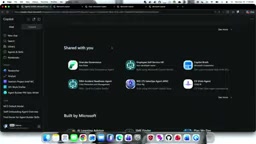
The entire creation process involved zero coding. She simply typed a natural language prompt into Copilot: "You are an employee onboarding agent that helps answer questions about business processes and handle common tasks." The system recognized the intent and automatically redirected her to Agent Builder, where it had already pre-populated a name, description, purpose statement, and general instructions.
The real key to making an agent "expert-level" is knowledge. Seema added specific documents, Teams channels, and even a group chat with over 150 members as grounding sources. Once configured, she could click "Suggest improvements" to let the system automatically refine the instructions and add recommended prompts — with instructions updating in real time as she conversed naturally.
Grounding is a foundational concept in large language model applications. It refers to "anchoring" an AI's responses to specific, trusted knowledge sources rather than relying solely on the general knowledge absorbed during training. Without grounding, AI can produce "hallucinations" — outputs that sound plausible but are factually inaccurate. By assigning SharePoint documents, Teams channels, or group chat records as knowledge sources, the agent prioritizes these when responding, constraining both the scope and accuracy of answers to the organization's actual data. This is the most fundamental difference between an expert agent and a general-purpose Copilot: the former has explicitly defined knowledge boundaries, making it more trustworthy and compliant in specific business contexts.
Building Reusable Skills — No Code Required
A key highlight of the demo was the automatic identification of Skills. Seema asked the agent to "help me draft a weekly onboarding progress status update" — deliberately without specifying that this should be a skill. The system detected on its own that this was a repeatable task (a weekly status email) best handled as a skill, and automatically began planning and generating a brand-new skill.
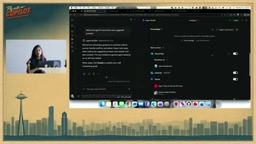
This auto-generated skill (currently in preview, with general availability coming soon) includes complete instructions, parameters, and output rendering — all created automatically by Agent Builder, with the name and title editable by the user. Even more powerful is the skill's reusability: if a colleague has written a skill in GitHub Copilot or another platform, they can simply share an MD file, which you can import via the plus button and embed directly into your own agent.
The use of MD files (Markdown files) as a skill exchange format corresponds to a standardized skill description protocol that Microsoft is advancing across the GitHub Copilot Extensions and Copilot Studio ecosystem. Developers or power users can describe a skill's name, parameters, instructions, and output specifications in Markdown format. This file is both human-readable and directly parseable by Agent Builder. This design turns skills into transferable "assets" — similar to the concept of npm packages or Python libraries — enabling cross-team, cross-platform capability reuse without requiring every agent builder to define the same operational logic from scratch.
Sharing, Governance, and Organization-Wide Publishing
Once an agent is created, the sharing mechanism is as simple and intuitive as sharing a file.

Seema introduced several new collaboration features:
- Multi-user co-authoring: When sharing an agent, you can grant edit permissions. Colleagues receive an email notification and can collaboratively add files, data sources, or configure skills — enabling true multi-co-authoring.
- Organization-wide submission: You can submit an agent to the entire organization, which triggers an admin review request. Once approved, the agent appears in the store under the "Built by your organization" category, giving admins quality control to prevent the store from becoming cluttered.
- Terms of use and display names: When submitting, you can add terms of use, update the display name, or change it to a developer name.
This mechanism strikes a balance between ease of use and governance — letting ordinary users publish quickly while giving admins the authority to review and approve.
Built-in Monitoring and Advanced Capabilities
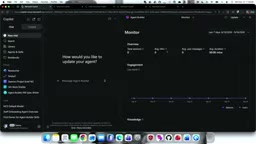
Addressing a common concern among creators — "how is my agent actually performing?" — Microsoft has added a Monitor tab directly inside Agent Builder. No admin permissions required, no switching to a governance portal. Creators can view total session counts, daily active usage, average user message counts, average session duration, engagement metrics, and charts showing which knowledge sources the agent draws from — with support for custom time range analysis.
Seema also highlighted several advanced features that make Agent Builder even more powerful:
- Schedules and triggers: You can configure agents to run on a time-based schedule, or set triggers like "when a specific email arrives, execute this action."
- Office action connections: You can specify output formats — for example, weekly client communications drafted as emails or PowerPoint presentations.
- Helper agent: The assistant agent on the left sidebar — the result of significant team investment — automatically transforms and updates instructions, recommended prompts, names, and descriptions based on what you tell it you want the agent to do, so users don't have to worry about the configuration details.
Scheduled triggers and event-based triggers represent an evolution from agents that "react passively" to agents that "act proactively." Traditional chat-based AI requires users to initiate a conversation before anything happens. Agents configured with triggers can operate like automated workflows (similar to Power Automate or Zapier): automatically aggregating information and sending reports at scheduled times, or responding immediately when an external event — like receiving a specific email — occurs. This shifts agents from being "smarter search boxes" to taking on process automation roles. Combined with Office action connections (outputting directly as email drafts or PowerPoint files), agents can seamlessly plug into existing office workflows, eliminating manual copy-paste steps.
Closing Thoughts: Delegation at Scale
Seema closed the demo with a striking data point: 50,000 agents are created every day. She described this as "a massive amount of work being delegated." The number reflects a broader direction Microsoft is pushing toward — moving AI capabilities from a centralized general-purpose assistant toward distributed, expert-level agents owned and operated by individual business users.
For organizations, Agent Builder lowers not just the technical barrier, but also shifts who builds AI applications — from developers to the people who actually understand the business context. With the complete loop of knowledge grounding, skill reuse, collaborative editing, and built-in monitoring, this toolset aims to make "building an agent" as routine as "sharing a file."
Related articles

The US Military's Race to Make Fake Blood: Real-World Needs and Technical Challenges in Battlefield Life-Saving
Why is the US military investing heavily in artificial blood? This article analyzes the real-world dilemmas of battlefield transfusion, the pros and cons of hemoglobin-based oxygen carriers and other technical approaches, and the potential impact of artificial blood on civilian emergency medicine.

Best AI Gateways in 2026: Bifrost, Portkey, LiteLLM and 6 More Reviewed
MarkTechPost reviews 9 best AI gateways of 2026, comparing Bifrost, Portkey, LiteLLM, Kong, TrueFoundry, Cloudflare, Vercel, OpenRouter, and Orq.ai on latency, pricing, licensing, governance, and deployment.

AI Visibility Metrics: Definitions Matter More Than Dashboards
AI visibility measurement tools are proliferating, but the lack of unified definitions makes data incomparable. This article analyzes the mismatch and explores why repeatable methodology matters more than dashboards, and how a shared vocabulary can make AI search measurement truly credible.