Microsoft Copilot Goes Autopilot: From Assistant to Autonomous Long-Running Task Execution
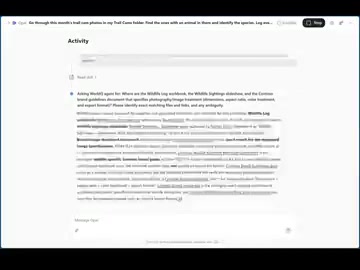
Microsoft Copilot gains Autopilot mode, autonomously completing multi-day, end-to-end tasks via Opal on Windows 365.
Microsoft is upgrading Copilot from an instant-response assistant to an autonomous agent capable of independently completing complex, long-cycle tasks. The mechanism is called Autopilots — illustrated by a trail camera example where Copilot autonomously processes a month of footage, edits highlights, annotates species, builds a spreadsheet, generates a PowerPoint, and pushes it all to Teams. Orchestrated by Opal and running on secure Windows 365 cloud PCs, this system is deeply embedded in Microsoft's productivity suite, representing a paradigm shift from reactive AI to long-running autonomous execution — though accuracy, controllability, and error accumulation remain key challenges.
Microsoft recently announced a wave of new models coming to Copilot, pushing its capabilities from answering simple questions and handling delegated tasks to independently completing long-cycle work that can take hours or even days to finish. The core concept behind this shift is what Microsoft calls "Autopilots" — an autonomous task agent mechanism.
Three Levels of Copilot Evolution
According to Microsoft, Copilot's positioning is evolving along a clear trajectory: from "quick Q&A" to "delegated tasks," and finally to "complete long-running jobs." This is no longer a traditional chat assistant — it's a software system capable of taking full ownership of a task and driving it through to completion.
The key phrase here is "own and complete" — not just assisting human work, but taking over and finishing the task entirely. For enterprise users, this means AI is shifting from a tool that requires frequent interaction to a "digital employee" you can confidently delegate to and simply collect the results from.
An Autopilot in Action: A Concrete Example
Microsoft offered a vivid example to illustrate what an Autopilot can do:
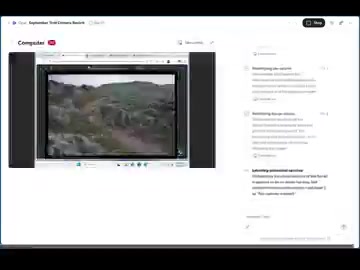
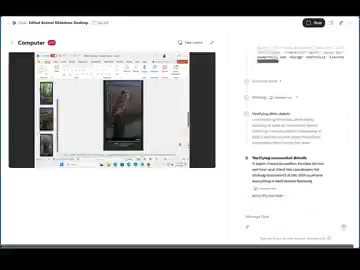
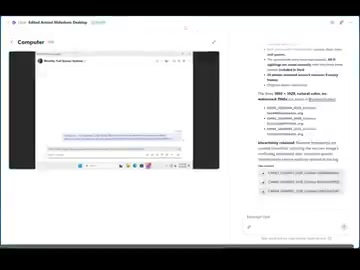
Using an Autopilot powered by Opal and running on a secure Windows 365 cloud PC, Copilot can autonomously process an entire month's worth of trail camera footage. It identifies every animal appearance, edits together a highlight reel, tags each clip with the corresponding camera number, date, and species, compiles every sighting into a spreadsheet, generates a PowerPoint summarizing the findings, and finally shares everything to Teams for colleagues to review.
This workflow chains together video analysis, content editing, data classification, document generation, and team collaboration. What's notable is that this isn't a stack of isolated AI features — it's an end-to-end automated workflow that takes raw footage all the way to a deliverable, with no step-by-step human intervention required.
The Technology Stack Behind It
Several key components appear in this example and are worth breaking down:
Opal-Powered Task Orchestration
Opal serves as the "engine" of the Autopilot, responsible for driving the execution logic of multi-step tasks. Getting AI to sequentially process video, generate spreadsheets, and produce slide decks requires an orchestration layer capable of planning steps, invoking tools, and handling intermediate outputs.
Windows 365 Cloud PC as the Execution Environment
The task runs on a "secure Windows 365 cloud PC" — a detail that reveals Microsoft's thinking: give AI agents a dedicated, isolated, and controlled computing environment for executing long-running tasks. The cloud PC provides persistent compute and a security boundary, making hours- or even days-long jobs feasible without tying up a user's local device.
Deep Integration with the Microsoft Ecosystem
From Excel spreadsheets and PowerPoint to Teams sharing, the entire workflow is tightly embedded in Microsoft's productivity suite. This is a natural advantage Microsoft holds over other AI vendors — Copilot's outputs land directly in the collaboration tools users already rely on daily, creating a closed loop.
The Promise and Challenges of Long-Running AI Agents
"Long-running jobs" represent the next frontier of AI applications. Most AI assistants to date have been reactive — the user asks, the AI answers. Autopilot mode, by contrast, means AI must maintain task coherence over hours to days without supervision: handling exceptions, preserving context, and ultimately delivering results.
Once this capability matures, it will significantly reshape how knowledge work is divided: repetitive, cross-application, time-intensive tasks can be wholesale delegated to AI, while humans focus on review, decision-making, and creative work.
That said, there's still a gap between a polished demo workflow and a reliable productivity tool. Autonomous long-task execution demands higher standards for accuracy, controllability, and verifiable outcomes — especially in enterprise settings, where accumulated errors can translate into real costs. Microsoft's emphasis on the execution environment being "secure" also reflects the inherent sensitivity around permissions and risk control for autonomous agents.
Conclusion
Microsoft's signal here is clear: Copilot is evolving from a conversational assistant into an autonomous task agent, with Autopilots as the vehicle for that direction. The trail camera footage example may be lighthearted, but the end-to-end automation it demonstrates points toward a future where AI genuinely "takes over the work." For practitioners tracking AI deployment in real-world settings, these long-running agents are well worth watching as they move from demos into production environments.
Related articles

AI Comic Drama with WorkBuddy from Scratch: A Step-by-Step Skill Pack Installation Guide
Learn how to create AI comic dramas with WorkBuddy from scratch. This guide covers installation, Skill pack import and invocation, plus a script generation demo with manual revision tips to get you through the first step from script to storyboard.

WorkBuddy Agent Runs the Entire GEO Database Mining Pipeline with a Single Prompt
WorkBuddy agent automates GEO database mining: from data search and curation to batch correction, differential analysis, co-expression networks, feature gene screening, and immune infiltration—a single prompt generates a complete bioinformatics report, greatly lowering the barrier to bioinformatics analysis.

PC Memory Wasted? Hacker News Debates Centralized Data Centers
Hacker News users argue that personal computer memory is wasted and should be centralized in data centers, sparking debate on centralized vs. distributed computing resource allocation. This article analyzes the logic behind the claim, the costs of centralization, and new tensions in memory resource allocation in the AI era.