Microsoft Copilot's Major Upgrade: From Chat Assistant to Autonomous Office Hub

Microsoft rebuilds Copilot from a chat assistant into an autonomous hub that independently manages entire office workflows.
Microsoft has fundamentally repositioned Copilot: the new version introduces a dual-track Chat/Co-work home screen, deeply embeds Word, Excel, and PowerPoint into a unified workflow, adds natural language programming for building sandboxed apps without coding, and launches Autopilot — an autonomous digital colleague evolved from the Scout agent, with its own identity and persistent memory that keeps working even when you're offline. Together, these capabilities shift AI from a reactive tool to a proactive workflow operator, while also pushing security, auditing, and governance to the forefront of enterprise deployment.
Microsoft has completely reimagined Copilot, transforming it from a passive chat sidebar into an autonomous office hub. This isn't a simple feature addition — it's a fundamental shift in product positioning. Copilot is no longer just a tool that answers questions; it's beginning to take over entire workflows.
A Dual-Track Home Screen: Chat vs. Co-work
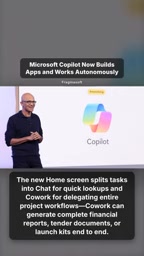
The new Copilot home screen divides tasks into two distinct paths: Chat handles quick queries, while Co-work takes on full project workflow delegation. This split reflects Microsoft's rethinking of use cases — lightweight Q&A and heavy-duty collaboration require different interaction models.
Co-work's capabilities far exceed those of a traditional assistant. According to the original demo, it can end-to-end generate complete financial reports, tender documents, and product launch kits. In other words, users are no longer issuing single commands — they're setting a goal, and the system handles the breakdown and execution.
Deep Integration of the Office Suite
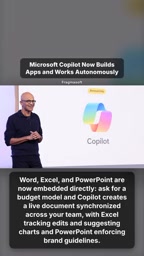
Word, Excel, and PowerPoint are now directly embedded into the Copilot workflow, rather than being called as separate external applications. This change brings an entirely new dimension to document collaboration.
For example, when you ask Copilot to build a budget model, it creates a live document that stays in sync across your team. Excel tracks edits and proactively suggests charts, while PowerPoint automatically enforces brand guidelines. Throughout the process, data, visualizations, and brand consistency are managed in a unified way — reducing the manual overhead of switching between apps and aligning everything by hand.
The value of this embedded model is that it consolidates what were once scattered office tasks into a single continuous workflow. Generating documents, updating data, and producing presentations are no longer three separate steps — they're different stages of the same task.
Natural Language Programming: Letting Non-Developers Build Apps
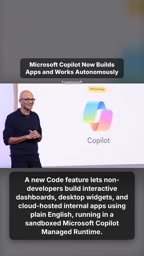
The new code feature may be the most directly impactful addition for everyday users. It allows people without a programming background to build interactive dashboards, desktop widgets, and cloud-hosted internal apps using nothing but natural language.
The key lies in the runtime design — these apps run in a sandboxed runtime managed by Microsoft Copilot. The sandbox mechanism means user-created apps are isolated in a controlled environment, reducing security risks and making IT management more tractable. For enterprises, this offers a fast track for building internal tools without going through traditional development queues.
A sandboxed runtime is a classic isolation mechanism in cloud computing and software security: user-generated code or apps are confined to an independently controlled container with restricted permissions, unable to directly access the host system's files, network, or other tenants' data. For Microsoft, hosting Copilot-generated apps in a self-managed sandbox serves both as a security boundary and a commercial model extension — enterprise IT admins can apply unified policies to govern all "citizen developer" apps created by employees, preventing shadow IT from spiraling out of control. This design is philosophically consistent with the Power Platform's low-code approach, but the natural language interface dramatically lowers the barrier, expanding the potential user base from semi-technical staff who understand business logic all the way to employees with no programming background whatsoever.
Autopilot: An Autonomous Digital Colleague Evolved from the Scout Agent
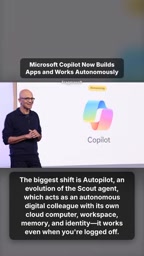
The biggest transformation in this update is Autopilot. Evolved from the earlier Scout agent, it's positioned as an autonomously operating "digital cloud" — or more concretely, a virtual colleague with its own cloud computer, workspace, memory, and identity.
Autopilot's most defining characteristic is that it keeps working even after you've logged out. This means task execution no longer depends on the user being online — the agent can independently advance assigned work in the background.
Granting an agent an independent identity and persistent memory is a critical step toward truly autonomous AI. It transforms AI from a "reactive tool" into a "proactive executor" — but it also raises new governance questions. How to audit a digital entity that continues operating on enterprise data while you're offline will be an unavoidable challenge for enterprise deployments.
Scout was an experimental AI agent project Microsoft introduced previously, designed to enable AI to complete multi-step web browsing and information-gathering tasks on behalf of users. Its core breakthrough was introducing the concept of "persistent sessions" — the agent could retain context between conversations rather than starting from scratch each time. Autopilot builds on this foundation by giving the agent an independent cloud workspace and cross-session memory, upgrading it from a "one-off task executor" to a "continuously operating digital employee." This evolutionary path closely mirrors the industry's broad definition of an AI Agent: goal-aware, capable of task planning, tool invocation, and autonomous iteration — distinct from traditional single-turn command-response systems. Microsoft giving Autopilot an independent identity also means it maintains a traceable operation log within enterprise systems, which is the technical prerequisite for achieving audit compliance down the road.
What This Upgrade Means
Looking at these features together, Microsoft's message is clear: Copilot's goal is to become the operational hub of the office environment, not just an auxiliary entry point. Co-work handles the process, Office integration provides the execution layer, natural language programming lowers the barrier to building, and Autopilot enables autonomous operation — all four point in the same direction: AI agents taking over real work.
For users, the efficiency gains are obvious. But the security, permissions, and auditability questions raised by autonomous agents deserve serious evaluation before deployment. This relaunch looks less like a feature update and more like a bet on how humans and AI will divide labor going forward.
Related articles

Chain of Thought Isn't Just for AI: How Humans Can Use CoT to Improve Thinking Quality
Chain of Thought isn't just a prompt trick for large models. Starting from a Hacker News discussion, this article analyzes why CoT works for human thinking too, breaks down actionable ways to transfer it, and highlights the key differences between human CoT and machine CoT.
Cloudflare Teams Up with OpenAI: Closi…
Cloudflare Teams Up with OpenAI: Closing the Loop from Vulnerability Discovery to Defense with AI
Cloudflare uses OpenAI Daybreak to investigate security vulnerabilities and generate reviewable remediation plans, while developers use Codex to boost coding efficiency and quality.

Orca Multi-Agent Orchestration in Practice: A Guide to Parallel Collaboration with Claude and Codex
Orca is Stable AI's free open-source agent workbench supporting 34 agents like Claude Code and Codex in parallel. Learn its Git worktree isolation, multi-model orchestration, and mobile management.