Microsoft Redesigns Windows 11 Photos App: Unifies Local, OneDrive, and iCloud Libraries

Microsoft redesigns the Windows 11 Photos app, unifying local, OneDrive, and iCloud libraries for the first time.
Microsoft is redesigning the Photos app for Windows 11, aiming to aggregate photos and videos from local PC, OneDrive, and iCloud into one interface, solving the long-standing pain point of switching between platforms. The new app also overhauls the editor and image viewer to cover browsing through lightweight editing. The integration raises engineering and policy issues around account authorization, sync, and privacy, with details still unclear. It signals Microsoft's push to strengthen built-in apps and position Windows as a personal content hub, though success hinges on sync reliability and user experience.
Microsoft is redesigning the Photos app for Windows 11, and the core idea behind this update is clear: bring photos and videos scattered across different devices and clouds together into a single interface for management. According to reports from RSS sources, the new app not only overhauls the editor and image viewer, but for the first time also merges libraries from three sources—local PC, OneDrive, and iCloud—into a single space.
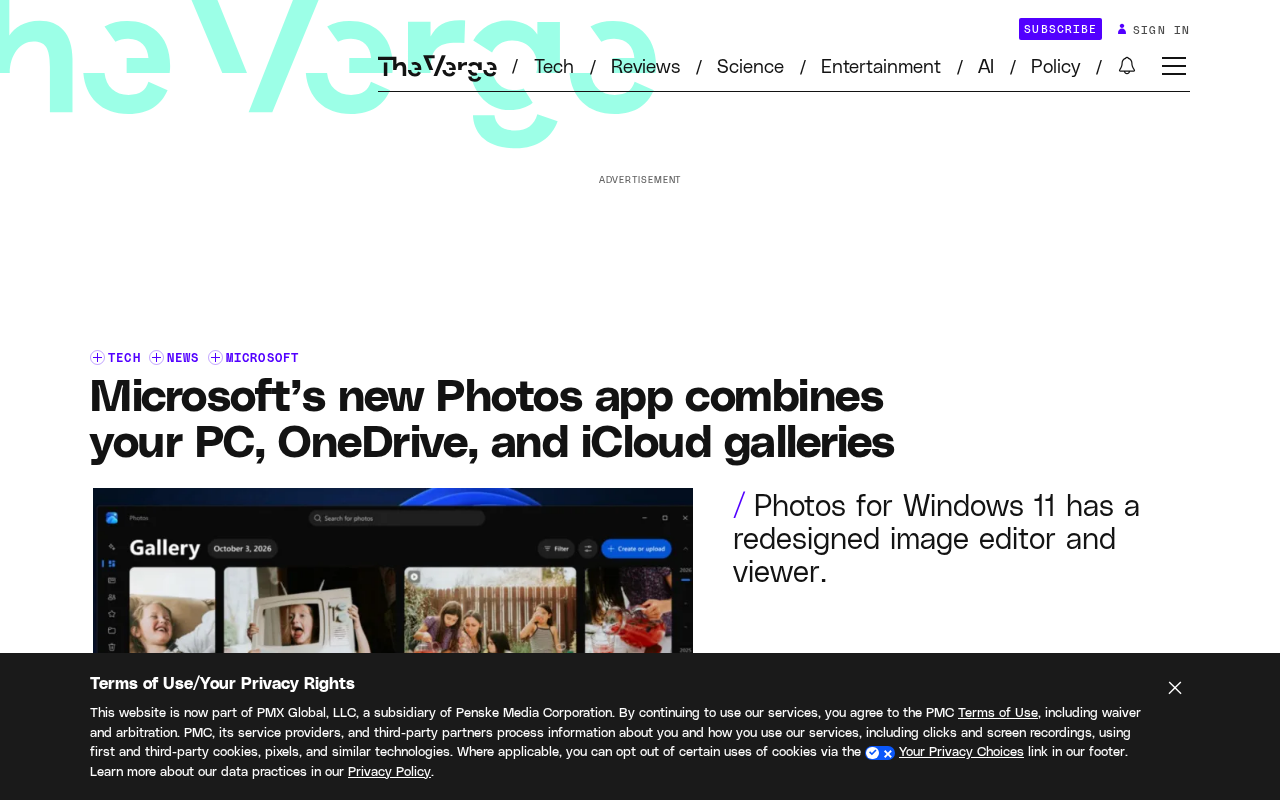
A Long-Overdue "Unified Library" Attempt
Windows users have long faced an awkward reality: photos taken on their phones live in iCloud, work screenshots sit in OneDrive, and original files exported from cameras lie on the local hard drive. In the past, viewing this content often meant switching back and forth between File Explorer, browser-based web versions, and various sync clients.
By directly connecting these three sources into the Photos app, Microsoft is essentially providing an aggregation entry point at the system level. Users no longer need to download iCloud photos locally just to view them, nor do they have to open a browser to dig up a particular OneDrive image. This change may seem simple, but behind it lies a series of engineering challenges involving account authorization, sync strategies, and cache management. The fact that Microsoft is willing to do this in a system-level app shows it is re-emphasizing Windows' positioning as a "personal content hub."
Editor and Viewer Get Simultaneous Upgrades
Beyond library aggregation, Microsoft has also overhauled the editor and image viewer. The original article did not disclose specific feature details, but judging from the word "overhauling," this is not a minor patch but a major redesign at the interaction level.
For ordinary users, the viewer shapes their first impression when browsing photos, while the editor determines whether they are willing to do simple photo editing on Windows instead of switching to a mobile app. Redoing both at the same time suggests Microsoft wants the Photos app to play more than just a "view photos" role—it aims to cover the full chain from browsing to lightweight editing. If executed well, this could be genuinely appealing to users who would rather not install additional third-party editing software.
Account and Privacy Considerations Behind Cross-Platform Integration
Bringing iCloud into a Windows system app inevitably raises questions about account authorization and data flow. It is currently unclear exactly how Microsoft and Apple are cooperating to implement this integration, nor whether photos are pulled from iCloud in real time or require prior syncing.
For users, what deserves attention is the scope of authorization and privacy settings. An aggregated library means the app needs access to photo data across multiple accounts, and how to balance convenience with data security is a question such integration features must answer. The original article touches on this only briefly, and the details of the actual experience and privacy policy in the future are worth watching.
iCloud for Windows is Apple's official Windows client, initially used mainly for syncing iCloud photos, bookmarks, and passwords, but its functionality has long been limited, with users often complaining about sluggish syncing and the need to fully download photos locally before viewing them. This integration of iCloud into a system-level Photos app is likely achieved through Apple's open APIs or deep collaboration with Microsoft, rather than simply calling the existing client. Unlike third-party tools (such as browser-based web versions), system-level integration typically requires handling OAuth authorization token storage and refresh, multi-account isolation, on-demand downloads, and cache eviction mechanisms. Moreover, an aggregated library means the Photos app will hold access credentials for multiple cloud services simultaneously; if the app itself or system permission management is not rigorous, it could become a weak link for privacy leaks. Microsoft's privacy dashboard and permission controls in Windows 11 may play a key role in this feature.
What This Means for the Windows Ecosystem
From a broader perspective, this Photos update sends a signal: Microsoft wants to re-strengthen the value of Windows' built-in apps against the backdrop of intensifying competition in AI and cloud services. While third-party photo tools and phone makers' cloud services each operate in their own silos, system-level multi-source aggregation becomes a differentiating capability.
If the Photos app can reliably integrate local, OneDrive, and iCloud content, and then layer on search, AI classification, and other capabilities, it has a chance to become the primary entry point for Windows users managing their personal photo and video content. Of course, all of this depends on syncing being reliable enough and the interface being smooth enough—which is exactly where built-in system apps have often been criticized in the past.
Inbox apps have always been the cornerstone of the Windows experience, but over the past decade, Microsoft has updated apps like Photos, Mail, and Calendar far less frequently than third-party competitors, causing a significant user exodus to tools like Google Photos and Lightroom. In recent years, Microsoft has begun deeply integrating AI capabilities (such as Copilot and Recall) into the system layer, and the value of built-in apps is being reassessed—they are no longer dispensable add-ons but entry points that carry AI services and connect to the cloud ecosystem. Multi-source library aggregation is precisely a manifestation of this strategy: by lowering the barrier to accessing cross-platform content, it increases user stickiness to the Windows photo library, thereby creating footholds for subsequent AI search, smart classification, and cloud storage subscriptions. If successful, this will be a step in Windows' transformation from an "operating system" to a "personal content hub."
One-line Summary
Microsoft redesigns the Photos app for Windows 11, unifying local, OneDrive, and iCloud libraries for the first time.
Paragraph Summary
Microsoft is redesigning the Photos app for Windows 11, with the core goal of aggregating photos and videos scattered across local PC, OneDrive, and iCloud into a single interface, addressing the long-standing pain point of users switching between multiple platforms. The new app also significantly overhauls the editor and image viewer, aiming to cover the full chain from browsing to lightweight editing. Cross-platform integration involves engineering and policy issues such as account authorization, sync mechanisms, and data privacy, and details remain unclear. This move is seen as an important signal that Microsoft is re-strengthening the value of built-in system apps and positioning Windows as a personal content hub, but success depends on sync reliability and the degree of user experience optimization.
Related articles

Claude Reportedly Able to Hide Secret Messages in Benign Images
A Reddit post claims Claude Fable 5.1 can hide secret messages in benign images. This article reviews the background, image steganography principles, and potential security risks, and suggests a testing path from rumor to verification.

Federal Government Awards $85 Million; CFS to Develop Fusion-Specific Semiconductors
The federal government awards $85 million to Commonwealth Fusion Systems to develop conductors and power semiconductors for fusion plants. This article analyzes the significance of this funding for the fusion supply chain and commercialization path.

When Should AI Assistants Proactively Suggest? Timing Is Everything
When should AI assistants proactively suggest? Reddit discussion reveals: the same suggestion feels different at different times. This article analyzes the dual nature of proactive suggestions, the boundary of user expectations, and design principles, exploring how to balance automation and user control.