N8n Automation Workflows: An AI Solution That Saves 20 Hours a Week

Three N8n AI workflows: Agent node, $5 self-hosting, and Watchdog auto-recovery
Through a short YouTube video, the article introduces three AI automation workflows built on N8n. The first is the Agent node, which lets large language models directly connect to and control live software tools, autonomously deciding execution paths from a natural language description of intent — ideal for complex processes requiring dynamic judgment. The second is self-hosted N8n, which claims to run 10,000 workflow executions for $5 per month, bypassing enterprise cloud subscriptions, though users must handle deployment and operations themselves. The third is the Watchdog bot, which continuously checks website or server availability and automatically triggers a recovery protocol during downtime, compressing response to the second level. The article also notes that the video itself was autonomously generated by an AI Agent, reflecting how Agents are shifting from assistive tools to independent executors, and suggests choosing a solution based on the decision complexity of the process and the team's technical capability.
Say Goodbye to Manual Work: Three AI Workflows That Free Up 20 Hours a Week
Clicking through the same screens, copying and pasting data, watching server status — these tedious operations are eating into your workday. A short video from YouTube showcases an automation solution built on N8n that claims to save 20 hours per week. What's more intriguing is that the video itself was entirely generated by the studio's AI Agent, with no human editing involved.
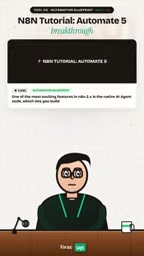
The N8n Agent Node: Letting Language Models Directly Control Your Software
The first workflow is the N8n Agent node. Its core capability lies in connecting a large language model with live software tools to build fully autonomous workflows.
Traditional automation tools follow the logic of "if A happens, do B" — rules must be predefined by humans. The Agent node is different: it lets the language model understand the intent of a task and then autonomously call tools to complete the operation. This means you can describe your goal in natural language and let the AI decide the specific execution path.
The practical value of this model is that it reduces processes that would otherwise require writing complex conditional branches to a single description of intent. For repetitive work that needs dynamic judgment — such as automatically categorizing emails and triggering different processing flows — the Agent node's flexibility far exceeds traditional automation.
What is N8n?
N8n is an open-source workflow automation tool, often described as a "self-hosted Zapier." It uses a node-based visual orchestration approach where users connect individual function nodes into a pipeline to perform data transfer, API calls, conditional logic, and more. Unlike SaaS platforms such as Zapier and Make, N8n can be deployed on your own server, keeping data within your internal network, and it doesn't charge strictly by execution count. It comes with hundreds of built-in integration nodes (such as HTTP, databases, Slack, email) and also supports custom nodes written in JavaScript or Python. Precisely because it is open-source and self-hostable, N8n has become popular among developers and small teams, serving as a common foundation for building internal automation and integrating with large language models.
The Difference Between Agents and Workflows
In the automation context, a traditional Workflow is "deterministic": the path is pre-set by humans, and the same input produces the same output. An Agent, by contrast, introduces a large language model as the decision-making core — it can read the current context, break down goals, choose which tool to call, and decide the next step based on returned results. This brings two changes: first, the process can handle unstructured input (such as a natural language email); second, the execution path is no longer fixed and has a degree of "autonomy." The cost is that results may fluctuate, requiring tool permission boundaries, retry mechanisms, and human review nodes.
Self-Hosted Solution: Run 10,000 Workflow Executions for $5 a Month
The second workflow is self-hosted N8n. The numbers given in the video are straightforward: $5 per month for 10,000 automated workflow executions, while bypassing expensive enterprise-grade cloud subscriptions.
This pricing logic is worth breaking down. Cloud automation platforms typically charge by execution count or seat count, and costs grow quickly as you scale up. Self-hosting shifts the infrastructure cost to a server you control — $5 could cover the monthly fee of a basic VPS.
For individual developers and small teams, the economics of this approach are clear. But self-hosting also means you need to handle deployment, maintenance, security updates, and troubleshooting yourself. The subscription fees you save will partly be converted into operational time costs. Whether it's worth it depends on your technical skills and the value of your time.
What Self-Hosting Means
Self-hosting means deploying software on a server you purchase or rent, rather than using a vendor-managed cloud service. The common vehicle is a VPS (Virtual Private Server), with entry-level configurations costing roughly $5 to $10 per month. People choose self-hosting for three main reasons: controllable costs, data sovereignty, and deep customization. The corresponding trade-off is that OS patches, dependency upgrades, backups, HTTPS certificates, reverse proxies, and monitoring alerts all become your responsibility. If the server goes down or a version upgrade goes wrong, there's no vendor support to fall back on. Therefore, the economics of self-hosting can't be judged solely by the difference in subscription fees — you also need to factor in operational manpower and failure risk. For users without ops experience, a managed version is often more hassle-free.
Watchdog Bot: Automatic Recovery When the Server Goes Down
The third workflow is the N8n Watchdog bot. It performs continuous uptime checks and immediately triggers a recovery protocol when a critical website or core server crashes.

This scenario addresses the problem of delayed operational response. Manual monitoring can't run 24/7 without interruption, and every minute of downtime causes losses. The value of the Watchdog bot lies in automating the chain of "detect problem → notify → handle," compressing response time to the second level.
From a technical implementation perspective, this type of bot typically detects target availability through scheduled HTTP requests, combined with threshold judgment and alert triggering. N8n's node-based design makes building this kind of logic possible without writing code from scratch, which is especially friendly for small teams without dedicated ops staff.
Watchdog and High Availability
In computing, "Watchdog" broadly refers to a class of daemon mechanisms that continuously monitor system status and automatically intervene when anomalies occur. In operations scenarios, it typically sends probe requests to a target at fixed intervals (such as HTTP status codes, port connectivity, response latency), and triggers an alert or recovery action when several consecutive probes fail beyond a threshold. Recovery actions can include restarting a container, switching to a standby node, rolling back a version, or calling a cloud platform API to rebuild an instance. A related metric is MTTR (Mean Time to Recovery), the average time from failure occurrence to service restoration. The value of a Watchdog is precisely in compressing MTTR: shortening a process that once relied on human detection and intervention to the second or minute level. Note that simple liveness probes cannot distinguish a "zombie" state where "the process is still running but no longer responding." In practice, they are often used together with business-layer health check endpoints.
The Signal Behind the Video: AI Autonomously Generating Content
At the end of the video, a key piece of information is revealed: the entire video was autonomously generated by the studio's AI Agent, with no human editing.

This "plot twist" itself is more noteworthy than the workflow solutions. It demonstrates the AI Agent's complete closed-loop capability across the content production chain — from script and visuals to editing rhythm, all completed by the Agent. If this claim holds, it means the application scenarios of AI Agents are shifting from "assistive tool" to "independent executor."
Of course, the video doesn't show the specific generation process or tech stack, so we can't verify its degree of automation. But directionally, Agent-driven content production is an accelerating trend.
The Boundaries of Agent-Driven Content Production
So-called "AI Agent autonomously generating video" usually refers to a pipeline chained together by multiple Agents: a planning Agent produces the script and storyboard, a generation Agent calls text-to-image, text-to-video, or speech synthesis models to produce assets, and an editing Agent stitches them together according to rhythm and adds subtitles and sound effects. The currently verifiable degree of automation varies widely — some only automate the script and voiceover while visuals still rely on humans; others can produce an end-to-end video, but style consistency, factual accuracy, and copyright compliance still require human oversight. Therefore, the claim of "no human editing" should be understood as editing decisions being executed by the model according to preset rules, rather than being completely detached from human design and review. To judge its true level, the key is whether there is a reproducible process description, source attribution for assets, and failure-handling mechanisms.
Who This Solution Is For
The three workflows correspond to three types of needs: the Agent node suits complex processes requiring dynamic decision-making, the self-hosted solution suits cost-sensitive teams with technical capability, and the Watchdog bot suits services that need high-availability guarantees.
If you spend a lot of time every day on repetitive operations, the barrier to entry for tools like N8n is already much lower than it was a few years ago. The key is to think clearly about which steps are suitable for automation and which need to retain human judgment. The essence of saving time isn't handing everything over to machines — it's handing over the parts machines are good at.
Related articles

ChatGPT Space Launches: Team Collaboration and New Pages Features Explained
ChatGPT Space is OpenAI's new team collaboration feature with Pages, real-time collaboration, and Slack/Google Drive sync. We break down its privacy design, multi-platform integration, and the full workflow from conversation to document.

Migrating Apache Spark UDFs to GPU Acceleration with AI Agents
NVIDIA developer blog explains how AI Agents rewrite Apache Spark UDFs for GPU acceleration, covering migration criteria, agent rewriting and verification workflows, plus pitfalls like result consistency and CPU-GPU transfer overhead.

Zed Editor v0.40.4-rc2 Released: Usage Credits Now Available Without Upgrading
Zed editor releases v0.40.4-rc2, allowing users to use usage credits for AI features without upgrading to a paid plan, lowering the trial barrier.