n8n Cron Trigger vs Webhook Trigger: Choosing Between Scheduled Tasks and Real-Time Triggers

Cron Trigger and Webhook Trigger correspond to time-driven and event-driven approaches, and understanding their differences is the first step in designing efficient automation workflows.
The article systematically compares the two most common triggers in n8n: Cron Trigger runs automatically according to a preset schedule, is predictable like an alarm clock, and suits time-driven tasks such as scheduled data sync, periodic polling, and report generation; Webhook Trigger listens for external HTTP requests by exposing a URL endpoint, responds instantly like a doorbell, and suits event-driven scenarios such as payment callbacks, form submissions, and instant alerts. The core difference is who initiates: Cron actively polls and may cause idle execution; Webhook passively responds with zero latency but depends on external push support. Choose based on push support, timeliness needs, and whether tasks depend on external events; in practice, they are often used together.
n8n's trigger nodes determine when an automation workflow starts. Cron Trigger and Webhook Trigger are the two most common starting points, but their use cases are completely different. Understanding the differences between them is the first step in designing an efficient automation process.
Cron Trigger: Executes on Schedule Like an Alarm Clock
The core logic of Cron Trigger is to automatically run a workflow according to a preset schedule—it can be configured to trigger every minute, or to run once per hour, day, or week. It does not depend on any external event; as long as the time arrives, it starts on schedule.
The video uses a very intuitive analogy: Cron Trigger is like an alarm clock—whether you are at home or not, whether guests are coming or not, it will ring on time at the preset moment. This "time-driven" characteristic means the workflow's execution is completely predictable.
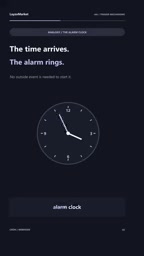
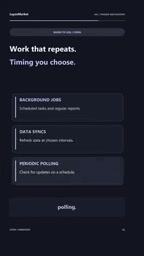
The scenarios where Cron Trigger is most suitable include: regular data synchronization (for example, pulling the latest records from a database every day at midnight), periodically polling an external API to check for status changes, generating reports on a schedule and sending emails, and any batch processing task that needs to execute within a fixed time window. Its advantage lies in being stable and reliable, without depending on whether an external system actively pushes data.
Introduction to Cron Expressions: Cron originates from the scheduled task tool in Unix systems, and its schedule is described by a string called a cron expression. A classic cron expression consists of 5 fields, representing minute, hour, day, month, and weekday in order. For example, 0 3 * * * means execution at 3 AM every day. n8n's Cron Trigger builds on this with a graphical wrapper, allowing users to directly choose presets such as "every minute," "every hour," or "every day," and also customize specific times. It should be noted that different platforms differ in the number of fields in cron expressions, and some implementations add extra "second" or "year" fields. When using it, confirm the format supported by the corresponding n8n version to avoid schedule configuration errors that cause workflows to trigger unexpectedly frequently or not at all.
Webhook Trigger: Responds Instantly Like a Doorbell
Webhook Trigger works in a completely different way. It listens for external events by exposing a URL endpoint. When an external application sends data to this address, the workflow is triggered immediately. As long as the HTTP request arrives, n8n starts the corresponding automation process in real time.
To use an analogy, Webhook Trigger is like a doorbell—the moment a guest arrives at the door and presses the button, the bell rings immediately. If no guest comes, it quietly waits.
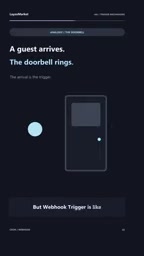
This "event-driven" model makes Webhook Trigger the first choice for real-time scenarios: receiving callback notifications from third-party services (such as successful payments or form submissions), instantly pushing alert messages to chat tools, and immediately triggering subsequent processing chains after a user completes an action. The video mentions that Webhook Trigger is very suitable for real-time event-driven automation and instant notification needs.
The Technical Essence of Webhooks: A webhook is essentially a "reverse API" mechanism. A normal API call has the client actively initiate a request to the server, while a webhook reverses this direction—one party provides a publicly accessible URL, and the other party actively sends an HTTP POST request to that URL when an event occurs, carrying a JSON or form payload with event data. n8n's Webhook Trigger node generates such a URL endpoint, and external systems only need to send a request to it to start the workflow. In actual use, this URL usually needs to be accessible from the public internet, and locally deployed n8n often needs to expose the service through a tunneling tool or reverse proxy. In addition, for security reasons, it is recommended to enable authentication headers or signature verification on the webhook to prevent the endpoint from being maliciously called.
Core Difference: Time-Driven vs Event-Driven
The essential difference between the two triggers lies in "who initiates."
Cron Trigger is an active polling mode—n8n executes tasks according to a schedule itself and does not care what is happening in the outside world. This means that even if there is no new data, the workflow will still run as usual, potentially causing unnecessary idle execution.
Webhook Trigger is a passive response mode—n8n waits for an external system to actively push data. The advantage is zero latency and zero idle execution, but the prerequisite is that the external system supports webhook push. If the other party can only provide data through polling, Webhook cannot help.
In actual projects, the two are often used together. For example, use Cron Trigger to perform full data reconciliation on a regular basis, while using Webhook Trigger to handle real-time order notifications—each leveraging its strengths.
How to Choose: Three Dimensions for Decision-Making
When facing specific requirements, you can make a quick decision from the following angles:
Does the external system support active push? If a third-party service provides webhook callback capability, prioritize Webhook Trigger; if it can only rely on scheduled queries, then use Cron Trigger.
How high is the requirement for timeliness? For scenarios requiring second-level response (such as instant assignment of customer service tickets or monitoring alerts), Webhook is the only choice. For tasks that can accept minute-level or even hour-level delays (such as daily report generation or data backup), Cron is simpler and more reliable.
Is the task unrelated to external events? Tasks executed purely according to time rules—such as clearing expired cache every day or summarizing statistics every week—are naturally suitable for Cron Trigger and do not need the complexity of introducing webhooks.
Summary
Cron Trigger and Webhook Trigger are not competitors, but complementary tools. The former solves the problem of "what should be done on schedule," while the latter solves the problem of "what should be done when something happens." Only by understanding their respective trigger mechanisms and applicable boundaries can you build efficient and reliable automation workflows in n8n.
One-line Summary
Cron Trigger and Webhook Trigger correspond to time-driven and event-driven approaches, respectively, and understanding their differences is the first step in designing efficient automation workflows.
Paragraph Summary
The article systematically compares the two most common triggers in n8n: Cron Trigger runs automatically according to a preset schedule, is as predictable as an alarm clock, and is suitable for time-driven tasks such as scheduled data synchronization, periodic polling, and report generation; Webhook Trigger listens for external HTTP requests by exposing a URL endpoint, responds instantly like a doorbell, and is suitable for event-driven scenarios such as payment callbacks, form submissions, and instant alerts. The essential difference between the two lies in who initiates: Cron actively polls and may cause idle execution; Webhook passively responds with zero latency but depends on external systems supporting push. When choosing, you can judge from three dimensions: whether the external system supports push, timeliness requirements, and whether the task depends on external events. In actual projects, the two are often used together.
Related articles

JobRunner MCP Server: AI Agents Can Now Fix Failed Java Jobs
JobRunner launches an open-source MCP server enabling AI agents to view cluster status, diagnose failures, and recover Java jobs—incident response from any cloud coding environment or existing agent.

MLAI Digital Launches 9 Security Agents: MCP Server Safeguards the Full Lifecycle of Agentic AI
MLAI Digital launches Security MCP Server with nine built-in specialized security agents covering vulnerability discovery, attack simulation, prompt injection detection, API and infrastructure assessment, and accelerated remediation—embedding security validation across the full Agentic AI lifecycle from development to production.

Running Isaac Lab on H100 GPUs: Exploring Better Approaches
Exploring optimization methods for running Isaac Lab on NVIDIA H100 GPUs, including MIG configuration, mixed precision, TensorRT acceleration, and community experience to improve robotics simulation and reinforcement learning efficiency.