n8n Launches Built-in AI Assistant: Build Workflows with Natural Language

n8n's built-in AI assistant lets you plan, build, and fix workflows with natural language — no API key required.
Automation platform n8n has launched a built-in AI assistant that lets users describe their goals in plain English, with AI handling workflow planning, building, testing, and repair — no coding required. The standout feature is a gateway credits model that eliminates the need for personal API keys, with OpenAI, Anthropic, and Gemini bundled together. Currently in cloud preview from version 2.29.9, it's not yet available for Enterprise plans. n8n recommends confirming plan eligibility first and starting with small workflows before scaling to critical use cases.
n8n Takes Automation One Step Further
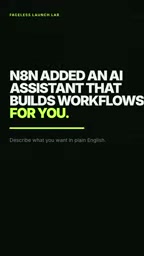
Automation platform n8n has long been known for its visual node-based workflow editor, but building a complete workflow still requires users to understand node logic, manually wire connections, and occasionally write small scripts. Now, n8n has introduced a built-in AI assistant aimed at lowering that barrier even further — simply describe what you want to accomplish in plain English, and let the AI handle the planning and building.
According to the YouTube video, the AI assistant's core capability can be summarized as a single pipeline: plan → build → test → repair, with support for a degree of "autopilot" mode. For first-time users, the official messaging emphasizes "no manual coding required to get started," meaning non-technical business users can also attempt to build automated workflows.
No API Key Required Is the Biggest Highlight
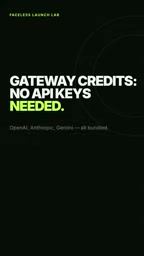
For many users eager to try AI features, the biggest headache is usually needing to supply their own API keys and manage billing for large language models. n8n's approach uses "gateway credits," meaning users don't need to provide their own API keys, and OpenAI, Anthropic, and Gemini are all bundled in together.
This design lowers the cost of experimentation — users don't need to open accounts with OpenAI, Anthropic, and Google separately and top up each one. They can directly call these models to drive workflow construction. For anyone who wants to quickly validate an idea, this is a remarkably accessible entry point.
Technically, the "gateway credits" model means n8n maintains API connections to major model providers on its own servers. User requests are routed through n8n's gateway, consuming quota the platform has pre-purchased, with usage billed to users' accounts in credit form. The difference from using model APIs directly: users don't have to deal with key rotation, access restrictions, or billing overruns — but it also means usage limits, rate caps, and pricing are ultimately determined by the n8n platform rather than the user. For light users, this managed approach is generally more convenient; for enterprises with high-volume needs or data compliance requirements, using their own API keys is still typically the more controllable option.
Availability and Version Limitations
It's worth noting that this feature is currently in cloud preview and is available starting from version 2.29.9. The video specifically notes that this feature is not yet available for Enterprise plan users.
This means the experience will vary across different subscription tiers. If you're considering signing up or upgrading specifically for this AI assistant, the video advises confirming your plan supports it first to avoid paying and then finding the feature unavailable. Features in preview typically also mean stability and completeness are still being refined, so expectations should be tempered accordingly.

Practical Advice: Start with a Small Workflow
The video offers a very pragmatic tip for getting started: test a small workflow first. Rather than immediately applying the AI assistant to a complex, production-level process, it's safer to use a simple, low-risk task to verify whether its plan-build-test-repair loop meets your expectations.
This is also general advice for any AI-assisted tool — AI-generated workflows still require human review, especially when dealing with real data, external API calls, or automated actions where an insufficiently validated workflow could produce unexpected results. Getting it working on a small scale first, then gradually expanding to more critical business scenarios, is a sensible way to manage risk.
What This Means for the Automation Ecosystem
From an industry perspective, n8n's move aligns with the broader trend of "natural language as interface." Over the past year, more and more tools have embedded large language models into their own workflows, letting users replace configuration with conversation. As a major player in the open-source automation space, n8n's approach of bundling multiple models and enabling API-key-free access effectively lowers the barrier for everyday users to experience AI-powered automation.
Of course, the limitations — preview-only availability, no Enterprise support, reliance on platform credits — serve as reminders that this is still early days. Whether it can truly deliver "describe it and get a working workflow" will need to be proven across more real-world scenarios. But for users who want to try it out without wrestling with API configuration, this is a solid window of opportunity.
n8n is an open-source, node-based workflow automation tool positioned similarly to Zapier and Make (formerly Integromat), but with a self-hosting option that lets users deploy the service on their own servers to retain data control. Its node ecosystem covers hundreds of mainstream SaaS services, and users connect nodes by drag-and-drop to describe "trigger → processing logic → output action" automation flows. The context for introducing an AI assistant: even with a visual interface, configuring complex workflows still requires users to understand data mapping, conditional branching, and API call patterns — a cognitive barrier for non-technical users. The AI assistant essentially shifts the "how to build it" step from the user to the model; users only need to articulate "what they want to do."
Related articles

Chain of Thought Isn't Just for AI: How Humans Can Use CoT to Improve Thinking Quality
Chain of Thought isn't just a prompt trick for large models. Starting from a Hacker News discussion, this article analyzes why CoT works for human thinking too, breaks down actionable ways to transfer it, and highlights the key differences between human CoT and machine CoT.
Cloudflare Teams Up with OpenAI: Closi…
Cloudflare Teams Up with OpenAI: Closing the Loop from Vulnerability Discovery to Defense with AI
Cloudflare uses OpenAI Daybreak to investigate security vulnerabilities and generate reviewable remediation plans, while developers use Codex to boost coding efficiency and quality.

Orca Multi-Agent Orchestration in Practice: A Guide to Parallel Collaboration with Claude and Codex
Orca is Stable AI's free open-source agent workbench supporting 34 agents like Claude Code and Codex in parallel. Learn its Git worktree isolation, multi-model orchestration, and mobile management.