n8n Static Data vs Execution Data: Key Differences and Practical Usage

In n8n, execution data is limited to a single run while static data persists across runs—choose correctly based on your scenario.
The article distinguishes two key types of data in n8n: execution data and workflow static data. Execution data is temporary payload within a single execution pipeline, carrying API responses and intermediate results passed between nodes, cleared when the run ends; static data is attached at the workflow level, persisting across multiple executions, used to record timestamp watermarks, pagination cursors, and deduplication IDs. The criterion: will it be needed on the next run? If yes, store it as static data; otherwise use execution data. In practice they work together. Common pitfalls include using execution data for persistence, forgetting to write back cursors, abusing static data as a cache, and ignoring concurrency races.
n8n Static Data vs Execution Data: Key Differences and Practical Usage
When building automation workflows in n8n, data management is the key to workflow reliability. Many beginners conflate "Workflow Static Data" with "Execution Data," and end up stumbling repeatedly when it comes to preserving state across runs. Based on a breakdown from a YouTube tutorial channel, this article helps you build a clear mental model of these two concepts.
Why You Must Distinguish Between These Two Types of Data
n8n nodes generate a large amount of temporary information during runtime: HTTP responses, database query results, file contents, and so on. The vast majority of this information only serves the current execution, and has no retention value after the task ends.
But there's a category of information that needs to survive across multiple executions—things like the last-synced timestamp, pagination cursors, or a set of IDs used for deduplication. If you mix these into ordinary execution data, your workflow will "lose its memory" every time it's re-triggered, resulting in duplicate fetching or missed data.
The tutorial uses a fitting analogy: Workflow Static Data is like a persistent notebook—marks you write there are retained across multiple runs; Execution Data is like scratch paper on your desk—it's completely cleared the moment the current task ends. Only by understanding this boundary can you correctly choose where to store your data.

Execution Data: The Temporary Carrier for a Single Run
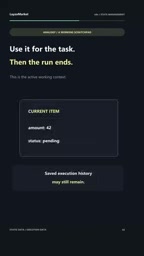
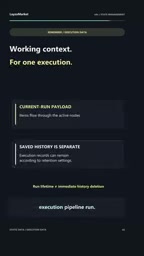
Execution Data is the payload passed between nodes. When one node outputs data and the next node receives and processes it, all of that data belongs to the lifecycle of the same execution.
Its typical characteristics:
- Scope limited to a single execution: Once the workflow finishes, the execution data disappears with it.
- Carries business payload: JSON returned by APIs, lists of records to process, transformed intermediate results—all flow through this channel.
- Not suitable for long-term state: If you use execution data to record "the last sync position," it will return to its initial state on the next trigger.
According to the video, execution data "lives strictly for the duration of a single execution pipeline run." This means any logic that depends on the results of a previous run cannot rely on it.
A common misuse in practice: using a Set node to hold a counter, expecting it to keep accumulating on the next scheduled trigger. Instead, it starts from zero every time, because the execution data has already been reset.
To understand the lifecycle of execution data, you need to understand n8n's execution model. An n8n workflow is composed of multiple nodes connected in sequence. Each node receives data items passed in from upstream, processes them, and outputs them downstream. This data exists as arrays of JSON objects, forming the bulk of execution data. Every trigger of the workflow—whether it's a timer, a webhook, or a manual run—generates an independent execution instance with its own data space. If execution logging is enabled, this data is retained as historical logs for debugging, but nodes themselves cannot read data from past executions; a new execution always starts from a blank state. This is similar to the behavior of local variables in a programming language: each function call reinitializes its local variables, and they are destroyed when the call ends.
Workflow Static Data: Persistent State Across Executions
Workflow Static Data solves the problem of state persistence. It's attached at the workflow level and is not cleared when a single execution ends.
Two typical scenarios given in the video:
- High-watermark timestamp: Records the last time data was fetched, so that the next fetch pulls only incremental data, avoiding full re-fetching.
- Pagination cursor / ID set: Records which page you last reached, or which record IDs have already been processed, used for resuming from a breakpoint and deduplication.

Its core value is that it preserves state and memory across multiple workflow invocations. For processes like scheduled polling, incremental sync, and paginated fetching—those that need to "remember where they left off"—static data is almost an essential tool.
Note that writing static data is typically done through a node's internal static data interface, rather than flowing naturally between nodes like execution data. This means you need to explicitly read and update it, rather than passively receiving it.
In n8n's implementation, Workflow Static Data is accessed via the $getWorkflowStaticData() method provided in Code nodes, and supports two storage types: global (shared across all workflows) and node (visible only to the current node, which is the default). It returns a plain JavaScript object, and you can read and write key-value pairs like a dictionary. n8n persists it to the database after execution completes. It's worth noting that static data is saved automatically in active workflows, but is not written when editing an inactive workflow, so keep this behavioral difference in mind when debugging. For scenarios requiring large amounts of data or strong consistency guarantees, consider using an external database (such as Redis or PostgreSQL) instead of static data.
A Comparison Table to See the Differences at a Glance
| Dimension | Execution Data | Workflow Static Data |
|---|---|---|
| Lifecycle | Single execution | Persists across multiple executions |
| Scope | Passed between nodes within a single pipeline | Entire workflow level |
| Typical use cases | API responses, intermediate results, pending lists | Timestamp watermarks, pagination cursors, deduplication IDs |
| End behavior | Cleared after execution completes | Retained until explicitly updated or cleared |
| Analogy | Scratch paper on the desk | Persistent notebook |
This table can serve as a quick reference: to decide where a piece of data belongs, just ask—Will it be needed on the next run? If yes, put it in static data; if not, let it flow through execution data.
How to Choose in Practice
In real workflow design, the two often work together. An incremental sync flow might look like this:
- Read the last sync timestamp from workflow static data.
- Use that timestamp to make an incremental request to the API (execution data carries the response).
- Transform, filter, and write the returned records to the target database (all through execution data).
- Write the latest sync timestamp back to static data for next time.
Here, steps 1 and 4 operate on static data, while steps 2 and 3 in between are entirely execution data. This clear division of labor ensures the flow neither reprocesses data nor loses progress.
Conversely, if your flow is stateless—for example, when each webhook received independently processes a message with no need to remember history—you can use only execution data and avoid adding the complexity of static data.
Common Pitfalls to Watch Out For
- Using static data as a cache: Static data is suitable for storing small state markers, not for stuffing in large volumes of business data, which would slow down the workflow and make it hard to maintain.
- Forgetting to update cursors: If you read static data but don't write it back after success, resuming from a breakpoint won't work.
- Relying on execution data for persistence: This is the most typical mistake, especially in scheduled-trigger workflows.
- Ignoring concurrency scenarios: When multiple executions read and write the same static data simultaneously, races can occur, and you'll need to evaluate whether to add locking or switch to external storage.
Mastering the boundary between these two types of data is fundamental to writing reliable n8n workflows. Remember that analogy—persistent notebook and scratch paper—and you won't hesitate when choosing.
The concurrency race issue is more complex in n8n than it appears on the surface. Because reads and writes to static data are not atomic, if two executions read the same cursor value almost simultaneously, process it separately, and write back separately, the later write will overwrite the earlier one, causing one execution's progress to be lost. Mitigation approaches include: serializing triggers to the same workflow (for example, using a queue mechanism), or migrating state to external storage that supports atomic operations. In addition, if the workflow triggers very frequently (say, multiple times per minute), frequent reads and writes to static data will also increase database load, and you should consider switching to a more specialized cache or state service.
One-line Summary
In n8n, execution data is limited to a single run, while static data persists across runs—choose correctly based on your scenario.
Paragraph Summary
The article distinguishes two key types of data in n8n: execution data and workflow static data. Execution data is the temporary payload within a single execution pipeline, carrying API responses, intermediate results, and so on passed between nodes, and is cleared when the run ends; static data is attached at the workflow level, persisting across multiple executions, and is used to record state such as timestamp watermarks, pagination cursors, and deduplication IDs. The criterion is simple: will it be needed on the next run? If yes, store it as static data; otherwise, use execution data. In practice, the two work together—for example, in incremental sync, static data is read to make requests, execution data carries responses, and finally the new state is written back. Common pitfalls include using execution data for persistence, forgetting to write back cursors, abusing static data as a cache, and ignoring concurrency races.
Related articles

AI Model Leap: Software and Gaming Business Models Are Being Disrupted
AI model capability leaps are disrupting software and gaming business models: a developer decompiles Photoshop with AI, Epic bans handwritten code in favor of AI production, Xbox launches a lab to embrace change—how will traditional companies respond to this restructuring?

AI-Driven Disaster Response and Displacement Monitoring: A New Paradigm for Humanitarian Aid
AI is revolutionizing disaster response and displacement monitoring: machine learning analyzes satellite imagery for rapid damage assessment, tracks population movement, and predicts poverty and climate change impacts. This article provides in-depth analysis of AI's core applications, technical logic, and ethical challenges in humanitarian aid.

Can Visual Generation Expand the Knowledge Boundaries of Multimodal Models?
New research proposes the KTP protocol to systematically explore whether unified multimodal models can acquire new knowledge through image generation training. Experiments cover seven knowledge categories and three models, revealing a direct but uneven transfer path from visual supervision to language, and proposing two improvement strategies: textual alignment and interleaved image-text alignment.